1. Product Overview
This manual provides instructions for the Generic replacement remote control designed for use with Britz BZ-T7500, BZ-T7600, and BZ-T7700 Micro Stereo Sound HI-FI Systems. This remote is a dedicated replacement and may not replicate all functions of the original remote control.
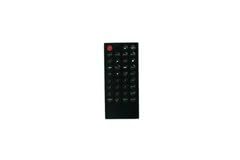
Figure 1: Front view of the Generic replacement remote control. This image displays the overall design and button layout of the remote.
2. Setup
The Generic replacement remote control requires no programming or complex setup. Simply install the batteries to begin operation.
2.1 Battery Installation
- Locate the battery compartment on the back of the remote control.
- Slide the battery compartment cover downwards or in the direction indicated by an arrow to open it.
- Insert new batteries (typically AAA, not included) according to the polarity indicators (+ and -) inside the compartment.
- Close the battery compartment cover by sliding it back into place until it clicks securely.
Note: Ensure batteries are inserted correctly to prevent damage to the remote control.
3. Operating Instructions
To operate your Britz Micro Stereo Sound HI-FI System, point the remote control directly at the system's infrared receiver and press the desired function button.
- Power Button: Turns the system on or off.
- Volume Control: Adjusts the audio output level.
- Track/Channel Selection: Navigates through tracks, radio stations, or input sources.
- Playback Controls: Play, Pause, Stop, Fast Forward, Rewind (if applicable to your system).
Important: As a replacement remote, some advanced or specific functions of your original remote may not be available or may operate differently. This is not indicative of a defect.
4. Maintenance
4.1 Cleaning
To clean the remote control, use a soft, dry cloth. For stubborn dirt, lightly dampen the cloth with water. Avoid using harsh chemicals, abrasive cleaners, or excessive moisture, as these can damage the remote's surface or internal components.
4.2 Battery Replacement
Replace batteries when the remote's response becomes sluggish or stops working. Always replace all batteries at the same time with new ones of the same type. Do not mix old and new batteries or different battery types.
4.3 Storage
When storing the remote for extended periods, remove the batteries to prevent leakage, which can cause damage. Store in a cool, dry place away from direct sunlight and extreme temperatures.
5. Troubleshooting
| Problem | Possible Cause | Solution |
|---|---|---|
| Remote not responding. | Dead or incorrectly installed batteries. Obstruction between remote and system. Remote too far from system. | Replace batteries, ensuring correct polarity. Remove any obstructions. Move closer to the system. |
| Some functions do not work. | This is a replacement remote; not all original functions are supported. | Confirm if the function is expected to work with a replacement remote. If you have the original remote's part number or your unit's model, providing this information to the seller may help clarify compatibility. |
| Remote works intermittently. | Low battery power. Weak signal. | Replace batteries. Ensure a clear line of sight to the system. |
6. Specifications
- Brand: Generic
- Compatible Devices: Britz BZ-T7500, BZ-T7600, BZ-T7700 Micro Stereo Sound HI-FI System
- Material: ABS/Plastic
- Special Feature: Digital Display (if applicable to the specific remote model)
- Color: Black or White (color may vary as per availability)
- Max Number of Supported Devices: 2
- ASIN: B0FYN1XZR3
7. Warranty and Support
Warranty information for this Generic replacement remote control is not provided in this manual. For details regarding warranty coverage or technical support, please contact the seller or retailer from whom the product was purchased.
For specific inquiries about compatibility or functionality, it is recommended to provide your original remote's part number or your unit's model number to the support team.


