Introduction
This manual provides essential instructions for the Generic replacement remote control designed for specific Toshiba Room Air Conditioner models. This remote offers basic control functionalities without requiring complex programming. Please note that while it provides core functions, some advanced features present on your original remote may not be available.
Before use, please verify that your air conditioner model is listed as compatible: WH-UA01NE, WC-UA02NE, or WH-TA09NE.
Setup
1. Battery Installation
The remote control requires two AAA batteries (not included). Follow these steps to install them:
- Locate the battery compartment cover on the back of the remote control.
- Slide the cover downwards or press the latch and lift to open.
- Insert two AAA batteries, ensuring the positive (+) and negative (-) terminals align correctly with the markings inside the compartment.
- Replace the battery compartment cover, sliding it back into place until it clicks securely.
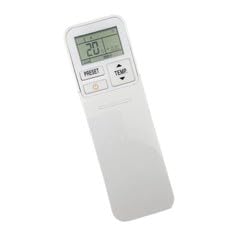
Figure 1: Rear view of the remote control, indicating the battery compartment.
2. Initial Use
No programming or setup is required for this replacement remote control. Once batteries are installed, it is ready for immediate use with compatible Toshiba air conditioner models.
Operating Instructions
Point the remote control directly at the air conditioner's receiver window. Ensure there are no obstructions between the remote and the unit.
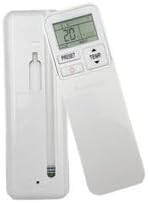
Figure 2: Front view of the remote control with labeled buttons.
Basic Functions:
- Power Button: Press to turn the air conditioner ON or OFF.
- Temperature Adjustment: Use the TEMP ▲ and TEMP ▼ buttons to increase or decrease the desired temperature.
- Mode Selection: The MODE button cycles through available operating modes (e.g., Cool, Fan, Dry, Heat - depending on your AC unit's capabilities).
- Fan Speed: The FAN button adjusts the fan speed (e.g., Low, Medium, High, Auto).
- Swing Function: The SWING button controls the louver movement.
- Timer Function: If available, the TIMER button allows setting a timer for automatic ON/OFF.
Note: The specific labels and functions may vary slightly based on the exact model of the remote and your air conditioner. Refer to your air conditioner's original manual for detailed function descriptions.
Maintenance
Cleaning the Remote Control
To maintain the remote control's appearance and functionality:
- Wipe the surface with a soft, dry cloth.
- For stubborn dirt, lightly dampen the cloth with water and a mild detergent, then wipe dry immediately.
- Do not use abrasive cleaners, alcohol, or solvents, as these can damage the remote's finish or internal components.
Battery Replacement
Replace batteries when the remote control's range decreases or if the display becomes dim or unresponsive. Always replace both batteries at the same time with new AAA batteries. Do not mix old and new batteries, or different types of batteries.
Dispose of used batteries according to local regulations.
Troubleshooting
| Problem | Possible Cause | Solution |
|---|---|---|
| Remote control does not operate the AC unit. |
|
|
| Some functions do not work. |
|
|
Specifications
- Product Type: Replacement Remote Control
- Compatibility: Toshiba Room Air Conditioner Models WH-UA01NE, WC-UA02NE, WH-TA09NE
- Power Source: 2 x AAA Batteries (not included)
- Material: ABS/Plastic
- Color: Black or White (color may vary)
- Special Feature: Digital Display
Warranty and Support
For any issues or inquiries regarding this replacement remote control, please contact the seller or retailer from whom you purchased the product. Provide your order details and the specific model numbers of your air conditioner for efficient assistance.
As this is a generic replacement product, warranty terms are typically provided by the seller. Please refer to your purchase documentation for specific warranty information.