
Introduction
The WareLight Aries G4 UFO LED High Bay Light is designed for efficient and powerful illumination in high-ceiling environments. This fixture features selectable wattage and color temperature (CCT), a 3-in-1 optic for adjustable beam angles, and a long operational lifespan. It is suitable for various commercial and industrial applications such as warehouses and retail stores.
This manual provides essential information for the safe installation, operation, and maintenance of your WareLight Aries G4 UFO LED High Bay Light.
Safety Information
- Electrical Hazard: Installation should be performed by a qualified electrician in accordance with all national and local electrical codes. Ensure power is disconnected at the circuit breaker before installation, maintenance, or cleaning.
- Grounding: This fixture must be properly grounded to prevent potential electrical shock.
- Voltage Compatibility: Verify that the supply voltage matches the fixture's operating voltage range (120-277V).
- Mounting: Ensure the mounting structure can safely support the weight of the fixture.
- Operating Temperature: Do not operate the fixture outside its specified ambient temperature range.
- Indoor Use: This product is designed for indoor use only.
- Eye Protection: Avoid direct eye exposure to the light source when the fixture is operating.
Package Contents
Please check the package to ensure all components are present and undamaged:
- WareLight Aries G4 UFO LED High Bay Light Fixture
- Mounting Hook (pre-installed or included)
- Instruction Manual
Setup and Installation
Note: Professional installation is recommended. Always disconnect power before beginning installation.
- Prepare Mounting Location: Identify a suitable mounting point on the ceiling or structure that can safely support the fixture's weight.
- Mount the Fixture: Securely attach the fixture using the integrated mounting hook. Ensure the hook is fully engaged and stable.
- Electrical Connection: Connect the fixture's wiring to the main power supply (120-277V) according to local electrical codes. Ensure proper grounding.
- Select Wattage: Before powering on, locate the wattage selection switch on the fixture. Choose the desired wattage (70W, 100W, or 150W) based on your lighting requirements.
- Select Color Temperature (CCT): Locate the CCT selection switch. Choose the desired color temperature (3000K, 4000K, or 5000K) for your application.
- Adjust Beam Angle (Optional): The fixture features a 3-in-1 optic allowing selection of 60°, 90°, or 110° beam angles. Consult the fixture's specific instructions for adjusting the optic if needed.
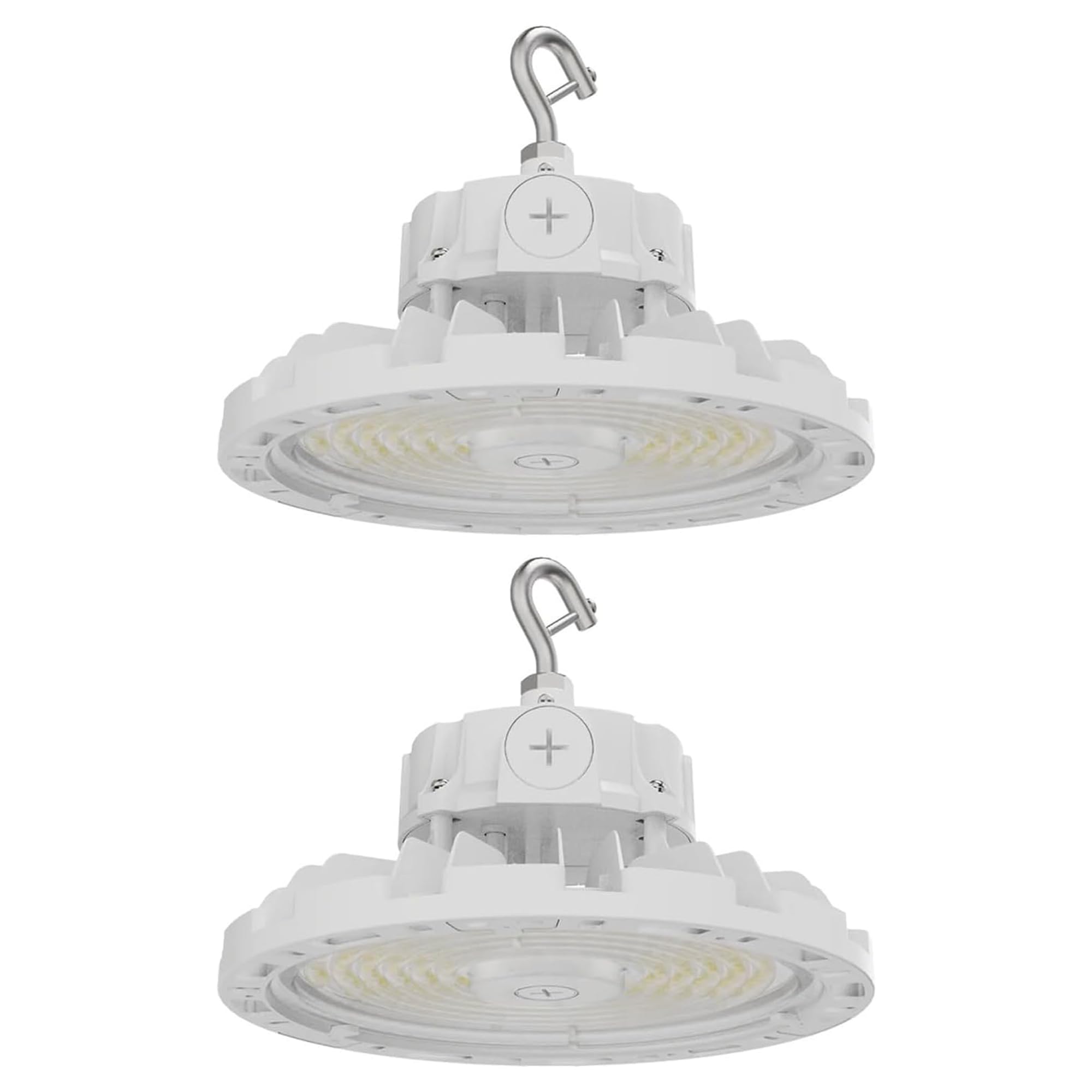
Image: WareLight Aries G4 UFO LED High Bay Light with mounting hook.

Image: Dimensions of the WareLight Aries G4 UFO LED High Bay Light, showing a diameter of 10.5 inches and a height of 4.72 inches.

Image: Diagram illustrating key features including Wattage & CCT Selectable switches, 3-in-1 Optic (60°/90°/110°), and an integrated socket for optional microwave/PIR occupancy/daylight sensor.
Operating Instructions
Once installed and power is restored, the fixture will operate according to the selected wattage and CCT settings. The WareLight Aries G4 supports 0-10V dimming functionality.
- Wattage Selection: The wattage can be set to 70W, 100W, or 150W using the switch on the fixture. This adjusts the light output (lumens).
- CCT Selection: The color temperature can be set to 3000K (warm white), 4000K (neutral white), or 5000K (cool white) using the switch on the fixture.
- Dimming: Connect a compatible 0-10V dimmer switch to the fixture's dimming wires for adjustable brightness control.

Image: Overview of WareLight Aries G4 features including selectable wattages (80W, 100W, 150W), selectable CCT (3000K, 4000K, 5000K), 3-in-1 optic beam angle (60°/90°/110°), CRI 80, 50,000 hours lifespan, and 120-277V voltage.
Maintenance
The WareLight Aries G4 UFO LED High Bay Light is designed for minimal maintenance. Regular cleaning can help maintain optimal light output.
- Cleaning: Ensure the fixture is turned off and cool before cleaning. Use a soft, dry, or slightly damp cloth to wipe the exterior. Do not use abrasive cleaners or solvents.
- Inspection: Periodically inspect the fixture and wiring for any signs of damage or wear. Address any issues promptly.
- LED Lifespan: The integrated LED chips have a rated lifespan of over 50,000 hours, meaning no bulb replacement is typically required during the product's operational life.
Troubleshooting
If you encounter issues with your WareLight Aries G4 UFO LED High Bay Light, refer to the following common troubleshooting steps:
| Problem | Possible Cause | Solution |
|---|---|---|
| Light does not turn on | No power supply Incorrect wiring Faulty switch/dimmer | Check circuit breaker and power connections. Verify wiring connections are secure and correct. Test switch/dimmer functionality. |
| Light flickers or dims unexpectedly | Loose wiring connection Incompatible dimmer Voltage fluctuations | Check all wiring connections. Ensure dimmer is 0-10V compatible. Consult an electrician to check power supply stability. |
| Light output is too low/high | Incorrect wattage setting Dimmer setting | Adjust the wattage selection switch. Adjust the dimmer to the desired brightness level. |
If the problem persists after attempting these solutions, please contact WareLight customer support.
Specifications
- Model: WL-IUFO-150W-CWS-UNV-WH-G4-2PK
- Wattage: 70W/100W/150W Selectable
- Lumen Output: Up to 24,000 Lumens (at 150W)
- Color Temperature (CCT): 3000K/4000K/5000K Selectable
- Voltage: 120-277V AC
- Dimming: 0-10V
- CRI: 80
- Beam Angle: 60°/90°/110° (3-in-1 Optic)
- Lifespan: 50,000+ Hours
- Material: Aluminum
- Finish: White
- Product Dimensions: 10.5"L x 10.5"W x 4.72"H
- Indoor/Outdoor Usage: Indoor use only
- Certifications: UL Listed, DLC Premium

Image: Examples of applications for the WareLight Aries G4 UFO LED High Bay Light, including warehouses, gymnasiums, and other large indoor spaces.

Image: WareLight Aries G4 UFO LED High Bay Lights illuminating a large warehouse space with high ceilings.
Warranty
The WareLight Aries G4 UFO LED High Bay Light comes with a 5-Year Warranty from the date of purchase. This warranty covers defects in materials and workmanship under normal use. Please retain your proof of purchase for warranty claims.
The warranty does not cover damage caused by improper installation, misuse, abuse, accidents, unauthorized repairs, or acts of nature.
Customer Support
For technical assistance, warranty claims, or any questions regarding your WareLight Aries G4 UFO LED High Bay Light, please contact WareLight customer support.
Brand: WareLight
Online Store: Visit the WareLight Store on Amazon
Please have your model number (WL-IUFO-150W-CWS-UNV-WH-G4-2PK) and proof of purchase ready when contacting support.