
1. Introduction
This manual provides detailed instructions for the setup, operation, and maintenance of your PIXGOOD 13-inch Android 15 Tablet, Model M326-EEA. Please read this manual thoroughly before using your device to ensure proper functionality and longevity.
Package Contents
- 1 x PIXGOOD 13-inch Android 15 Tablet (M326-EEA)
- 1 x Protective Case
- 1 x Mouse
- 1 x Keyboard
- 1 x Stylus
- 1 x Charger (9V/2A)
- 1 x OTG Cable
- 1 x USB Cable
- 1 x User Manual
2. Product Overview
Familiarize yourself with the physical components of your tablet.
Physical Components
- Display: 13-inch Full HD INCELL IPS screen (2940x1840 resolution).
- Cameras: 13MP Rear Camera, 8MP Front Camera.
- Buttons: Power button, Volume Up/Down buttons.
- Ports: USB Type-C port (for charging and data transfer), 3.5mm Headphone Jack, SIM/TF Card Slot.
- Audio: 4 integrated speakers.
- Sensors: GPS.

Figure 2.1: Overview of the MediaTek Helio G99 processor and 13-inch INCELL IPS display with 2940x1840 resolution.

Figure 2.2: Highlights of Android 15 optimization, including Private Space and App Pairs, alongside the tablet's slim 7.8mm design and metal body.
3. Setup
3.1 Initial Power On
- Press and hold the Power button located on the side of the tablet until the screen lights up.
- Follow the on-screen prompts to select your language, connect to a Wi-Fi network, and set up your Google account.
3.2 SIM Card and TF Card Installation
Your tablet supports dual Nano SIM cards for 4G LTE connectivity and a TF (microSD) card for storage expansion up to 2TB.
- Locate the SIM/TF card slot on the side of the tablet.
- Use the provided SIM ejector tool to open the tray.
- Carefully place your Nano SIM card(s) and/or TF card into the designated slots on the tray. Ensure they are correctly oriented.
- Gently push the tray back into the slot until it clicks into place.
3.3 Connecting Accessories
The tablet comes with a keyboard, mouse, and stylus for enhanced productivity.
- Keyboard/Mouse: Typically connect via Bluetooth. Refer to the individual accessory manuals for specific pairing instructions. Ensure Bluetooth is enabled on your tablet via Settings > Connected devices > Bluetooth.
- Stylus: May connect via Bluetooth or be passive. Check the stylus manual for details.
4. Operating Instructions
4.1 Basic Navigation
- Touch Gestures: Tap, swipe, pinch-to-zoom are standard Android gestures.
- Home Screen: Access apps, widgets, and notifications.
- Settings: Swipe down from the top of the screen to access quick settings or navigate to the "Settings" app for full options.
4.2 Display Settings
- Adjust brightness, font size, and display timeout in Settings > Display.
- The 2940x1840 resolution provides a sharp visual experience.
4.3 Camera Usage
The tablet features a 13MP rear camera and an 8MP front camera.
- Open the "Camera" app.
- Tap the shutter button to take photos or switch to video mode.
- Use the front camera for video calls and selfies.

Figure 4.1: Details on the 8MP front camera and 13MP rear camera, along with the four-speaker audio system and 3.5mm headset interface.
4.4 Audio and Connectivity
- Speakers: The four-speaker system provides clear audio.
- Wi-Fi: Connect to 2.4GHz or 5GHz Wi-Fi networks via Settings > Network & internet > Wi-Fi.
- 4G LTE: Insert a Nano SIM card to enable cellular data and calls.
- Bluetooth: Pair Bluetooth devices like headphones or the included keyboard/mouse via Settings > Connected devices > Bluetooth.
- GPS: The tablet supports GPS for navigation and location services.

Figure 4.2: Illustration of 36GB RAM and 512GB ROM, alongside 4G Dual SIM, VoLTE calls, and 2.4G/5G WiFi with Bluetooth 5.0 connectivity.

Figure 4.3: Demonstrates 4-Mode Satellite Positioning and A-GPS for global connectivity, with various usage scenarios like studying, entertainment, and creative work.
5. Storage and Performance
Your tablet is equipped with advanced hardware for smooth performance.
- Processor: Octa-core MediaTek Helio G99, operating up to 2.2GHz, ensures efficient multitasking and gaming.
- RAM: 36GB (12GB physical + 24GB virtual expansion) for seamless application switching.
- ROM: 512GB internal storage, expandable up to 2TB via TF card, provides ample space for files and apps.
6. Battery Management
The tablet is powered by an 11580mAh battery.
- Charging: Use the provided 9V/2A charger and USB Type-C cable for optimal charging speed.
- Battery Life: Expect up to 360 hours of standby, 12 hours of web browsing, 40 hours of music playback, and 7-8 hours of video viewing under normal conditions.
- Tips for Longevity:
- Reduce screen brightness.
- Close unused applications.
- Disable Wi-Fi, Bluetooth, or cellular data when not in use.
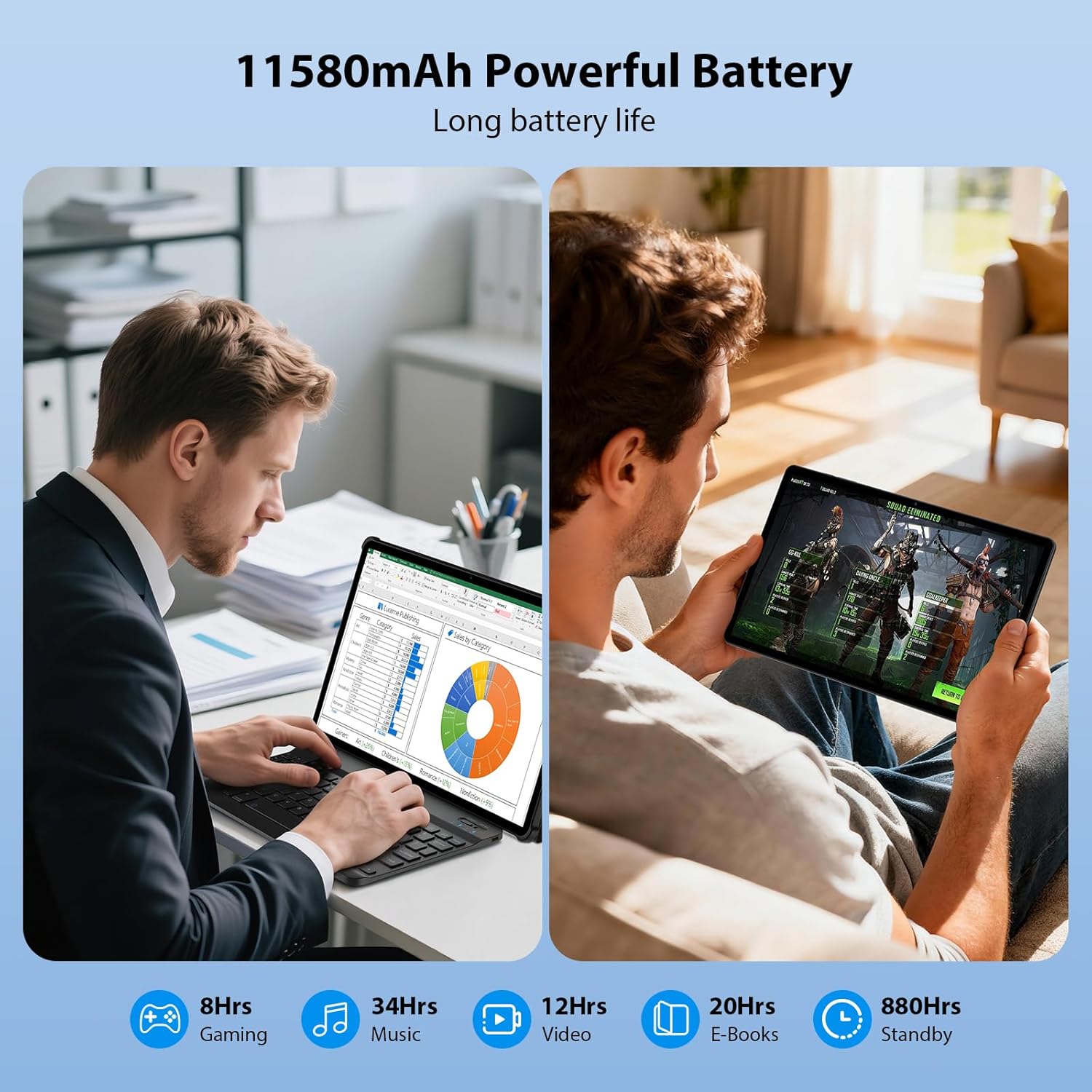
Figure 6.1: Visual representation of the 11580mAh battery providing long-lasting power for various activities like gaming, music, video, and e-books.
7. Maintenance
- Cleaning: Use a soft, lint-free cloth to clean the screen and body. Avoid harsh chemicals.
- Software Updates: Regularly check for system updates via Settings > System > System update to ensure optimal performance and security.
- Storage Management: Periodically clear cache and unnecessary files to free up storage space.
8. Troubleshooting
Common Issues and Solutions
- Tablet not turning on: Ensure the battery is charged. Connect the charger and wait a few minutes before attempting to power on again.
- Screen unresponsive: Restart the tablet by holding the power button for about 10 seconds.
- Wi-Fi connection issues:
- Toggle Wi-Fi off and on.
- Restart your Wi-Fi router.
- Forget the network and reconnect.
- Slow performance:
- Close background applications.
- Clear app caches.
- Ensure sufficient free storage space.
9. Specifications
| Feature | Detail |
|---|---|
| Brand | PIXGOOD |
| Model Name | M326-EEA |
| Operating System | Android 15 |
| Processor | MediaTek Helio G99 Octa-Core (up to 2.2 GHz) |
| RAM | 36GB (12GB + 24GB Extension) |
| ROM | 512GB (Expandable up to 2TB via TF Card) |
| Display Type | IPS INCELL |
| Screen Size | 13 inches |
| Resolution | 2940 x 1840 pixels |
| Rear Camera | 13MP |
| Front Camera | 8MP |
| Battery Capacity | 11580mAh |
| Charger | 9V / 2A (Type-C) |
| Connectivity | 4G LTE (Dual SIM), 5G WiFi (2.4/5GHz), Bluetooth 5.0, GPS |
| Dimensions | 291 x 189 x 7.8 mm |
| Weight | 890 g |
| Audio | 4 Speakers, MIC, 3.5mm Headphone Jack |
| Other Features | OTG Support, Fast Charging, Cellular Call Functionality |
10. Warranty and Support
The PIXGOOD 13-inch Android 15 Tablet comes with a 36-month warranty.
For any issues or support inquiries, please contact PIXGOOD customer service through the Amazon platform where you purchased the product. Our support team is dedicated to resolving any problems you may encounter.