
1. Product Overview
The ODEJOI 64GB Clip MP3 Player is a portable digital audio player featuring Bluetooth 5.3 connectivity, a 2.0-inch HD touchscreen, and physical buttons for intuitive control. It includes a built-in speaker, FM radio, and voice recorder functions. Designed for portability, it features a clip-on design and supports expandable storage via Micro SD card.

Image: The ODEJOI MP3 player showcasing its 2.0-inch IPS HD touchscreen and physical control buttons below the screen. The display shows music playback information.
2. Package Contents
- ODEJOI 64GB Clip MP3 Player
- USB Charging Cable
- Wired Earphones
- User Manual

Image: The ODEJOI MP3 player, its retail box, USB charging cable, and wired earphones laid out on a surface, illustrating the included accessories.
3. Setup
3.1 Charging the Device
Before first use, fully charge the MP3 player. Connect the provided USB charging cable to the device's charging port and to a USB power adapter (not included) or a computer's USB port. A full charge takes approximately 2.5 hours and provides over 40 hours of playback time.
3.2 Powering On/Off
- To Power On: Press and hold the power button located on the side of the device until the screen illuminates.
- To Power Off: Press and hold the power button until the power-off prompt appears on the screen, then confirm.
3.3 Inserting a Micro SD Card
The device has 64GB of built-in memory and supports Micro SD cards up to 128GB for expanded storage. Locate the Micro SD card slot on the side of the player. Gently insert the Micro SD card with the gold contacts facing down until it clicks into place.

Image: The ODEJOI MP3 player displaying its 64GB internal memory and a Micro SD card slot, indicating support for up to 128GB external storage.
3.4 Transferring Music and Files
Connect the MP3 player to your computer using the provided USB cable. The device will appear as a removable disk. You can then drag and drop music files (MP3, APE, AAC, FLAC, WAV, DRM, ACELP, OGG), videos, and photos into the appropriate folders on the device or the inserted Micro SD card.
4. Operating Instructions
4.1 Navigation and Controls
The MP3 player features a 2.0-inch IPS HD touchscreen for primary navigation and physical buttons for quick access to essential functions.
- Touchscreen: Swipe and tap to navigate menus and select options.
- Physical Buttons: Located below the screen, these buttons allow for blind operation. You can adjust volume, play/pause, skip tracks forward/backward. A long press on the play/pause button typically returns to the home screen.

Image: A close-up of the ODEJOI MP3 player highlighting its 2.0-inch IPS screen, emphasizing smooth operation and responsive touch.
4.2 Music Playback
From the home screen, select the 'Music' icon to access your audio library.
- Supported Formats: MP3, APE, AAC, FLAC, WAV, DRM, ACELP, OGG.
- Playback Modes: The player supports various modes including shuffle, repeat one, repeat all, sequential play, and folder loop. These options can typically be found within the music playback interface.
- Equalizer: Access the equalizer settings during music playback to customize your sound profile. Preset equalizers are available, along with options for full customization.
- Built-in Speaker: The device features a built-in speaker for audio playback without headphones.

Image: The ODEJOI MP3 player displaying its HiFi lossless audio capabilities, built-in speaker, and various playback modes such as loop single, shuffle repeat, and sequential play.
4.3 Bluetooth Connection
The MP3 player features Bluetooth 5.3 for stable wireless connections to headphones and speakers. It does not connect to smartphones or other MP3 players via Bluetooth.
- Ensure your Bluetooth headphones or speaker are in pairing mode.
- On the MP3 player, navigate to the 'Bluetooth' menu from the home screen.
- Turn Bluetooth on and scan for available devices.
- Select your device from the list to pair. The player will auto-reconnect to previously paired devices when in range.

Image: The ODEJOI MP3 player demonstrating its Bluetooth 5.3 connectivity, showing it paired with wireless earbuds and a Bluetooth speaker.
4.4 FM Radio
To use the FM radio function, you must connect wired headphones to the 3.5mm audio jack, as they act as the antenna.
- Plug in your wired headphones.
- From the home screen, select the 'FM Radio' icon.
- Use the on-screen controls to scan for stations, save favorites, and adjust frequency.
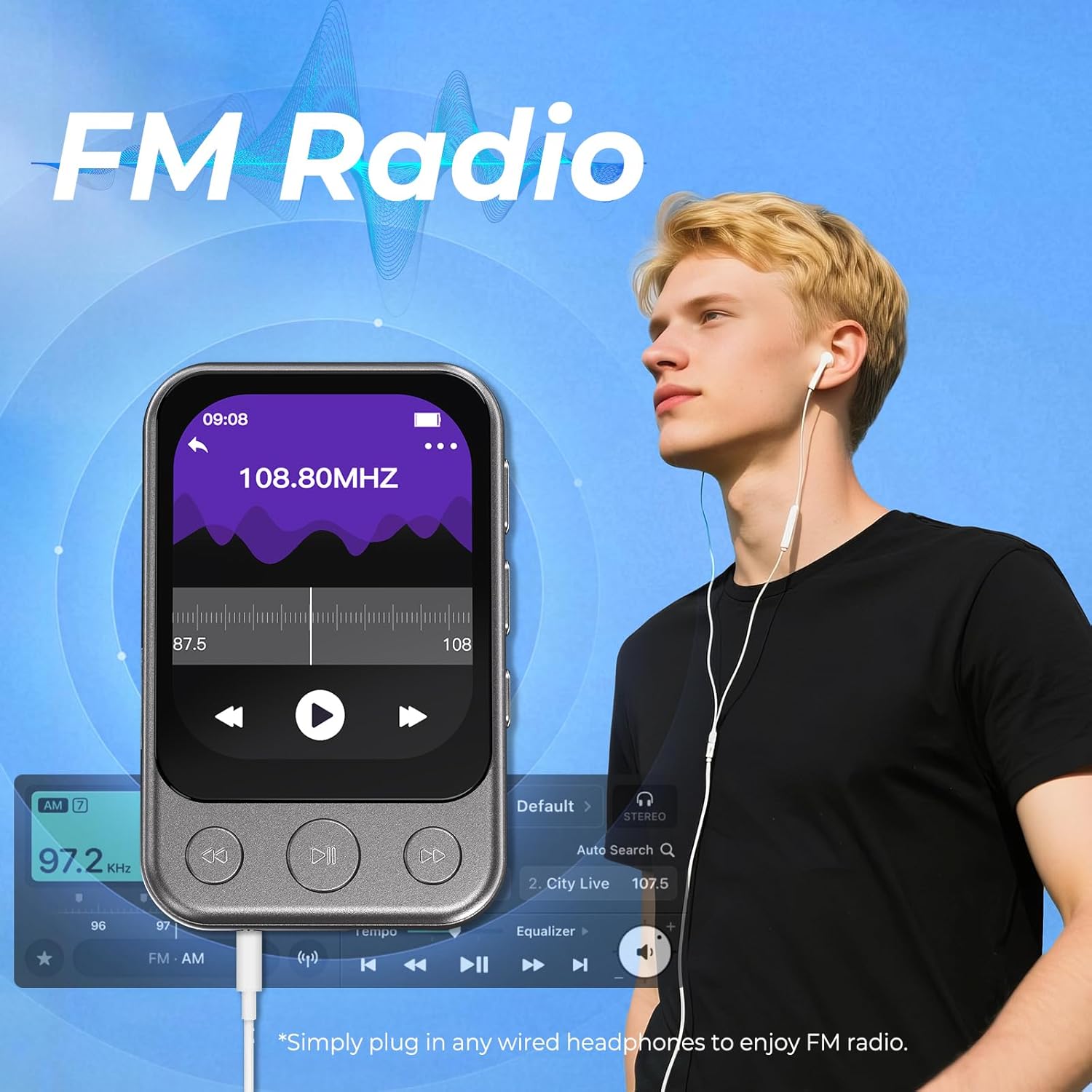
Image: The ODEJOI MP3 player displaying its FM radio interface, with a user wearing wired earphones, indicating the requirement for wired headphones for radio functionality.
4.5 Voice Recorder
The device includes a built-in voice recorder.
- Select the 'Recordings' icon from the home screen.
- Follow the on-screen prompts to start, pause, save, and play back recordings.
4.6 Other Functions
The MP3 player offers additional features:
- Video & Photo Browsing: View compatible video and image files stored on the device.
- Wallpapers: Personalize the device's background.
- Stopwatch, Alarm Clock, Date & Time, Calendar: Access these utility functions from the home screen.

Image: The ODEJOI MP3 player's home screen displaying various icons for its multi-functional capabilities, including Music, Video, Pictures, Recordings, FM Radio, Bluetooth, Alarm, Folder, and Settings.
4.7 Using the Clip
The integrated clip allows for hands-free portability. Attach the player to your clothing, bag, or belt during activities like running, cycling, or gym workouts.

Image: Multiple individuals engaged in sports activities (running, cycling, weightlifting) with the ODEJOI MP3 player clipped onto their clothing, demonstrating its portable design.
5. Maintenance
5.1 Cleaning
Wipe the device with a soft, dry, lint-free cloth. Do not use liquid cleaners or abrasive materials, as they may damage the screen or casing.
5.2 Storage
Store the MP3 player in a cool, dry place away from direct sunlight and extreme temperatures. Avoid exposing the device to moisture or dust.
6. Troubleshooting
- Device not powering on: Ensure the device is fully charged. If the issue persists, try resetting the device by pressing and holding the power button for an extended period (e.g., 10-15 seconds).
- Cannot connect to Bluetooth device: Ensure the Bluetooth device (headphones/speaker) is in pairing mode and within range. Verify that the MP3 player's Bluetooth is enabled. Remember, the player only connects to Bluetooth headphones and speakers, not other MP3 players or smartphones.
- Music files not appearing or playing: Check that the music files are in a supported format (MP3, APE, AAC, FLAC, WAV, DRM, ACELP, OGG). Ensure files are correctly transferred to the 'Music' folder on the device or Micro SD card. If using a Micro SD card, ensure it is properly inserted. Some users have reported that certain file types (e.g., WAV) may only be accessible via the folder viewer rather than the main music player interface.
- Screen unresponsive or frozen: Perform a soft reset by pressing and holding the power button until the device restarts.
- Poor FM radio reception: Ensure wired headphones are securely plugged in, as they function as the antenna. Try moving to an area with better signal reception.
- Clip breakage: While designed for durability, excessive force or improper handling can damage the clip. Handle with care.
- Unwanted track skipping in pocket: This can occur if the screen is not locked. Ensure the screen lock feature is enabled to prevent accidental touches from physical buttons or the touchscreen when the device is in a pocket or bag.
7. Specifications
| Brand | ODEJOI |
| Model Number | X90Gry |
| Internal Memory | 64 GB |
| Expandable Memory | Supports Micro SD up to 128 GB |
| Screen Size | 2 Inches |
| Display Technology | IPS HD Touchscreen |
| Connectivity | Bluetooth 5.3, Aux, USB |
| Bluetooth Range | Up to 65 ft (device dependent) |
| Supported Audio Formats | MP3, WMA, APE, FLAC, WAV, DRM, ACELP, OGG |
| Battery Type | 1 Lithium Polymer (included) |
| Battery Life (Average) | 40 Hours |
| Charging Time | Approximately 2.5 Hours |
| Dimensions (Device) | 2.5 x 1.6 x 0.4 inches (6.35 x 4.06 x 1.02 cm) |
| Weight | 1.2 oz (35 g) |
| Special Features | Built-In Clip, Built-In Speaker, Equalizer, FM Radio, Voice Recorder, Video Playback |
8. Warranty and Support
8.1 Warranty Information
For any assistance or warranty-related inquiries, please do not hesitate to reach out to ODEJOI customer support.
8.2 Contact Support
Email: odejoiservice@hotmail.com