
Introduction
This manual provides essential information for the safe and efficient installation, operation, and maintenance of the NuNeth XUM0APSAL2 Photo-Electric Sensor. Please read this manual thoroughly before using the product to ensure proper functionality and safety.
Safety Precautions
Adhering to these safety guidelines is crucial for preventing injury and damage to the equipment.
- Ensure all power sources are disconnected before attempting any installation, wiring, or maintenance procedures.
- Always follow local and national electrical codes and regulations during installation.
- Do not exceed the specified voltage and current ratings for the sensor.
- Protect the sensor from physical impact, excessive moisture, and extreme temperatures.
- Only qualified personnel should perform installation and maintenance tasks.
Product Overview
The NuNeth XUM0APSAL2 is a versatile photo-electric sensor designed for industrial automation. It offers a reliable sensing range of 0 to 10 meters and operates on a 12-24VDC power supply. This sensor is suitable for a wide array of applications, including power transmission, industrial production lines, and construction environments.
Key Features:
- Operation Mode: OFF-NONE-ON
- Current Rating: 1 Amps
- Operating Voltage: 12-24VDC
- Contact Type: Normally Closed (NC)
- International Protection Rating: IP00
Sensor Components:
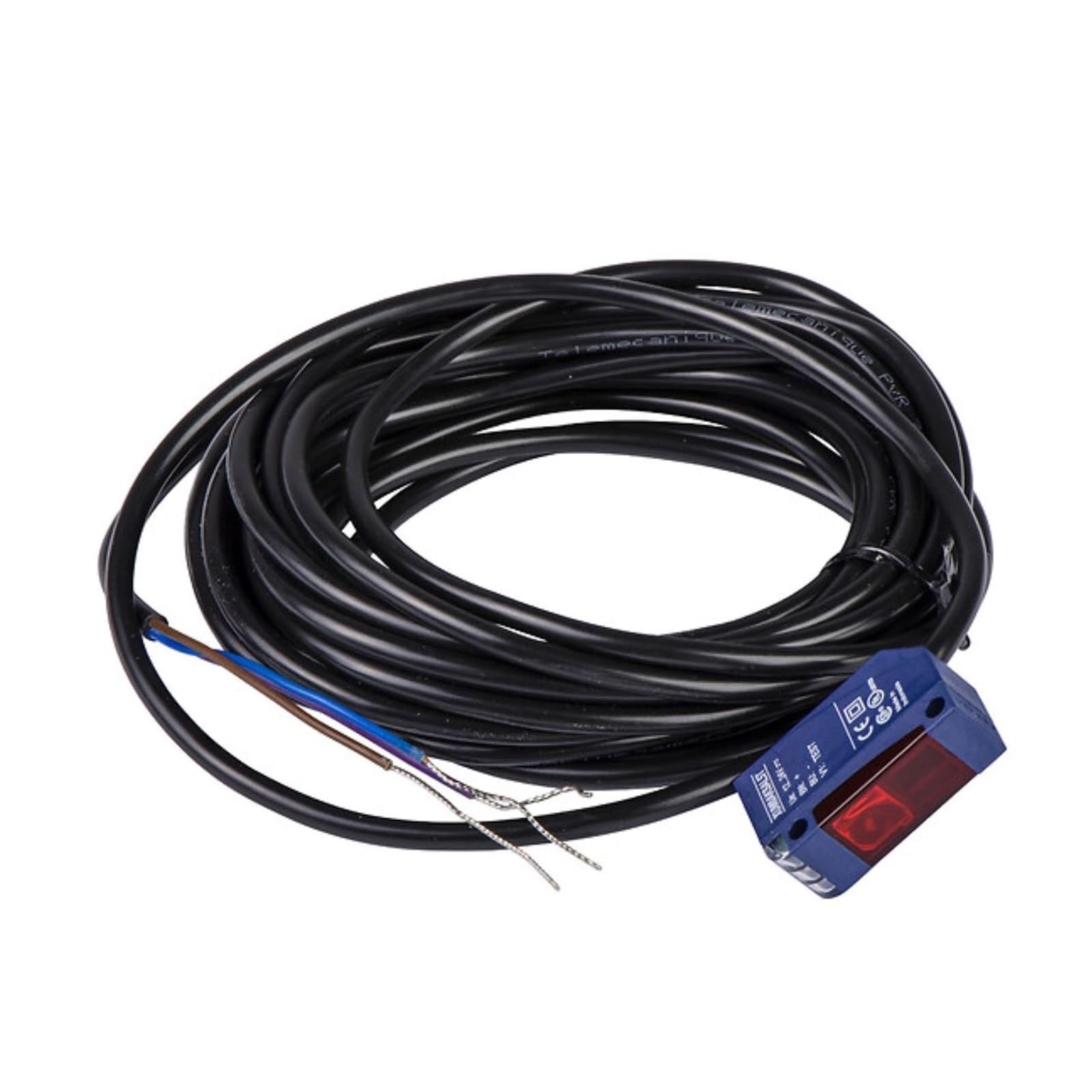
Image: The NuNeth XUM0APSAL2 Photo-Electric Sensor, illustrating its compact design and integrated cable connection for industrial applications.
Technical Specifications
| Specification | Value |
|---|---|
| Model Number | XUM0APSAL2 |
| Brand | NuNeth |
| Operation Mode | OFF-NONE-ON |
| Current Rating | 1 Amps |
| Operating Voltage | 12-24VDC |
| Contact Type | Normally Closed |
| Connector Type | Clamp |
| Terminal | Blade |
| Product Dimensions (L x W x H) | 0.39 x 0.39 x 0.39 inches |
| Item Weight | 2.2 pounds |
| International Protection Rating | IP00 |
| Contact Material | Alloy Steel |
| Specification Met | UL |
Setup
Mounting
Securely mount the sensor in the desired operational location. Ensure the mounting surface is stable and free from excessive vibration. When positioning, consider the sensor's 0-10 meter sensing range and the characteristics of the target object.
Wiring
Connect the sensor according to the following guidelines:
- Power Supply: Connect the 12-24VDC power supply to the designated terminals. Observe correct polarity to prevent damage.
- Output: Connect the Normally Closed (NC) output to your control system's input. Consult your system's documentation for specific input requirements.
- The sensor utilizes a cable 2 connection. Verify all connections are secure and properly insulated.
Warning:
Incorrect wiring can lead to sensor malfunction or damage to connected equipment. Always double-check all connections before applying power.
Operation
Powering On
After successful installation and wiring, apply the 12-24VDC power supply. The sensor will power on and begin its operational sequence.
Sensing Function
The XUM0APSAL2 functions as a photo-electric sensor, detecting objects within its 0 to 10 meter range. When an object enters or exits the sensing field, the Normally Closed (NC) output will change its state in accordance with the configured operation mode (OFF-NONE-ON).
Adjustments
This sensor is designed for straightforward operation. If any adjustable parameters (e.g., sensitivity, range) were present, they would be indicated on the device or in supplementary documentation. The provided specifications indicate a fixed operation mode.
Maintenance and Care
Cleaning
Regularly clean the sensor's optical surfaces using a soft, lint-free cloth. Avoid using abrasive cleaners, solvents, or harsh chemicals that could damage the lens or sensor housing.
Inspection
Periodically inspect the sensor, its mounting, and all associated cabling for any signs of damage, wear, or loose connections. Ensure the sensor remains securely mounted.
Environmental Considerations
While built for industrial environments, protect the sensor from excessive dust accumulation, direct exposure to moisture, and temperatures outside its specified operating range to ensure longevity and reliable performance.
Troubleshooting Guide
| Problem | Possible Cause | Solution |
|---|---|---|
| Sensor not responding | No power; Incorrect wiring; Sensor damaged; Object out of sensing range | Check power supply (12-24VDC); Verify wiring connections; Inspect sensor for visible damage; Adjust sensor position or target. |
| Intermittent operation | Loose connections; Environmental interference (dust, strong light); Unstable mounting | Secure all electrical connections; Clean optical surfaces; Shield from external light sources; Re-mount sensor securely. |
| Output always ON/OFF (stuck state) | Sensor path continuously blocked/unblocked; Wiring error; Internal sensor fault | Ensure clear path or consistent target presence; Check NC output wiring for shorts or breaks; Contact support if an internal fault is suspected. |
Warranty and Technical Support
For technical assistance, troubleshooting beyond the scope of this guide, or inquiries regarding warranty coverage, please contact NuNeth customer support. Refer to your purchase documentation for specific warranty terms and contact information.
NuNeth Support: For general information or to find contact details, you may visit the NuNeth brand page on Amazon.