
Introduction
Thank you for choosing the Reletech R27 Fury monitor. This 27-inch Full HD (1920 x 1080) IPS display is designed for both gaming and office use, offering a high refresh rate of up to 240Hz, 100% sRGB color gamut, and 16.7 million colors for vibrant visuals. Its frameless design enhances the viewing experience, while Adaptive-Sync technology ensures smooth performance. Multiple connectivity options and a low blue light filter contribute to a comfortable and versatile user experience.

Image: The Reletech R27 Fury monitor in a gaming setup, highlighting its immersive design.
Product Overview Video
Video: An official product overview of the Reletech R27 Fury monitor, showcasing its design, features, and performance capabilities.
Setup Instructions
1. Package Contents
Before assembly, ensure all components are present:
- Reletech R27 Fury Monitor Display
- Monitor Stand (Base and Neck)
- Power Adapter
- HDMI Cable
- User Manual (this document)
2. Assembling the Stand
- Carefully place the monitor screen face down on a soft, clean surface to prevent scratches.
- Attach the stand neck to the back of the monitor using the provided screws.
- Connect the stand base to the stand neck, securing it with the designated screw.
- Ensure all connections are firm and stable.

Image: Visual representation of the monitor's key features, including its connectivity options (HDMI, DP, USB) which are relevant for setup.
3. Connecting to a Device
The R27 Fury monitor supports multiple input options:
- HDMI: Connect an HDMI cable from your computer's graphics card or other device to one of the HDMI ports on the monitor.
- DisplayPort (DP): For optimal performance, especially at 240Hz refresh rate, connect a DisplayPort cable from your graphics card to the DP port on the monitor.
- USB: The monitor includes USB ports for peripheral connectivity.
After connecting the video cable, plug the power adapter into the monitor's power input and then into a wall outlet.
Operating Instructions
1. Powering On/Off
Press the power button, usually located on the back or bottom right of the monitor, to turn the display on or off. The power indicator light will illuminate when the monitor is active.
2. On-Screen Display (OSD) Menu
The OSD menu allows you to adjust various monitor settings. Access it using the joystick or buttons typically found on the back or bottom of the monitor. Navigate through the menu options to customize your viewing experience.
- Brightness/Contrast: Adjust the overall luminance and contrast levels.
- Color Settings: Fine-tune color temperature, gamma, and color space (e.g., sRGB). The IPS panel provides 16.7 million colors for accurate reproduction.
- Input Select: Manually switch between HDMI and DisplayPort inputs.
- Gaming Features: Enable or disable Adaptive-Sync (G-Sync/FreeSync) for tear-free gaming.
- Low Blue Light: Activate the low blue light filter to reduce eye strain during extended use.
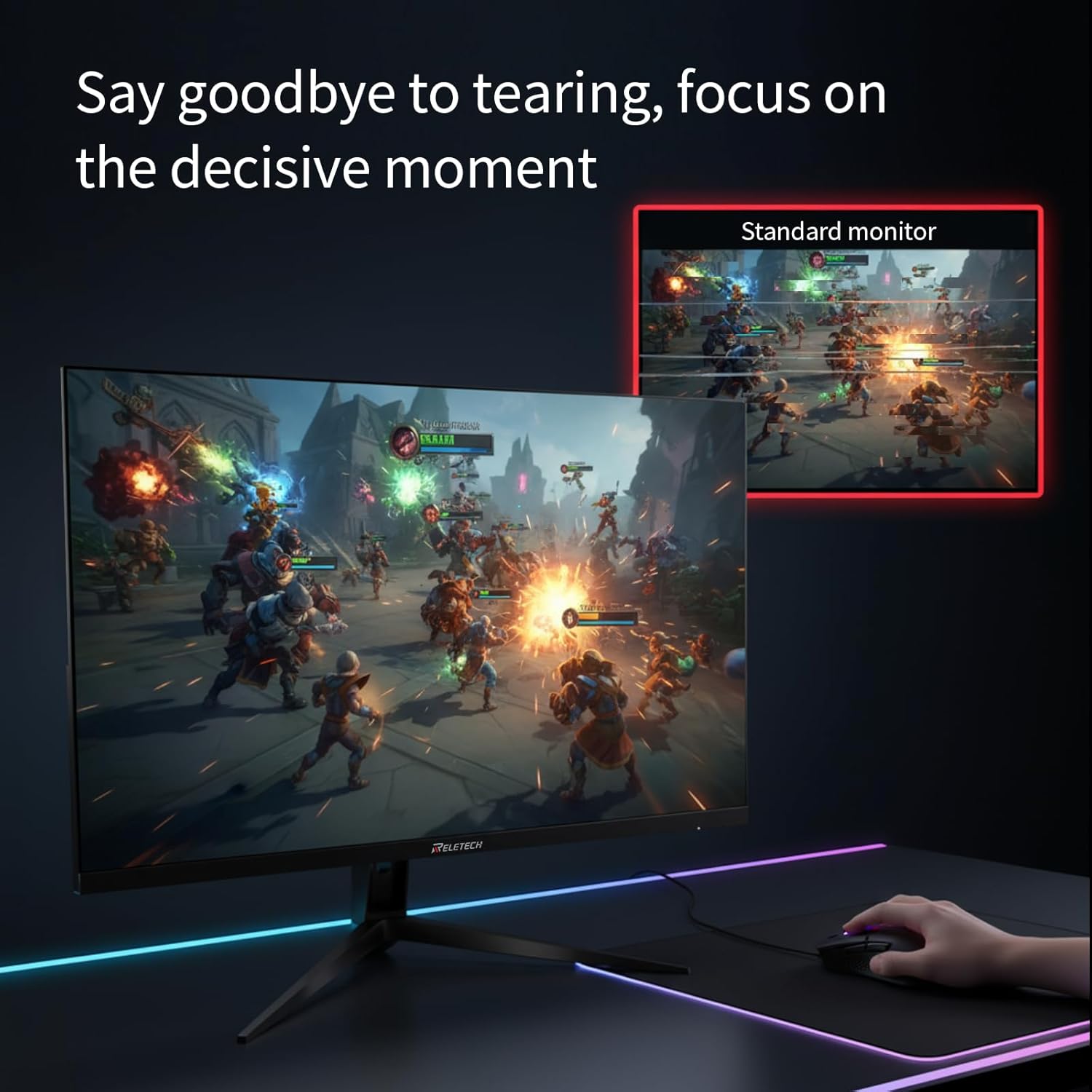
Image: Demonstrates the benefit of Adaptive-Sync technology, eliminating screen tearing for a smoother gaming experience.

Image: Highlights the monitor's ability to display vivid colors and fine details, attributed to its IPS panel and 100% sRGB coverage.
Maintenance
1. Cleaning the Monitor
- Always power off the monitor and unplug the power cord before cleaning.
- Use a soft, lint-free cloth lightly dampened with water or a non-abrasive screen cleaner.
- Do not spray cleaner directly onto the screen.
- Avoid using alcohol, ammonia, or abrasive cleaners, as they can damage the screen surface.
2. Environmental Usage
To ensure optimal performance and longevity, operate the monitor within recommended environmental conditions:
- Avoid high humidity, extreme temperatures, and strong magnetic environments.
- Do not block ventilation openings on the monitor.
- Keep the monitor away from direct sunlight and heat sources.
Troubleshooting
If you encounter issues with your Reletech R27 Fury monitor, please refer to the following common problems and solutions:
- No Display/Power: Ensure the power cable is securely connected to both the monitor and the power outlet. Check if the power indicator light is on. Verify the video cable (HDMI/DP) is properly connected to both the monitor and your device.
- No Signal: Confirm the correct input source is selected in the OSD menu. Try switching between HDMI and DP inputs.
- Flickering Screen: Check the video cable connection. Ensure your graphics card drivers are up to date. If Adaptive-Sync is enabled, try disabling it temporarily to see if the issue persists.
- Pixel Defects: The monitor is configured to Level A screen standards. Slight brightness unevenness or minor pixel defects (bright, dark, or abnormal colors) may occur and are not considered product quality issues under warranty.
- Brightness Uniformity Deviation: Minor variations in brightness across the screen are normal and not covered under warranty.
- Color Gamut & Accuracy Deviation: Actual displayed color may differ from theoretical values due to technical limitations.
- Viewing Angle Limitation: Slight color shift, dimming, or brightness changes may occur when viewed from extreme angles.
- Interface/Current Mismatch: Incorrect or incompatible interfaces can cause screen flicker, black screen, or permanent damage. Use only compatible cables and accessories.
For further assistance, please contact Reletech customer support.
Specifications
Below are the detailed technical specifications for the Reletech R27 Fury monitor:

Image: Detailed specifications table for the Reletech R27 Fury monitor.
| Feature | Detail |
|---|---|
| Model | R27 Fury |
| Screen Size | 27 Inches |
| Resolution | FHD 1080p (1920 x 1080 Pixels) |
| Display Type | IPS |
| Refresh Rate | 240 Hz |
| Response Time | 1 Milliseconds |
| Aspect Ratio | 16:9 |
| Brightness | 250 cd/m² |
| Contrast Ratio | 1000:1 |
| Color Gamut | 100% sRGB |
| Display Colors | 16.7 Million |
| Hardware Connectivity | DisplayPort, HDMI (Total 1), USB (Total 1 USB 3.0) |
| Additional Features | Blue Light Filter, Eye Care, Flicker-Free, Adaptive-Sync (G-Sync/FreeSync Support) |
| Product Dimensions (D x W x H) | 36.5D x 61.5W x 44H Centimetres |
| Net Weight | 1.56 kg (Product), 4.5 kg (with stand) |
| VESA Specification | 100 x 100 mm |
Warranty and Support
This section outlines the warranty terms and conditions for your Reletech R27 Fury monitor. Please read carefully.

Image: Official Reletech document detailing warranty and usage terms.
1. Level A Screen Specifications
This monitor is configured to Level A screen standards as defined by international standards (e.g., ISO 9241-307), which permits the following common display characteristics:
- Pixel Defects: There may be a small number of pixels that are always bright, often dark, or displaying abnormal colors.
- Brightness Uniformity Deviation: Slight brightness unevenness may occur at the screen edges or in certain areas.
- Color Gamut & Accuracy Deviation: Due to technical limitations, the actual displayed color may differ from the theoretical value.
- Viewing Angle Limitation: Color shift, dimming, or brightness changes may occur when viewed from the side.
The above defects fall within the reasonable range of Level A screens and are not considered product quality issues, nor are they covered by the warranty.
2. Technical Specifications & Power Adapter Requirements
- To ensure product safety and stable performance, always use the original adapter.
- Non-original adapters may pose the following risks:
- Interface/Current Mismatch: Cause screen flicker, black screen, or permanent damage.
- Safety Hazards: Incompatible interfaces may lead to short circuits or overheating.
Reletech disclaims all responsibility for repair or compensation caused by the use of non-original accessories.
3. Additional Disclaimer Provisions
- Environmental Usage Liability: Please avoid using the monitor in high temperature, high humidity, strong magnetic environments, or extreme temperatures. Otherwise, it may affect performance and accelerate component aging.
- Physical/Accidental Damage Liability: Damage caused by dropping, squeezing, liquid ingress, or unauthorized disassembly is not covered by the warranty.
- Installation & Calibration Liability: Display abnormalities caused by failure to follow mounting instructions, or incorrect adjustment of resolution/refresh rate, shall be borne by the user.
- Software Compatibility Liability: Reletech disclaims all liability for display problems caused by incompatibility with operating systems, drivers, or third-party software.
- Product Lifespan Note: Screen brightness dimming and backlight aging are normal phenomena. The specific lifespan is affected by usage habits, environmental factors, and surrounding conditions.
- Modification & Third-Party Accessories Liability: Any unauthorized modification of the device or addition of non-official accessories may result in product failure, and the user assumes all risks.
- Force Majeure Liability: Damage caused by force majeure such as natural disasters, wars, or abnormal power grids is not covered by compensation liability.
4. Validity of This Disclaimer
This statement is an integral part of the Product User Agreement. The right to interpret belongs to Reletech Technology Co., Limited. By purchasing and using this product, you are deemed to have read, understood, and agreed to the above terms.
For any questions, please contact our customer service hotline: +0086-755-84532767 or visit our official website: www.reletechdigital.com. Manufacturer: Reletech Technology Co., Limited