
1. Introduction
This manual provides essential information for the safe and effective use of your TaskStar Torque Wrench Model 10001. Please read these instructions thoroughly before operating the tool. Proper use and maintenance will ensure optimal performance and extend the life of your torque wrench.
2. Safety Information
- Always wear appropriate personal protective equipment, such as safety glasses, when using the torque wrench.
- Ensure the workpiece is securely clamped before applying torque.
- Do not exceed the maximum torque capacity of the wrench.
- Avoid using the torque wrench as a breaker bar or for loosening fasteners.
- Keep the torque wrench clean and free from oil or grease to maintain a secure grip.
- Store the torque wrench in its protective case when not in use, and set it to its lowest torque setting to relieve spring tension.
3. Components
The TaskStar Torque Wrench Model 10001 typically includes:
- TaskStar Torque Wrench
- Protective Storage Case (may vary by package)
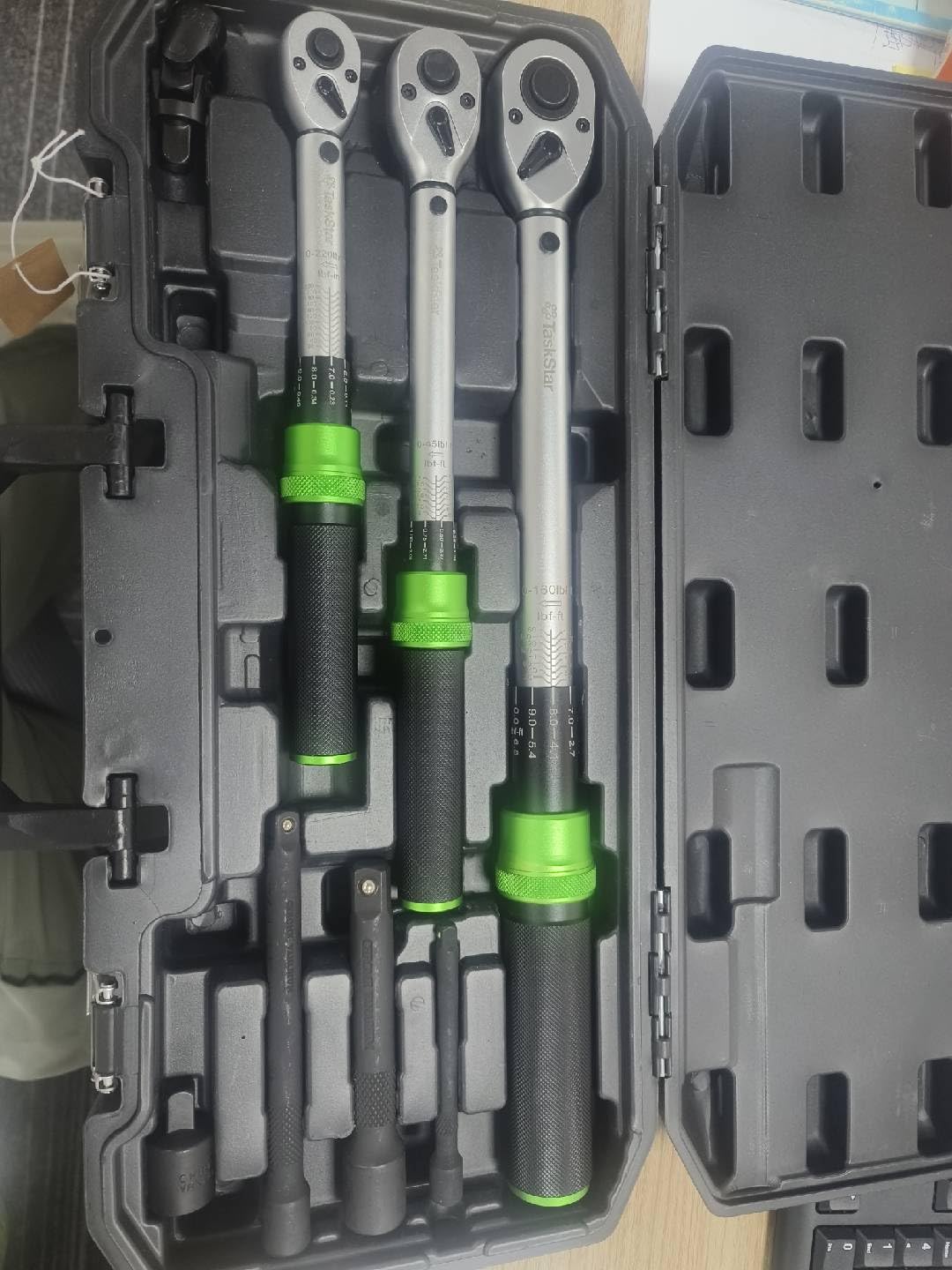
Figure 1: TaskStar Torque Wrench. This image displays the main tool, a torque wrench, which is used for precise tightening of fasteners.
4. Setup
- Unpack: Carefully remove the torque wrench from its packaging.
- Inspect: Before each use, inspect the wrench for any signs of damage or wear. Do not use if damaged.
- Clean: Wipe down the wrench with a clean, dry cloth if necessary.
5. Operating Instructions
- Select Socket: Attach the appropriate socket or adapter to the drive square of the torque wrench.
- Set Torque: Unlock the adjustment mechanism (if applicable) and rotate the handle to set the desired torque value. Refer to the markings on the wrench for precise adjustment. Lock the adjustment mechanism once the desired torque is set.
- Apply Torque: Place the socket onto the fastener. Apply smooth, steady pressure to the handle in the tightening direction. Do not jerk or apply sudden force.
- Listen for Click: Continue applying pressure until you hear and/or feel a distinct "click." This indicates that the preset torque has been reached.
- Release Pressure: Immediately stop applying pressure once the click is detected.
- Reset: For subsequent fasteners, repeat the process. After use, return the torque wrench to its lowest torque setting before storage to preserve the calibration spring.
6. Maintenance
- Cleaning: Wipe the wrench clean with a dry, lint-free cloth after each use. Do not use solvents or harsh chemicals.
- Storage: Store the torque wrench in its original protective case in a dry, clean environment. Always set the torque to the lowest possible setting before storage.
- Calibration: Torque wrenches are precision instruments and should be recalibrated periodically, typically annually or after significant use, by a qualified service center to ensure accuracy.
7. Troubleshooting
- Wrench not clicking: Ensure the torque setting is above the minimum. Apply smooth, steady pressure. If the issue persists, the wrench may require recalibration or service.
- Inaccurate readings: This is often due to improper technique (jerking, sudden force) or an out-of-calibration wrench. Ensure proper technique and consider recalibration.
- Difficulty adjusting torque: Check for debris or damage to the adjustment mechanism. Clean if necessary. Do not force the adjustment.
8. Specifications
| Feature | Detail |
|---|---|
| Brand | TaskStar |
| Model Number | 10001 |
| Manufacturer | Taskstar |
| Color | Green |
| Finish | Brushed |
| Head Style | Open End |
| Included Components | Torque Wrench |
| ASIN | B0FY36SDZB |
| Date First Available | October 28, 2025 |
9. Warranty and Support
For warranty information or technical support, please refer to the documentation provided with your purchase or contact TaskStar customer service directly. Keep your proof of purchase for warranty claims.