1. Important Safety Information
Please read all safety instructions before using the product. Failure to follow these instructions may result in injury to your pet or damage to the product.
- Supervision is Required: Always supervise your pet during play. This toy is designed for interactive play and should not be left unattended with your pet.
- Choking Hazard: This toy is specifically designed for small breeds and puppies. Its small size (2.1 inches) may pose a choking hazard for medium to large dogs. Ensure the toy is appropriate for your pet's size.
- Inspect for Damage: Regularly inspect the toy for any signs of wear, cracks, or loose parts. Discontinue use immediately if any damage is observed, as broken pieces can be ingested and cause harm.
- Electrical Safety: Keep the charging port dry and clean. Do not expose the toy to water or extreme temperatures.
- Intended Use: This product is an interactive pet toy. Do not use it for any other purpose.
2. Product Overview
The Generic Interactive Dog Toy Balls are designed to provide engaging and stimulating play for small dogs and puppies. They feature automatic motion, obstacle avoidance, and a durable design.
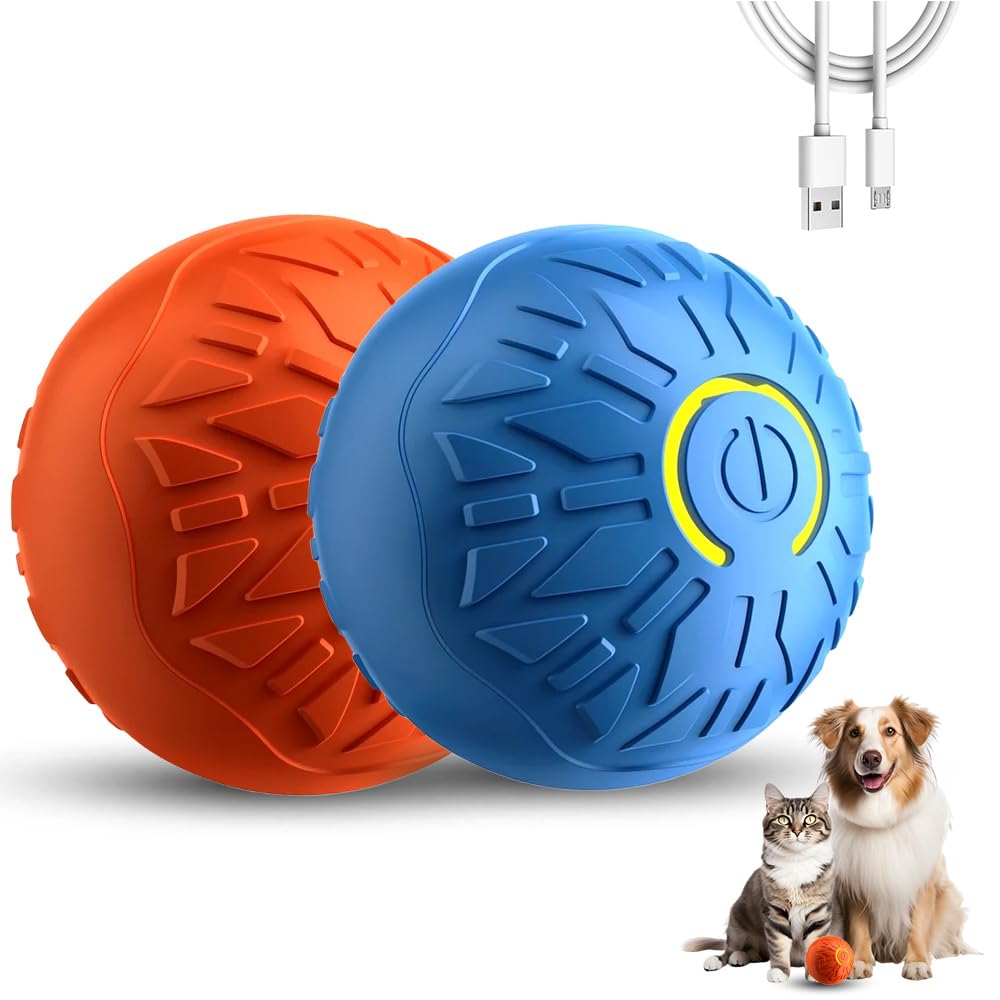
Image: Two interactive dog toy balls, one blue and one orange, showcasing the product's appearance.
Key Features:
- Interactive Motion Play: Features automatic rolling, shaking, and bouncing actions, mimicking real prey movements.
- Durable Bite-Resistant Material: Constructed with high-strength Thermoplastic Rubber (TPR) for durability.
- Perfect Size for Small Dogs: Measures 2.1 inches, suitable for small breeds and puppies.
- Loneliness Relief and Exercise: Helps reduce boredom and encourages physical activity.
- Portable and Rechargeable Design: Compact, lightweight, and features convenient USB charging.
- Intelligent Obstacle Avoidance: Designed to navigate around objects during play.
3. Package Contents
- Interactive Dog Toy Ball(s) (Quantity may vary based on 'Set' purchase)
- USB Charging Cable
- User Manual
4. Setup
4.1 Charging the Toy Ball
Before first use, fully charge the toy ball.
- Gently unscrew the outer cover of the toy ball to reveal the internal mechanism and charging port.
- Insert the provided USB charging cable into the charging port on the internal unit.
- Connect the other end of the USB cable to a standard USB power adapter (not included) or a computer USB port.
- The indicator light will illuminate during charging. Once fully charged (approximately 60 minutes for a full charge), the light may change color or turn off.
- After charging, carefully remove the USB cable and securely screw the outer cover back onto the toy ball. Ensure it is tightened to prevent moisture ingress and maintain durability.

Image: Detailed view of the toy ball's internal charging port and USB connection.
4.2 Powering On/Off
To power on the toy, press the power button located on the outer surface of the ball. Press the button again to power off.
5. Operating Instructions
Once powered on, the interactive dog toy ball will automatically begin its motion sequence.
- Automatic Movement: The ball will roll, shake, and bounce randomly to engage your pet.
- Intelligent Obstacle Avoidance: The toy is equipped with sensors to detect and avoid obstacles, ensuring continuous play.
- Irregular Running Mode: The ball automatically moves and rotates in unpredictable patterns.
- Crazy Bouncing Mode: The ball will bounce wildly, especially when covered with a tennis cover (if applicable).
- Automatic Standby: The toy will enter a standby mode after a period of inactivity to conserve battery. It can be reactivated by your pet's touch or a gentle pat.

Image: A dog engaging with the interactive toy ball during play.

Image: A dog and a cat playing with the interactive toy balls, demonstrating independent play.
6. Maintenance
- Cleaning: Wipe the exterior of the toy ball with a damp cloth. Do not use harsh chemicals or abrasive cleaners. Ensure the charging port cover is securely closed before cleaning.
- Water Exposure: This toy is not waterproof. Do not submerge it in water or expose it to heavy rain.
- Storage: Store the toy in a cool, dry place away from direct sunlight when not in use.
- Battery Care: For optimal battery life, avoid completely draining the battery frequently. Charge the toy regularly.
7. Troubleshooting
| Problem | Possible Cause | Solution |
|---|---|---|
| Toy does not turn on. | Low battery. Power button not pressed correctly. | Charge the toy fully. Ensure the power button is pressed firmly. |
| Toy does not move or moves erratically. | Obstruction. Surface not suitable (e.g., thick carpet). Internal mechanism issue. | Clear any obstructions. Use on hard floors or low-pile carpets. If problem persists, discontinue use. |
| Short battery life. | Incomplete charging. Battery degradation over time. | Ensure the toy is charged until the indicator light signals completion. Battery performance may naturally decrease over extended use. |
| Toy makes unusual grinding noises. | Internal damage or malfunction. | Discontinue use immediately. Inspect for any visible damage. Contact customer support. |
8. Specifications
| Feature | Detail |
|---|---|
| Model Number | IDT |
| Dimensions | 2 x 2 x 2 inches |
| Material | Thermoplastic Rubber (TPR) |
| Brand | Generic |
| Target Audience | Small Dogs and Puppies |
| Charging Type | USB Rechargeable |
| Playtime per Charge | Approximately 60 minutes |
9. Warranty and Support
For warranty information or technical support, please refer to the retailer's return policy or contact the seller directly through your purchase platform. Keep your proof of purchase for any warranty claims.


