
1. Introduction
Thank you for choosing the Reiteag AI Translation Earbuds Model FYEJ12. These earbuds are designed to provide real-time language translation, high-quality audio for music, and clear communication for calls. Featuring advanced AI translation technology, Bluetooth 5.1 connectivity, and a comfortable open-ear design, these earbuds are an ideal companion for travel, business, study, and daily use.
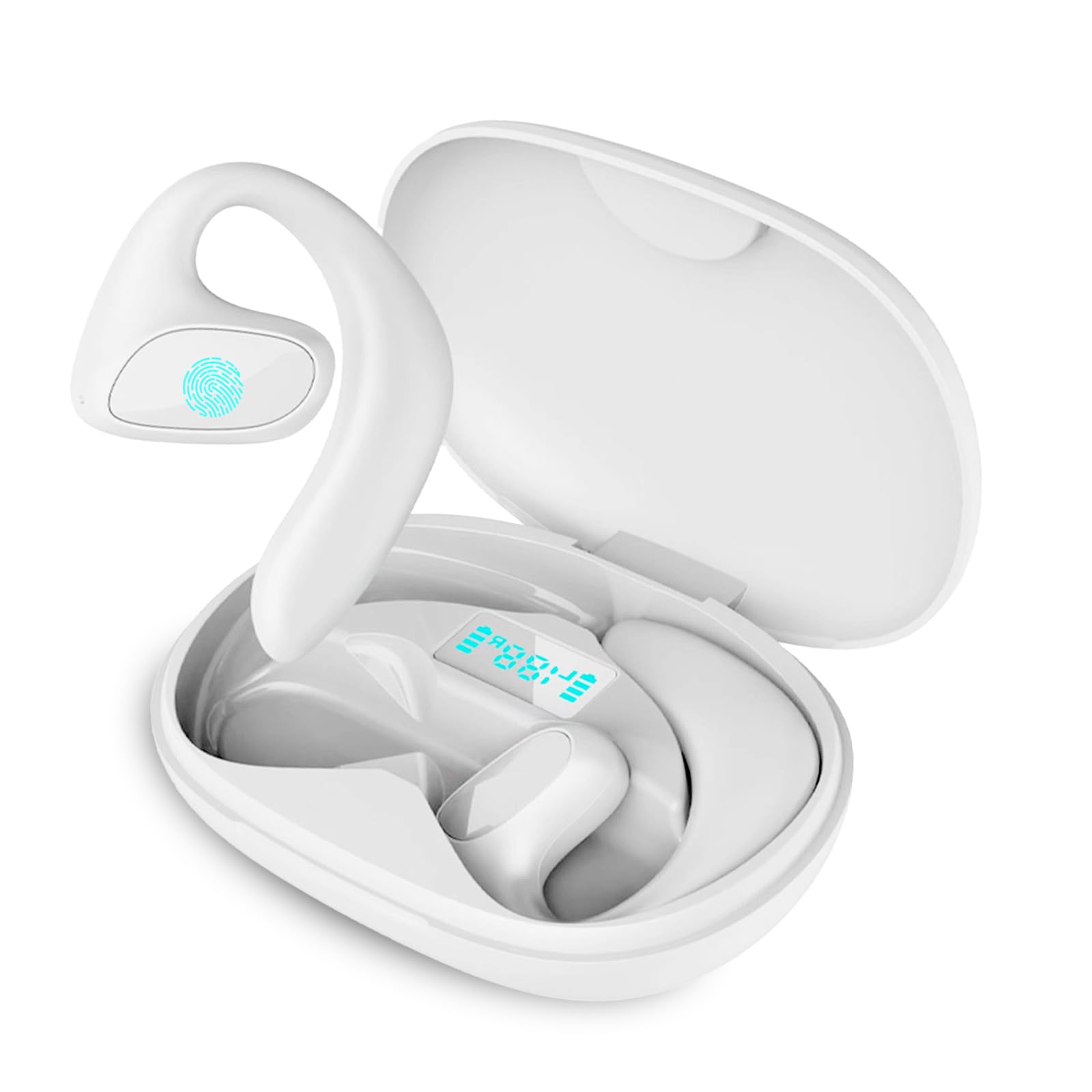
Image 1.1: Reiteag AI Translation Earbuds (White) in their charging case.
2. What's in the Box
Please check the package contents upon unboxing:
- Reiteag AI Translation Earbuds (Left and Right)
- Charging Case
- USB Charging Cable
- User Manual
3. Product Overview
The Reiteag AI Translation Earbuds are designed for versatility, offering three primary functions: music playback, language translation, and phone calls. They feature an ergonomic open-ear design for comfort during extended use.

Image 3.1: The earbuds offer 3-in-1 functionality: music playback, language translation, and phone calls.
Key Features:
- Real-time Two-way Translation: Supports 156 languages with up to 99% accuracy (requires companion app).
- Offline Translation: Supports 8 languages (Chinese, UK English, French, German, Japanese, Russian, Spanish, Korean) without an internet connection.
- Bluetooth 5.1: Ensures stable and fast wireless connectivity with low latency.
- Noise Reduction: Enhances call clarity even in noisy environments.
- Touch Control: Intuitive single-hand operation for music, calls, and voice assistant.
- Long Battery Life: Approximately 8-10 hours of use per charge, extended with charging case.
- Immersive Surround Sound: Provides a rich audio experience for music.
- Waterproof Design: Suitable for various activities.

Image 3.2: Bluetooth 5.1 technology ensures stable and fast connection with low latency.
4. Setup
4.1 Charging the Earbuds and Case
- Place the earbuds into the charging case.
- Connect the USB charging cable to the charging port on the case and to a power source.
- The indicator lights on the case will show the charging status. A full charge is indicated when all lights are solid.

Image 4.1: Battery capacity and estimated usage time for earbuds and charging case.
4.2 Pairing with Your Device
- Ensure the earbuds are charged and placed in the charging case.
- Open the charging case. The earbuds will automatically enter pairing mode, indicated by a flashing light.
- On your smartphone or other Bluetooth-enabled device, go to Bluetooth settings and turn Bluetooth on.
- Search for available devices and select "Reiteag FYEJ12" (or similar name) from the list.
- Once connected, the indicator light on the earbuds will stop flashing.
4.3 Installing the Companion App
For full translation functionality, download the dedicated companion app from your device's app store (e.g., Google Play Store for Android, Apple App Store for iOS). Search for "Meacode Translator" or refer to the QR code in the quick start guide (if provided).
5. Operating Instructions
5.1 Touch Controls
The earbuds feature intuitive touch controls for various functions:
- Play/Pause Music: Single tap on either earbud.
- Next Song: Double tap on the right earbud.
- Previous Song: Double tap on the left earbud.
- Answer/End Call: Single tap on either earbud.
- Reject Call: Press and hold either earbud for 2 seconds.
- Activate Voice Assistant: Triple tap on either earbud.
- Redial Last Number: Quadruple tap on either earbud.

Image 5.1: Overview of earbud touch control functions.
5.2 Using Translation Function
The translation function requires the companion app to be installed and connected to the earbuds.
- Open the companion app on your smartphone.
- Select the desired source and target languages within the app.
- Choose the translation mode (e.g., conversation mode, interpreter mode).
- Speak into the earbud's microphone. The translated audio will be played through the other earbud or your phone's speaker, and text will appear on the app screen.
- For offline translation, ensure the required language packs are downloaded within the app beforehand.

Image 5.2: Real-time translation in action, showing speech bubbles on a phone screen.

Image 5.3: The earbuds support offline translation for 8 languages.
5.3 Making and Receiving Calls
When connected to your smartphone, the earbuds can be used for hands-free calls.
- Answering Calls: Single tap on either earbud when a call comes in.
- Ending Calls: Single tap on either earbud during a call.
- Rejecting Calls: Press and hold either earbud for 2 seconds when a call comes in.

Image 5.4: Earbuds provide clear communication for business and personal calls.
6. Maintenance
6.1 Cleaning
- Regularly clean the earbuds and charging case with a soft, dry, lint-free cloth.
- Do not use abrasive cleaners, alcohol, or chemical solvents.
- Ensure charging contacts are free of dust and debris.
6.2 Storage
- Store the earbuds in their charging case when not in use to protect them and keep them charged.
- Avoid storing in extreme temperatures, direct sunlight, or high humidity.
7. Troubleshooting
7.1 Common Issues and Solutions
- Earbuds not pairing:
- Ensure earbuds are charged.
- Turn off and on Bluetooth on your device.
- Forget the device in your Bluetooth settings and try pairing again.
- Reset the earbuds (refer to app or quick start guide for specific instructions). - No sound:
- Check volume levels on both earbuds and your connected device.
- Ensure earbuds are properly connected to your device.
- Try playing different audio sources. - Translation not working:
- Ensure the companion app is installed and updated.
- Check internet connection for online translation.
- Verify language selections in the app.
- Ensure microphone access is granted to the app. - Poor call quality:
- Ensure earbuds are fully charged.
- Move closer to your connected device.
- Avoid environments with strong electromagnetic interference.
8. Specifications
| Feature | Specification |
|---|---|
| Model Number | FYEJ12 (Product Number: FYEJ12411) |
| Brand | Reiteag |
| Connectivity Technology | Wireless (Bluetooth 5.1) |
| Ear Placement | In-Ear / Open-Ear Design |
| Control Method | Application, Touch |
| Translation Languages | 156 (online), 8 (offline) |
| Battery Life (Earbuds) | Approx. 8-10 hours |
| Water Resistance Level | Waterproof |
| Compatible Devices | Phone, Tablet, Computer, Laptop |
| Material | Plastic, Silicone |
9. Warranty Information
Based on the provided product information, specific warranty details are not applicable or available. Please refer to your point of purchase or local consumer protection laws for any applicable rights.
10. Support
For further assistance, technical support, or inquiries, please refer to the contact information provided with your purchase or visit the official Reiteag brand website. Ensure you have your product model number (FYEJ12) ready when contacting support.