
1. Product Overview
The LKTOP 100W Mini 5 Pro Parallel Charging Hub is a versatile accessory designed for DJI Mini 5 Pro drones. It offers efficient parallel charging for up to three intelligent flight batteries, significantly reducing charging time. Beyond charging, the hub integrates additional functionalities including a multi-mode LED light, an SOS alarm, and a battery storage mode. Its compact design makes it suitable for outdoor use and travel.
Key features include:
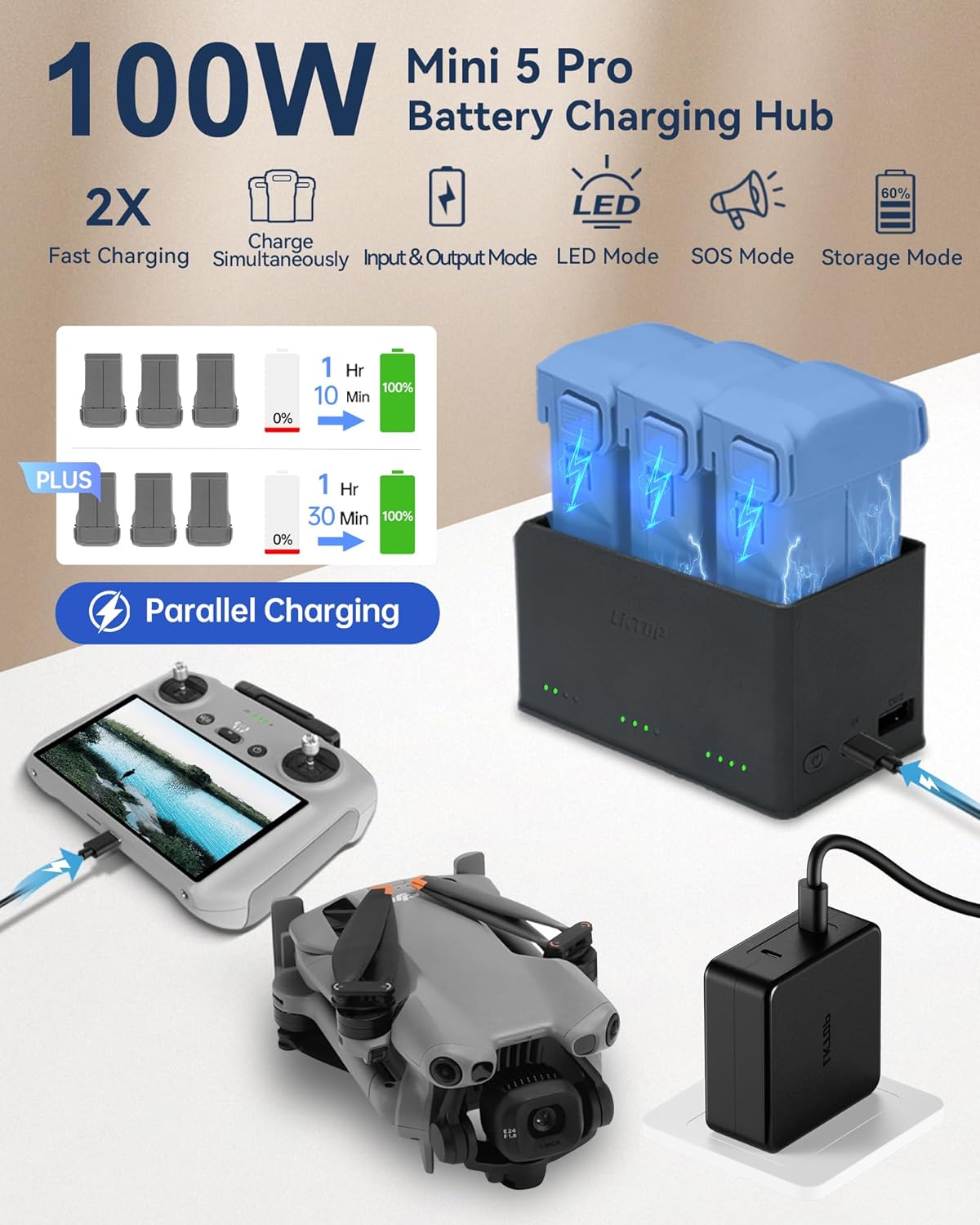
- Input & Output Mode: Capable of charging three batteries simultaneously or charging a battery and another USB-C device (like a DJI remote controller, camera, or iPad) at the same time.
- Fast Charging: Charges three Intelligent Flight Batteries in approximately 1 hour 10 minutes, and three Intelligent Flight Battery Plus in approximately 1 hour 30 minutes.
- LED Lights Mode: Features adjustable brightness levels (10%-100%) and a strobe mode for illumination.
- Alarm Function: Includes an SOS sound mode, strobe mode, and a combined sound and light mode for emergencies.
- Storage Mode: Allows charging or discharging batteries to 60% for optimal long-term storage.
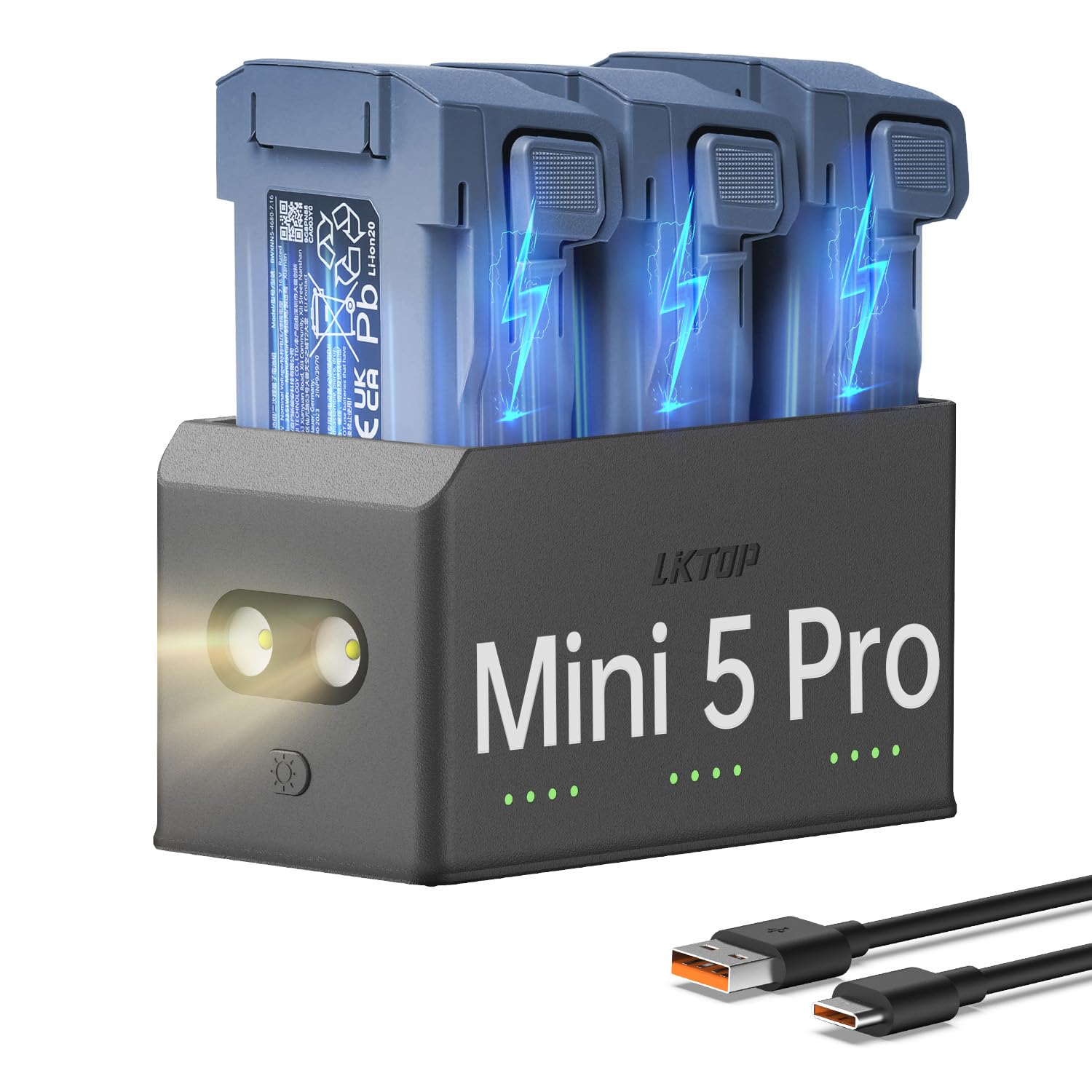
2. What's in the Box
The package includes the following items:
- LKTOP 100W Mini 5 Pro Battery Charging Hub ×1
- USB-C Cable ×1
3. Setup
- Connect the provided USB-C cable to the 'IN' port on the charging hub and to a compatible 100W USB-C power adapter (not included).
- Insert up to three DJI Mini 5 Pro intelligent flight batteries into the designated slots on the charging hub. Ensure they are securely seated.
- The LED indicators on the hub will illuminate to show the charging status of each battery.

4. Operating Instructions
4.1. Charging Batteries
- The hub supports parallel charging, meaning all inserted batteries charge simultaneously.
- Charging time for three Intelligent Flight Batteries is approximately 1 hour 10 minutes.
- Charging time for three Intelligent Flight Battery Plus is approximately 1 hour 30 minutes.
4.2. LED Mode
- To activate the lighting function, perform a short press followed by a long press on the dedicated button.
- Once activated, each subsequent short press will adjust the brightness through five levels (10%-100%).
- The final brightness level is a strobe mode.

4.3. SOS Mode
- To activate the SOS sound mode, perform a short press followed by a long press on the dedicated button.
- Subsequent short presses will cycle through strobe mode and a combined SOS sound and light mode.
- A long press will deactivate the alarm function.

4.4. Storage Mode (60%)
- To activate the charging/discharging to 60% function for battery storage, long press the designated button.
- To restore the battery to 100% charging after using storage mode, unplug and then reconnect the Type-C connector.

4.5. Output Mode
- The hub can simultaneously charge a battery and other USB-C compatible devices such as a DJI remote controller, camera, or iPad.
- Connect your device to the USB-C output port on the hub using an appropriate cable.

4.6. Video Demonstration
5. Compatibility
The LKTOP 100W Mini 5 Pro Parallel Charging Hub is compatible with:
- DJI Mini 5 Pro Intelligent Flight Battery
- DJI Mini 5 Pro Intelligent Flight Battery Plus

6. Specifications
| Feature | Detail |
|---|---|
| Brand | LKTOP |
| Color | Black & White |
| Product Dimensions | 2.17"D x 3.94"W x 2.13"H |
| Item Weight | 0.18 Kilograms |
| Output Voltage | 11.1 Volts (DC) |
| Battery Charge Time (3 Intelligent Flight Batteries) | 70 minutes (approx. 1hr 10min) |
| Connector Type Used on Cable | USB-C |
| Number of Ports | 3 (battery slots) + 1 (USB-C input) + 1 (USB-A output) |
7. Troubleshooting
7.1. Slow Charging or Sequential Charging
If batteries are charging slower than expected or in sequence rather than in parallel, ensure you are using a power adapter with sufficient wattage. For optimal parallel charging of three batteries, a 100W USB-C power adapter is recommended. Using a lower wattage adapter (e.g., below 65W) may result in sequential charging or extended charge times.
8. Warranty & Support
LKTOP offers a 1-Year Warranty on its products. For detailed warranty information, technical support, or service inquiries, please refer to the official LKTOP website or contact their customer service directly. Additional protection plans may be available for purchase from retailers.