1. Product Overview
The Suplanet K96218 Simulator Steering Wheel Building Set offers an engaging construction experience, culminating in a functional racing simulator steering wheel. Comprising 935 building blocks, this model features dynamic moving parts and can also serve as a phone holder, enhancing the immersive racing simulation. It is designed for both building enthusiasts and racing fans, providing a unique display piece for home or office environments.
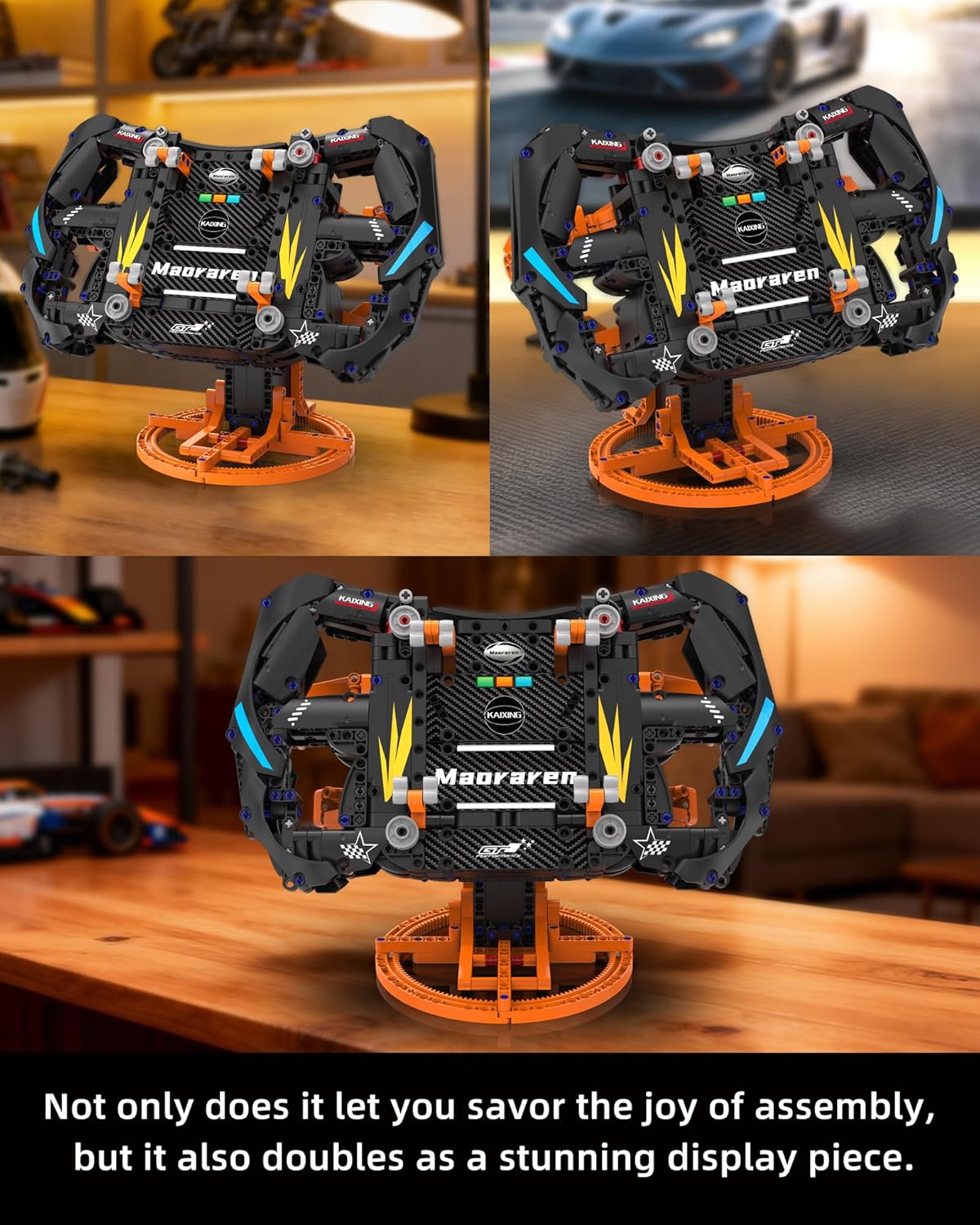
Image: The fully assembled Suplanet K96218 Simulator Steering Wheel, showcasing its intricate design and functional appearance.
2. What's in the Box
Your Suplanet K96218 Simulator Steering Wheel Building Set includes the following components:
- All 935 building block pieces required for assembly.
- A comprehensive, beautifully printed instruction manual.

Image: The product box and a visual representation of the building set components, including the instruction manual.
3. Assembly Instructions
The assembly process for the Suplanet K96218 Simulator Steering Wheel is designed to be straightforward with the included detailed instruction manual. Follow the step-by-step visual guides to construct your model.
- Unpack Components: Carefully open the packaging and sort all 935 pieces. It is recommended to organize pieces by type or color to facilitate the building process.
- Follow the Manual: Refer to the beautifully printed instruction manual for a comprehensive, step-by-step assembly guide. Each step is illustrated to ensure clarity.
- Assemble Core Structure: Begin by building the central frame and base of the steering wheel, as indicated in the initial sections of the manual.
- Integrate Moving Parts: Proceed to assemble the functional elements, such as the adjustable handle, rear paddle switches, and quick-release mechanism. Pay close attention to the diagrams for correct placement and movement.
- Final Touches: Attach the exterior panels and any decorative elements to complete the realistic design.
Note: Assembly typically takes several hours. A clear workspace is recommended to prevent loss of small pieces.

Image: Visual guide showing key assembly steps, including adjusting height, disassembling parts, turning paddle shifters, and transforming into a phone stand.
4. Operating Instructions
4.1. Immersive Racing Simulation
The Suplanet K96218 steering wheel is designed to provide an immersive racing experience. Its all-round movement simulates the feel of a real racing wheel.
- Dynamic Movement: The steering wheel features moving parts that allow for realistic steering actions.
- Adjustable Components: Utilize the adjustable handle and paddle shifters for enhanced control during simulated driving.
4.2. Phone-Controlled Gameplay
Transform your building set into an interactive gaming controller:
- Place Your Phone: Securely place your smartphone onto the integrated phone holder on the steering wheel.
- Activate Gyroscope Mode: Ensure your racing game app supports gyroscope or tilt controls. Activate this mode within the game settings.
- Steer In-Game: Grip the physical steering wheel and move it freely in any direction. The gyroscope sensor in your phone will translate these movements into in-game steering, providing a realistic driving sensation.

Image: A smartphone is shown mounted on the steering wheel, demonstrating its use for phone-controlled racing games with gyroscope functionality.
Video: An official product video demonstrating the assembly and interactive features of the Suplanet K96218 Simulator Steering Wheel Building Set.
5. Maintenance
To ensure the longevity and optimal performance of your Suplanet K96218 Simulator Steering Wheel, follow these simple maintenance guidelines:
- Cleaning: Use a soft, dry cloth to gently wipe down the surfaces of the model. Avoid using harsh chemicals or abrasive materials, as these can damage the plastic.
- Storage: Store the assembled model in a cool, dry place away from direct sunlight and extreme temperatures to prevent material degradation.
- Handling: Handle the model with care, especially when moving or adjusting its parts, to avoid accidental disassembly or damage.
6. Troubleshooting
If you encounter any issues during assembly or operation, consider the following common solutions:
- Missing Pieces: Double-check all packaging materials and the sorting process. If a piece is genuinely missing, contact customer support.
- Difficulty in Assembly: Refer back to the instruction manual. Ensure each step is followed precisely. Sometimes, a small misalignment can prevent subsequent pieces from fitting correctly. Disassemble the problematic section and re-attempt.
- Moving Parts Not Functioning: Verify that all gears and connecting pins are correctly installed and aligned according to the manual. Ensure no pieces are obstructing the movement.
- Phone Holder Instability: Ensure your phone is securely seated in the holder. The holder is designed to accommodate various phone sizes, but extreme movements might require careful handling.
- In-Game Steering Issues: Confirm that your game's settings have gyroscope or tilt controls enabled and calibrated correctly. Adjust sensitivity settings within the game if steering feels too sensitive or unresponsive.
7. Product Specifications
| Feature | Detail |
|---|---|
| Brand Name | Suplanet |
| Model Name | K96218 |
| Number of Pieces | 935 |
| Material Type | Plastic |
| Item Dimensions (Assembled) | 12.4 x 7.87 x 10.24 inches (31.5 x 20 x 26 cm) |
| Item Weight | 1.25 Kilograms |
| Age Range Description | Kid, Adult (Manufacturer Minimum Age: 96 months, Maximum Age: 168 months) |
| Educational Objective | STEM |
| Additional Features | Use as a phone stand |
| Assembly Required | Yes |

Image: A diagram illustrating the dimensions of the assembled steering wheel model.
8. Safety Information
WARNING: Choking Hazard - Small Parts. Not for children under 3 years of age.
Always supervise young children during play to prevent accidental ingestion of small parts. Keep all packaging materials away from children.
9. Warranty & Support
For warranty information, missing parts, or technical support, please contact Suplanet customer service. Refer to the product packaging or the official Suplanet website for the most current contact details.
Customer Service: [Insert Manufacturer Contact Information Here]
Online Support: Visit the Suplanet Store on Amazon for additional product information and support resources.