
1. Introduction
This manual provides essential information for the safe and effective use of the ZDAVSFR NGE-601(16A) NBF-600 Temperature Controller Module. This module is designed to replace the NGE-2301A and is intended for precise temperature control applications. Please read this manual thoroughly before installation and operation to ensure proper functionality and to prevent damage or injury.
2. Safety Information
- Electrical Safety: Installation and wiring must be performed by a qualified electrician in accordance with all local and national electrical codes. Ensure power is disconnected before any wiring or maintenance.
- Voltage Compatibility: Verify that the power supply voltage matches the requirements of the module.
- Environmental Conditions: Do not expose the module to excessive moisture, dust, corrosive gases, or extreme temperatures outside its specified operating range.
- Proper Use: Use the module only for its intended purpose of temperature control. Any other use may result in damage or hazardous conditions.
- Ventilation: Ensure adequate ventilation around the module to prevent overheating.
3. Product Overview
The ZDAVSFR NGE-601(16A) NBF-600 is a compact and reliable temperature controller module. It is designed for integration into various systems requiring accurate temperature regulation. The module features input terminals for power and sensor connection, and output terminals for controlling heating or cooling devices.
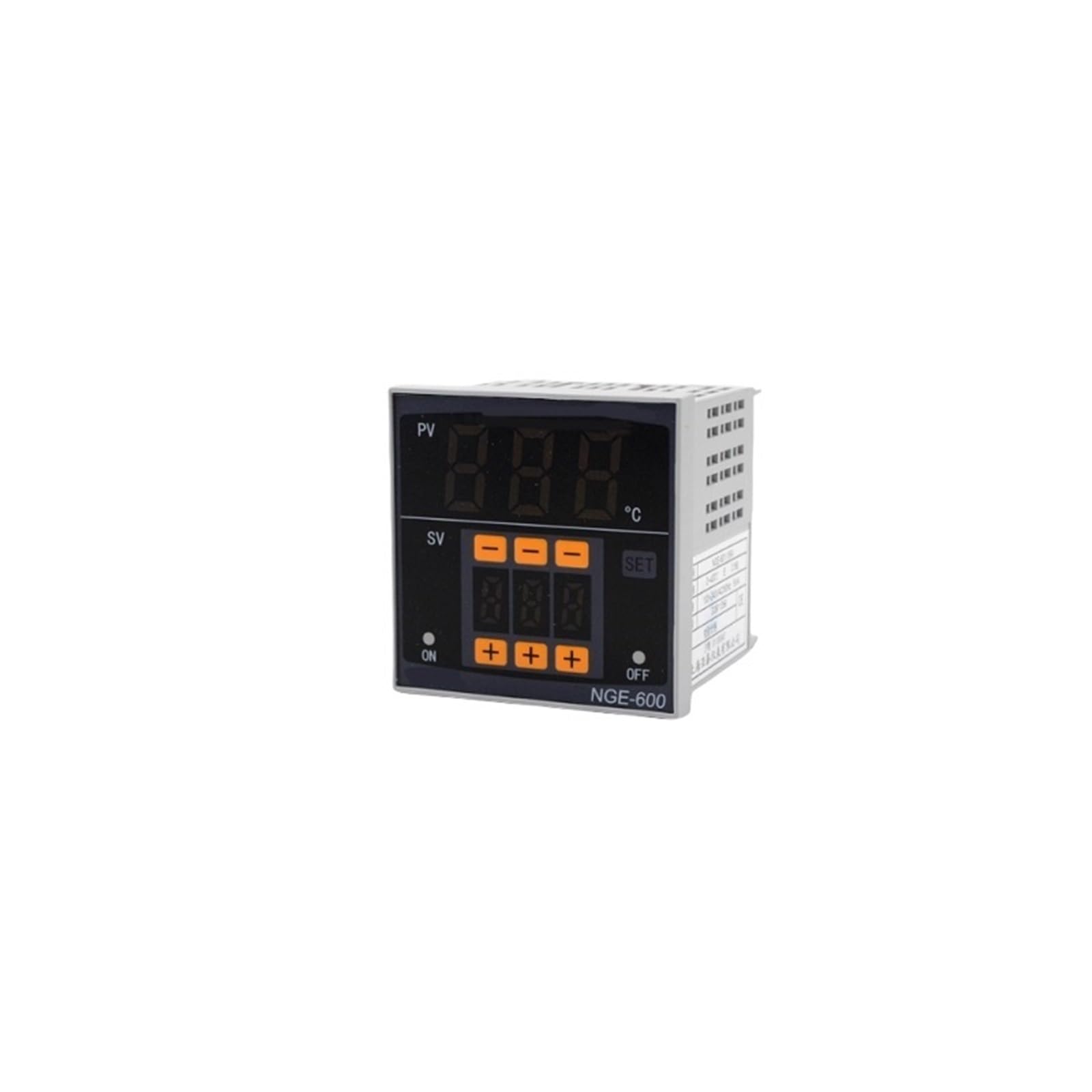
Figure 3.1: Front view of the ZDAVSFR NGE-601(16A) NBF-600 Temperature Controller Module. This image displays the compact design and primary connection points of the module.
4. Setup
4.1 Unpacking
- Carefully remove the temperature controller module from its packaging.
- Inspect the module for any signs of physical damage. If damage is found, do not proceed with installation and contact your supplier.
- Ensure all components listed in the packing list (if provided) are present.
4.2 Installation
- Mount the module in a secure location, away from direct heat sources, excessive vibration, and moisture.
- Ensure sufficient space around the module for proper air circulation and heat dissipation.
- Use appropriate mounting hardware to secure the module firmly.
4.3 Wiring
WARNING: All wiring must be performed by a qualified electrician. Incorrect wiring can lead to electric shock, fire, or damage to the module and connected equipment.
- Refer to the wiring diagram provided with your specific application or consult a professional for detailed wiring instructions.
- Connect the power supply to the designated input terminals.
- Connect the temperature sensor to the sensor input terminals, observing polarity if applicable.
- Connect the heating or cooling device to the output terminals. Ensure the load current does not exceed the module's maximum rating (16A for this model).
- Double-check all connections for tightness and correct polarity before applying power.
5. Operating Instructions
5.1 Powering On
Once all wiring is complete and verified, apply power to the module. The module should power on and display the current temperature or a default setting.
5.2 Setting the Desired Temperature
The method for setting the desired temperature (setpoint) will depend on the specific interface of your module. Generally, this involves:
- Accessing the setpoint adjustment mode (often by pressing a 'SET' button).
- Using 'UP' and 'DOWN' buttons to adjust the temperature value.
- Confirming the setting (often by pressing 'SET' again or waiting for a timeout).
5.3 Understanding Display Indicators
The module's display typically shows the current measured temperature. Additional indicators may include:
- Output Status: An LED or icon indicating when the heating or cooling output is active.
- Alarm Status: An indicator for temperature deviations or sensor errors.
5.4 Advanced Settings (if applicable)
Some modules offer advanced settings such as hysteresis, calibration, alarm limits, and operating modes (heating/cooling). Refer to the specific documentation for your system or consult a professional for configuration of these parameters.
6. Maintenance
- Cleaning: Disconnect power before cleaning. Use a soft, dry cloth to wipe the module. Do not use abrasive cleaners or solvents.
- Inspection: Periodically inspect wiring connections for tightness and signs of wear or corrosion.
- Sensor Check: Ensure the temperature sensor is clean and properly positioned for accurate readings.
- Ventilation: Keep the area around the module clear to ensure proper airflow.
7. Troubleshooting
| Problem | Possible Cause | Solution |
|---|---|---|
| Module does not power on | No power supply; Incorrect wiring; Blown fuse | Check power connections; Verify wiring diagram; Check power source and fuses. |
| Incorrect temperature reading | Faulty sensor; Incorrect sensor type; Sensor not properly connected or positioned | Check sensor wiring; Replace sensor if faulty; Ensure sensor is in the correct measurement location. |
| Output not activating | Setpoint not reached; Output wiring error; Faulty output relay | Adjust setpoint; Verify output wiring; Test output device independently; Consult support if relay is suspected faulty. |
| Module overheating | Insufficient ventilation; Overload on output | Ensure adequate airflow; Reduce load if exceeding specifications. |
If troubleshooting steps do not resolve the issue, contact customer support or a qualified technician.
8. Specifications
| Feature | Specification |
|---|---|
| Model Number | NGE-601(16A) NBF-600 |
| Replaces | NGE-2301A |
| Maximum Output Current | 16A |
| Product Dimensions | 0.39 x 0.39 x 0.39 inches |
| Item Weight | 1.76 ounces |
| Manufacturer | ZDAVSFR |
| Batteries Required | No |
9. Warranty and Support
This ZDAVSFR product is typically covered by a standard manufacturer's warranty against defects in materials and workmanship. For specific warranty terms, duration, and to obtain support, please refer to the documentation provided with your purchase or contact your retailer. Keep your proof of purchase for warranty claims.
For technical assistance or inquiries, please contact ZDAVSFR customer support through their official channels or your point of purchase.