
Introduction
This instruction manual provides essential information for the safe and efficient use of your Hotpzeddaque Self-Cleaning Cat Litter Box. Please read this manual thoroughly before initial setup and retain it for future reference. Proper installation, operation, and maintenance will ensure optimal performance and longevity of the product.
Safety Information
- Anti-Pinch Safety: The litter box is equipped with built-in infrared sensors that automatically stop rotation if a cat is detected entering or exiting the unit during a cleaning cycle. This feature is designed to prevent injury.
- Power Supply: Use only the provided power adapter. Ensure the power outlet meets the specified voltage requirements.
- Placement: Place the litter box on a flat, stable surface away from direct sunlight, heat sources, and moisture.
- Children and Pets: Keep children and other pets away from the unit during operation to prevent accidental interference.
- Cleaning: Always unplug the unit before cleaning or performing any maintenance. Do not immerse the main unit in water.
- Litter Type: This device is designed for use with clumping cat litter. Do not use non-clumping, crystal, or silica gel litters as they may interfere with the cleaning mechanism.
Package Contents
Verify that all items are present in the package:
- 1 x Hotpzeddaque Self-Cleaning Cat Litter Box
- 1 x Mineral Cat Litter (10lbs)
- 1 x Power Adapter
- 1 x User Manual (this document)
- 1 x Cozy Litter Mat
- 3 x Waste Bags
- 1 x Cleaning Brush
- 1 x Sifting Litter Scoop
Product Overview
The Hotpzeddaque Self-Cleaning Cat Litter Box automates the litter cleaning process, providing a hygienic environment for your cat and reducing manual scooping.
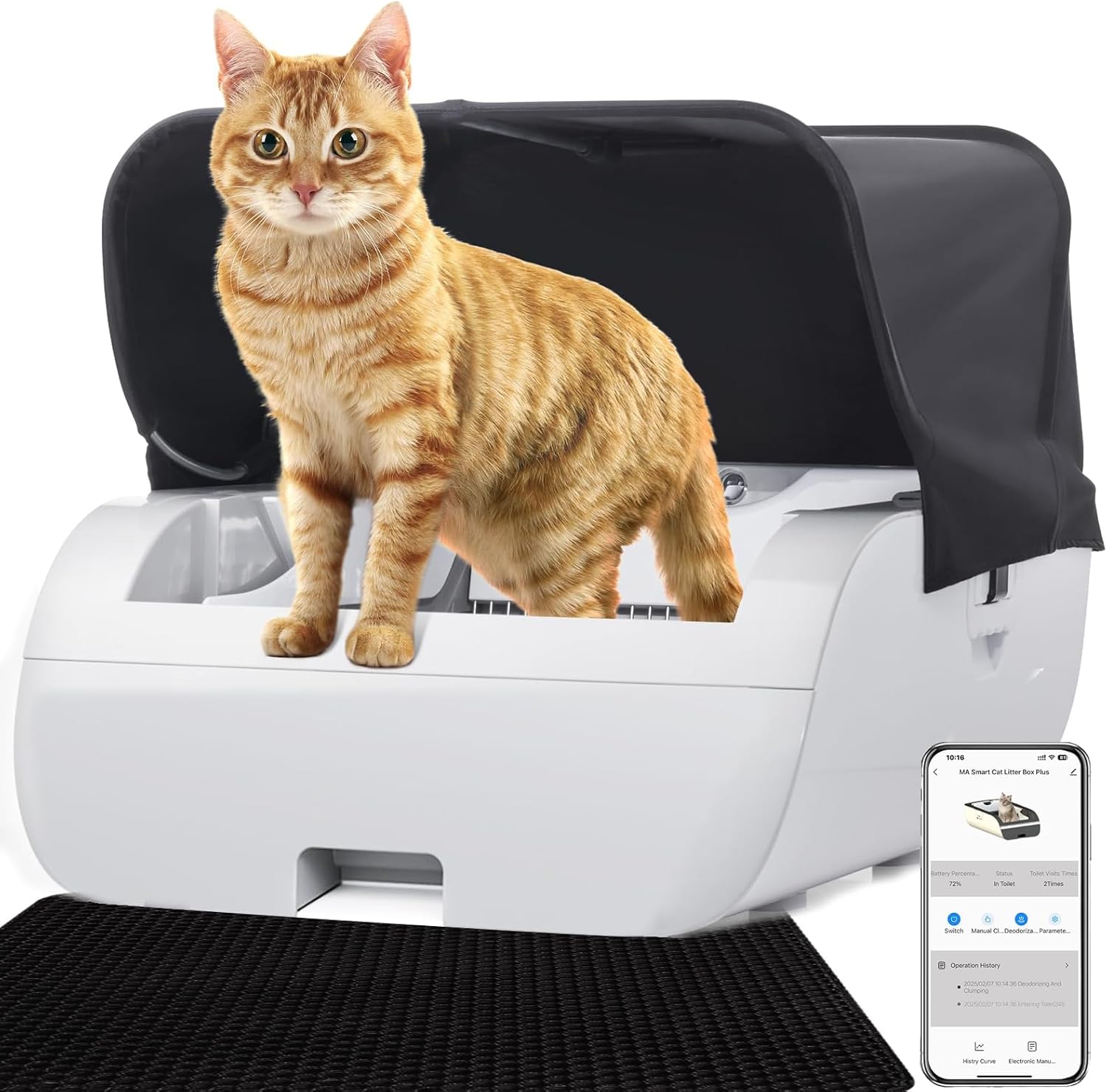
The Hotpzeddaque Self-Cleaning Cat Litter Box, shown with its tent cover, provides an automated solution for litter management.
Key Features:
- Automatic Self-Cleaning: The unit automatically sifts and cleans litter after each use.
- App & WiFi Control: Connects to the Tuya Smart Life App for remote monitoring and control (supports 2.4G/5G WiFi).
- Safety Sensors: Infrared sensors detect cat presence to prevent operation during use.
- Odor Control: Features a sealed waste compartment and activated carbon filter to minimize odors.
- Open Design: A wide, low-entry design accommodates kittens, large cats, and senior cats.
- Compatibility: Works with various clumping cat litters.

The control panel features indicators for power status, battery level, cat detection, and deodorizer activity.

This diagram illustrates the control panel's functions and the location of the built-in battery, which provides backup power.
Setup
- Unpack: Carefully remove all components from the packaging.
- Placement: Position the litter box on a level, dry surface in a well-ventilated area. Ensure there is sufficient space around the unit for access and air circulation.
- Install Waste Bag: Open the waste compartment and insert a waste bag, ensuring it is properly secured.
- Add Litter: Pour clumping cat litter into the main litter bed. Ensure the litter level is between the MIN and MAX fill lines indicated inside the unit. Do not overfill.
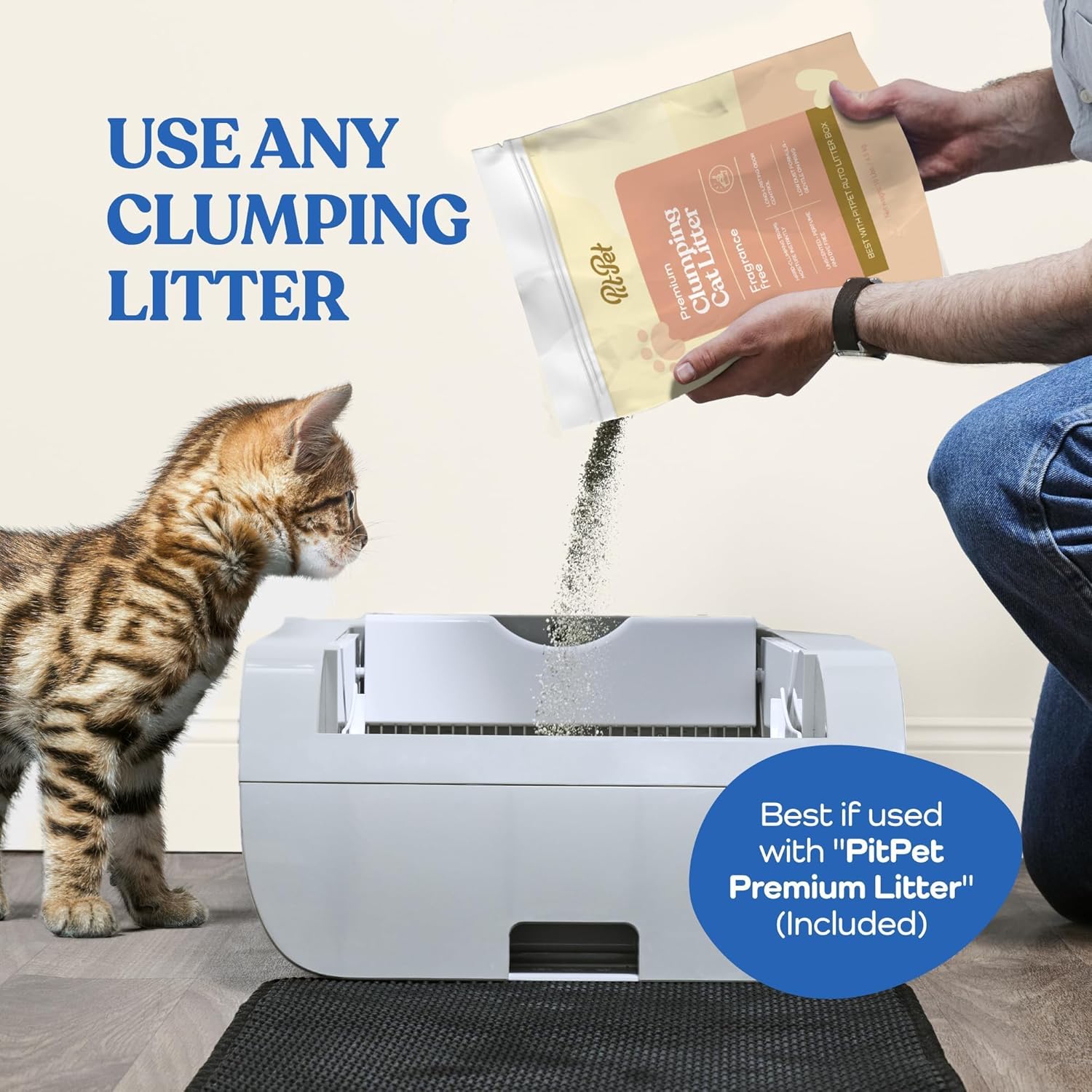
This image demonstrates the process of adding clumping litter to the litter box. The unit is compatible with various types of clumping litter.
- Connect Power: Plug the power adapter into the unit and then into a wall outlet. The power indicator on the control panel should illuminate.
- App Connection (Optional): Download the Tuya Smart Life App from your device's app store. Follow the in-app instructions to connect your litter box to your home WiFi network. This allows for remote monitoring and control.
Operating Instructions
Automatic Cleaning Cycle:
The litter box is designed to automatically clean itself after your cat uses it. After your cat exits the unit, a delay timer will activate (default setting may vary, check app for customization). Once the delay concludes, the internal rake will sift through the litter, depositing waste into the sealed waste compartment.
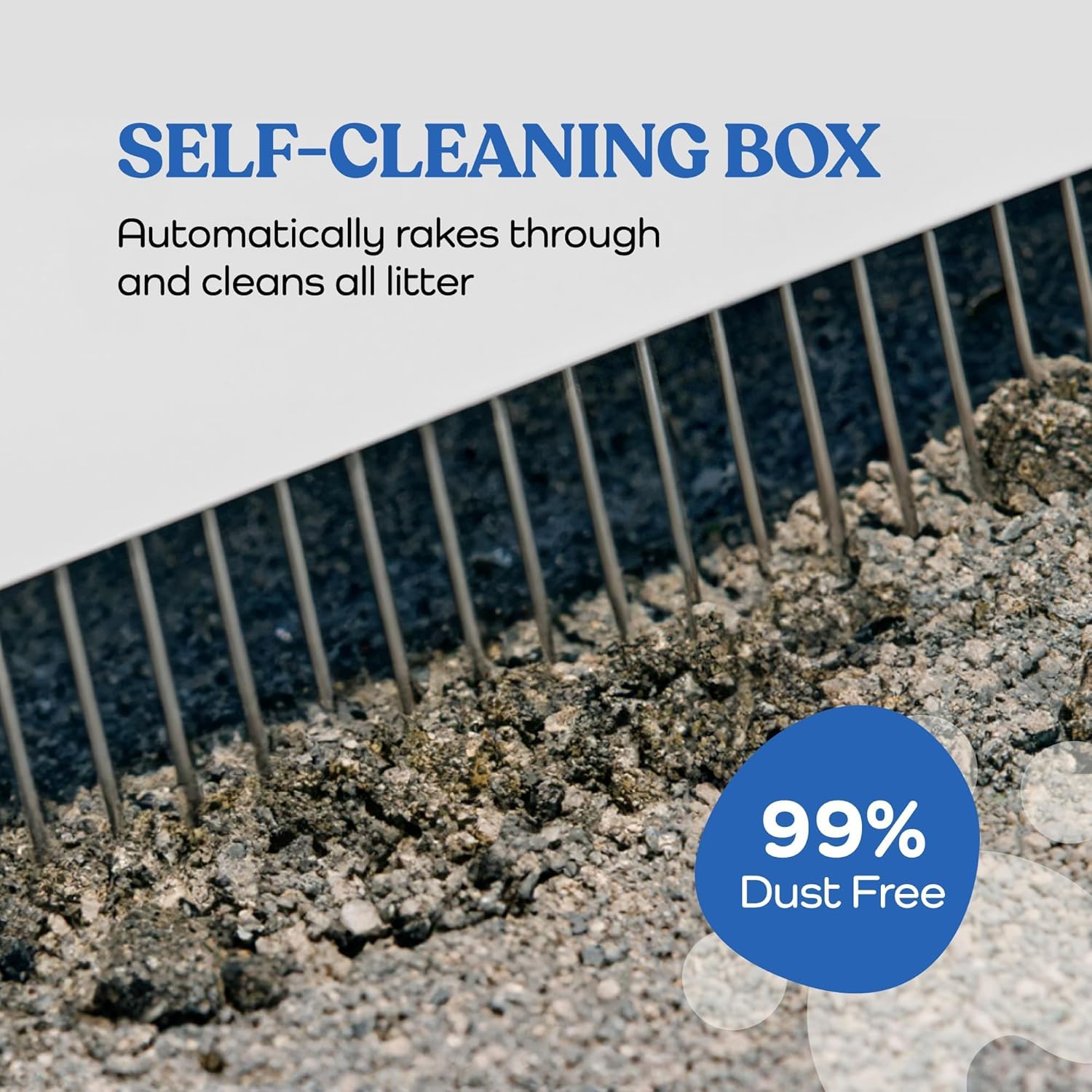
The internal rake mechanism automatically sifts through the litter, separating waste from clean litter.
Manual Cleaning:
To initiate a cleaning cycle manually, press the designated button on the control panel or use the mobile app. Ensure no cat is inside the unit before starting a manual cycle.
App & WiFi Control:
The Tuya Smart Life App allows you to:
- Monitor your cat's usage habits and activity logs.
- Remotely start or stop cleaning cycles.
- Adjust cleaning cycle delay times.
- Receive notifications regarding waste compartment status or potential issues.
Maintenance & Cleaning
Waste Bag Replacement:
The waste bag should be replaced every 5-8 days, depending on the number of cats and usage frequency. To replace:
- Unplug the unit from the power source.
- Open the waste compartment.
- Carefully remove the full waste bag and dispose of it.
- Insert a new waste bag, ensuring it is securely fitted.
- Close the waste compartment and plug the unit back in.
Unit Cleaning:
Regular cleaning of the main unit is recommended to maintain hygiene. Always unplug the unit before cleaning.
- Wipe down exterior surfaces with a damp cloth and mild detergent.
- For deeper cleaning, components such as the rake, pedal, cat toilet, and feces collection bin can be removed and washed. Refer to the diagram below for component identification.

This diagram breaks down the litter box into its main components, highlighting parts like the rake, pedal, cat toilet, feces collection bin, and base, to assist with cleaning and reassembly.
- Ensure all parts are completely dry before reassembling and plugging the unit back in.
Activated Carbon Filter:
The activated carbon filter helps absorb odors. Replace the filter periodically (e.g., every 1-3 months) for optimal odor control. Refer to the product packaging or manufacturer's website for replacement filter availability and instructions.
Troubleshooting
| Problem | Possible Cause | Solution |
|---|---|---|
| Unit does not power on. | Power adapter not connected; power outlet issue. | Ensure power adapter is securely plugged into the unit and a working wall outlet. Check the power outlet with another device. |
| Cleaning cycle does not start. | Cat detected inside; litter level incorrect; sensor obstruction. | Ensure no cat is in the unit. Check litter level. Clean sensors for any obstructions. |
| Odor persists. | Waste bag full; activated carbon filter needs replacement; unit needs cleaning. | Replace waste bag. Replace activated carbon filter. Perform a thorough cleaning of the unit. |
| App connection issues. | Incorrect WiFi password; router too far; 2.4G/5G band issue. | Verify WiFi password. Move unit closer to router. Ensure your router supports 2.4G/5G and the unit is connecting to the correct band. Restart router and unit. |
Specifications
- Model Number: W1264P283678
- Product Dimensions: 29.9"L x 18.5"W x 9.7"H
- Item Weight: 23.2 Pounds
- Material: Acrylonitrile Butadiene Styrene (ABS)
- Litter Box Type: Automated Self-Cleaning Litter Box
- Connectivity: App Control, WiFi (2.4G/5G)
- Power Source: AC Adapter (included), Built-in Battery (4000 mAh for backup)
- Color: Black with Tent (as configured)
- UPC: 707889184646

The image provides dimensional information for the litter box, illustrating its size with and without the tent accessory.
Warranty & Support
For detailed warranty information, please refer to the warranty card included with your product or visit the official Hotpzeddaque website. If you encounter any issues or require technical assistance, please contact Hotpzeddaque customer support through the contact information provided on the product packaging or website.