1. Introduction and Overview
The ZEALOT MP1 is a powerful and versatile portable Bluetooth speaker designed for both indoor and outdoor use. Featuring 60W RMS output, HiFi stereo sound, and an 8000mAh battery, it delivers clear audio with deep bass. Its IPX6 waterproof rating ensures durability against splashes and rain, making it suitable for various environments. The speaker also includes dynamic LED lighting and supports multiple playback modes for an enhanced audio experience.
2. Package Contents
Please check the box for the following items:
- ZEALOT MP1 Portable Bluetooth Speaker
- Quick Start Guide
- Charging Cable (USB-C)
- AUX Cable
- Shoulder Strap
3. Product Features
3.1. Powerful Dual Speakers with Deep Bass
Equipped with 66mm dual speakers and advanced audio decoding technology, the MP1 delivers 60W RMS of clear, powerful sound with enhanced low-frequency response and volume. Dual passive bass diaphragms ensure a rich and immersive audio experience.

Image: Internal view of the ZEALOT MP1 speaker, showcasing its dual 66mm drivers for powerful bass.
3.2. Multiple Device Connectivity (TWS)
Connect multiple MP1 speakers wirelessly to create a wider sound field and cinematic surround sound experience. Easily pair one device to your mobile phone, then connect additional speakers for a synchronized audio setup.

Image: Illustration of multiple ZEALOT MP1 speakers connected wirelessly to a single source for an expanded sound experience.
3.3. IPX6 Waterproof Design
The speaker features a fully sealed chamber design with rubber plug seals, providing IPX6 waterproof protection. It can withstand water splashes and rain, making it ideal for outdoor use, beach trips, or even in the bathroom.
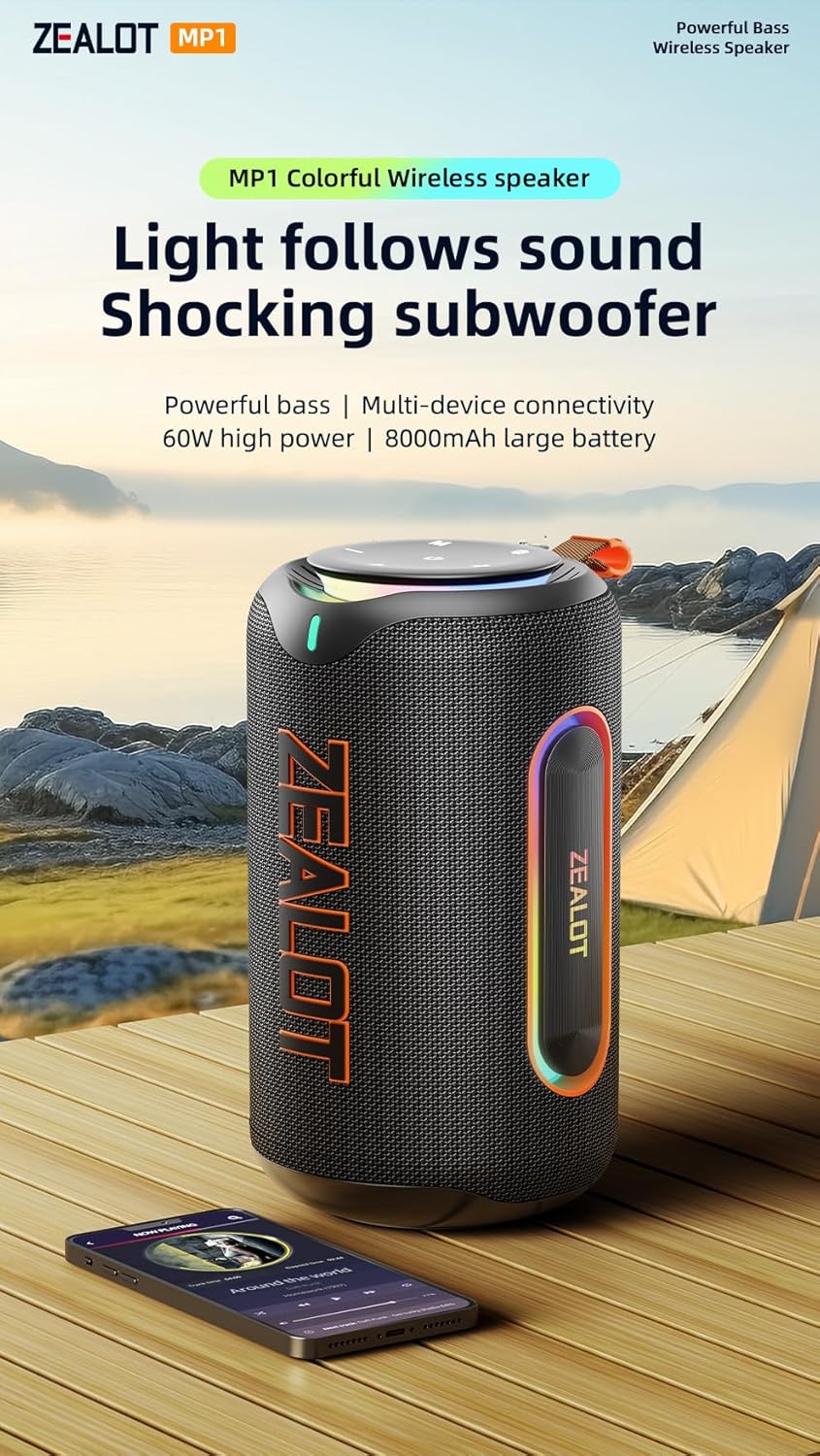
Image: The ZEALOT MP1 speaker enduring water splashes, showcasing its IPX6 waterproof capability.
3.4. Dynamic RGB LED Lighting
Enjoy colorful RGB lighting effects that synchronize with the rhythm of your music. The dazzling array of colors and shadows creates a glamorous party atmosphere, enhancing your listening experience visually.

Image: The ZEALOT MP1 speaker displaying its colorful RGB lighting effects, synchronized with music.
3.5. Versatile Playback Modes
The MP1 supports multiple playback options including wireless Bluetooth connection, AUX mode, TF card mode, and USB flash drive mode, offering flexibility for your audio sources.

Image: Close-up of the ZEALOT MP1 speaker's port panel, illustrating its support for USB, TF card, and AUX input.
3.6. Long-lasting Battery
Equipped with an 8000mAh battery, the speaker provides extended playtime, ensuring your music lasts through long gatherings or outdoor adventures.
4. Controls and Indicators
The control panel is conveniently located on the top of the speaker for easy access to all functions.

Image: The control interface of the ZEALOT MP1 speaker, showing power, mode, EQ, play/pause, volume, and light controls.
- Power Button (⏻): Press and hold to power on/off. Short press to check battery status.
- Mode Button (M): Short press to switch between Bluetooth, AUX, TF Card, and USB modes.
- EQ Button (EQ): Short press to cycle through different equalizer presets (e.g., Bass, Vocal, Normal).
- TWS Button (⎘): Press to initiate or disconnect True Wireless Stereo pairing.
- Play/Pause Button (▶): Short press to play or pause audio.
- Volume Down (-): Short press to decrease volume. Long press for previous track.
- Volume Up (+): Short press to increase volume. Long press for next track.
- Light Button (✱): Short press to change LED light modes. Press and hold to turn lights on/off.
4.1. Port Panel
The port panel is located on the rear of the speaker, protected by a waterproof cover.
- USB-C Charging Port: For charging the speaker.
- USB-A Port: For USB flash drive playback or as a power bank to charge other devices.
- TF Card Slot: For TF (MicroSD) card playback.
- AUX-in Port: For connecting external audio devices via a 3.5mm audio cable.
5. Setup
5.1. Charging the Speaker
- Open the waterproof cover on the rear of the speaker.
- Connect the provided USB-C charging cable to the speaker's USB-C port and to a compatible USB power adapter (not included).
- The LED indicators on the control panel will show charging progress. All LEDs lit indicate a full charge.
- Close the waterproof cover securely after charging.
5.2. Bluetooth Pairing
- Power on the speaker by pressing and holding the Power button. The speaker will enter Bluetooth pairing mode automatically, indicated by a flashing Bluetooth indicator.
- On your mobile device, enable Bluetooth and search for "ZEALOT MP1" in the list of available devices.
- Select "ZEALOT MP1" to connect. Once connected, the Bluetooth indicator will stop flashing and remain solid.
- You can now play audio from your device through the speaker.
6. Operating Instructions
6.1. Switching Playback Modes
Short press the Mode (M) button to cycle through Bluetooth, AUX, TF Card, and USB modes.
6.2. Adjusting Volume and Tracks
- Volume Control: Short press the Volume Up (+) or Volume Down (-) buttons.
- Previous/Next Track: Long press the Volume Down (-) button for the previous track, and long press the Volume Up (+) button for the next track.
6.3. Using the EQ Function
Short press the EQ button to switch between different sound profiles (e.g., enhanced bass, clear vocals, balanced normal mode) to suit your audio preference.
6.4. True Wireless Stereo (TWS) Pairing
- Ensure both ZEALOT MP1 speakers are powered on and not connected to any Bluetooth device.
- On one speaker, short press the TWS button. It will emit a tone and search for another MP1 speaker.
- Once connected, both speakers will indicate successful pairing.
- Connect your mobile device to one of the paired speakers via Bluetooth. Audio will now play in stereo across both speakers.
7. Maintenance
- Keep the speaker away from extreme temperatures, direct sunlight, and corrosive liquids.
- Clean the speaker with a soft, damp cloth. Do not use harsh chemicals or abrasive materials.
- Ensure the waterproof cover for the ports is securely closed when not in use, especially in wet environments.
- Store the speaker in a cool, dry place when not in use for extended periods.
8. Troubleshooting
- No Power: Ensure the speaker is charged. Connect to a power source and try again.
- No Sound: Check the volume level on both the speaker and your connected device. Ensure the correct playback mode is selected.
- Bluetooth Disconnection: Ensure the speaker is within the 100ft Bluetooth range. Disconnect and re-pair the device.
- TWS Pairing Failure: Ensure both speakers are not connected to any other Bluetooth device before initiating TWS pairing.
- Distorted Sound: Reduce the volume on both the speaker and your device. Check the audio source for quality issues.
9. Specifications
| Model Name | MP1 Bluetooth Speaker |
| Brand | ZEALOT |
| Speaker Type | Portable Speaker |
| Connectivity Technology | Bluetooth |
| Wireless Communication Technology | Bluetooth |
| Speaker Maximum Output Power | 80 Watts (Peak) / 60W RMS |
| Audio Output Mode | Stereo |
| Frequency Response | 20 KHz |
| Battery Capacity | 8000mAH (2 x 9V batteries included) |
| Water Resistance Level | IPX6 (Water Resistant) |
| Product Dimensions | 5.12"D x 5.12"W x 9.06"H |
| Item Weight | 16.09 Pounds |
| Included Components | Quick Start Guide |
10. Safety Information
- Do not disassemble, repair, or modify the product.
- Do not expose the product to fire or high temperatures.
- Avoid dropping or subjecting the product to strong impacts.
- Keep out of reach of children.
- Dispose of batteries according to local regulations.
11. Warranty and Support
This product is sold by ZEALOT-Direct. For support or warranty inquiries, please refer to the seller's return policy or contact ZEALOT customer service. Standard return policy allows for refund/replacement within 30 days of purchase.


