
Introduction
This manual provides essential information for the proper setup, operation, and maintenance of your WORX WA0828 Garage for Vision Cloud Robotic Lawnmowers. This accessory is designed to protect your robotic lawnmower from various weather conditions, ensuring its longevity and optimal performance.
The robust and durable structure effectively shields your robot from rain, sun, wind, and UV rays. Its modern design integrates seamlessly into any garden environment.
Package Contents
- 1 x WORX WA0828 Garage Unit
- 8 x Metal Screws
- 1 x Allen Key
Setup and Installation
The WORX WA0828 Garage is designed for quick and easy installation without the need for specialized tools. Assembly can be completed in a few minutes.
- Unpack Components: Carefully remove all parts from the packaging and verify that all items listed in the "Package Contents" section are present.
- Position the Base: Place the garage base in the desired location, ensuring it is level and stable. The garage should be positioned to cover the robotic lawnmower's charging station.
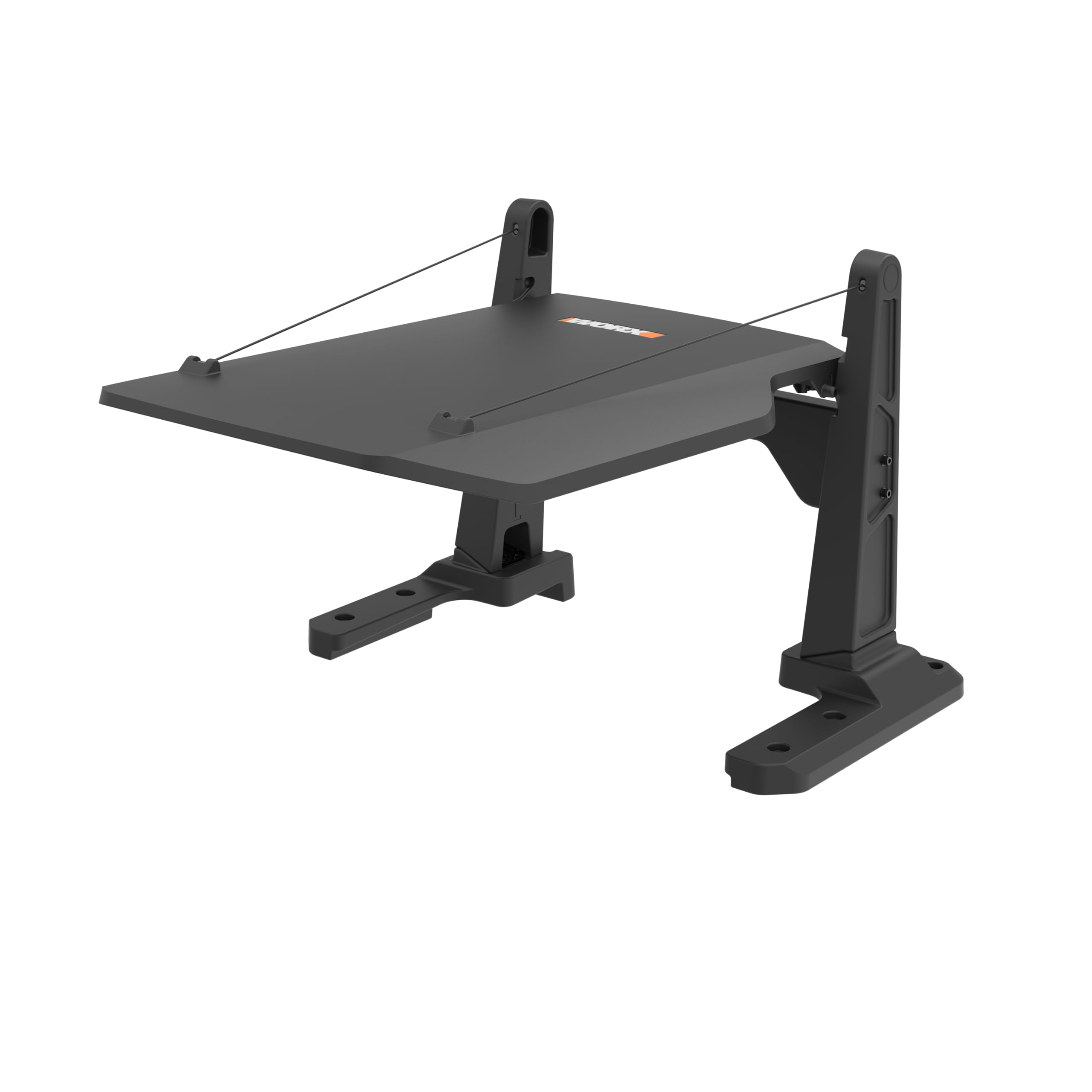
- Assemble the Structure: Follow the visual instructions provided with the product to connect the main structural components. Use the provided metal screws and Allen key to secure the parts firmly.
- Secure to Ground (Optional but Recommended): For added stability, especially in windy conditions, secure the garage to the ground using appropriate anchors (not included) through the designated holes in the base.
- Final Check: Ensure all connections are tight and the garage is stable. Confirm that the robotic lawnmower can enter and exit the garage freely without obstruction.

Image: WORX WA0828 Garage showing its structural components.
Operating the Garage (Protection Function)
The WORX WA0828 Garage operates passively by providing a protective shelter for your robotic lawnmower. Once installed, it continuously shields the mower from environmental elements.
- Rain Protection: The garage's roof design prevents rain from directly reaching the robotic lawnmower and its charging station, reducing the risk of water damage.
- Sun and UV Protection: It blocks direct sunlight and harmful UV rays, which helps to prevent fading of the mower's plastic components and protects its internal electronics and battery from overheating.
- Wind and Debris Shield: The sturdy structure offers protection against strong winds and flying debris, such as leaves or small branches, which could otherwise damage the mower.
Compatibility
This garage is compatible with all WORX Vision Cloud robotic lawnmower models, including both 2WD and 4WD versions:
- 2WD Models: WR303E, WR304E, WR305E, WR306E, WR365E, WR308E, WR312E, WR318E, WR330E
- 4WD Models: WR340E, WR341E, WR342E, WR344E

Image: WORX WA0828 Garage from a different angle, illustrating its protective design.
Maintenance
To ensure the continued effectiveness and appearance of your WORX WA0828 Garage, regular maintenance is recommended.
- Cleaning: Periodically wipe down the exterior surfaces with a damp cloth to remove dirt, dust, and debris. Avoid using harsh chemicals or abrasive cleaners, as these can damage the material.
- Inspection: Regularly check all screws and connections to ensure they remain tight. Inspect the structure for any signs of damage or wear, especially after severe weather conditions.
- Clear Obstructions: Ensure that no leaves, branches, or other debris accumulate on the roof or around the base of the garage, as this could impede its protective function or the mower's movement.
Troubleshooting
If you encounter any issues with your WORX WA0828 Garage, consider the following common troubleshooting steps:
- Garage Instability: Ensure all screws are securely tightened. If the garage is placed on uneven ground, adjust its position or level the ground. Consider anchoring the garage to the ground for increased stability.
- Robotic Lawnmower Obstruction: If your robotic lawnmower has difficulty entering or exiting the garage, check for any debris or objects blocking its path. Verify that the garage is correctly aligned with the charging station.
- Reduced Protection: If you notice water or excessive sun exposure on your mower, inspect the garage for any damage to its roof or structure that might compromise its protective capabilities.
For persistent issues not resolved by these steps, please contact WORX customer support.
Specifications
| Feature | Detail |
|---|---|
| Model Number | WA0828 |
| Dimensions (L x W x H) | 82.3 x 71.4 x 51.4 cm (32.4 x 28.1 x 20.2 inches) |
| Weight | 3.6 kg (7.9 lbs) |
| Compatibility | All WORX Vision Cloud 2WD and 4WD Robotic Lawnmowers |
| Material | Durable, weather-resistant material |
| Included Components | 1 Garage WA0828, 8 Metal Screws, 1 Allen Key |
Warranty Information
WORX accessories, including the WA0828 Garage, come with a 6-month warranty from the date of purchase.
To potentially extend your warranty, please register your product on the official WORX website (eu.worx.com) within 30 days of your purchase. Refer to the website for specific terms and conditions regarding warranty extensions.
Support
For any questions, advice, or technical support regarding your WORX WA0828 Garage, please contact WORX customer service.
- Website: Visit the official WORX website for support resources and contact information: www.worx.com
- Social Media: You can also reach out to "Worx France" on social media platforms for assistance.
Our team is available to help you with product-related inquiries and troubleshooting.


