1. Introduction
Thank you for choosing the Generic Rolling TV Stand. This manual provides essential information for the safe and efficient assembly, operation, and maintenance of your new TV stand. Please read these instructions carefully before installation and retain them for future reference.
2. Safety Information
WARNING: Failure to read and follow these instructions can result in serious personal injury, property damage, or voiding of your warranty.
- Ensure all components are present and undamaged before assembly. Do not use damaged parts.
- Do not exceed the maximum weight capacity of 44 lbs (20 kg).
- This stand is designed for TVs between 17 and 55 inches. Verify your TV's size and weight before mounting.
- Always ensure the TV is securely mounted to the VESA bracket and the stand is stable before use.
- Lock the casters when the stand is in a stationary position to prevent accidental movement.
- Keep children and pets away during assembly. Small parts may be a choking hazard.
3. Package Contents
Please verify that all parts listed below are included in your package. If any parts are missing or damaged, contact customer support.
- Base Frame with Casters (x1)
- Vertical Support Pole (x1, often in multiple sections)
- TV Mounting Bracket (x1)
- Hardware Kit (screws, washers, spacers for TV mounting and stand assembly)
- Assembly Tools (e.g., Allen wrench, spanner)
4. Setup and Assembly
Follow these steps for proper assembly. It is recommended to have two people for TV mounting.
- Assemble the Base: Attach the vertical support pole sections to the base frame. Ensure all screws are tightened securely.
- Attach TV Mounting Bracket: Secure the TV mounting bracket to the top of the vertical support pole using the provided hardware.
- Prepare Your TV: Identify the VESA mounting holes on the back of your TV. Select the appropriate screws, washers, and spacers from the hardware kit that fit your TV.
- Mount the TV: Carefully lift your TV and align its VESA mounting holes with the bracket on the stand. Secure the TV to the bracket using the selected screws. Ensure the TV is level and firmly attached.

Image: Schematic diagram illustrating the easy assembly process of the TV stand, showing the base, pole, and TV mounting plate being connected.
5. Operating Instructions
5.1. Adjusting Height
The vertical support pole allows for height adjustment. Loosen the adjustment knobs or screws on the pole, carefully raise or lower the TV to your desired viewing height, and then securely tighten the knobs/screws to lock the position.
5.2. Adjusting Tilt and Rotation
This stand features an adjustable tilt mechanism and a 90-degree rotation for optimal viewing angles.
- Tilt Adjustment: Loosen the tilt adjustment bolts on the TV mounting bracket. Adjust the TV to your preferred vertical angle (up to 30 degrees), then tighten the bolts firmly.
- 90-Degree Rotation: The panel can rotate 90 degrees, allowing you to switch between landscape and portrait viewing modes. Carefully rotate the TV to the desired orientation. Ensure it clicks into place or is secured if there's a locking mechanism.

Image: Illustration demonstrating the 90-degree rotation capability of the TV stand, allowing for easy switching between landscape and portrait viewing.
5.3. Mobility
The stand is equipped with swivel casters for easy movement. To move the stand, unlock all casters. To secure the stand in a stationary position, engage the locks on all casters.
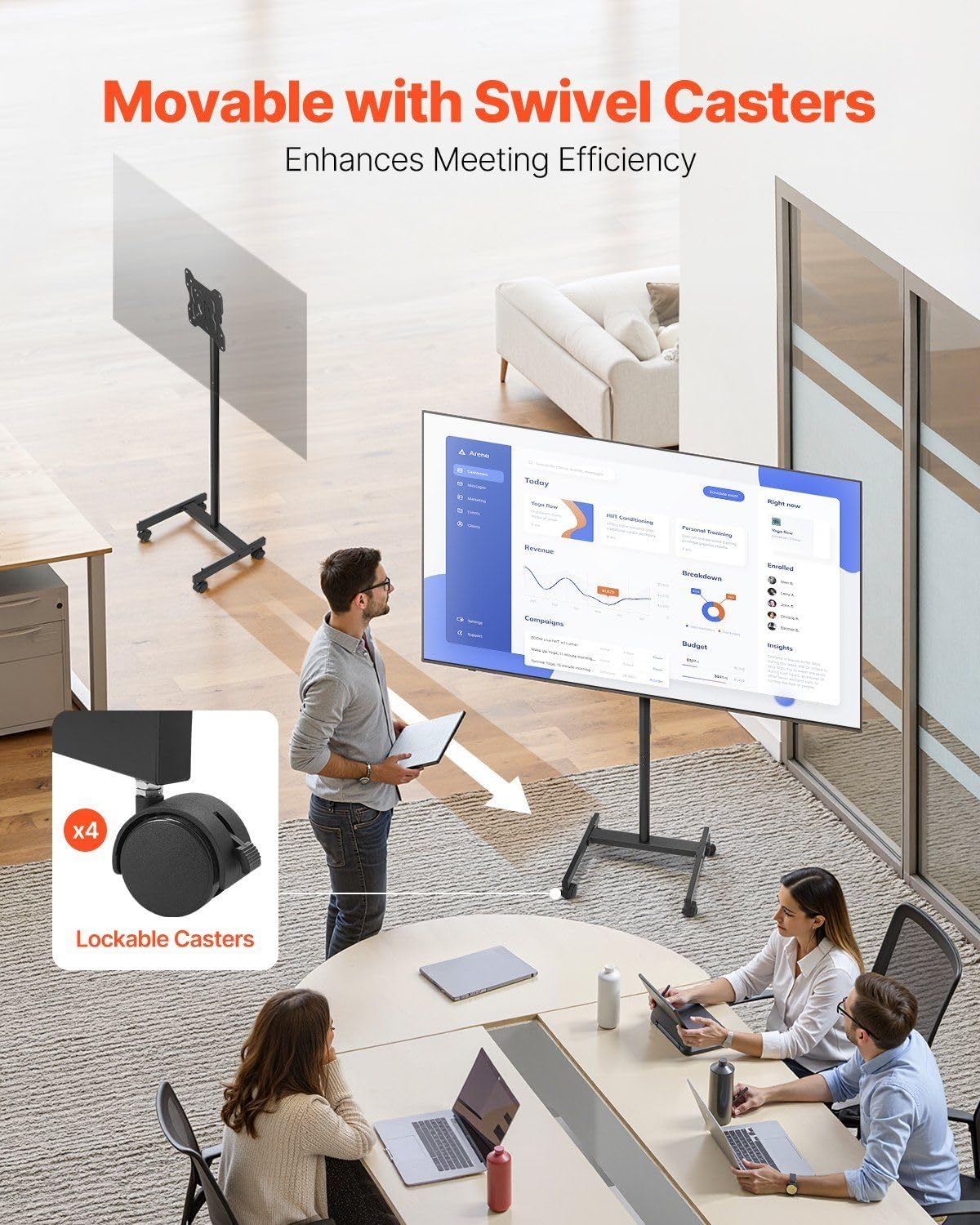
Image: A TV stand with swivel casters, emphasizing the lockable wheels for convenient mobility and stability in various environments.
6. Maintenance
- Cleaning: Wipe the stand with a soft, dry cloth. Avoid abrasive cleaners or solvents that may damage the finish.
- Regular Checks: Periodically check all screws and bolts to ensure they remain tight. Re-tighten if necessary to maintain stability.
- Cable Management: Utilize the integrated cable management clips to keep cables tidy and prevent tripping hazards.
7. Troubleshooting
- Problem: Stand feels unstable.
- Solution: Ensure all assembly screws are fully tightened. Verify that the TV weight does not exceed 44 lbs. Ensure the stand is on a flat, level surface.
- Problem: Difficulty moving the stand.
- Solution: Check that all casters are unlocked. Clean any debris from the caster wheels.
- Problem: TV is not level after mounting.
- Solution: Loosen the TV mounting screws slightly, adjust the TV to be level, and then re-tighten the screws firmly.
8. Specifications
- Compatible TV Sizes: 17-55 inches
- Maximum Weight Capacity: 44 lbs (20 kg)
- VESA Mounting Patterns: 75x75mm, 100x100mm, 200x100mm, 200x200mm
- Material: Alloy Steel
- Color: Black
- Movement Type: Mobile (with lockable casters)
- Maximum Tilt Angle: 30 Degrees
- Rotation: 90-degree (Landscape to Portrait)
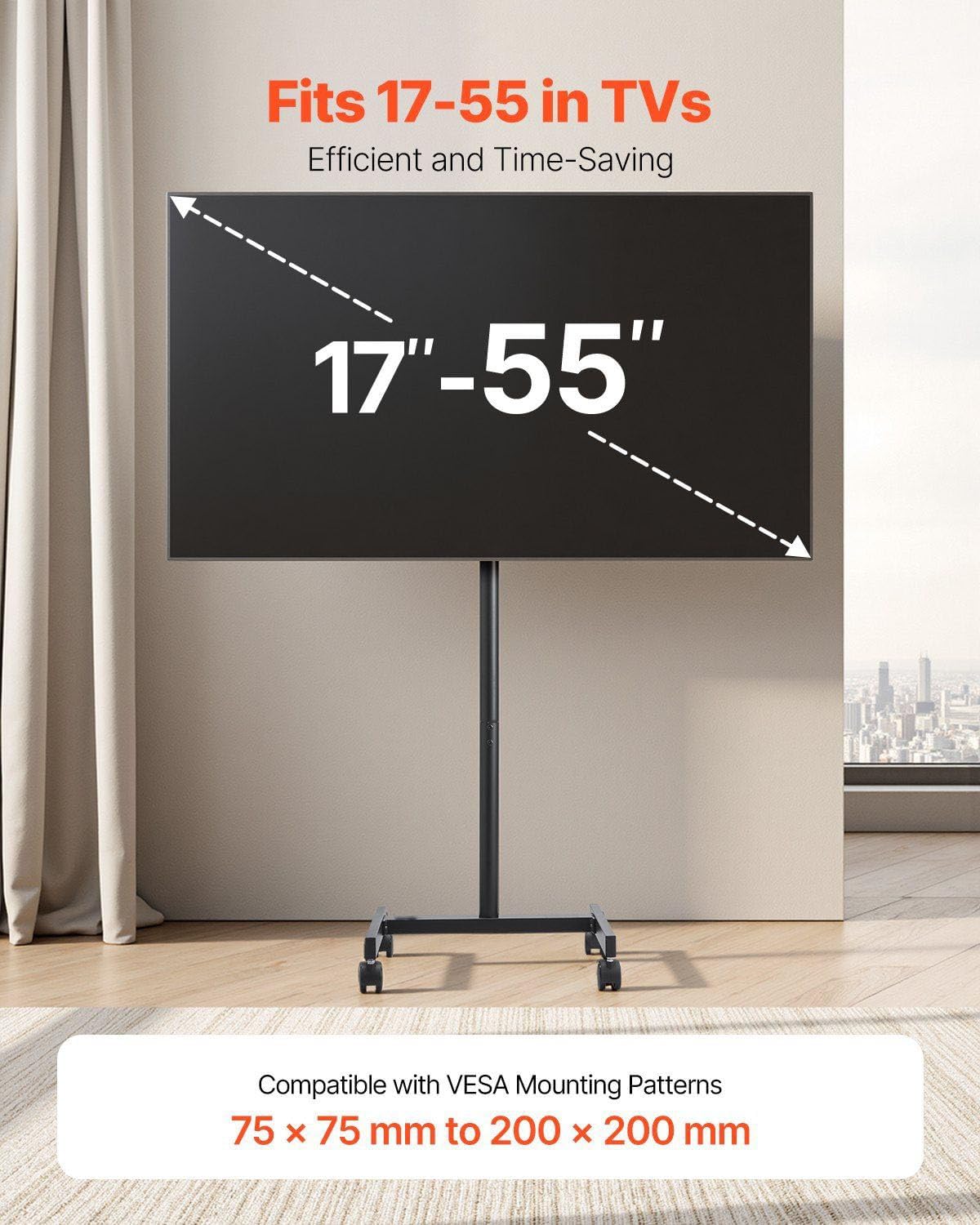
Image: Visual representation of the TV stand's compatibility, showing it fits 17-55 inch TVs and supports VESA mounting patterns from 75x75mm to 200x200mm.

Image: Close-up of the TV stand's sturdy base and casters, indicating its stability and maximum load capacity of 44 lbs.
9. Warranty and Support
For warranty information or technical support, please refer to the retailer's policy or contact the manufacturer directly. Keep your purchase receipt as proof of purchase.