
Rulefiss X27
Rulefiss X27 Wireless Sport Earbuds User Manual
Model: X27
Introduction
Thank you for choosing the Rulefiss X27 Wireless Sport Earbuds. This manual provides essential information for setting up, operating, maintaining, and troubleshooting your new earbuds. Please read it carefully to ensure optimal performance and longevity of your device.
Package Contents
- X27 Bluetooth 5.4 Earbuds (2 units)
- USB-C charging cable (1 unit)
- User Manual (English, Spanish, French, etc.) (1 unit)
- Charging box (1 unit)
- Soft silicone ear caps (6 units: L/M/S sizes)

Figure 1: Contents of the Rulefiss X27 package. Includes earbuds, charging case, USB-C cable, user manual, and multiple ear tip sizes.
Product Overview
Earbud Components
- Earhook: Provides a secure fit over the ear.
- Ear Tip: Inserts into the ear canal for sound delivery and passive noise isolation.
- Touch Control Area: For managing music, calls, and voice assistant.
- Charging Contacts: For charging the earbuds within the case.
- Microphone: For calls and voice commands.
Charging Case Components
- Charging Port: USB-C port for charging the case.
- LED Display: Shows battery percentage of the charging case and charging status of individual earbuds.

Figure 2: The charging case with earbuds, illustrating the dual LED power display for both the case and individual earbuds.
Setup
1. Charging the Earbuds and Case
Before first use, fully charge the earbuds and the charging case. Connect the provided USB-C cable to the charging port on the case and a compatible USB power source. The LED display on the case will show the charging progress. The earbuds will charge automatically when placed inside the case.

Figure 3: The Rulefiss X27 earbuds and charging case, highlighting their extended battery life of up to 75 hours total playtime.
2. Bluetooth Pairing
- Power On: Open the charging case. The earbuds will automatically power on and enter pairing mode.
- Activate Bluetooth: On your device (smartphone, tablet, etc.), enable Bluetooth.
- Select Device: Search for "X27" in the list of available Bluetooth devices and select it to connect.
- Confirmation: Once connected, you will hear an audio prompt, and the LED indicator on the earbuds will change.
The earbuds feature Bluetooth 5.4 technology for a stable and fast connection. After initial pairing, they will automatically connect to the last paired device when removed from the case.

Figure 4: Internal view of an earbud, emphasizing the advanced Bluetooth 5.4 technology for enhanced connectivity.
Operating Instructions
Touch Controls
The Rulefiss X27 earbuds feature sensitive touch controls for easy management of audio and calls.
| Action | Left Earbud (L) | Right Earbud (R) |
|---|---|---|
| Power On | Open charging case or hold for 2 seconds | |
| Power Off | Place in charging case or hold for 5 seconds | |
| Play/Pause Music | Click once | |
| Next Track | Click twice | Click twice |
| Previous Track | Click three times | Click three times |
| Volume Up | N/A | Hold for 2 seconds |
| Volume Down | Hold for 2 seconds | N/A |
| Answer/End Call | Click once | |
| Reject Call | Hold for 2 seconds | |
| Activate Voice Assistant (Siri/Google Assistant) | Click three times | |

Figure 5: Visual guide to the smart touch controls on the Rulefiss X27 earbuds.
ENC Noise Canceling
The earbuds are equipped with Environmental Noise Canceling (ENC) technology, featuring four high-definition microphones. This technology reduces external noise by up to 60% and enhances vocal clarity by 85% during phone calls, ensuring clear communication even in noisy environments.

Figure 6: Diagram explaining the ENC Noise Cancelling capability, which eliminates up to 40dB of external ambient noise.
Comfort and Fit
The Rulefiss X27 earbuds are ergonomically designed with flexible earhooks to provide a secure and comfortable fit, especially during physical activities. Three different sizes of soft ear tips (S/M/L) are included to ensure optimal comfort and sound isolation for various ear shapes.
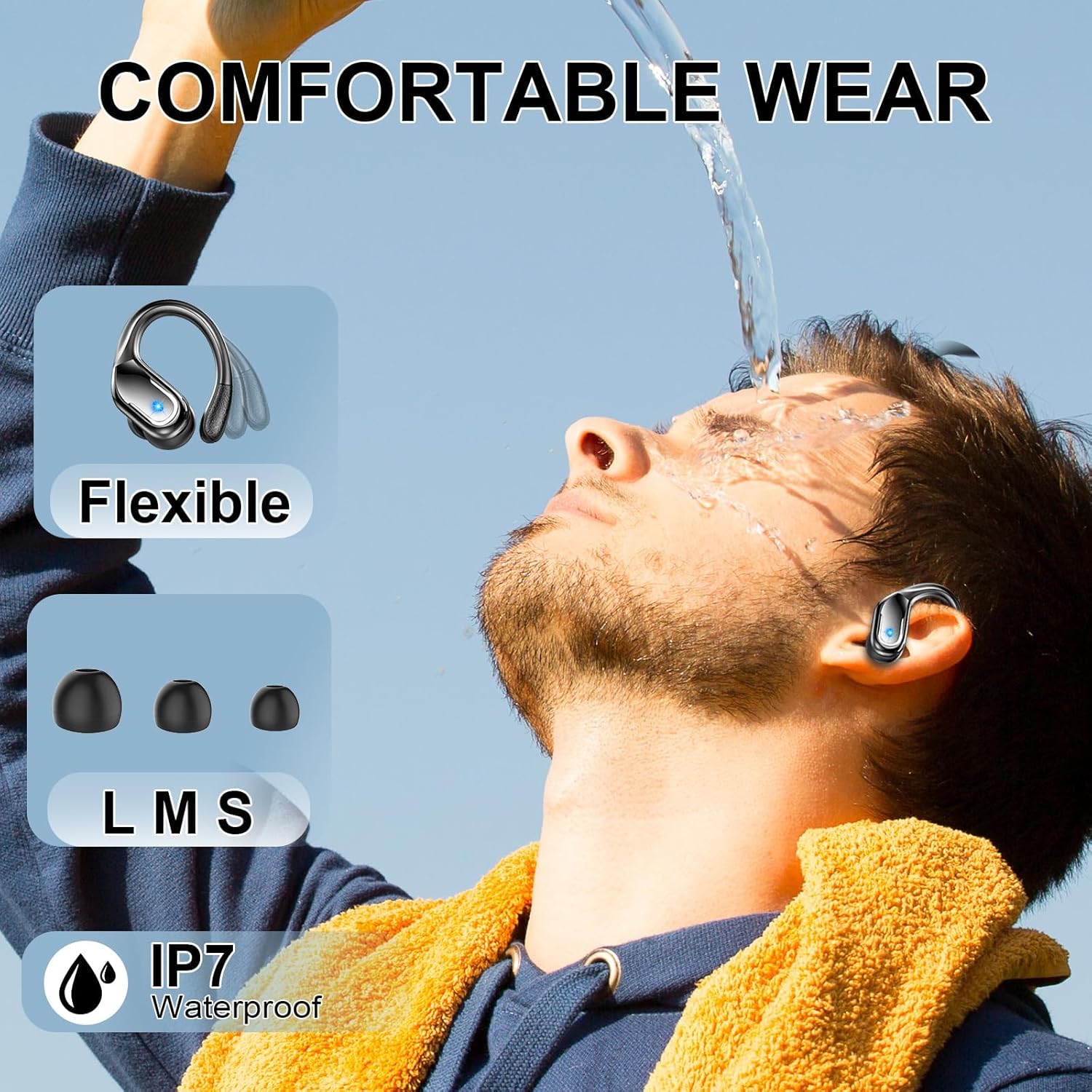
Figure 7: The earbuds in use, highlighting their comfortable and secure fit, along with their IP7 waterproof rating.
Water Resistance
The Rulefiss X27 earbuds are IP7 waterproof, making them resistant to splashes and sweat. This feature makes them suitable for workouts, running, and other sports activities. Avoid submerging the earbuds completely in water.

Figure 8: The IP7 sweat-resistant design of the Rulefiss X27 earbuds.
Maintenance
- Cleaning: Regularly clean the earbuds and charging case with a soft, dry cloth. Do not use abrasive cleaners or solvents.
- Ear Tips: Remove and clean the silicone ear tips with mild soap and water. Ensure they are completely dry before reattaching.
- Charging Contacts: If charging issues occur, gently clean the charging contacts on both the earbuds and the case with a cotton swab.
- Storage: When not in use, store the earbuds in their charging case to protect them and keep them charged.
Troubleshooting
| Problem | Possible Cause | Solution |
|---|---|---|
| Earbuds not pairing | Earbuds not in pairing mode; Bluetooth off on device; previously paired to another device. | Ensure earbuds are out of the case and in pairing mode. Turn Bluetooth on your device. Forget "X27" from your device's Bluetooth list and re-pair. |
| No sound from one earbud | Low battery; earbud not properly connected; earbud not paired in stereo mode. | Charge both earbuds. Place both earbuds back in the case, close, then reopen to re-establish connection. Ensure both earbuds are paired. |
| Charging issues | Dirty charging contacts; faulty cable/adapter; case battery low. | Clean charging contacts on earbuds and case. Try a different USB-C cable and power adapter. Charge the charging case. |
| Poor sound quality | Improper ear tip size; ear tips not sealed; distance from device; interference. | Try different ear tip sizes for a better seal. Ensure earbuds are within Bluetooth range (up to 33ft/10m). Avoid strong electromagnetic interference. |
| Touch controls unresponsive | Earbuds not active; dirty touch surface. | Ensure earbuds are powered on and connected. Clean the touch control area. |
Specifications
| Feature | Detail |
|---|---|
| Model Name | X27 |
| Connectivity Technology | Wireless (Bluetooth 5.4) |
| Bluetooth Version | 5.4 |
| Bluetooth Range | 15 Meters (approx. 33 feet) |
| Audio Driver Size | 14.2 Millimeters |
| Battery Life (Earbuds) | Up to 15 Hours (single charge) |
| Total Playtime (with case) | Up to 75 Hours |
| Charging Time | 1 Hour (for earbuds/case) |
| Water Resistance Level | IP7 Waterproof |
| Noise Control Features | ENC (Environmental Noise Canceling) |
| Control Method | Touch |
| Ear Placement | Over Ear |
| Form Factor | In Ear |
| Material | Plastic |
| Item Weight | 5 ounces |
| Product Dimensions | 1.97 x 0.98 x 1.18 inches |
| Compatible Devices | Smartphones, Tablets, Computers, Laptops, TVs |

Figure 9: The Rulefiss X27 earbuds demonstrating wide compatibility with various Bluetooth-enabled devices.
Warranty and Support
Rulefiss products are designed for reliability and performance. For warranty information, technical support, or customer service inquiries, please refer to the contact details provided on the product packaging or the official Rulefiss website. Keep your purchase receipt as proof of purchase for warranty claims.
Related documentsX27

Ask a question about this manual
Ask about setup, troubleshooting, compatibility, parts, safety, or missing instructions. Manuals+ will review the question and use this page’s manual context to help answer it.