
Introduction
The AOSRAU Q18 Wireless Earbuds offer a high-fidelity audio experience with advanced features designed for convenience and durability. Equipped with Bluetooth 5.4 technology, these earbuds provide stable connections and crystal-clear calls thanks to 4 ENC noise-canceling microphones. Enjoy extended listening with up to 48 hours of total playtime using the included charging case, which features an LED display for easy battery monitoring. Their ergonomic, IP7 waterproof design ensures comfort and resilience against sweat and rain, making them suitable for various activities.

Image: AOSRAU Q18 Wireless Earbuds in their charging case, displaying battery levels on an LED screen.
What's in the Box
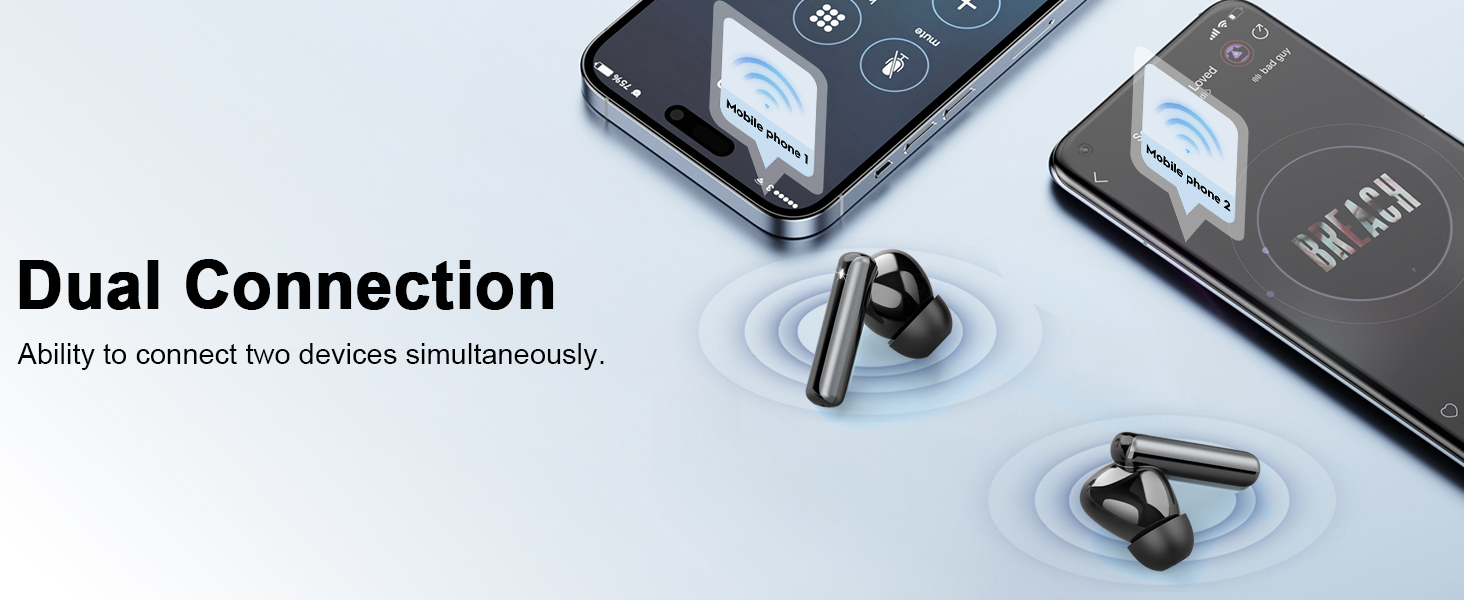
Image: A visual representation of the Q18 earbuds, charging case, USB-C cable, and various eartip sizes.
- Q18 Wireless Earbuds (2 units)
- Charging Case (1 unit)
- Eartips (3 pairs of different sizes)
- User Manual (1 unit)
- Type-C Charging Cable (1 unit)
Setup
1. Initial Charging
Before first use, fully charge the earbuds and the charging case. Connect the provided Type-C cable to the charging case and a power source. The LED digital display on the case will show the current battery percentage for the case and individual earbuds. The charging case supports USB-C fast charging, fully charging in approximately 1 hour.

Image: The Q18 charging case with earbuds, illustrating 8 hours of single charge playtime and 48 hours total with the case, along with quick charge details.

Image: The Q18 charging case with earbuds, highlighting the LED display for battery levels and total playtime.

Image: A visual demonstrating the USB-C quick charge capability for both earbuds and the charging case.
2. Pairing with Your Device
The Q18 earbuds feature Bluetooth 5.4 for stable and faster connections. After the initial pairing, they will automatically connect to your device when taken out of the charging case.
- Ensure your device's Bluetooth is turned on.
- Open the charging case and remove both earbuds. They will automatically enter pairing mode.
- On your device, search for Bluetooth devices and select "Q18" from the list.
- Once connected, you will hear a confirmation prompt.

Image: A smartphone screen displaying Bluetooth settings, with the Q18 earbuds connected, illustrating the Bluetooth 5.4 technology.
Video: A demonstration of the Q18 Wireless Earbuds, showcasing their features and ease of use.
Operating Instructions
Touch Controls
The Q18 earbuds feature sensitive touch controls for managing various functions:

Image: A visual guide to the touch control functions on the Q18 earbuds, including play/pause, volume, call management, and voice assistant activation.
- Play/Pause: Single tap on either earbud.
- Next Song: Hold on Right earbud for 2 seconds.
- Previous Song: Hold on Left earbud for 2 seconds.
- Volume Up: Single click on Right earbud.
- Volume Down: Single click on Left earbud.
- Answer/End Call: Single tap on either earbud.
- Reject Call: Hold on either earbud for 2 seconds.
- Activate Voice Assistant (Siri/Google Assistant): Triple tap on either earbud.
HiFi Stereo Sound & ENC Microphones
Experience immersive audio with 14.2mm dynamic drivers. The 4 ENC noise-canceling microphones ensure your voice is transmitted clearly during calls, reducing ambient noise by up to 85%.

Image: An exploded view diagram of the Q18 earbud's internal components, highlighting the 14.2mm oversized driver for HiFi stereo sound.
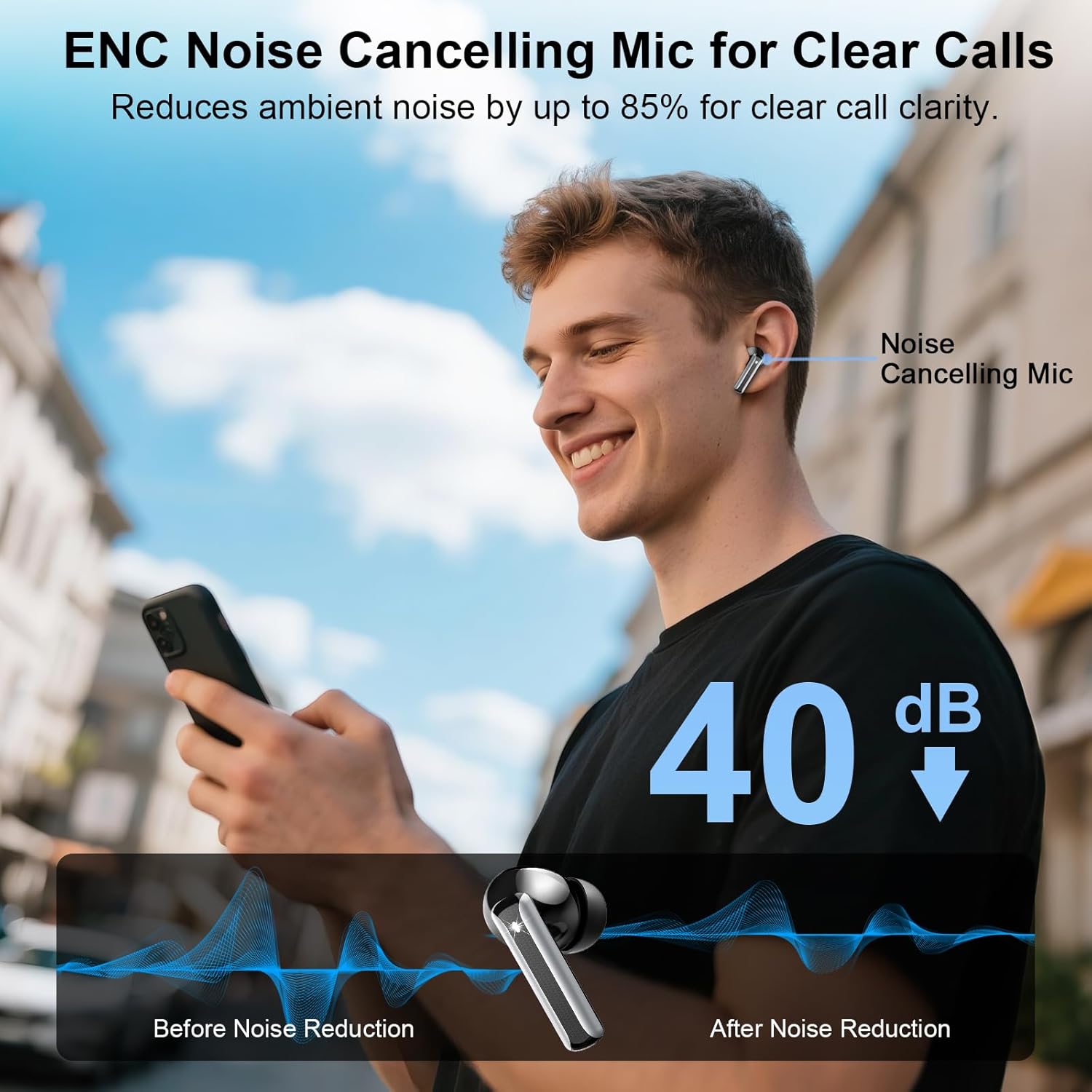
Image: A person using the Q18 earbuds, with a graphic illustrating how the ENC noise-canceling microphone reduces ambient noise for clearer calls.
Single & Dual Mode
The earbuds can be used individually (single mode) or together (dual mode) for a stereo experience. This allows for flexibility, such as using one earbud for calls while the other charges, or sharing music with a friend.
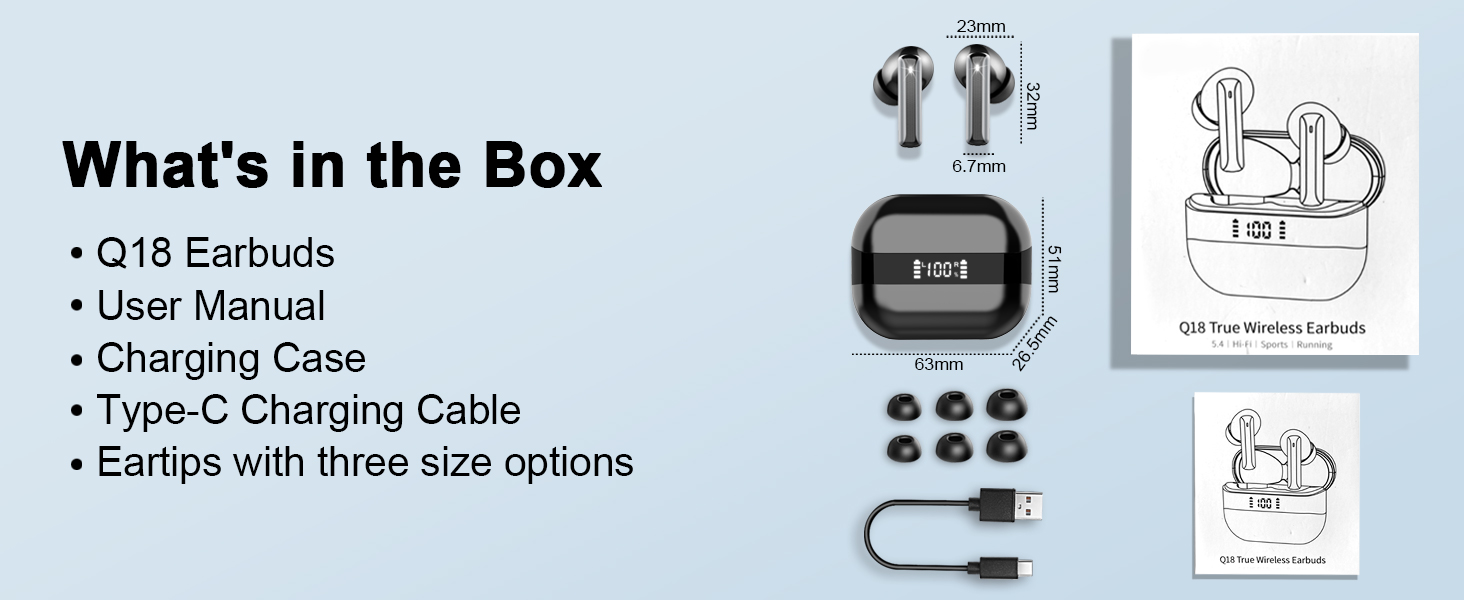
Image: A visual demonstrating the flexibility of using the Q18 earbuds in either single or dual mode, allowing for individual or shared listening experiences.
Dual Connection
The Q18 earbuds support connecting to two devices simultaneously, allowing for seamless switching between, for example, your smartphone and tablet.

Image: A graphic illustrating the Q18 earbuds' ability to maintain a dual connection with two separate mobile devices simultaneously.
Maintenance
Water Resistance
The Q18 earbuds have an IP7 waterproof rating, meaning they are protected against immersion in water up to 1 meter for 30 minutes. The surface is sealed to prevent sweat or rain from entering, and an internal nano-coating protects components from moisture damage. While they are waterproof, it is recommended to dry them thoroughly after exposure to water to ensure longevity.

Image: The Q18 earbuds shown with water droplets, emphasizing their IP7 waterproof feature.
Cleaning
- Regularly clean the earbuds and charging case with a soft, dry, lint-free cloth.
- Remove eartips and clean any earwax or debris from the mesh screens using a small, soft brush or cotton swab.
- Ensure charging contacts on both earbuds and case are clean and dry for optimal charging.
Troubleshooting
Connectivity Issues
- Earbuds not pairing: Ensure both earbuds are removed from the charging case. Turn off and on your device's Bluetooth, then try pairing again.
- Only one earbud working: Place both earbuds back into the charging case, close the lid, wait a few seconds, then remove them. This should reset their connection.
- Unstable connection: Ensure you are within the 15-meter Bluetooth range of your device. Avoid obstacles that may interfere with the signal.
Sound Issues
- No sound: Check the volume level on both your device and the earbuds. Ensure earbuds are properly seated in your ears.
- Low sound quality: Ensure eartips are the correct size for a snug fit. Clean any debris from the earbud speakers.
Charging Issues
- Earbuds not charging: Ensure the charging contacts on both the earbuds and inside the case are clean and dry. Check if the charging case itself has sufficient battery.
- Charging case not charging: Ensure the USB-C cable is securely connected to both the case and the power source. Try a different cable or power adapter.
Specifications
| Feature | Detail |
|---|---|
| Model Name | Q18 |
| Connectivity Technology | Wireless (Bluetooth 5.4) |
| Bluetooth Range | 15 Meters |
| Audio Driver Type | Dynamic Driver (14.2mm) |
| Noise Control | Passive Noise Cancellation (4 ENC Mics) |
| Earbud Battery Life | Up to 8 Hours |
| Total Playtime (with case) | Up to 48 Hours |
| Charging Case Charging Time | 1 Hour (USB-C Fast Charging) |
| Water Resistance Level | IP7 Waterproof |
| Control Type | Touch Control |
| Compatible Devices | Android 5.0+/iOS 9.0+, Bluetooth 4.0+ devices (smartphones, laptops, tablets) |
| Material | Plastic |
| Item Weight | 2.39 ounces |
Warranty and Support
For warranty information and customer support, please refer to the documentation included in your product packaging or visit the official AOSRAU brand store. The brand is dedicated to providing an exceptional audio experience and offers support for their products.
Visit the AOSRAU Store for more information.