
Introduction
This manual provides detailed instructions for the assembly, operation, maintenance, and troubleshooting of your ansefe 70 Inch Black TV Stand. This modern entertainment center features LED ambient lighting, a built-in charging station, and ample storage space with transparent glass doors. Please read this manual thoroughly before assembly and use to ensure proper function and safety.

Image: The ansefe 70 Inch Black TV Stand showcasing its RGB LED strip lights and sleek design.
Safety Information
Please observe the following safety precautions during assembly and use:
- Exercise caution around sharp edges during assembly.
- Follow all assembly instructions carefully to ensure a safe and stable setup.
- Do not overload the TV stand. Refer to specifications for weight limits.
- Keep electrical components (LED lights, charging station) away from liquids.
- Ensure all cables are properly managed to prevent tripping hazards.
Package Contents
Before beginning assembly, verify that all parts are present and undamaged. Each part is labeled and packaged carefully. If any parts are missing or damaged, please contact customer support.
The package typically includes:
- TV stand panels (top, bottom, side, back)
- Glass doors and shelves
- Assembly hardware (screws, dowels, cam locks, etc.)
- LED light strips and remote control
- Built-in charging station with USB ports
- Instruction manual
Setup and Assembly Instructions
Assembly of the ansefe TV stand is designed to be straightforward with step-by-step instructions provided in the included manual. It is recommended to have a second person assist with assembly for easier handling of larger components.
General Assembly Steps:
- Unpack all components and lay them out on a clean, soft surface to prevent scratches.
- Identify each part using the labels and the assembly diagram.
- Begin by assembling the main frame of the TV stand, connecting side panels to the base and top.
- Install internal shelves and dividers as indicated in the manual.
- Attach the back panels, ensuring proper alignment for cable management holes.
- Mount the glass doors using the provided hinges, adjusting them for proper closure.
- Install the LED light strips in the designated areas, ensuring the adhesive backing is secure.
- Integrate the charging station into the top panel.
- Connect the LED lights and charging station to a power source.
Assembly Video Guide:
For a visual guide on the assembly process, please refer to the official seller video below:
Video: Ansefe's official assembly video for the TV stand, demonstrating step-by-step construction.
Operating Instructions
LED Ambient Lighting:
The TV stand features colorful ambient LED lights. These lights can be controlled via the included remote control or a compatible smartphone application. Adjust light intensity, color, and speed to create your desired atmosphere.
- Power On/Off: Use the power button on the remote or app.
- Color Selection: Choose from various preset colors or custom options.
- Brightness Adjustment: Increase or decrease light intensity.
- Mode Selection: Cycle through different lighting modes (e.g., static, flash, fade, strobe).

Image: Close-up of the TV stand showing the integrated USB power strip and the illuminated storage compartments.
Charging Station:
The integrated charging station on the top surface of the TV cabinet includes USB ports for convenient charging of your electronic devices. Simply plug your device's charging cable into the available USB port.
- Ensure the TV stand is connected to a power outlet.
- Plug your device's USB charging cable into one of the USB ports on the top panel.
- The charging station provides a convenient location for charging phones, Bluetooth earphones, watches, and other small electronics.
Storage Space:
The TV stand offers six large storage spaces: four with transparent glass doors and two enclosed compartments. These are ideal for displaying ornaments, storing media devices, remote controls, and other essentials.
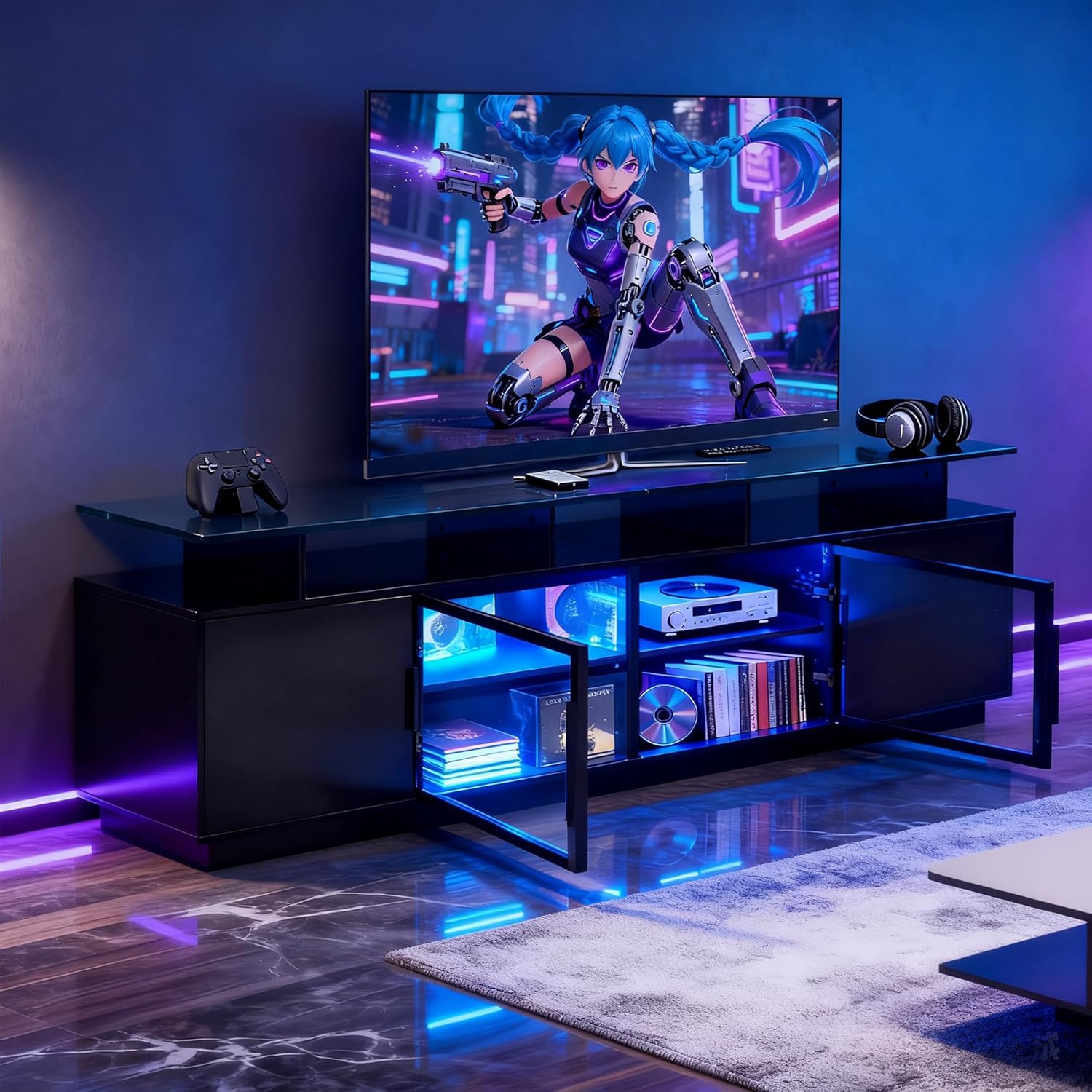
Image: The TV stand integrated into a gaming setup, highlighting the blue LED lighting and storage for consoles and accessories.
Product Overview Video:
Video: Ansefe's official product overview video for the black TV stand, demonstrating its features and aesthetic.
Maintenance
To maintain the appearance and longevity of your TV stand, follow these simple maintenance guidelines:
- Cleaning: Wipe surfaces with a soft, damp cloth. Avoid abrasive cleaners or harsh chemicals that may damage the finish.
- Dusting: Regularly dust all surfaces to prevent buildup.
- Glass Care: Use a glass cleaner for the transparent doors and shelves.
- LED Lights: Ensure LED strips are free from dust. If they become loose, re-secure them with appropriate adhesive.
- Hardware: Periodically check all screws and fasteners to ensure they are tight. Re-tighten if necessary.
Troubleshooting
If you encounter any issues with your ansefe TV stand, refer to the following common problems and solutions:
| Problem | Possible Cause | Solution |
|---|---|---|
| LED lights do not turn on or function incorrectly. | Loose connection, remote control battery dead, LED strip damage. | Check all power connections. Replace remote control batteries. If LED strip adhesive fails, re-secure with strong tape or adhesive. |
| Glass doors do not close properly. | Hinges are misaligned or loose. | Adjust the screws on the hinges to align the doors. Refer to the assembly manual for hinge adjustment details. |
| Some pieces do not fit during assembly. | Incorrect orientation of parts, manufacturing defect. | Double-check the assembly instructions and diagrams for correct part orientation. If parts are genuinely defective, contact customer support for replacements. |
| Charging station is not working. | Power cable not connected, faulty device cable. | Ensure the TV stand's power cable is securely plugged into a working outlet. Test with a different USB cable or device. |
Specifications
| Feature | Detail |
|---|---|
| Brand | ansefe |
| Model Number | tv stand-01 |
| Color | Black |
| Dimensions (L x W x H) | 70.2 x 13.78 x 23.46 inches |
| Item Weight | 91.3 Pounds |
| Assembly Required | Yes |
| Storage | 6 compartments (4 with transparent glass doors) |
| Lighting | RGB LED Ambient Lights (remote/APP controlled) |
| Charging | Built-in USB charging ports |
| GTIN / UPC | 732249949054 |

Image: Diagram illustrating the dimensions of the ansefe 70 Inch Black TV Stand.
Warranty and Support
ansefe is committed to providing quality products and excellent customer service. Your TV stand comes with a standard warranty against manufacturing defects. For specific warranty details, please refer to the documentation included with your purchase or contact the seller directly.
Our support team is available 24 hours to assist you with any questions or concerns you may have regarding your product. Please do not hesitate to contact us for assistance with assembly, missing parts, or any operational issues.
Seller: Zhaomuyu Trading
For prompt assistance, please have your model number (tv stand-01) and purchase details ready when contacting support.