Product Overview
The Generic BLD09 Bone Conduction Bluetooth Pillow Speaker is designed to provide a private audio experience for sleep and relaxation. Utilizing bone conduction technology, it delivers sound without the need for in-ear headphones, minimizing disturbance to others. This device supports Bluetooth connectivity, TF card playback, and features a built-in white noise generator with a sleep timer function.
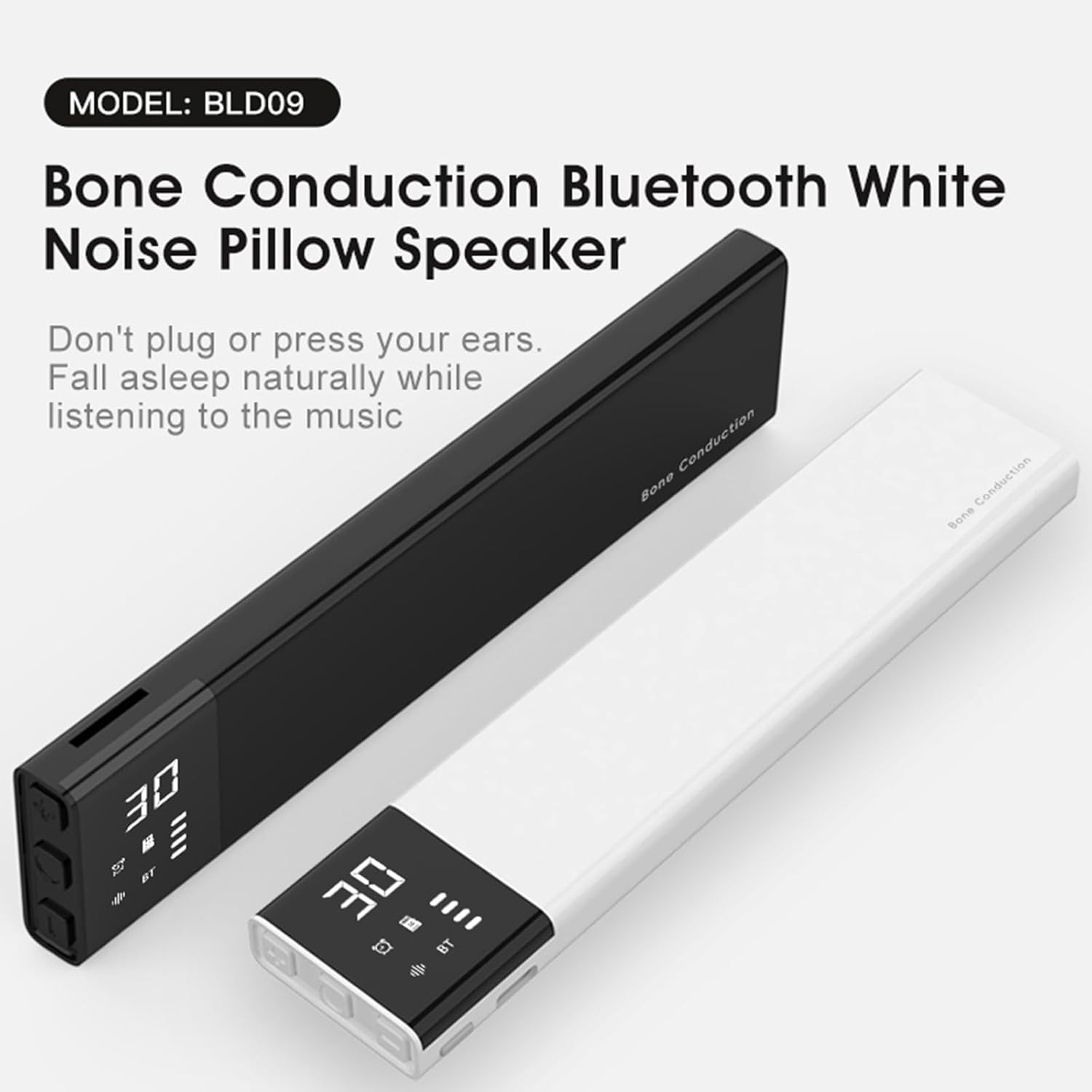
Image: The BLD09 Bone Conduction Bluetooth Pillow Speaker, available in black and white variants, showcasing its sleek design and digital display.
Setup Guide
1. Charging the Device
Before initial use, fully charge the speaker. Connect the provided Type-C charging cable to the speaker's charging port and a compatible USB power adapter (not included). The battery indicator on the display will show charging status. A full charge takes approximately 2 hours and provides up to 12 hours of playback.
2. Powering On/Off
Locate the Power button on the side of the speaker. Press and hold the Power button for a few seconds to turn the device on or off. The display will illuminate upon powering on.
3. Bluetooth Pairing
- Ensure the speaker is powered on.
- The speaker will automatically enter Bluetooth pairing mode, indicated by a flashing Bluetooth icon on the display.
- On your smartphone or tablet, navigate to the Bluetooth settings and enable Bluetooth.
- Search for available devices and select "BLD09" (or similar name) from the list.
- Once connected, the Bluetooth icon on the speaker's display will become solid. The speaker has a transmission distance of approximately 10 meters (33 feet).

Image: A smartphone displaying its Bluetooth settings, showing the BLD09 speaker as a discoverable device, illustrating the pairing process.
4. TF Card Insertion
To use the TF card playback feature, gently insert a TF (MicroSD) card into the designated TF card slot on the side of the speaker until it clicks into place. The speaker will automatically switch to TF card mode if a card with audio files is detected.
Operating Instructions
1. Speaker Placement
For optimal performance and private listening, place the BLD09 speaker directly under your pillow. The bone conduction technology transmits sound through the pillow to your skull, allowing you to hear audio clearly without disturbing others nearby.

Image: A person sleeping with the BLD09 speaker placed under their pillow, illustrating the intended use of bone conduction technology for private listening.

Image: A diagram showing sound waves transmitting from the speaker through a pillow to the user's head, explaining the principle of skull sound transmission.
2. Controls and Functions
The speaker features intuitive buttons for easy operation:

Image: A detailed diagram labeling all buttons and ports on the BLD09 speaker, including Power, Type-C port, TF card slot, Volume +/-, and Mode (M) button.
- Power Button: Press and hold to turn on/off.
- Volume - / Previous Song: Short press for volume down. Long press for previous song.
- Volume + / Next Song: Short press for volume up. Long press for next song.
- Mode (M) Button: Short press to switch between Bluetooth, TF Card, and White Noise modes.
- Timer Button: Short press to cycle through sleep timer options (30, 60, 90 minutes). The speaker will automatically power off after the selected duration.
3. White Noise Mode
The BLD09 speaker comes pre-installed with 36 natural and white noise sounds designed to aid sleep and relaxation. To access these sounds, press the Mode (M) button until the white noise icon is displayed. You can cycle through the sounds using the Volume +/- buttons (long press for next/previous track).

Image: A close-up of the BLD09 speaker's display showing the white noise icon and examples of natural sounds like water, rain, fire, and wave sounds.
4. Private Listening and Sound Leakage
The bone conduction design ensures that sound is primarily directed to the user, minimizing sound leakage. This allows for private listening without disturbing a sleeping partner or others in the vicinity. The sound leakage is designed to be very low, typically around 2dB to 10dB, making it suitable for shared sleeping environments.

Image: Two individuals sleeping, with one using the BLD09 speaker under their pillow, illustrating how minimal sound leakage (2dB-10dB) prevents disturbance to the other person.
Maintenance
Cleaning
To clean the speaker, gently wipe the surface with a soft, dry, or slightly damp cloth. Do not use abrasive cleaners, alcohol, or harsh chemicals, as these can damage the device. Ensure the charging port and TF card slot are free from dust and debris.
Storage
When not in use for extended periods, store the speaker in a cool, dry place away from direct sunlight and extreme temperatures. It is recommended to charge the battery periodically (e.g., every 3 months) to maintain battery health.
Troubleshooting
- Speaker does not power on:
Ensure the battery is charged. Connect the speaker to a power source using the Type-C cable and allow it to charge for at least 30 minutes before attempting to power on again. - No sound or low volume:
Check the volume level on both the speaker and your connected device. Ensure the speaker is properly placed under your pillow. If using Bluetooth, verify the device is connected. If using a TF card, ensure the card is inserted correctly and contains playable audio files. - Bluetooth connection issues:
Make sure the speaker is in Bluetooth pairing mode (flashing Bluetooth icon). Ensure your device's Bluetooth is enabled and within the 10-meter range. Try unpairing and re-pairing the speaker with your device. Restart both the speaker and your connected device. - Timer function not working:
Ensure you have selected a timer duration (30, 60, or 90 minutes) by pressing the Timer button. The selected time should be displayed on the screen. - White noise sounds not playing:
Press the Mode (M) button to switch to White Noise mode. Use the Volume +/- buttons (long press) to navigate through the available sounds.
Specifications
| Feature | Specification |
|---|---|
| Model Name | BLD09 |
| Bluetooth Version | VER5.4 |
| Transmission Distance | Approx. 10m (33 feet) |
| Output | Dual Stereo Speakers |
| Signal-to-Noise Ratio | ≤60dB |
| Frequency Range | 20Hz-20KHz |
| Battery | 3.7V/650mAh Rechargeable |
| Charging Port | Type-C |
| Charge Time | Approx. 2 hours |
| Playing Time | Up to 12 hours |
| Material | Acrylonitrile Butadiene Styrene (ABS) |
| Dimensions (L*W*H) | 165*36*12mm (6.5*1.42*0.47 inches) |
| Weight | 60g (2.12 ounces) |
| Speaker Maximum Output Power | 3 Watts |
| Impedance | 4 Ohms |
Warranty Information
This product comes with a standard manufacturer's warranty. Please refer to the packaging or contact the retailer for specific warranty terms and conditions. Keep your purchase receipt as proof of purchase for any warranty claims.
Customer Support
If you encounter any issues or have questions regarding your Generic BLD09 Bone Conduction Bluetooth Pillow Speaker that are not covered in this manual, please contact your retailer or the manufacturer's customer support for assistance. Contact information can typically be found on the product packaging or the retailer's website.