
1. Introduction
Thank you for choosing the Srotek JM19 True Wireless Earbuds. These innovative earbuds combine high-fidelity audio with advanced AI real-time language translation, active noise cancellation, and a convenient LCD touchscreen on the charging case. This manual provides detailed instructions to help you get the most out of your device.
2. Product Overview
2.1. Key Features
- Multi-Language Support: Real-time translation for 144 languages and accents with up to 98% accuracy and 0.2-second response.
- Versatile Translation Modes: Silent mode, earphone mode, speaker mode, and two earphone mode for various scenarios.
- Integrated Design: Combines translation, music playback, and call functionality.
- Active Noise Cancellation (ANC): Adapts to the environment, reducing noise.
- Adaptive Transparency Mode: Real-time perception of environmental sound.
- LCD Full-Color Touchscreen: Intuitive control and display on the charging case.
- Ergonomic Design: Comfortable ear-hanging design for extended wear.
- Long Battery Life: Up to 60 hours with the charging case.
- Bluetooth 5.4: Stable and efficient wireless connectivity.
2.2. Package Contents
- Srotek JM19 True Wireless Earbuds x 2
- Charging Case with LCD Touchscreen x 1
- USB-C Charging Cable x 1
- User Manual x 1
2.3. Product Diagram

Figure 1: Srotek JM19 Earbuds highlighting instant translation, 144 languages, 98% accuracy, and 0.5s response time.

Figure 2: Charging case with LED Full-Color Touch Screen displaying various features like photography, brightness, flashlight, assistant, language, and equalizer settings.
3. Setup
3.1. Charging the Earbuds and Case
Before first use, fully charge the earbuds and the charging case. Connect the provided USB-C cable to the charging port on the case and a compatible power source. The LCD screen will indicate the charging status.
3.2. App Installation
To utilize the translation features, you must download the companion application. Scan the QR code provided on the product packaging or in the quick start guide with your smartphone. The app is compatible with both Android and iOS systems.
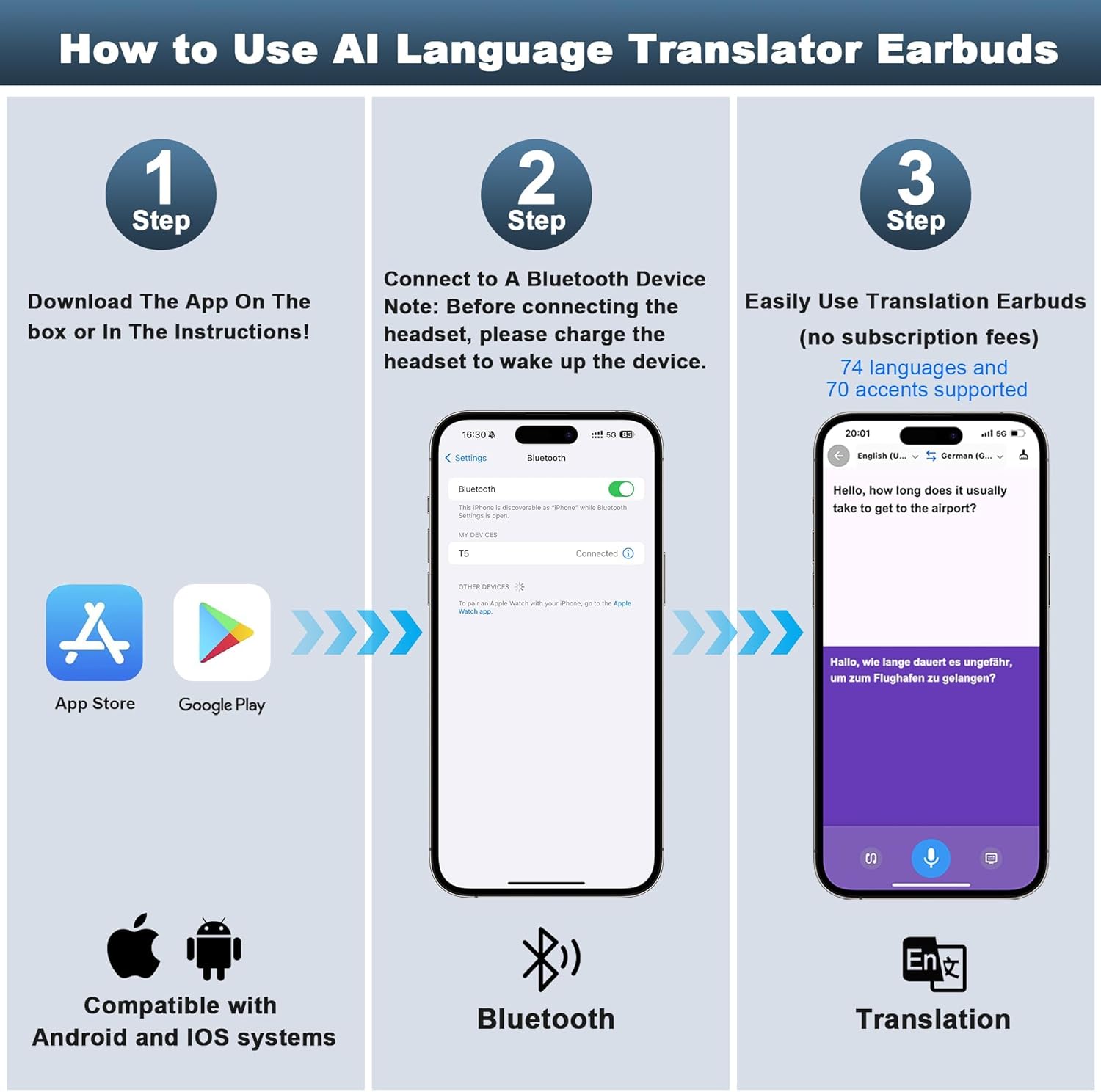
Figure 3: Visual guide for setting up the earbuds, including downloading the app, connecting via Bluetooth, and accessing translation features.
3.3. Bluetooth Pairing
- Ensure the earbuds are in the charging case and the case is open.
- On your smartphone, enable Bluetooth.
- Search for available devices and select "JM19" (or similar model name) to pair.
- Once paired, open the installed companion app.
3.4. Device Binding in App
Within the app, follow the on-screen prompts to bind your earbuds. This typically involves confirming the connection and may require entering a binding code found in the manual or scanning a QR code.
Video 1: A seller-provided video demonstrating the real-time translation capabilities of the earbuds, including the setup process and interaction with the companion app.
4. Operating Instructions
4.1. Translation Modes
The Srotek JM19 earbuds offer four distinct translation modes, selectable via the companion app, to suit different communication needs:
- Silent Mode: Displays translated text on your phone screen without audio output.
- Earphone Mode: You speak into your phone, and the translation is played through your earbuds.
- Speaker Mode: You speak into your phone, and the translation is played aloud through your phone's speaker.
- Two Earphone Mode: Each person wears one earbud, allowing for seamless two-way real-time translation.

Figure 4: Illustration of the four translation modes: Silent Mode, Earphone Mode, Speaker Mode, and Two Earphone Mode.
4.2. AI Assistant
The integrated AI assistant can help answer questions, provide information, and assist with various tasks. Access this feature through the companion app and speak your queries into the earbuds or phone.
4.3. Meeting Assistant
For meetings or lectures, the meeting assistant feature can record and transcribe conversations, providing a summary and transcript for later review. This feature helps in capturing key information without manual note-taking.
4.4. Music Playback & Calls
The earbuds deliver immersive stereo sound for music and clear audio for calls. Use the touch controls on the earbuds or the LCD touchscreen on the case to manage playback, volume, and calls.
4.5. Touchscreen Controls
The LCD touchscreen on the charging case provides quick access to various settings and functions, including:
- Battery levels for each earbud and the case.
- Time and date display.
- Audio modes (e.g., ANC, Transparency).
- Equalizer settings.
- Customization options for wallpaper and other features.

Figure 5: Highlighting Dual Mode Switching with Active Noise Cancellation (ANC) and Adaptive Transparency Mode for environmental sound perception.
Video 2: A seller-provided video showcasing the NE20 Translation Earbuds, demonstrating various features including the touchscreen interface and translation functions.
5. Maintenance
5.1. Charging
The earbuds provide up to 6 hours of single charge use, and up to 60 hours with the charging case. The charging case itself can be fully charged in approximately 1.5 hours via the USB-C port. The LCD screen displays the battery status of both earbuds and the case.
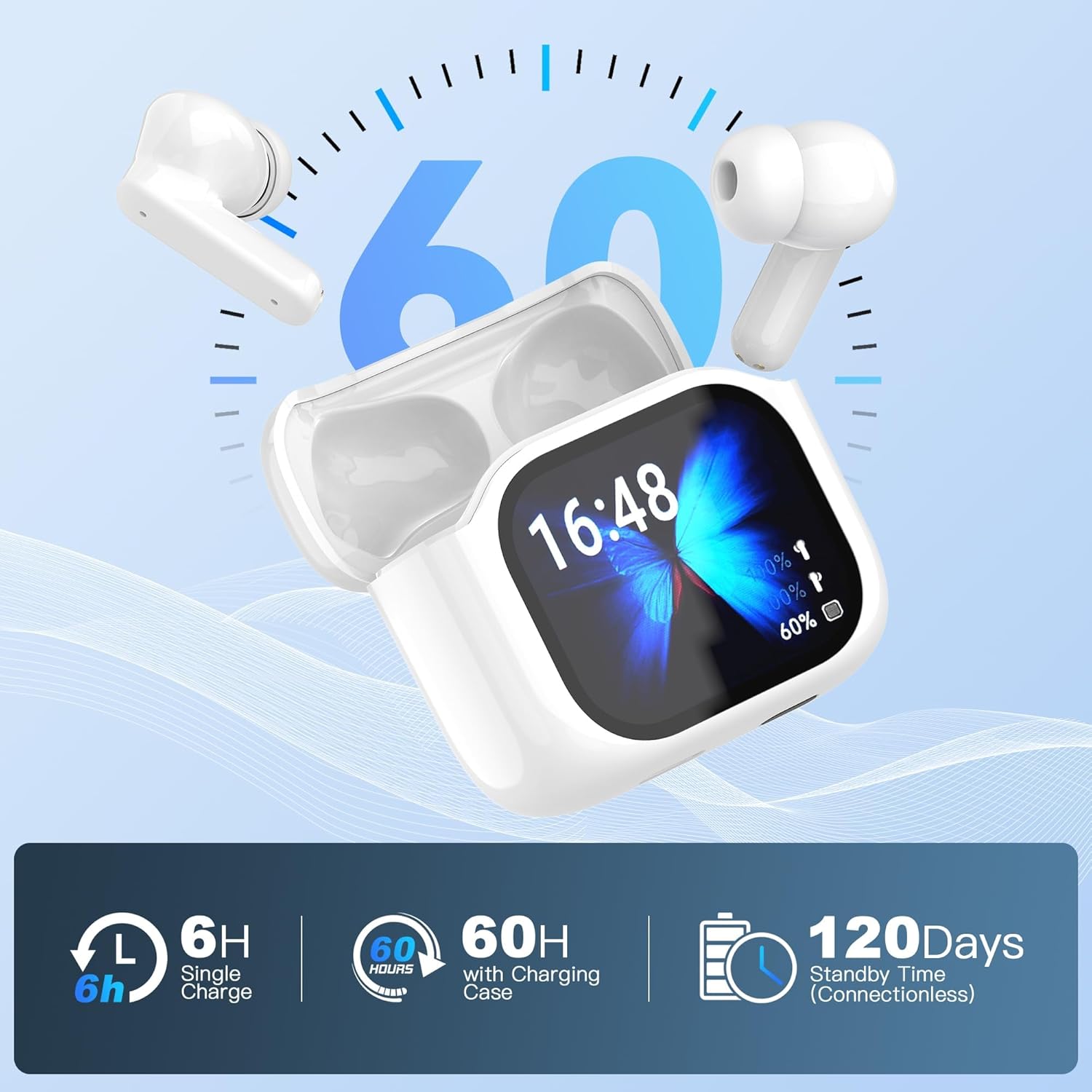
Figure 6: Visual representation of the earbuds' battery life, showing 6 hours on a single charge, 60 hours with the charging case, and 120 days of standby time.
5.2. Cleaning
Regularly clean your earbuds and charging case with a soft, dry, lint-free cloth. Avoid using abrasive materials or harsh chemicals. Do not submerge the earbuds or case in water.
6. Troubleshooting
- Earbuds not pairing: Ensure both earbuds are in the charging case, the case is open, and Bluetooth is enabled on your device. Try resetting the earbuds by placing them in the case, closing it for 5 seconds, then reopening.
- Translation not working: Check your internet connection, ensure the app is open and the correct languages are selected. Verify that the earbuds are properly connected to the app.
- Poor audio quality: Ensure earbuds are clean and properly seated in your ears. Check the equalizer settings in the app.
- Case touchscreen unresponsive: Ensure the case is charged. Try restarting the case by closing and reopening it.
7. Specifications
| Feature | Detail |
|---|---|
| Model Name | JM19 |
| Brand | Srotek |
| Connectivity Technology | Wireless (Bluetooth 5.4) |
| Ear Placement | In Ear |
| Form Factor | In Ear |
| Item Weight | 1 pounds |
| Manufacturer | ShenZhen XinTu Century Technology Co.,Ltd |
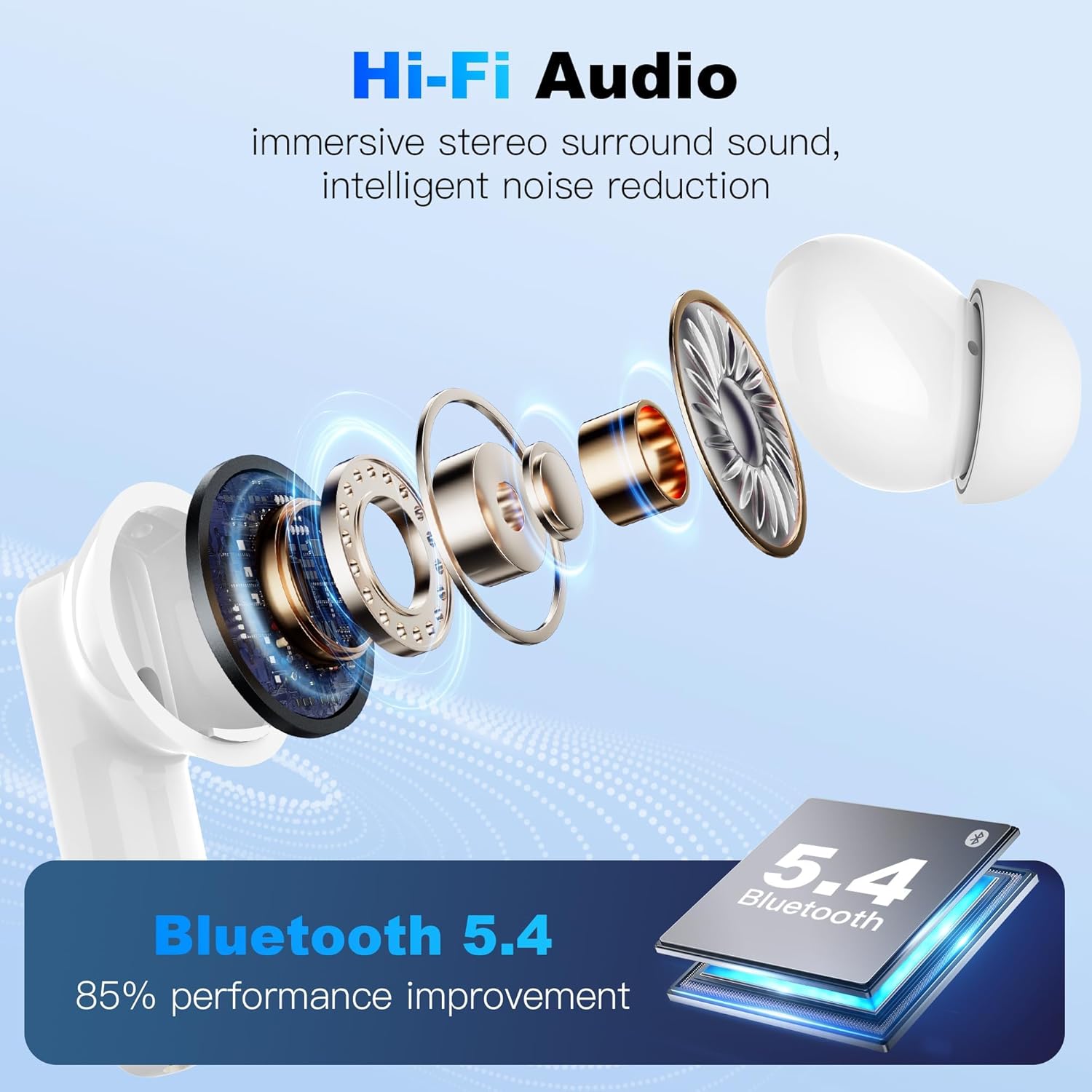
Figure 7: Highlighting Hi-Fi Audio for immersive stereo surround sound and intelligent noise reduction, powered by Bluetooth 5.4 for 85% performance improvement.
8. Warranty and Support
For warranty information and customer support, please refer to the warranty card included in your package or visit the official Srotek website. You may also contact the seller directly for assistance.