

Introduction
This guide serves as a comprehensive handbook for utilizing the VCDS (VAG-COM Diagnostic System) with Volkswagen Group vehicles, including VW, Audi, Skoda, and SEAT. It is designed for users ranging from beginners to advanced automotive technicians and enthusiasts, providing detailed instructions on diagnostics, coding, and adaptation functions. The book aims to unlock the full potential of VCDS for safe and effective work with vehicle control modules, enabling users to diagnose faults, perform coding, enable hidden features, reset service functions, and carry out maintenance procedures.
Setup
To begin using VCDS, ensure your VCDS interface cable is properly connected to your vehicle's OBD-II port and your computer's USB port. Install the official VCDS software from the Ross-Tech website. Follow the software installation prompts and ensure drivers are correctly installed. Verify communication between the software and the interface before connecting to the vehicle's control modules. This book focuses on the practical application of the VCDS software once it is installed and operational.
Operating VCDS Functions
The VCDS Master Guide provides a structured approach to understanding and utilizing every VCDS menu. Key functions covered include:
- Auto-Scan: Performing a comprehensive scan of all control modules for fault codes.
- Long Coding: Detailed instructions for modifying vehicle settings at a byte level.
- Adaptation: Adjusting various parameters within control modules.
- Basic Settings: Executing fundamental adjustments and calibrations.
- Output Tests: Activating components for diagnostic purposes.
- Measuring Blocks: Viewing live data from sensors and actuators.
- Security Access: Gaining access to protected functions for modifications.
The guide includes step-by-step instructions for popular codings such as DRL activation, Video in Motion, Comfort Indicators, Mirror Folding, Start/Stop disable, Hidden Green Menu, and Sport Display Mode. Additionally, it covers advanced VCDS codings like Lane Assist, Traffic Sign Recognition, iTPMS, Ambient Lighting, Rain Closing, G-Force Display, Scandinavian DRL, and Performance Monitor.
Maintenance Procedures with VCDS
This manual details how to perform various vehicle maintenance tasks using VCDS, enabling users to carry out procedures typically done by professional dealerships. These include:
- DPF (Diesel Particulate Filter) regeneration.
- Throttle adaptation.
- DSG (Direct Shift Gearbox) clutch reset.
- Bleeding ABS brakes.
- BEM (Battery Energy Management) battery registration.
- Service interval reset.
- Calibration of various sensors and driver assistance systems.
Troubleshooting and Safety
The guide emphasizes safety rules and provides instructions on how to save original coding values before making changes, and how to recover from errors or failed adaptations. It addresses common troubleshooting scenarios through a comprehensive FAQ section, covering questions such as:
- Can VCDS flash ECUs?
- What to do if coding is rejected?
- Why does a module not respond?
- Is VCDS compatible with DoIP (Diagnostics over Internet Protocol) vehicles?
Templates for saving original coding and adaptation values are also provided, which are useful for workshops and professionals.
Specifications
| ASIN | B0FX8YV6DQ |
| Publisher | Independently published |
| Publication Date | October 21, 2025 |
| Language | English |
| Print Length | 255 pages |
| ISBN-13 | 979-8270872700 |
| Item Weight | 15.8 ounces |
| Dimensions | 6 x 0.58 x 9 inches |
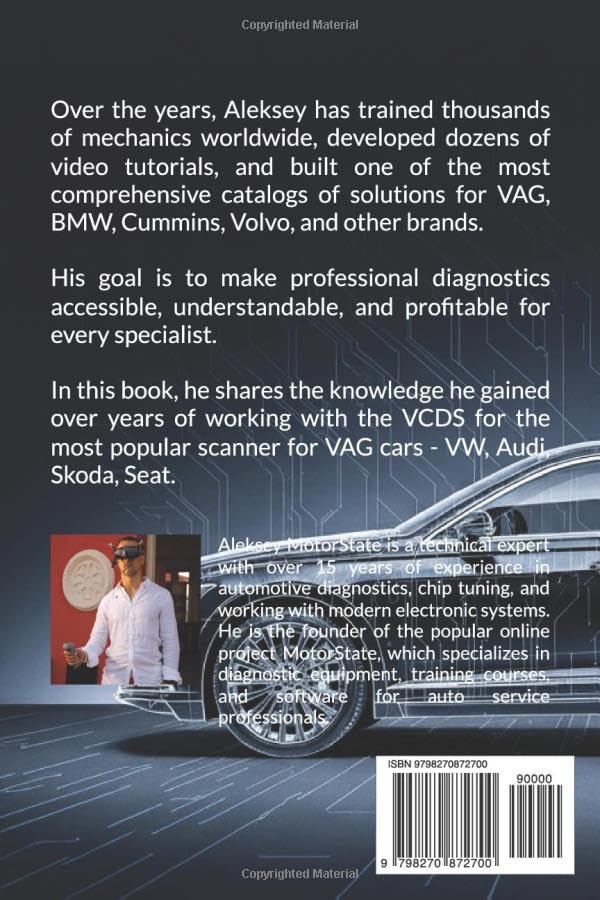
This image displays the back cover of the VCDS Master Guide, which includes details about the author, Aleksey MotorState, his experience, and the book's ISBN-13 barcode.
Warranty
This guide provides informational content regarding the VCDS system and its application to Volkswagen Group vehicles. The publisher and author are not responsible for any damages or issues arising from the application of information contained within this book. Users are advised to exercise caution and follow all safety guidelines when performing vehicle diagnostics and modifications. This book itself does not come with a product warranty in the traditional sense, as it is an informational publication.
Support
For support regarding the VCDS software or interface hardware, please refer to the official Ross-Tech website, which is the developer of the VAG-COM Diagnostic System. For questions or clarifications regarding the specific content of this guide, including explanations of procedures or examples, please contact the publisher or author through their official channels as indicated within the book or on their respective websites.