
Introduction
Thank you for choosing the Lamtor Display Cabinet with Lights. This manual provides essential information for the safe assembly, operation, maintenance, and troubleshooting of your new display cabinet. Please read these instructions carefully before use and retain them for future reference.
Important Safety Information:
- Do not exceed the maximum weight limit of 240 pounds for the entire cabinet. Each individual shelf has a weight capacity of 60 pounds.
- Always install the anti-tipping hardware provided to prevent accidental tipping, especially in households with children or pets.
- Handle glass components with care to avoid breakage and injury.
- Ensure all connections for the lighting system are secure and follow electrical safety guidelines.
Setup and Assembly
Assembly of the Lamtor Display Cabinet is required. Detailed step-by-step assembly instructions, including diagrams and a list of all components and hardware, are included in the product packaging. Please refer to those instructions for precise assembly guidance.
Before beginning assembly, ensure you have:
- All parts and hardware as listed in the included assembly manual.
- Appropriate tools (e.g., screwdriver, hammer) as specified in the manual.
- A clean, flat, and spacious area for assembly.
Key Dimensions and Weight Capacity:
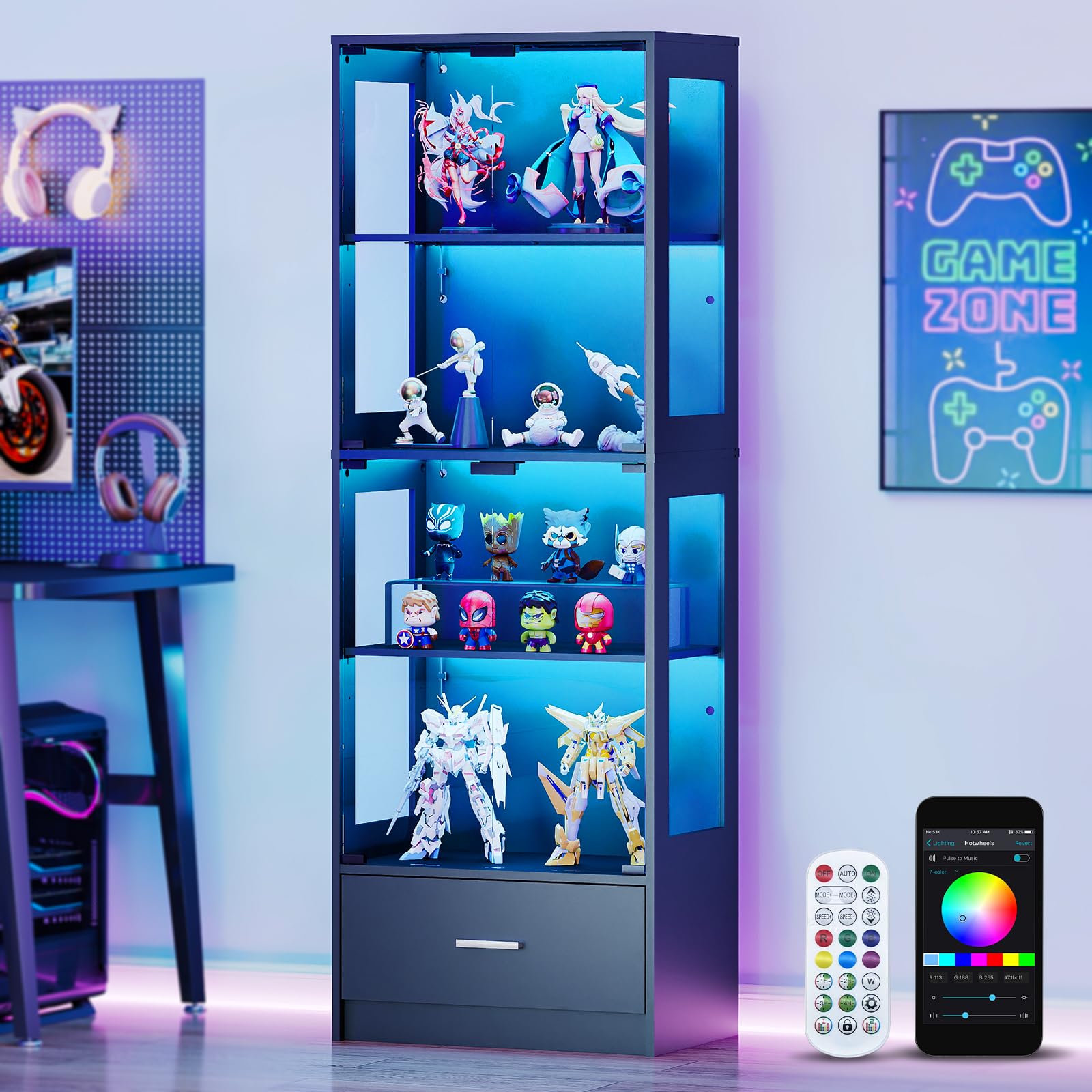
The Lamtor Display Cabinet measures approximately 13.8 inches deep, 23.6 inches wide, and 66.9 inches high. Each shelf is designed to hold up to 60 lbs, with a total cabinet weight capacity of 240 lbs. The drawer measures 22.1 inches wide and 11.8 inches deep.
Anti-Tipping Device Installation:
Locate the anti-tipping hardware in your package. Follow the specific instructions provided in the assembly manual to securely attach the cabinet to a wall stud. This step is crucial for stability and safety.
Operating Instructions
RGB Lighting System
Your Lamtor Display Cabinet features an integrated RGB lighting system to illuminate your collectibles. The lights can be controlled via a dedicated remote control or a smartphone application.

The RGB lighting system offers a wide range of colors and effects, controllable through a remote or a smartphone app. Adjust brightness and select from over 2000 lighting variations to create the desired ambiance.
- Remote Control: Use the provided remote to power the lights on/off, change colors, adjust brightness, and select lighting modes. Refer to the remote's specific instructions for detailed functions.
- Smartphone App: Download the recommended app (details in the lighting system manual) to your smartphone. Pair your device with the cabinet's lighting system via Bluetooth or Wi-Fi (depending on model). The app allows for advanced color customization, scheduling, and scene settings.
Adjustable Shelves
The cabinet includes 3 height-adjustable shelves, allowing you to customize the display space for items of various sizes.

The display cabinet features adjustable shelves, indicated by the arrows showing vertical movement. This allows for flexible arrangement of items of different heights.
To adjust a shelf:
- Remove all items from the shelf.
- Carefully lift the shelf to disengage it from the shelf pins.
- Reposition the shelf pins to the desired height level. Ensure all four pins are inserted securely into the corresponding holes.
- Place the shelf back onto the pins, ensuring it is level and stable before placing items on it.
Pop-Up Glass Doors
The cabinet features handle-less pop-up glass doors for a sleek appearance and easy access.

The glass doors open with a simple press-and-pop mechanism, providing a clean, handle-less design.
To open a door, gently press on the center of the door. The latch will release, and the door will pop open slightly. To close, push the door firmly until you hear a click, indicating it is securely latched.
Integrated Drawer
The cabinet includes a bottom drawer for additional, concealed storage.

The spacious drawer helps keep your display area neat and tidy by providing hidden storage for various items.
Simply pull the drawer handle to open and push to close. Ensure the drawer slides smoothly and is not overloaded.
Maintenance
Regular maintenance will help preserve the appearance and functionality of your display cabinet.
- Cleaning Glass Surfaces: Use a soft, lint-free cloth and a non-abrasive glass cleaner. Spray the cleaner onto the cloth, not directly onto the glass, to avoid streaks and protect the wood finish. Wipe gently.
- Cleaning Wood Surfaces: Wipe engineered wood surfaces with a soft, damp cloth. Avoid harsh chemicals or abrasive cleaners, which can damage the finish. Dry immediately with a clean, dry cloth.
- Dusting: Regularly dust all surfaces with a soft, dry cloth to prevent dust buildup.
- Lighting System: Ensure the lighting system components are free from dust. If a light stops working, check connections before attempting to replace components. Consult the lighting system's specific manual for bulb replacement or repair.
- Hardware Check: Periodically check all screws and fasteners to ensure they are tight. Retighten if necessary. Verify the anti-tipping device remains securely attached.
Tempered Glass Safety:

The cabinet is constructed with high-transparency shatterproof tempered glass, designed for enhanced safety and durability compared to standard glass.
While tempered glass is more resistant to breakage, it is not indestructible. Avoid striking the glass with hard objects or applying excessive force. If tempered glass breaks, it shatters into small, relatively harmless pieces, reducing the risk of injury.
Troubleshooting
If you encounter issues with your Lamtor Display Cabinet, refer to the following common problems and solutions:
| Problem | Possible Cause | Solution |
|---|---|---|
| Lights are not turning on. | Power cable disconnected; remote/app issue; faulty LED strip. | Check if the power adapter is securely plugged into the wall outlet and the cabinet. Ensure the remote has working batteries or the app is correctly paired. If issues persist, contact customer support. |
| Glass door not closing or opening smoothly. | Misaligned latch; obstruction; hinge issue. | Check for any objects obstructing the door's path. Ensure the latch mechanism is clean and free of debris. If misaligned, gently adjust the door or hinges (refer to assembly manual for hinge adjustment). |
| Cabinet feels unstable or wobbly. | Loose fasteners; uneven floor; anti-tipping device not installed. | Ensure all assembly screws are tightened. Place the cabinet on a level surface or use shims if necessary. Verify the anti-tipping device is correctly installed and secured to the wall. |
| Shelf is not level or sags. | Improperly seated shelf pins; overloaded shelf. | Remove items and ensure all four shelf pins are fully inserted into the cabinet holes and supporting the shelf evenly. Do not exceed the 60 lbs weight limit per shelf. |
Specifications
| Feature | Detail |
|---|---|
| Brand | Lamtor |
| Model Name | Glass Display Cabinet |
| Item Model Number | CF0161-Black |
| Color | Black |
| Product Dimensions | 13.8"D x 23.6"W x 66.9"H |
| Item Weight | 86.1 Pounds |
| Material | Engineered Wood, Tempered Glass |
| Number of Shelves | 4 (3 adjustable) |
| Weight Limit (Total) | 240 Pounds |
| Weight Limit (Per Shelf) | 60 Pounds |
| Special Features | Adjustable Shelf, Anti-Tipping, Removable Shelf, RGB Lights, Pop-Up Glass Doors |
| Assembly Required | Yes (Instructions Included) |
| Power Source for Lights | Electric (Batteries not required for cabinet operation) |
| GTIN / UPC | 602835547776 |
Warranty Information
Lamtor products are manufactured to high-quality standards. For specific warranty details regarding your display cabinet, please refer to the warranty card or documentation included in your product packaging. Typically, warranties cover manufacturing defects under normal use. Please retain your proof of purchase for any warranty claims.
Customer Support
If you have any questions, require assistance with assembly, or need to report a missing or damaged part, please contact Lamtor customer support. Have your model number (CF0161-Black) and proof of purchase ready when contacting support.
Contact Information:
- Refer to the contact details provided in your product packaging or on the official Lamtor website.
- For online purchases, you may also contact the seller directly through the platform where the purchase was made.