Introduction
This manual provides essential instructions for the setup, operation, and maintenance of your F96 Smart Watch. Please read this manual thoroughly before using the device to ensure proper function and to maximize your user experience.
The F96 Smart Watch features a 1.90-inch HD display, Bluetooth calling, and comprehensive health monitoring capabilities including ECG, heart rate, blood oxygen, and temperature tracking.
What's in the Box
Upon opening the package, verify that all items listed below are present:
- F96 Smart Watch
- Charging Cable
- User Manual (this document)
Setup Guide
1. Charging the Device
Before initial use, fully charge your F96 Smart Watch. Connect the provided charging cable to the charging port on the watch and to a standard USB power adapter (not included). The watch display will indicate charging status. A full charge typically takes approximately 2 hours.
2. Powering On/Off
- To Power On: Press and hold the side button for a few seconds until the screen illuminates.
- To Power Off: Press and hold the side button, then select the "Power Off" option on the screen.
3. App Installation and Pairing
To access all features, download the companion application on your smartphone. Search for the app name (usually mentioned in the quick start guide or on the watch itself) in your device's app store (compatible with Android and iOS). Follow the in-app instructions to pair your F96 Smart Watch via Bluetooth.
Ensure Bluetooth is enabled on your smartphone during the pairing process.
Operating Instructions
Navigation and Display
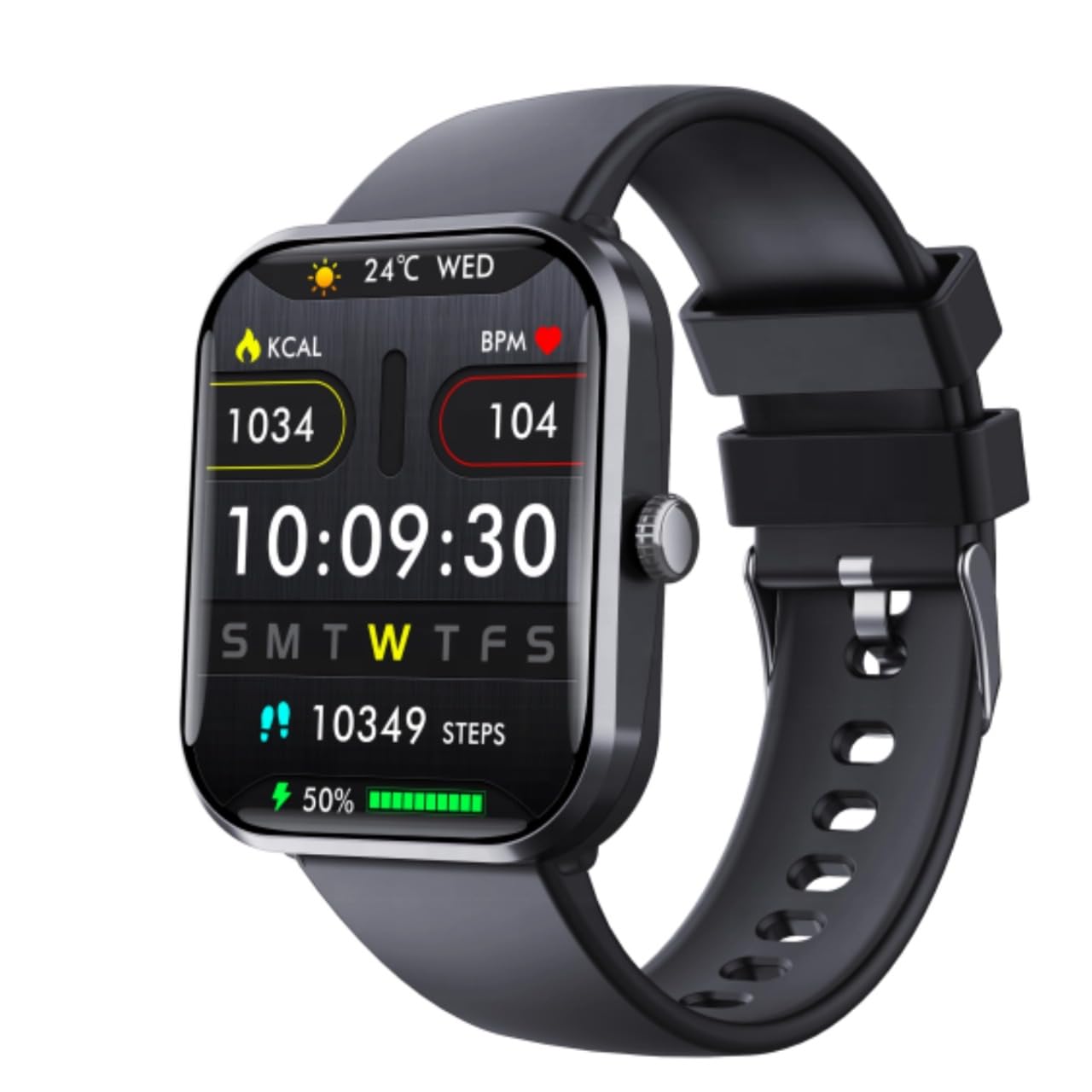
Image: The F96 Smart Watch main display, illustrating the clear 1.90-inch HD screen with current time, date, daily steps, calories burned, heart rate, and battery status.
- Touchscreen Interface: Swipe left, right, up, or down to navigate through menus and features. Tap to select an option.
- Side Button: Press to return to the home screen or to wake the device. Long press for power options.
- Display: The 1.90-inch HD LCD provides clear visibility of metrics, notifications, and time.
Health Monitoring
The F96 Smart Watch offers comprehensive health tracking features:
- Heart Rate Monitor: Continuously tracks your heart rate. Access historical data in the companion app.
- Blood Oxygen (SpO2) Sensor: Measures blood oxygen saturation levels.
- ECG Monitor: Provides electrocardiogram readings. Consult a medical professional for interpretation.
- Body Temperature Monitor: Measures your body temperature.
- Blood Sugar Tracking: Offers monitoring capabilities for blood sugar levels.

Image: The F96 Smart Watch and its companion app demonstrating blood glucose monitoring, including automatic tracking and data synchronization.
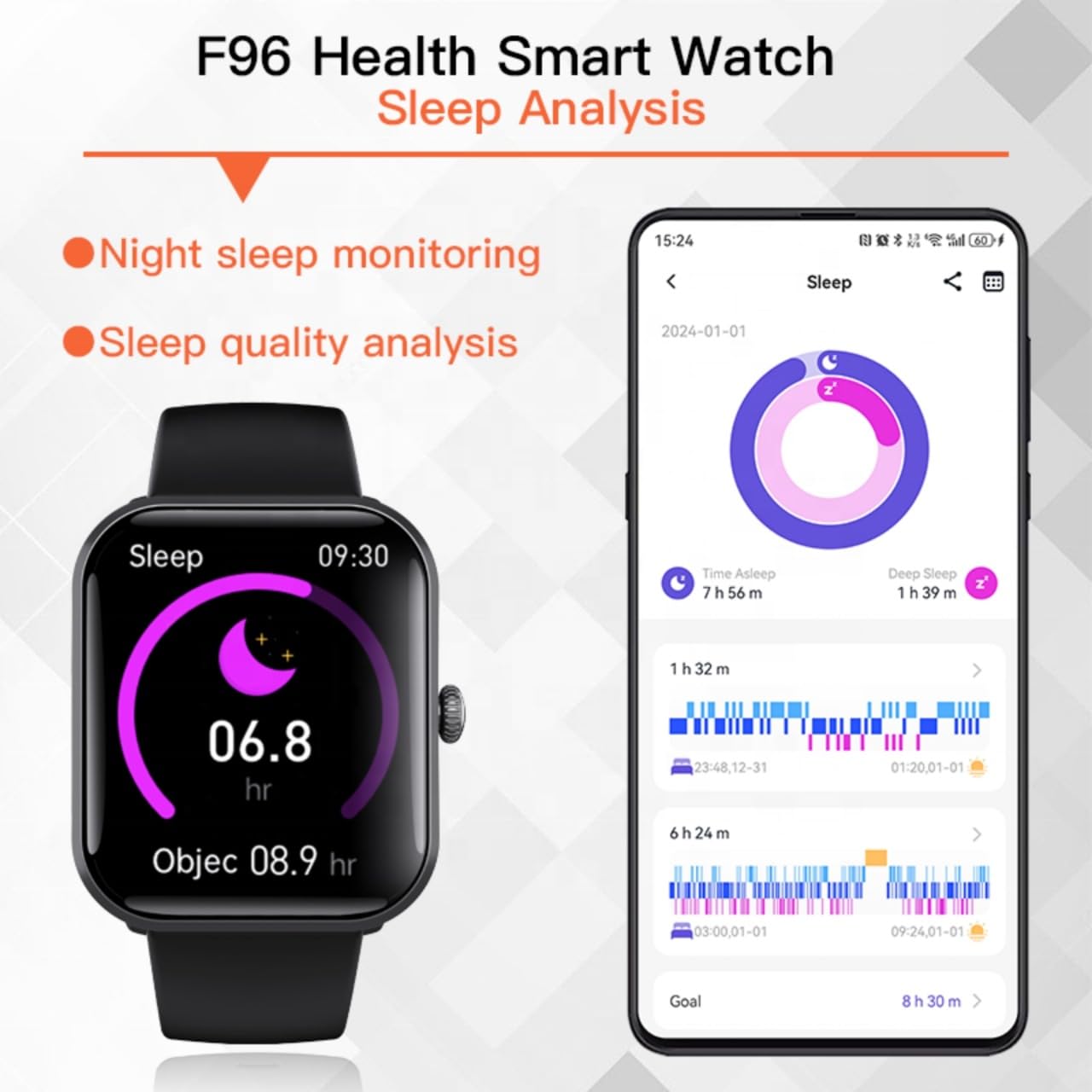
Image: Sleep analysis feature of the F96 Smart Watch, showing night sleep monitoring and quality analysis on both the watch and the connected smartphone application.
Smart Connectivity and Notifications
- Bluetooth Calling: Once paired, you can make and receive calls directly from your watch.
- Smart Notifications: Receive alerts for incoming calls, messages, and app notifications (e.g., WhatsApp, Facebook, Instagram) directly on your watch screen.
- SOS Help Function: In emergencies, activate the SOS feature (configure contacts in the app) for quick assistance.

Image: Smart Notification Reminder feature, showing how the F96 Smart Watch displays text messages and notifications from various applications.
Fitness Tracking and Sports Modes
The watch tracks daily activities such as steps, calories burned, and distance. It also includes multiple sports modes for detailed workout tracking.

Image: The F96 Smart Watch supports over 100 sports modes, including outdoor run, hiking, cycling, and more, providing comprehensive tracking for various physical activities.
Access sports modes from the main menu and select your desired activity to begin tracking.
Maintenance
- Cleaning: Wipe the watch and strap regularly with a soft, dry cloth. Avoid using harsh chemicals or abrasive materials.
- Water Resistance: Refer to the product specifications for water resistance ratings. Avoid prolonged exposure to water or submersion unless explicitly stated as waterproof.
- Charging Port: Keep the charging contacts clean and dry to ensure efficient charging.
- Storage: Store the watch in a cool, dry place when not in use.
Troubleshooting
- Watch not turning on: Ensure the watch is fully charged. Connect it to the charger for at least 15 minutes.
- Cannot pair with smartphone:
- Ensure Bluetooth is enabled on your smartphone.
- Make sure the watch is within range of your smartphone.
- Restart both the watch and your smartphone.
- Check if the companion app is installed and running.
- Inaccurate health data:
- Ensure the watch is worn snugly on your wrist, not too tight or too loose.
- Clean the sensor on the back of the watch.
- Environmental factors or movement can affect readings.
- Notifications not appearing:
- Verify that notifications are enabled in both the watch settings and the companion app.
- Check your smartphone's notification settings for the companion app.
- Ensure the watch is connected via Bluetooth.
Specifications
| Brand | Generic |
| Model | F96 |
| Display Size | 1.9 Inches |
| Display Type | HD LCD |
| Operating System | Android, iOS |
| Connectivity | Bluetooth, GPS |
| Special Features | Blood Oxygen Monitoring, Blood Sugar Monitor, ECG Monitor, Heart Rate Monitor, Temperature Monitor |
| Charging Time | 2 Hours |
| Material | Plastic, Silicone |
| Item Weight | 65 g |
| Compatible Devices | Smartphone |
Warranty and Support
This product comes with a 7-day warranty from the date of purchase. Please retain your proof of purchase for any warranty claims.
For technical support or warranty inquiries, please contact your retailer or the manufacturer's customer service as indicated on the product packaging or purchase documentation.


