
Introduction
This manual provides detailed instructions for the installation, operation, and maintenance of your SearByte C100 Wireless Security Camera. Please read this manual thoroughly before using the product to ensure proper functionality and safety. The SearByte C100 is an indoor security camera designed for reliable surveillance with advanced features.

Figure 1: SearByte C100 Wireless Security Camera
Package Contents
The package typically includes the following items:
- SearByte C100 Security Camera
- USB Power Cable
- Power Adapter
- Mounting Accessories (screws, wall anchors)
- User Manual (this document)
Product Overview
The SearByte C100 camera features a compact design suitable for indoor use. It includes a camera lens, infrared LEDs for night vision, a microphone, and a speaker for two-way audio. The camera is powered via a USB cord.
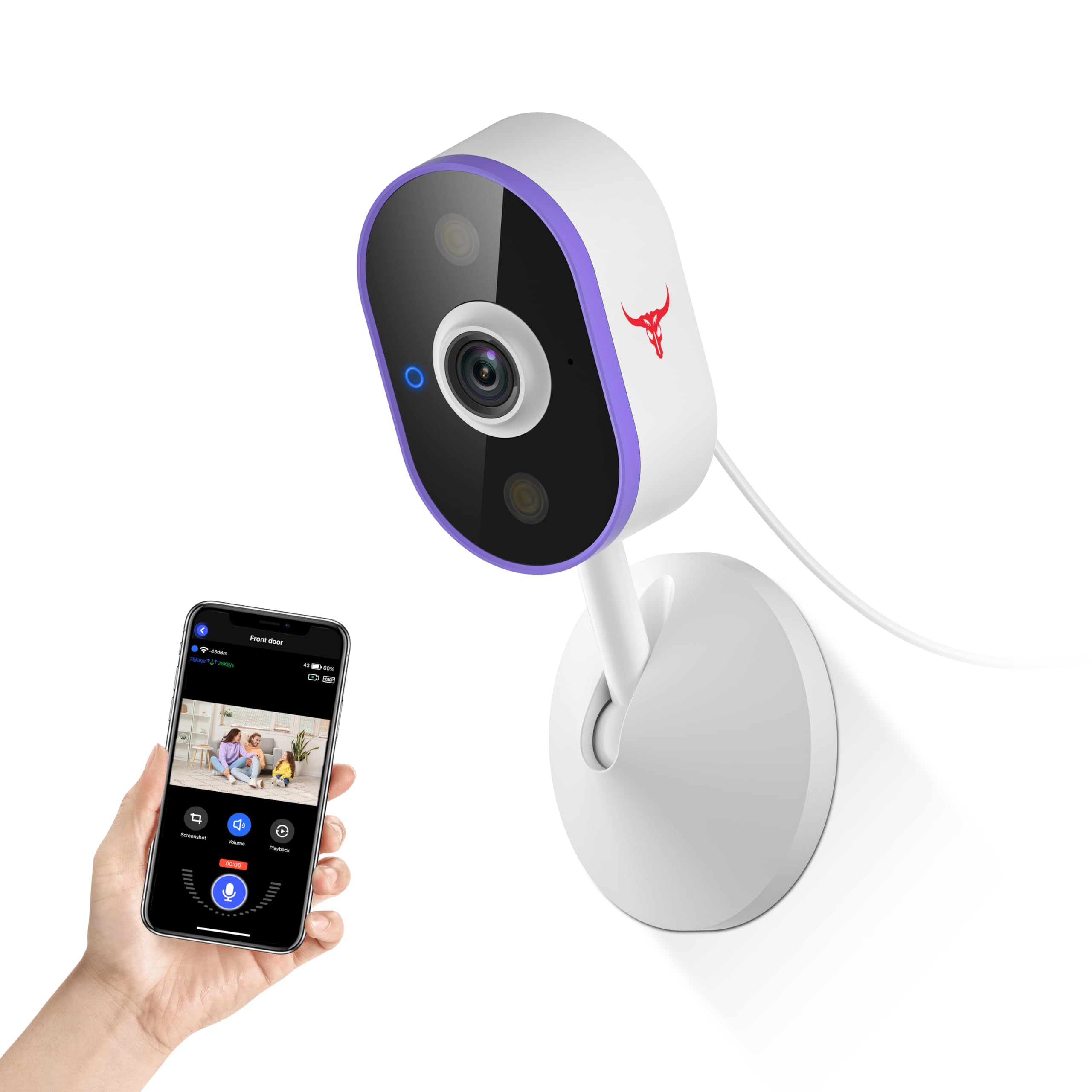
Figure 2: Camera dimensions and components. The camera measures approximately 4.47 inches (11.35 cm) in height and 2.36 inches (6.0 cm) in width at the base.
Key features include:
- AI Human Detection: Reduces false alarms by distinguishing human shapes from other movements.
- Two-Way Audio: Allows for real-time communication through the camera.
- Dual-Band Wi-Fi: Supports both 2.4G and 5G Wi-Fi networks for flexible connectivity.
- Night Vision: Provides clear video footage in low-light conditions up to 33 feet.
- USB Wired Power Supply: Ensures continuous operation.

Figure 3: Overview of key features including AI Human Detection, Two-way Talk, Easy Installation, Dual-Band 2.4G/5G Wi-Fi, and Cloud Storage.
Setup and Installation
Follow these steps to set up your SearByte C100 Wireless Security Camera:
- Download and Launch the App: Search for the official SearByte app on your smartphone's app store (iOS or Android) and install it.
- Power On the Camera: Connect the USB power cable to the camera and plug the adapter into a power outlet. The camera will power on and indicate readiness for pairing (e.g., a flashing LED).
- Add Device in App: Open the app, log in or create an account, and tap the "+" icon to add a new device.
- Select Device Type: Choose "Indoor Security Camera" or the appropriate camera model from the list.
- Initiate Pairing: Follow the in-app instructions to put the camera into pairing mode. This usually involves pressing and holding a SYNC button on the camera until an indicator light flashes.
- Bluetooth Connection: The app may attempt to connect via Bluetooth first for initial setup. Allow Bluetooth permissions if prompted.
- Wi-Fi Configuration: Select your 2.4G or 5G Wi-Fi network and enter the correct password. Ensure your smartphone is connected to the same Wi-Fi network.
- Confirm and Connect: Confirm the Wi-Fi information. The camera will then attempt to connect to your network. Wait for the connection to succeed.
- Connection Complete: Once connected, you can name your camera and begin using it.

Figure 4: Visual guide for the initial setup process, from app download to successful connection.
Mounting Options
The SearByte C100 camera can be placed on a tabletop or mounted to a wall or ceiling using the provided accessories. Choose a location that provides the desired viewing angle and is within range of your Wi-Fi network.

Figure 5: Examples of easy installation, showing the camera placed on a surface and mounted on a wall or ceiling.
Operating Instructions
Live View and Recording
Access the live video feed from your camera through the SearByte app. You can view real-time footage, manually record video, or capture screenshots.
Two-Way Audio
The camera features a built-in microphone and speaker, enabling two-way communication. Tap the microphone icon in the app to speak through the camera, and listen to audio from the camera's location.

Figure 6: Demonstrates the two-way talk functionality, allowing communication with individuals near the camera.
AI Human Detection and Notifications
The camera utilizes AI to detect human shapes, reducing irrelevant alerts from pets or other moving objects. When human motion is detected, you will receive instant notifications on your smartphone.

Figure 7: Real-time notifications for human detection, showing an alert on a smartphone screen.
Night Vision
The integrated night vision feature allows the camera to capture clear video in low-light or complete darkness, with a range of up to 33 feet.
Cloud Storage (Optional)
For secure storage of your recordings, an optional cloud storage plan is available (sold separately). This allows you to access your video history from anywhere.

Figure 8: Cloud storage functionality, showing video clips being saved and accessible via a smartphone.
Maintenance
- Cleaning: Use a soft, dry cloth to clean the camera lens and body. Avoid abrasive cleaners or solvents.
- Placement: Ensure the camera is placed in a stable indoor environment. This camera is not water resistant and should not be exposed to moisture.
- Power Supply: Always use the provided power adapter and cable to prevent damage.
Troubleshooting
| Problem | Possible Solution |
|---|---|
| Camera not connecting to Wi-Fi |
|
| No notifications received |
|
| Poor video quality |
|
| Two-way audio not working |
|
Specifications
| Feature | Detail |
|---|---|
| Model Name | Indoor Security Camera (C100) |
| Indoor/Outdoor Usage | Indoor |
| Connectivity Technology | Wireless (Wi-Fi) |
| Wi-Fi Frequency | 2.4G/5G Dual-Band |
| Power Source | Corded Electric (USB Wired Power Supply) |
| Video Capture Resolution | 720p |
| Night Vision Range | 33 Feet |
| Special Features | AI Human Detection, 2-Way Audio, Real-Time Notifications |
| Mounting Type | Tabletop Mount, Screw In |
| Material | Acrylonitrile Butadiene Styrene (ABS) |
| Product Dimensions | 2.59 x 1.4 x 6.14 inches |
| Item Weight | 5.3 ounces |
| Water Resistance Level | Not Water Resistant |
| Control Method | App |
| Compatible Devices | Smartphone (Android) |
Warranty and Support
For warranty information and technical support, please refer to the official SearByte website or contact their customer service. Keep your purchase receipt as proof of purchase.
Contact Information: Please visit www.searbyte.com (Note: This is a placeholder URL, please refer to your product packaging or official documentation for actual support contact details.)