
Introduction
The ATOTOSELECT CB4B Wireless CarPlay Adapter and Magic AI Box transforms your wired CarPlay or Android Auto system into a fully wireless and intelligent in-car entertainment and navigation hub. This device offers dual-WiFi connectivity, integrated AI voice assistance (DriveChat), and access to various media applications, enhancing your driving experience with convenience and advanced features.
Compatibility Requirements
To ensure optimal performance and compatibility, please confirm the following:
- Your vehicle must support wired CarPlay or wired Android Auto. The AI Box operating mode depends on the factory system.
- Your car stereo must support one of the following: Direct on-screen touch control, a touchpad, or a remote controller for navigation.
- Not compatible with: BMW models, most Subaru vehicles, aftermarket head units, or OEM head units that support wireless CarPlay or wireless Android Auto only.

Setup Guide
1. Connecting the Device
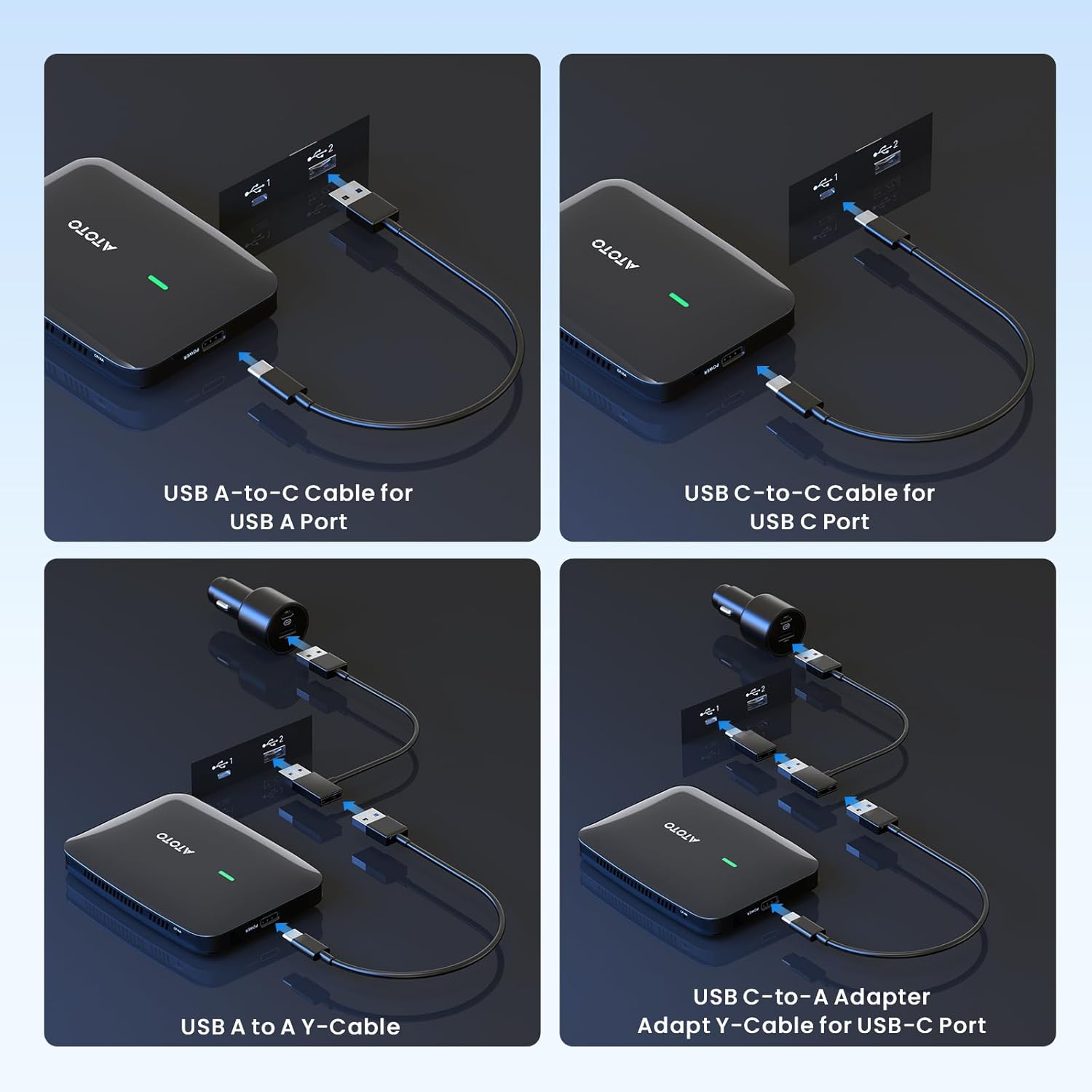
Connect the CB4B device to your car's wired CarPlay or Android Auto USB port using one of the provided cables. Ensure the device is placed in an open area, avoiding enclosed spaces like glove boxes, to ensure proper cooling.

2. Initial Power-Up and Mode Selection
Upon first power-up, the CB4B will typically connect in Wired CarPlay (CP) mode. If your car supports Wired Android Auto (AA) and you wish to use it, you may need to switch modes. Use an ejector pin to press and hold the CP/AA Switch Pinhole for 5 seconds. Release, then quickly press once again to manually switch between CP (Green LED) and AA (Blue LED) modes.
3. Wireless Connection (CarPlay / Android Auto)
Ensure Bluetooth and Wi-Fi are enabled on both the CB4B and your smartphone. On your phone, select the CB4B device from the Bluetooth list to pair. Once paired, open the CarPlay or Android Auto app on the CB4B's interface, and it should launch automatically.


Operating Instructions
1. Dual Wi-Fi Connectivity
The CB4B features dual Wi-Fi for seamless operation. It maintains a stable wireless CarPlay/Android Auto connection while simultaneously allowing independent use of your car's built-in hotspot for entertainment apps. This prevents interruptions to navigation or calls when streaming media.

2. Entertainment Features
With the pre-installed FindApps tool, you can directly install and enjoy popular applications such as YouTube, TikTok, and Spotify, transforming your car into a mobile entertainment hub. The device supports offline media playback via a MicroSD card (sold separately) for entertainment in areas without network coverage.


3. AI Voice Assistant (DriveChat)
Meet DriveChat, your built-in GenAI companion. Engage in natural conversations or select specialized chatbots like a Decision Think Tank or Creative Writer for tailored advice and entertainment while driving. AI voice control makes various functions quick and easy.


4. Smart Security & Vehicle Diagnostics
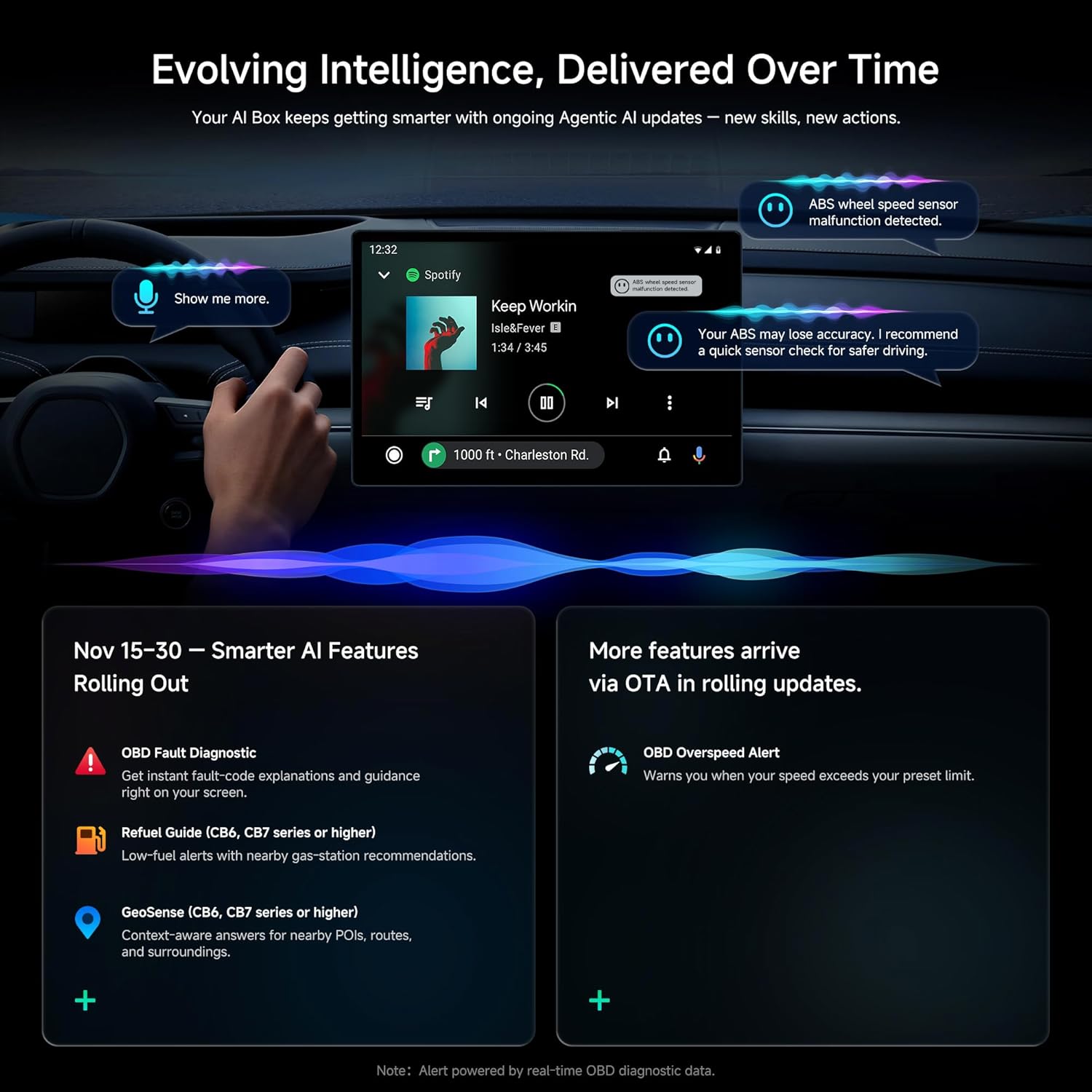
The Bluetooth lock automatically secures your screen when you walk away from the vehicle. For advanced users, seamlessly pair with a compatible OBDII scanner (sold separately) to access real-time vehicle diagnostics and data directly on your car's display.

Maintenance
The CB4B receives ongoing firmware updates over-the-air (OTA) to keep its features current and ensure optimal performance. Ensure your device is connected to Wi-Fi periodically to receive these updates. The smart passive vent design helps keep your CB4B cool and stable during operation.
Troubleshooting
- Connection Issues: Ensure your vehicle supports wired CarPlay/Android Auto and that the CB4B is set to the correct mode (CP/AA). Verify Bluetooth and Wi-Fi are active on both the device and your phone.
- Lagging/Freezing: Ensure the device has proper ventilation and is not in an enclosed space. Check for available firmware updates and install them. Restarting the device or your car's infotainment system may resolve temporary issues.
- No Touchscreen Control: The device requires a car stereo that supports direct on-screen touch control, a touchpad, or a remote controller for navigation. If your car stereo lacks these, the device may not be fully functional.
Specifications
| Feature | Detail |
|---|---|
| Brand | ATOTOSELECT |
| Model Number | CB4B |
| Compatible Devices | Smartphone |
| Specific Uses For Product | Car Audio & Video, Dual Bluetooth 5.4/4.2, Dual Wi-Fi 2.4G/5G, 4GB RAM & 32GB ROM, OTA, Expanded up to 128GB |
| Connector Type | Micro USB, USB Type A & USB Type C |
| Number of Ports | 2 |
| Input Voltage | 5 Volts |
| Current Rating | 1 Amps |
Warranty and Support
The ATOTOSELECT CB4B comes with an 18-month total warranty. We offer round-the-clock online self-service resources and a dedicated support team committed to providing a helpful response within 24 hours for any issues you may encounter.
For further assistance, please visit the ATOTOSELECT Store or refer to the online resources.