Introduction
The ALECK Snow Series Core speakers are designed to provide high-quality audio and communication for ski and snowboard helmets. These universal wireless Bluetooth speakers offer premium sound, glove-friendly controls, and a built-in microphone for hands-free calls, enhancing your mountain experience while keeping you connected.
What's in the Box

Image: Contents of the ALECK Snow Series Core package.
- ALECK Snow Series Core Speakers
- EVA Carrying Case
- ALECK Sticker
- USB-C Charging Cable
- User Manual (this document)
Setup
1. Charging the Device
Before first use, fully charge your ALECK Snow Series Core speakers. Connect the provided USB-C charging cable to the charging port on one of the speaker units and plug the other end into a USB power source. The LED indicator will show charging status.
2. Powering On and Bluetooth Pairing
To power on, press and hold both control buttons simultaneously until you hear an audible prompt. To enter Bluetooth pairing mode, continue holding both buttons until the LED light flashes green and blue. Then, open the ALECK app on your smartphone, navigate to 'Add Device', select 'Snow Core', and follow the on-screen instructions to pair. You will also need to confirm the pairing in your phone's Bluetooth settings.
Video: Quick start guide for pairing ALECK Snow Series Core speakers with a smartphone.
3. Helmet Installation
The ALECK Snow Series Core speakers are designed for universal fit in audio-ready snow helmets. First, remove the ear pad inserts from your helmet. Then, insert the Snow Core speakers into the designated pockets within the ear pads. Ensure the speakers are positioned comfortably over your ears for optimal sound quality.
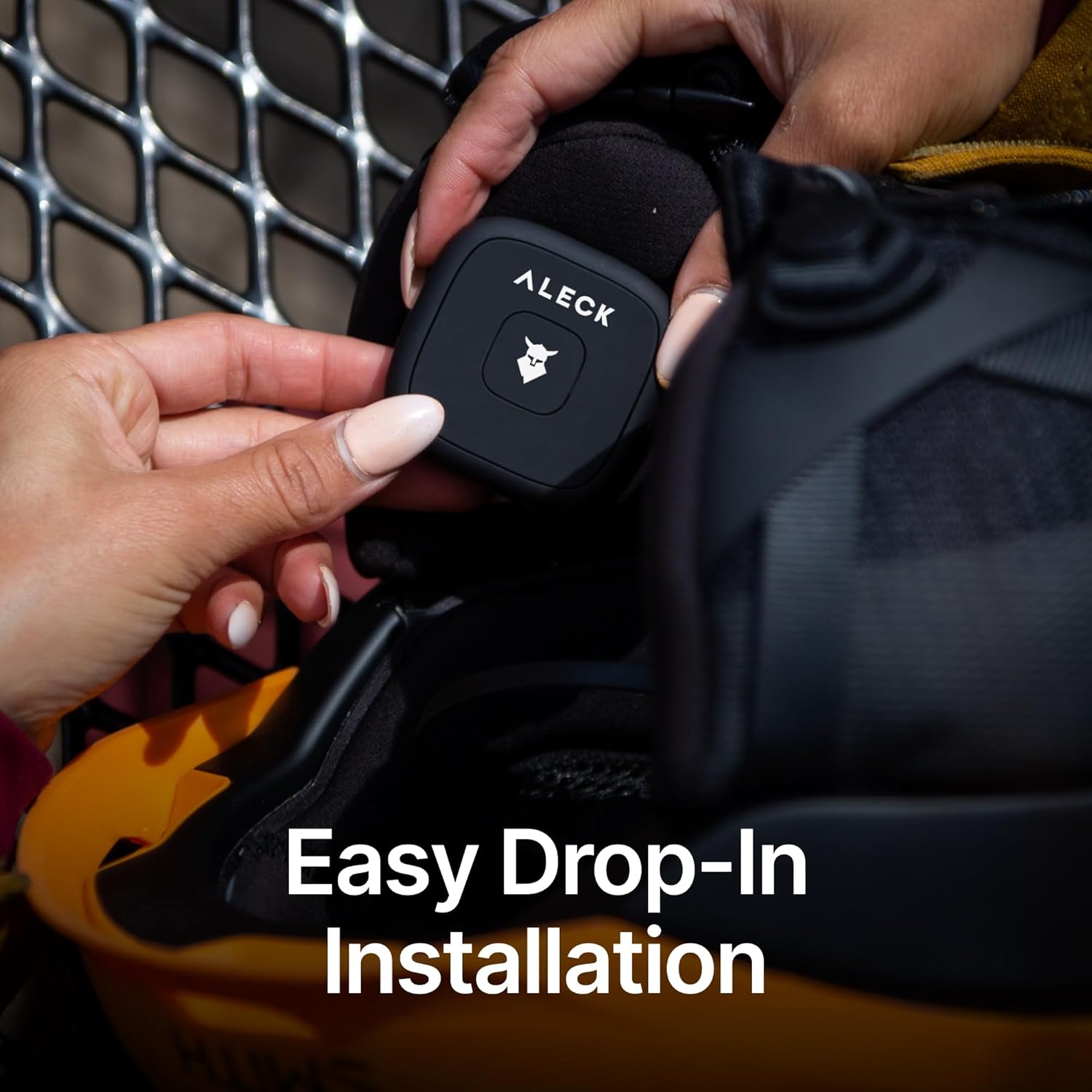
Image: Inserting ALECK Snow Series Core speakers into a helmet ear pad.
Operating Instructions
Controls Overview

Image: Diagram of ALECK Snow Series Core button controls.
- Power On / Off / Bluetooth Pairing / Factory Reset: Press and hold both buttons.
- Play / Pause / Answer / End Call: Single tap the Right button.
- Volume Up: Press and hold the Right button.
- Volume Down: Press and hold the Left button.
- Track Forward: Double tap the Right button.
- Track Backward: Triple tap the Right button.
- App Un/Mute: Single tap the Left button.
- Call Un/Mute: Double tap the Right button during a call.
- Voice Assistant (Siri / Google Assistant): Double tap the Left button.
Music Playback
Once paired, you can stream music from your connected device. Use the Right button for play/pause and track navigation, and both buttons for volume control.
Hands-Free Calls
The integrated microphone allows for clear hands-free communication. Answer or end calls with a single tap of the Right button. Mute or unmute your call by double-tapping the Right button.
Voice Assistant
Access your smartphone's voice assistant (Siri or Google Voice) by double-tapping the Left button. This allows for voice commands for navigation, music selection, and more without removing your gloves.
Features

Image: Key features of the ALECK Snow Series Core speakers.
- Premium Sound: Precision-tuned 40mm drivers and premium Bluetooth chips deliver powerful, balanced sound with rich bass and crisp highs.
- Effortless Calls & Voice Control: Dual-side controls and a built-in mic allow access to Siri or Google Voice for calls, music, and navigation without removing gloves.
- Universal Helmet Fit: Designed to fit any audio-ready snow helmet, including popular brands like Smith, Giro, K2, Anon, Bolle, and Burton.
- Rugged & Winter Ready: Engineered for mountain conditions down to -20°C, sweat-resistant, and durable for season-long use. Large, glove-friendly buttons ensure easy operation.
- All-Day Battery Life: Enjoy up to 12 hours of continuous playtime, with smart power management for extended use across multiple sessions.
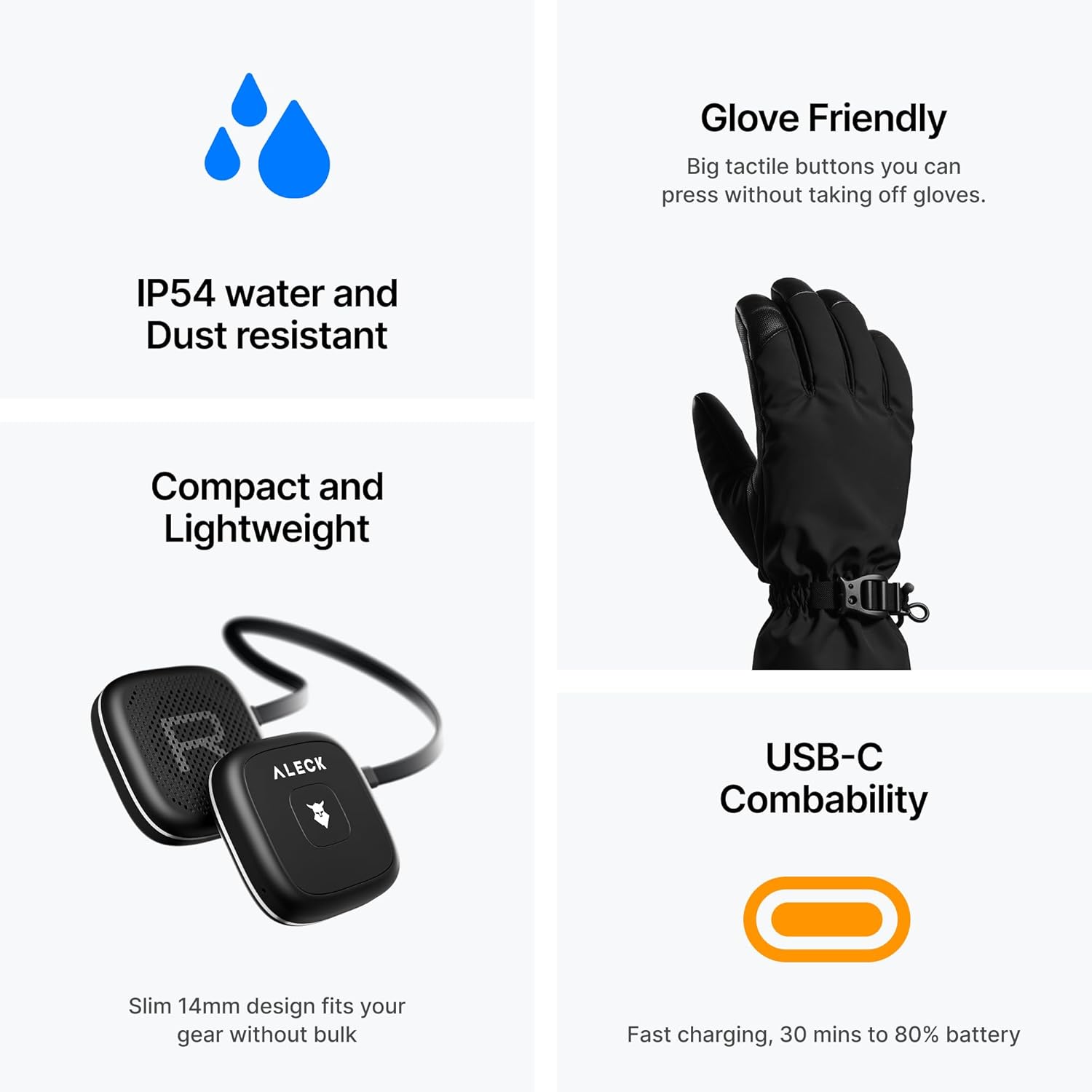
Image: Additional features including IP54 rating and USB-C charging.
Specifications
| Brand | ALECK |
| Model | Snow Series Core |
| Color | Black |
| Ear Placement | On Ear |
| Form Factor | On Ear |
| Headphones Jack | No Jack |
| Battery Life | Up to 12 hours |
| Water Resistance | IP54 (Sweat-resistant) |
| Operating Temperature | Down to -20°C |
Maintenance
- Cleaning: Wipe the speakers with a soft, damp cloth. Do not use harsh chemicals or abrasive cleaners. Ensure the charging port is dry before charging.
- Storage: Store the speakers in their EVA carrying case when not in use to protect them from dust and physical damage. Avoid extreme temperatures.
- Battery Care: For optimal battery life, avoid fully discharging the speakers frequently. Charge them regularly, even if not used for extended periods.
Troubleshooting
- No Power: Ensure the speakers are fully charged. Connect them to the USB-C cable and a power source.
- Cannot Pair:
- Ensure the speakers are in pairing mode (LED flashing green and blue).
- Check your phone's Bluetooth settings to ensure Bluetooth is enabled and the device is visible.
- Try restarting both your phone and the speakers.
- Perform a factory reset (while the device is off, press and hold both buttons for 10 seconds).
- Low Audio Quality / No Sound:
- Ensure the speakers are correctly positioned in your helmet's ear pads.
- Check the volume levels on both the speakers and your connected device.
- Verify the Bluetooth connection is stable.
- Microphone Issues:
- Ensure the microphone is not obstructed.
- Check if the microphone is muted (single tap Left button for App Un/Mute, double tap Right button for Call Un/Mute).
Warranty & Support
For warranty information, technical support, or further assistance, please visit the official ALECK website or contact their customer service. Keep your proof of purchase for warranty claims.
Visit the ALECK Store for more products and information.