
1. Introduction
Thank you for choosing the Haowolf SP05 Open Ear Earbuds. These earbuds are designed to provide a comfortable listening experience while keeping you aware of your surroundings. Featuring Bluetooth 5.3 connectivity, powerful sound, and a long-lasting battery, they are ideal for sports, daily use, and travel.
2. Package Contents
- Haowolf SP05 Open Ear Earbuds (Left and Right)
- Charging Case
- USB Charging Cable
- User Manual
3. Product Overview
Familiarize yourself with the components of your Haowolf SP05 Open Ear Earbuds and charging case.
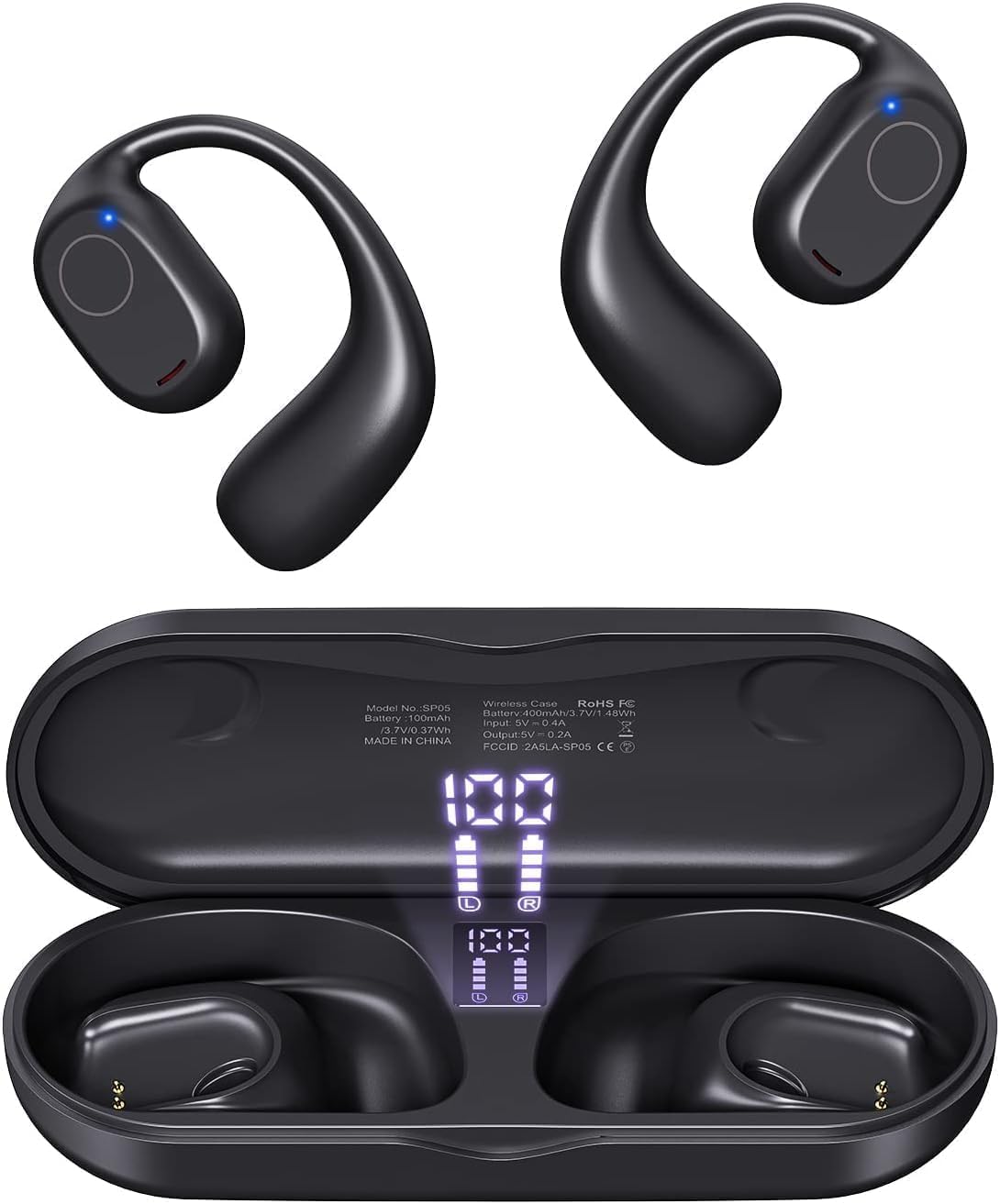
Image: Haowolf SP05 Open Ear Earbuds and Charging Case. This image shows the earbuds and their charging case, highlighting their compact and ergonomic design.
Earbud Features:
- Open-Ear Design: Sits outside the ear canal for comfort and situational awareness.
- Touch Control Area: For managing playback, calls, and voice assistant.
- Microphone: For clear call quality.
- Charging Contacts: For charging within the case.
Charging Case Features:
- Earbud Charging Slots: Securely holds and charges the earbuds.
- LED Digital Display: Shows the remaining battery percentage of the case and charging status of individual earbuds.
- USB-C Charging Port: For charging the case.

Image: Digital LED Power Display on Charging Case. This image illustrates the charging case's LED screen, displaying the battery level of the case and the charging status of the left and right earbuds.
4. Setup and Pairing
4.1 Initial Charge
- Place both earbuds into the charging case.
- Connect the charging case to a USB power source using the provided USB charging cable.
- The LED digital display on the case will show the charging status. Ensure the earbuds and case are fully charged before first use. A full charge takes approximately 1.5 hours.

Image: Earbuds in Charging Case with Power Display. This image shows the earbuds nestled in their charging case, with the digital display indicating battery levels and charging progress.
4.2 Pairing with Your Device
- Open the charging case. The earbuds will automatically power on and enter pairing mode.
- On your device (smartphone, tablet, laptop), enable Bluetooth.
- Search for "SP05" in the list of available Bluetooth devices and select it to connect.
- Once connected, you will hear a confirmation tone, and the earbuds will be ready for use.
- The earbuds will automatically reconnect to the last paired device when taken out of the case, if Bluetooth is enabled on the device.
5. Operating Instructions
The Haowolf SP05 earbuds feature intuitive touch controls on each earbud.

Image: Haowolf SP05 Earbuds Touch Control Diagram. This diagram illustrates the various touch gestures and their corresponding functions for both the left and right earbuds, including volume, playback, calls, and voice assistant.
| Action | Left Earbud (L) | Right Earbud (R) |
|---|---|---|
| Volume Up | Single Tap (x1) | |
| Volume Down | Single Tap (x1) | |
| Play/Pause | Double Tap (x2) on either L or R | |
| Next Song | Long Press (2.5s) | |
| Previous Song | Long Press (2.5s) | |
| Answer Call | Single Tap (x1) on either L or R | |
| Reject Call / Hang Up | Long Press (2.5s) on either L or R | |
| Activate Voice Assistant (Siri) | Triple Tap (x3) on either L or R | |
| Reset Earbuds | Disconnect from phone, then quickly press L and R buttons 5 times simultaneously. | |
6. Maintenance and Care
6.1 Cleaning
Regular cleaning helps maintain optimal performance and extends the lifespan of your earbuds.
- Wipe the earbuds and charging case with a soft, dry, lint-free cloth.
- Do not use abrasive cleaners, alcohol, or chemical sprays.
- Ensure charging contacts are clean and free of debris.
6.2 Water Resistance (IPX6)
The Haowolf SP05 earbuds are IPX6 water-resistant, meaning they are protected against high-pressure water jets from any direction. This makes them suitable for workouts and outdoor activities where they might be exposed to sweat or light rain.
- Do not submerge the earbuds in water.
- After exposure to sweat or water, wipe the earbuds dry before placing them back in the charging case to prevent damage to the charging contacts.
- The charging case is not water-resistant.
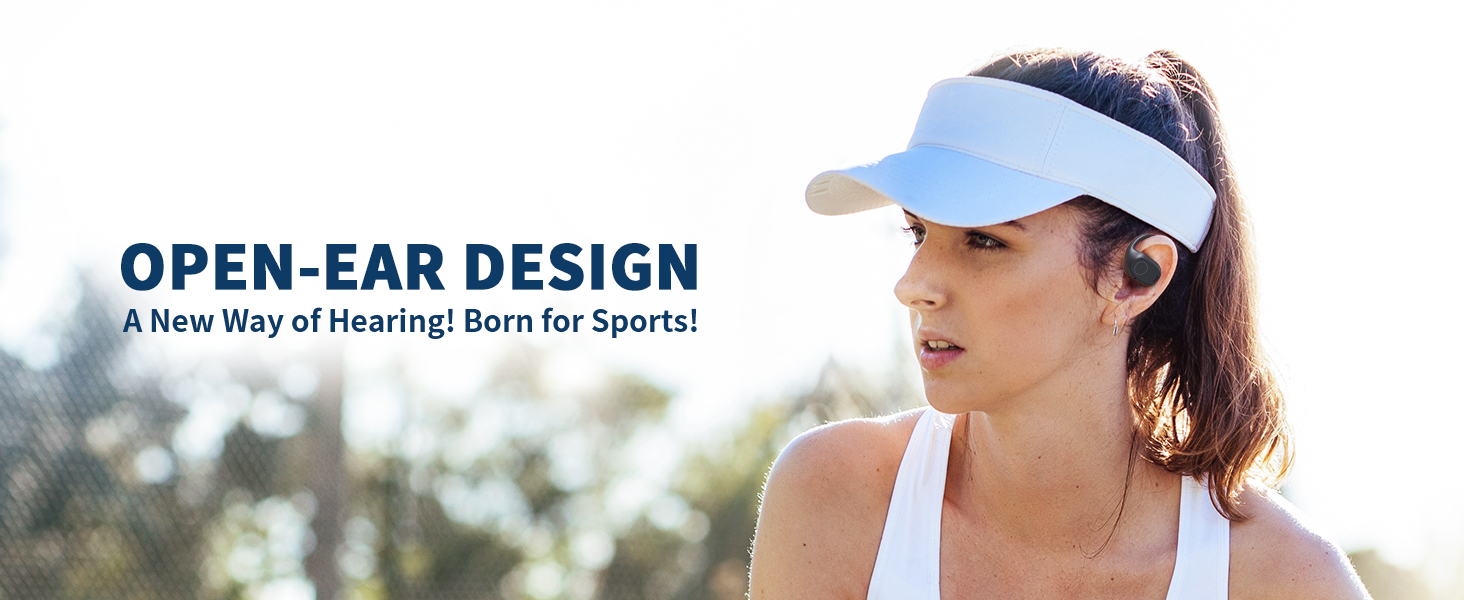
Image: Haowolf SP05 Earbuds in water splash demonstrating IPX6 water resistance. This image shows the earbuds being splashed with water, illustrating their IPX6 rating for sweat and water resistance.
7. Troubleshooting
- Earbuds not pairing:
- Ensure earbuds are charged.
- Turn off Bluetooth on other devices that might be connected.
- Perform a factory reset (see "Reset Earbuds" in Operating Instructions).
- Restart your device's Bluetooth and try pairing again.
- Only one earbud working:
- Place both earbuds back in the charging case, close the lid, then open it again.
- Ensure both earbuds are charged.
- Perform a factory reset.
- Poor sound quality:
- Ensure earbuds are clean.
- Check the audio source device's volume and sound settings.
- Move closer to your device to avoid interference.
- Earbuds not charging:
- Ensure the charging cable is securely connected to both the case and the power source.
- Check if the charging contacts on the earbuds and in the case are clean.
- Try a different charging cable or power adapter.
8. Specifications
| Feature | Detail |
|---|---|
| Model Name | SP05 |
| Connectivity | Bluetooth 5.3 |
| Audio Driver | 16.2mm Dynamic Driver |
| Battery Life (Earbuds) | Up to 20 hours (single charge) |
| Total Playtime (with Case) | Up to 40 hours |
| Charging Time | Approx. 1.5 hours |
| Water Resistance Rating | IPX6 |
| Control Method | Touch |
| Ear Placement | Open Ear |
| Weight | 5.6 ounces (total package) |
9. Warranty and Support
Haowolf products come with a standard manufacturer's warranty. For detailed warranty information, product support, or to report any issues, please contact Haowolf customer service through the retailer where you purchased the product or visit the official Haowolf website.
Please retain your proof of purchase for warranty claims.