1. Introduction
Thank you for choosing the OWMSIC W70 Pro Bluetooth Wireless Earbuds. This manual provides essential information for setting up, operating, and maintaining your earbuds. Please read it carefully before use to ensure optimal performance and longevity of your device. Keep this manual for future reference.

Image 1.1: OWMSIC W70 Pro Bluetooth Wireless Earbuds in their charging case.
2. Package Contents
Ensure all items are present in your package:
- OWMSIC W70 Pro Bluetooth Wireless Earbuds
- Charging Case
- USB-C Charging Cable
- User Manual
- Silicone Ear Tips (S/M/L sizes)

Image 2.1: The OWMSIC W70 Pro package contents.
3. Product Overview
Familiarize yourself with the components of your OWMSIC W70 Pro earbuds and charging case.

Image 3.1: Key features of the OWMSIC W70 Pro earbuds and charging case.
- LED Indicator: Displays connection and charging status.
- Touch Control Area: For managing playback, calls, and voice assistant.
- ENC Microphones: Four high-resolution microphones for environmental noise cancellation during calls.
- Charging Case LED Display: Shows the battery percentage of the charging case and individual earbud charge levels.
- USB-C Charging Port: For charging the case.
4. Setup
4.1 Initial Charging
Before first use, fully charge the earbuds and charging case. Connect the USB-C cable to the charging port on the case and a power source. The LED display will show the charging progress. A full charge takes approximately 1.5 hours.
4.2 Pairing with Your Device
- Ensure the earbuds are in the charging case and the case has sufficient power.
- Open the charging case. The earbuds will automatically enter pairing mode, indicated by a flashing LED on the earbuds.
- On your device (smartphone, tablet, computer), go to Bluetooth settings and enable Bluetooth.
- Search for available devices and select "W70 Pro" from the list.
- Once connected, the earbud LEDs will turn off, and your device will confirm the connection.

Image 4.1: Pairing the W70 Pro earbuds with a mobile device.
4.3 Compatibility
The OWMSIC W70 Pro earbuds are compatible with a wide range of Bluetooth-enabled devices, including:
- Smartphones (iOS, Android)
- Tablets
- Laptops and Computers
- Gaming Consoles (with Bluetooth audio support)

Image 4.2: Device compatibility for W70 Pro earbuds.
5. Operating Instructions
5.1 Wearing the Earbuds
Select the appropriate ear tip size (S, M, L) for a secure and comfortable fit. Gently insert the earbuds into your ear canal and rotate slightly to ensure a snug seal. A proper fit enhances sound quality and noise isolation.

Image 5.1: Ergonomic design and comfortable fit of the W70 Pro earbuds.

Image 5.2: Proper earbud fit for optimal sound and comfort.
5.2 Touch Controls
The OWMSIC W70 Pro earbuds feature intelligent touch controls for easy management of your audio and calls.

Image 5.3: OWMSIC W70 Pro touch control functions.
| Action | Function |
|---|---|
| Tap L/R (1x) | Play/Pause Music, Answer Call |
| Tap L/R (3x) | Activate Voice Assistant (Siri) |
| Press & Hold L/R (2s) | Next Song / Previous Song, Reject Call / Hang Up Call |
| Tap L/R (1x) during call | Adjust Volume (specific gesture may vary, refer to device settings) |
5.3 Audio Features
Experience immersive sound with the OWMSIC W70 Pro earbuds:
- 3D HiFi Stereo Surround Sound: Delivers deep bass and a rich audio experience.
- ENC Noise Reduction: The integrated four-microphone Environmental Noise Cancellation technology effectively filters out external noise for clear call quality.
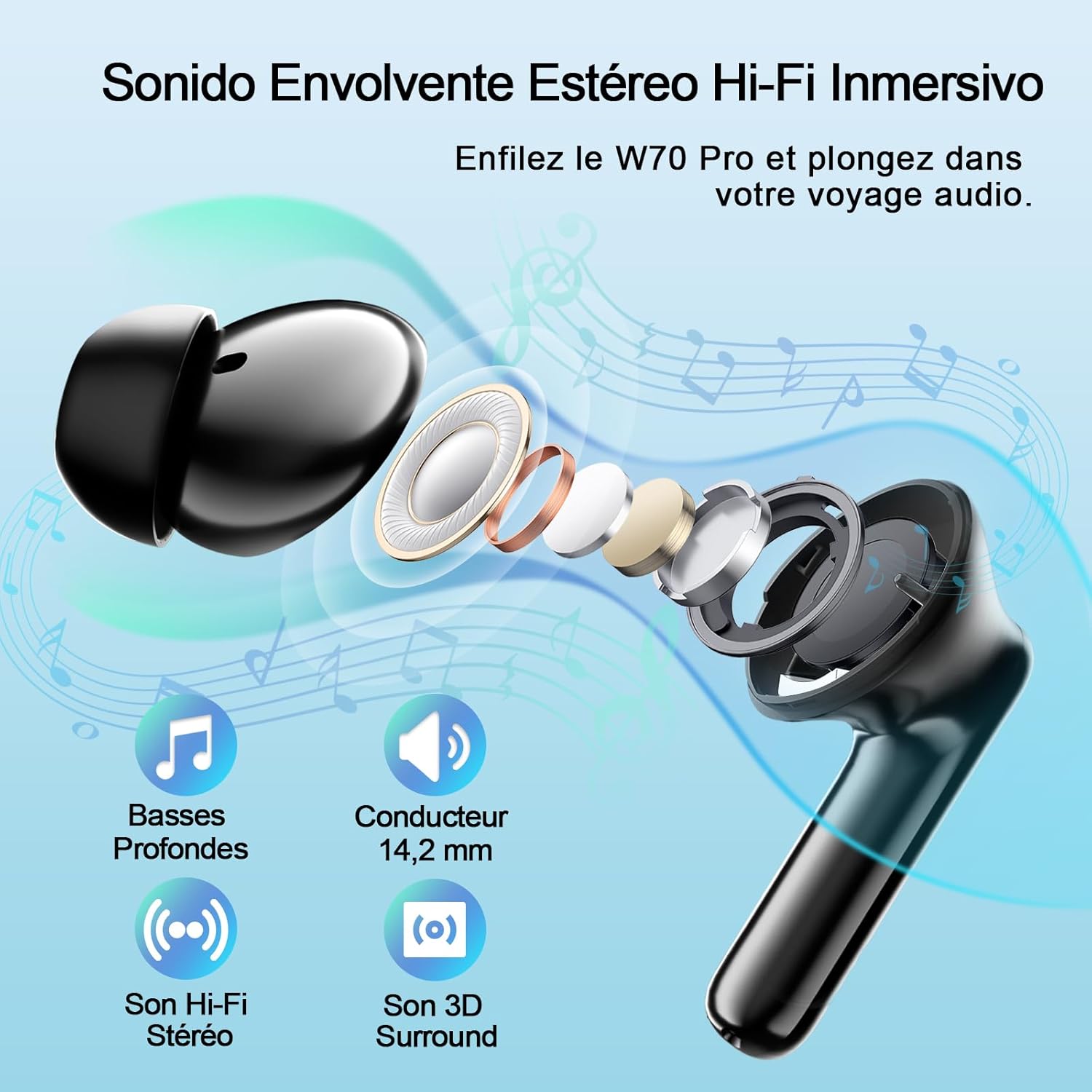
Image 5.4: Immersive Hi-Fi Stereo Sound technology.
6. Charging
The OWMSIC W70 Pro offers extended battery life and convenient charging.
- Earbud Playtime: 6-8 hours on a single charge.
- Total Playtime with Charging Case: Up to 46 hours.
- Charging Case: Provides multiple charges for the earbuds.
- Charging Time: Approximately 1.5 hours for a full charge of the case via USB-C.

Image 6.1: Battery autonomy and charging details.
The LED display on the charging case accurately shows the remaining battery percentage of the case and the individual charge levels of the left and right earbuds.
7. Maintenance
7.1 Cleaning
Regularly clean your earbuds and charging case to ensure optimal performance and hygiene.
- Use a soft, dry, lint-free cloth to wipe the earbuds and charging case.
- Remove ear tips and clean them with mild soap and water, then dry thoroughly before reattaching.
- Do not use abrasive cleaners or sharp objects.
7.2 Water Resistance (IPX7)
The OWMSIC W70 Pro earbuds are IPX7 waterproof, meaning they can withstand immersion in up to 1 meter of water for 30 minutes. This makes them suitable for workouts and use in light rain. However, the charging case is not waterproof. Do not expose the charging case to water.

Image 7.1: OWMSIC W70 Pro earbuds demonstrating IPX7 water resistance.
7.3 Storage
When not in use, store the earbuds in their charging case to protect them and keep them charged. Store the device in a cool, dry place away from extreme temperatures.
8. Troubleshooting
If you encounter issues with your OWMSIC W70 Pro earbuds, refer to the following common solutions:
| Problem | Solution |
|---|---|
| Earbuds not pairing | Ensure earbuds are charged. Place them back in the case, close, then open again. Turn off and on Bluetooth on your device. Forget "W70 Pro" in your device's Bluetooth settings and re-pair. |
| Only one earbud working | Ensure both earbuds are charged. Place both earbuds back in the charging case, close the lid for 5 seconds, then open. They should re-sync automatically. |
| Low volume or poor sound quality | Adjust volume on both your device and the earbuds. Ensure ear tips provide a snug seal. Clean ear tips and earbud mesh. |
| Earbuds not charging | Ensure charging case is charged. Check that earbuds are correctly seated in the case. Clean charging contacts on both earbuds and case. Try a different USB-C cable and power adapter. |
| Touch controls unresponsive | Ensure your fingers are clean and dry. Restart the earbuds by placing them in the case and taking them out. |
9. Specifications
| Feature | Detail |
|---|---|
| Model Name | W70 Pro |
| Bluetooth Version | 5.4 |
| Earbud Weight | 3.9 Grams (each) |
| Water Resistance | IPX7 (Earbuds only) |
| Playtime (Earbuds) | 6-8 hours |
| Total Playtime (with Case) | Up to 46 hours |
| Charging Time | Approx. 1.5 hours (Case) |
| Charging Port | USB-C |
| Microphones | 4 (with ENC Noise Reduction) |
| Control Method | Touch |
| Battery Type | Lithium-ion |
| Connectivity Technology | Wireless (Bluetooth) |
| Recommended Uses | Calls, Running, Cycling, Exercise, Gaming |
10. Warranty and Support
10.1 Warranty Information
The OWMSIC W70 Pro earbuds come with a 2-year manufacturer's warranty from the date of purchase. This warranty covers manufacturing defects and ensures your product is free from material and workmanship flaws under normal use. Please retain your proof of purchase for warranty claims.
10.2 Customer Support
For any questions, technical assistance, or warranty claims, please contact OWMSIC customer service. We offer 24/7 customer support to assist you.
- Online Support: Visit the official OWMSIC website for FAQs and support contact information.
- Email Support: Refer to the contact details provided in your product packaging or on the OWMSIC website.