
1. Introduction
This manual provides detailed instructions for the installation, operation, and maintenance of your ANJIELO SMART Wired Video Door Phone Apartment Intercom System. This system features a 10-inch touch monitor and a 1080P doorbell, offering multiple unlocking methods including fingerprints, RFID cards, passwords, and app control. It is designed to enhance home security and communication.
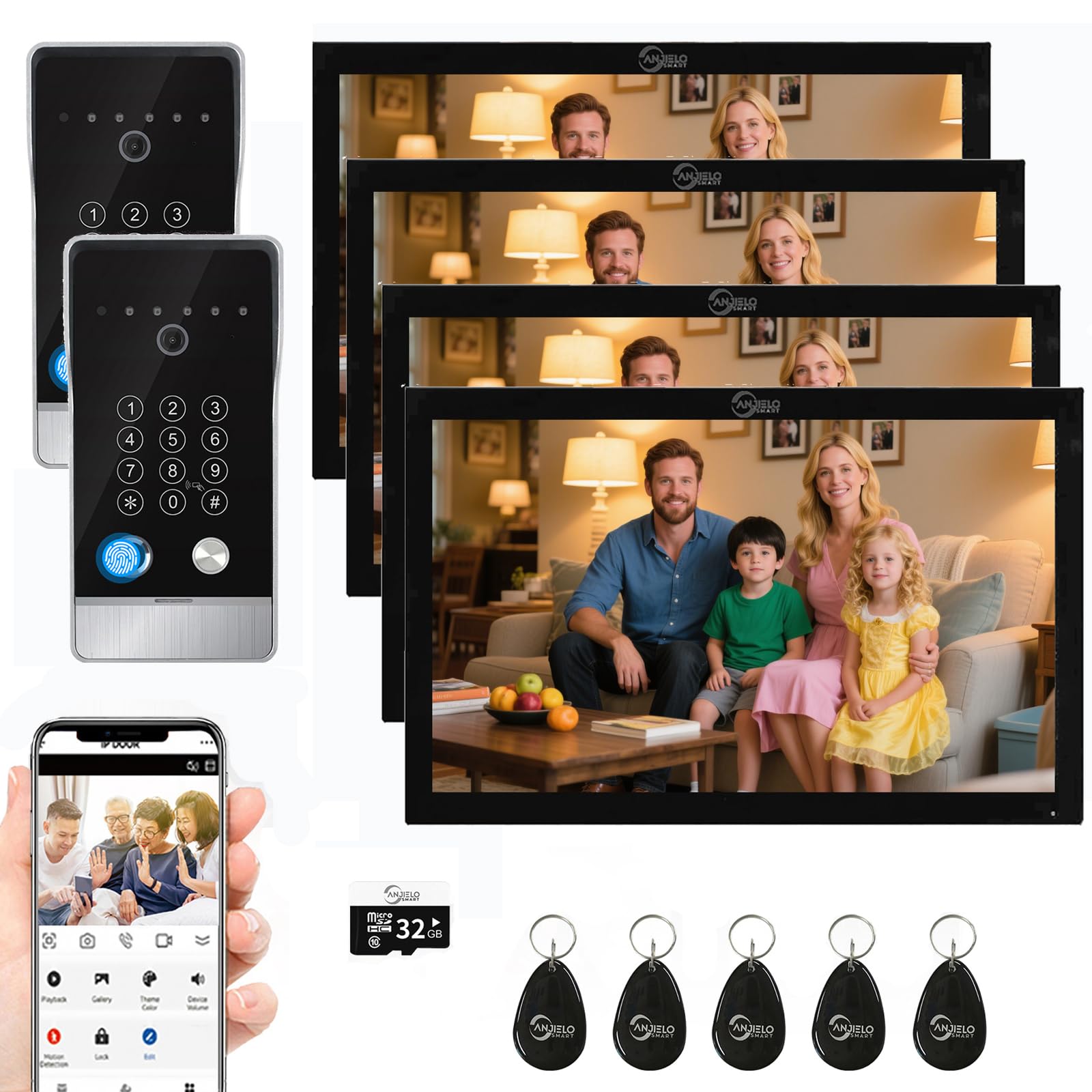
Image: Overview of the ANJIELO SMART Wired Video Door Phone Apartment Intercom System, showing the indoor monitor and outdoor doorbell unit.
2. Package Contents
Please verify that all items listed below are included in your package:
- Doorbell unit(s)
- Indoor Monitor(s)
- User Manual
- 3-meter 4-conductor cable (for each doorbell)
- 1.2-meter external power supply (for each monitor)
- Rain cover (for doorbell)
- 5 RFID passes
- 32GB Micro SD card
3. Specifications
Indoor Touch Monitor:
- Screen: 10 inch TFT LCD touchscreen
- Resolution: 1024 x 680
- Ring Tones: 7 selectable melodies
- Adjustable Settings: Volume, Color
- Connection Type: 4-wire, TUYA WIFI solution
- Panel Material: Acrylic/ABS cover
- Installation: Surface mount
- Input Voltage: AC 100-240V 50/60Hz
- Operating Voltage: DC 12 V, 2 A
- Dimensions: 250 x 190 x 21 mm (approx. 10 x 7 x 1 inches)
Outdoor Doorbell Unit:
- Camera Sensor: 1/2.7 CMOS
- Resolution: 1080P
- Lens: 3.2mm
- Viewing Angle: 148°
- Night Vision: IR LED (120°)
- Power Consumption: 200mA max
- Power Supply: From indoor unit
- Operating Temperature: -40℃~+50℃
- Installation: Surface mount
- Accessories: Rain cover
- Dimensions: 195mm x 98mm x 35mm

Image: Detailed dimensions of the outdoor doorbell unit, showing measurements of 195mm length, 98mm width, and 35mm depth.
4. Setup and Installation
4.1 Wiring Connection
The indoor monitor and outdoor doorbell unit require a wired connection. A 4-conductor cable is necessary to connect the monitor to the doorbell. The system supports connection to 12V electronic locks (lock not included).

Image: Wiring diagram illustrating how to connect the indoor monitors to the outdoor doorbell unit using 4-wire cables, and the doorbell to an electronic lock with 2-wire cables.
- Connect the doorbell to the monitor using the provided 4-conductor cable.
- Ensure all connections are secure to prevent signal loss.
- If connecting an electronic lock, refer to the lock's manual for specific wiring instructions and connect it to the doorbell unit.
4.2 Wi-Fi and App Configuration
The main indoor monitor supports a 2.4 GHz Wi-Fi network connection. This allows for remote access and control via the Tuya app on your smartphone.
- Download the Tuya Smart or Smart Life app from the App Store (iOS) or Google Play Store (Android).
- Register or log in to your Tuya account.
- Follow the in-app instructions to add your main indoor monitor to the Wi-Fi network. Ensure your router is set to 2.4 GHz.
- Once connected, you can view visitor information and control the system remotely through the app.

Image: Illustration showing the Tuya Smart app interface on a mobile phone, alongside the indoor monitor and a laptop displaying the system's view, highlighting 2-way audio capabilities.
5. Operating Instructions
5.1 Two-Way Audio Communication
The system supports two-way audio, allowing you to communicate with visitors at your door. When a visitor presses the doorbell, you can see and speak to them through the indoor monitor or your connected mobile phone.

Image: A person interacting with the indoor monitor, showing a visitor on screen and text bubbles indicating a two-way conversation.
5.2 Unlocking Methods (5-in-1)
Your video doorbell offers five methods to unlock the door, providing flexibility and convenience:
- Monitor Unlock: Directly unlock from the indoor monitor.
- Fingerprint Unlocking: Use registered fingerprints on the doorbell unit.
- Password Unlock: Enter a pre-set password on the doorbell keypad.
- RFID Card Unlock: Use the provided RFID cards by tapping them on the doorbell unit.
- Mobile Phone Unlock: Remotely unlock the door via the Tuya app.

Image: Visual representation of the five unlocking methods: Monitor, Fingerprint, Password, IC Card, and Tuya App.

Image: Close-up view of the doorbell unit with icons illustrating the five unlocking methods: Monitor Unlock, Fingerprint Unlocking, Password Unlock, RFID Card Unlock, and Mobile Phone Unlock.
5.3 Automatic Recording and Motion Detection
The system is equipped with motion detection. When a visitor presses the doorbell or motion is detected, the doorbell camera automatically records video or captures snapshots. These recordings are saved to the included 32GB Micro SD card. You can review these recordings on your mobile phone or the indoor monitor.
5.4 Viewing Options
You can monitor your property through three channels:
- External Camera: Direct view from the doorbell camera.
- Indoor Monitor: View live feed and recordings on the 10-inch touchscreen.
- Smartphone/Computer: Access live view and recordings remotely via the Tuya app or by logging into your Tuya account online.

Image: Examples of the indoor monitor installed in different rooms such as a living room, bedroom, kitchen, and study room, demonstrating its versatile placement.
6. Maintenance
To ensure optimal performance and longevity of your intercom system, follow these maintenance guidelines:
- Cleaning: Use a soft, dry cloth to clean the monitor screen and doorbell unit. Avoid abrasive cleaners or solvents.
- Weather Protection: Ensure the doorbell's rain cover is properly installed to protect it from harsh weather conditions.
- Cable Integrity: Periodically check all wired connections for any signs of wear or damage. Secure any loose connections.
- Software Updates: Check the Tuya app regularly for any available firmware updates for your device to ensure the latest features and security patches.
7. Troubleshooting
If you encounter issues with your ANJIELO SMART intercom system, refer to the following common troubleshooting steps:
- No Power to Monitor/Doorbell:
- Check if the power adapter is securely plugged into the monitor and a working power outlet.
- Verify that the power supply to the doorbell from the indoor unit is active and correctly wired.
- No Video/Audio from Doorbell:
- Ensure the 4-conductor cable connecting the doorbell and monitor is securely attached at both ends.
- Inspect the cable for any visible damage.
- Restart both the monitor and doorbell unit by disconnecting and reconnecting their power.
- Wi-Fi Connection Issues:
- Confirm your home Wi-Fi network is 2.4 GHz. The system does not support 5 GHz networks.
- Ensure the monitor is within range of your Wi-Fi router.
- Restart your Wi-Fi router and attempt to reconnect the monitor via the Tuya app.
- Verify your Wi-Fi password is entered correctly in the app.
- Unlocking Methods Not Working:
- For fingerprint/RFID, ensure the sensor/reader is clean and your finger/card is placed correctly.
- For password, double-check the entered code.
- For app unlock, ensure the monitor has an active internet connection and the app is logged in.
- Poor Image Quality/Night Vision:
- Clean the doorbell camera lens with a soft cloth.
- Ensure there are no obstructions blocking the camera's view or the IR LEDs for night vision.
If problems persist after attempting these steps, please contact ANJIELO SMART customer support for further assistance.
8. Warranty and Support
ANJIELO SMART products are designed for reliability and performance. For information regarding warranty coverage, please refer to the warranty card included with your product or visit the official ANJIELO SMART website.
For technical support, troubleshooting assistance, or inquiries about your product, please contact ANJIELO SMART customer service. Contact details can typically be found on the product packaging, the official website, or within the Tuya app's support section.
When contacting support, please have your product model number (64220F-B+61010B) and purchase information readily available.


