
Sellrich 8 Core 6G+128G Car Radio Stereo
Sellrich 9-inch Android Car Radio Stereo User Manual
Model: 8 Core 6G+128G Car Radio Stereo Upgrade for Ford Fiesta (2009-2016)
1. Introduction
This manual provides comprehensive instructions for the installation, operation, and maintenance of your new Sellrich 9-inch Android Car Radio Stereo. This unit is specifically designed as an upgrade for Ford Fiesta models manufactured between 2009 and 2016, provided they have the "PASS AIRBAG OFF" button. Please read this manual thoroughly before installation and use to ensure proper function and safety.
2. Safety Information
- Always ensure the vehicle's ignition is off and the battery is disconnected before performing any installation or wiring.
- Improper installation can lead to electrical shorts, damage to the vehicle's electrical system, or personal injury. If you are unsure about any step, seek professional assistance.
- Do not operate the device in a way that distracts you from driving. Always prioritize road safety.
- Keep the device away from water, moisture, and extreme temperatures.
- Use only specified accessories and parts.
3. Package Contents
Verify that all items listed below are included in your package:
- Car Stereo (with Frame)
- Backup Camera
- Canbus Decoder
- External Microphone
- GPS Antenna
- RCA Cable
- Power Cable
- Radio Antenna
- Installation Tool Kit
- USB Cables (4-pin and 6-pin)
- Rear Camera Input Cable
- Adapter Cable
- Adapter Antenna
- User Manual (this document)

Image: Visual representation of the car stereo unit and all included accessories.
4. Setup and Installation
4.1. Compatibility Check
This car radio is compatible with Ford Fiesta models from 2009 to 2016. Crucially, your vehicle's dashboard must have a "PASS AIRBAG OFF" button for proper fitment and function. Please refer to the images below to confirm compatibility with your vehicle's dashboard.

Image: Comparison of the Ford Fiesta dashboard before and after the installation of the Sellrich car radio.

Image: Visual guide for Ford Fiesta dashboard compatibility, highlighting the "PASS AIRBAG OFF" button requirement.
4.2. General Installation Steps
The unit is designed for plug-and-play installation. However, basic automotive electrical knowledge is recommended. Always disconnect the car battery before starting the installation.
- Carefully remove the original car radio and dashboard trim.
- Connect the provided power cable and CANbus decoder to the vehicle's wiring harness.
- Connect the GPS antenna and radio antenna to the corresponding ports on the new head unit. Position the GPS antenna in a location with a clear view of the sky.
- If installing the backup camera, follow the specific wiring instructions below.
- Connect any additional accessories (e.g., external microphone, USB cables).
- Carefully mount the new car stereo into the dashboard opening.
- Reconnect the car battery and test all functions before reassembling the dashboard trim.
4.3. Backup Camera Connection
The included AHD backup camera enhances reversing safety. Follow these steps to connect it:

Image: Detailed wiring diagram for connecting the backup camera to the car stereo and vehicle's reverse lights.
- Connect the Reversing Camera Input Cable: Even if you are not using the backup camera immediately, ensure the white plug of the reversing camera input cable is connected to the radio. This connection is crucial for Bluetooth and Wi-Fi signals.
- Power Connection (Backup Camera):
- Connect the red wire (positive) of the backup camera's power cable to the positive terminal of your vehicle's reverse light.
- Connect the black wire (negative) of the backup camera's power cable to the negative terminal of your vehicle's reverse light.
- Video Signal Connection: Connect the yellow RCA video cable from the backup camera to the "CAM IN" or "REVERSE IN" RCA input on the car stereo.
- Reverse Trigger: The stereo controls the reversing trigger automatically. There is no need to connect a separate reverse trigger wire (often labeled "BACK" or "REVERSE") from the camera harness to the stereo.
5. Operating Instructions
Your Sellrich car stereo runs on an Android 15 operating system with an 8-core CPU, 6GB RAM, and 128GB ROM, ensuring smooth and responsive performance.
5.1. Wireless Carplay & Android Auto / Mirror Link
Connect your smartphone for seamless integration and access to navigation, calls, messages, and music.
- Wireless Carplay & Android Auto: Supports both wired and wireless connections. Once connected, you can use voice commands (Siri or Google Assistant) for navigation, making calls, sending messages, and playing music, keeping your hands free for driving.
- Mirror Link: Supports wireless and wired Mirror Link, allowing you to project your phone's screen directly onto the car radio display for enhanced entertainment.
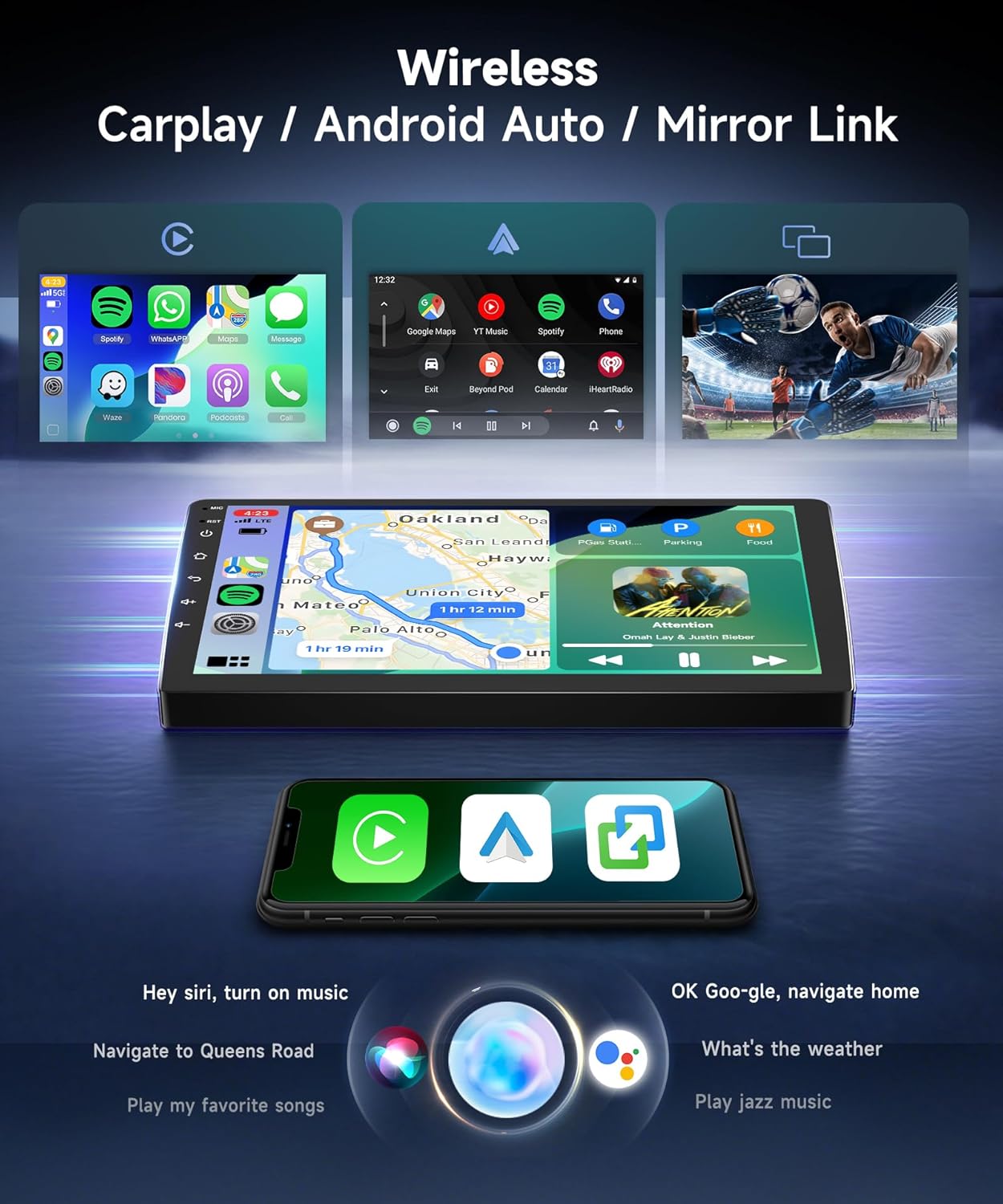
Image: The car stereo screen showing examples of Wireless Carplay, Android Auto, and Mirror Link functionality.
5.2. GPS Navigation
The unit features built-in GPS for reliable navigation.
- Online Maps: Connect to Wi-Fi (via 5G Wi-Fi hotspot) to use online navigation apps like Google Maps or Waze.
- Offline Maps: Download offline maps for navigation without an internet connection.
- The system allows you to download various navigation and other applications from the app store.

Image: The car stereo displaying GPS navigation, with an external GPS antenna shown.
5.3. Bluetooth 5.0 & Audio Features
Experience enhanced connectivity and audio quality.
- Bluetooth 5.0: Provides faster, more stable, and smoother connections for hands-free calls and music streaming. Supports phonebook synchronization.
- FM/RDS Radio: Access 18 preset radio stations to stay updated with real-time traffic, news, and music broadcasts.
- DSP 32 EQ Audio: The Digital Sound Processor (DSP) with 32-band Equalizer allows for precise audio tuning and customization of your music style.

Image: The car stereo displaying Bluetooth 5.0 features, including hands-free calling and music playback.
5.4. Display and User Interface
The 9-inch 1280*720 IPS high-resolution touchscreen offers a clear and responsive visual experience.
- IPS Display: Provides wide viewing angles and vibrant colors.
- 2.5D Tempered Glass: Enhances durability and touch sensitivity.
- UI Themes: Customize your experience with 63 different desktop themes. Long-press on a blank space on the homepage to change themes.

Image: The 9-inch HD IPS touchscreen with 1280x720 resolution, highlighting its clarity and responsiveness.
5.5. AHD Backup Camera & Steering Wheel Control
- AHD Night Vision Reversing Camera: The included camera provides clear video input for safer and easier reversing, even in low-light conditions.
- Steering Wheel Control (SWC): The unit supports your vehicle's existing steering wheel controls, allowing you to manage audio and other functions without taking your hands off the wheel.
- Optional Accessories: The system supports additional accessories like 360° Panoramic View cameras, OBD (On-Board Diagnostics), DVR (Dash Cam), and DAB+ (Digital Audio Broadcasting), which are not included in the standard package.

Image: The HD backup camera display on the car stereo, along with illustrations of optional accessories like 360° camera, OBD, DVR, and DAB.
6. Maintenance
- Cleaning the Screen: Use a soft, lint-free cloth to gently wipe the touchscreen. For stubborn smudges, slightly dampen the cloth with water or a screen-safe cleaner. Avoid harsh chemicals or abrasive materials.
- Software Updates: Periodically check for software updates through the system settings to ensure optimal performance and access to new features.
- General Care: Avoid exposing the unit to direct sunlight for extended periods when parked, as extreme heat can affect electronics. Ensure proper ventilation around the unit.
7. Troubleshooting
| Problem | Possible Cause | Solution |
|---|---|---|
| Unit does not power on. | Loose power connection, blown fuse, vehicle battery issue. | Check all power cable connections. Inspect vehicle fuses. Ensure car battery is charged. |
| No sound. | Volume too low, mute activated, speaker wiring issue, incorrect audio output setting. | Increase volume. Check if mute is active. Verify speaker connections. Check audio settings. |
| GPS signal is weak or inaccurate. | GPS antenna improperly placed, antenna faulty, environmental interference. | Ensure GPS antenna has a clear view of the sky. Check antenna connection. Try moving the antenna. |
| Bluetooth connection issues. | Device not discoverable, incorrect pairing, interference. | Ensure Bluetooth is enabled on both devices. Delete previous pairings and re-pair. Move devices closer. |
| Backup camera not displaying. | Camera power issue, video cable loose, incorrect input selected. | Check camera power and video cable connections. Ensure the white plug of the reversing camera input cable is connected to the radio. |
| Touchscreen unresponsive. | Software glitch, screen damage. | Restart the unit (press and hold the power button). If issue persists, contact support. |
If you encounter problems not listed here or if the suggested solutions do not resolve the issue, please contact Sellrich customer support.
8. Specifications
| Brand | Sellrich |
| Screen Size | 9 Inches |
| Display Type | LCD, Capacitive Touchscreen |
| Resolution | 1280*720 IPS |
| Operating System | Android 15 |
| CPU | 8 Core |
| RAM | 6GB |
| Memory Storage Capacity | 128 GB |
| Connectivity Technology | Bluetooth 5.0, Wi-Fi (5G) |
| Audio Output Mode | Bluetooth, FM/RDS |
| Special Features | Wireless Carplay, Android Auto, DSP/32 EQ, Support 360° Panoramic View camera (optional), OBD (optional), DVR (optional), DAB+ (optional) |
| Supported Satellite Navigation System | GPS (Online/Offline Maps) |
| Item Weight | 3902 Grams |
9. Warranty and Support
Warranty: This Sellrich car stereo comes with a 2-year warranty from the date of purchase, covering manufacturing defects. Please retain your proof of purchase for warranty claims.
Customer Support: For technical assistance, troubleshooting, or warranty inquiries, please contact Sellrich customer support through the retailer where you purchased the product or visit the official Sellrich website for contact information.