
1. Introduction
Thank you for purchasing the Ulanzi A200 Wireless Lavalier Microphone. This manual provides essential information for the safe and effective use of your device. Please read it thoroughly before use and retain it for future reference.
2. Product Overview
The Ulanzi A200 is a compact and lightweight wireless microphone system designed for high-quality audio recording across various platforms, including smartphones, cameras, and PCs. It features advanced noise cancellation, a wide transmission range, and extended battery life.
2.1 Package Contents
- Transmitter (TX) x 2
- Receiver (RX) x 1
- Charging Case x 1
- Wind Muff x 2
- Type-C Data Cable x 1
- Instruction Manual x 1

Image: Contents of the Ulanzi A200 Wireless Microphone package.
2.2 Key Features
- Hi-Fi Studio-Grade Sound: 48kHz audio sampling, 120dB SPL maximum sound pressure level, 75dB S/N ratio, and omnidirectional pickup for clear audio.
- Advanced Noise Cancellation: Equipped with ENC noise cancellation to suppress ambient noise and enhance voice clarity.
- Extended Transmission Range: Stable wireless transmission up to 100 meters in open environments.
- Long Battery Life: Up to 6 hours of use per microphone, with the charging case providing an additional 1.5 charges for a total of up to 30 hours.
- Instant Connection: Automatic pairing upon connection to a device, requiring no complex setup or apps.
- Wide Compatibility: Supports smartphones, some action cameras, and PCs with Type-C audio transmission capabilities.
- Ultra-Lightweight and Portable: Each transmitter weighs only 6g, and the compact charging case fits easily into a pocket.

Image: The Ulanzi A200 Wireless Microphone system, including two transmitters, one receiver, and the charging case.
3. Setup
3.1 Initial Charging
Before first use, fully charge the charging case and both transmitters. Connect the provided Type-C cable to the charging case and a power source. The LED display on the case will indicate the charging status.
3.2 Automatic Pairing
- Remove the receiver from the charging case.
- Plug the receiver into the Type-C port of your recording device (smartphone, camera, or PC). Ensure your device supports audio transmission via its Type-C port.
- Remove the transmitters from the charging case. They will automatically power on and pair with the receiver. The indicator light on the transmitters will show a solid green when successfully paired.

Image: The Ulanzi A200 receiver being plugged into a smartphone, demonstrating automatic pairing.
4. Operating Instructions
4.1 Wearing the Transmitter
The Ulanzi A200 transmitters are designed with a clip for easy attachment. Clip the microphone to your collar, lapel, or any suitable clothing item, ensuring the microphone head faces towards your mouth for optimal sound capture. The lightweight design (6g) ensures comfort during extended use.
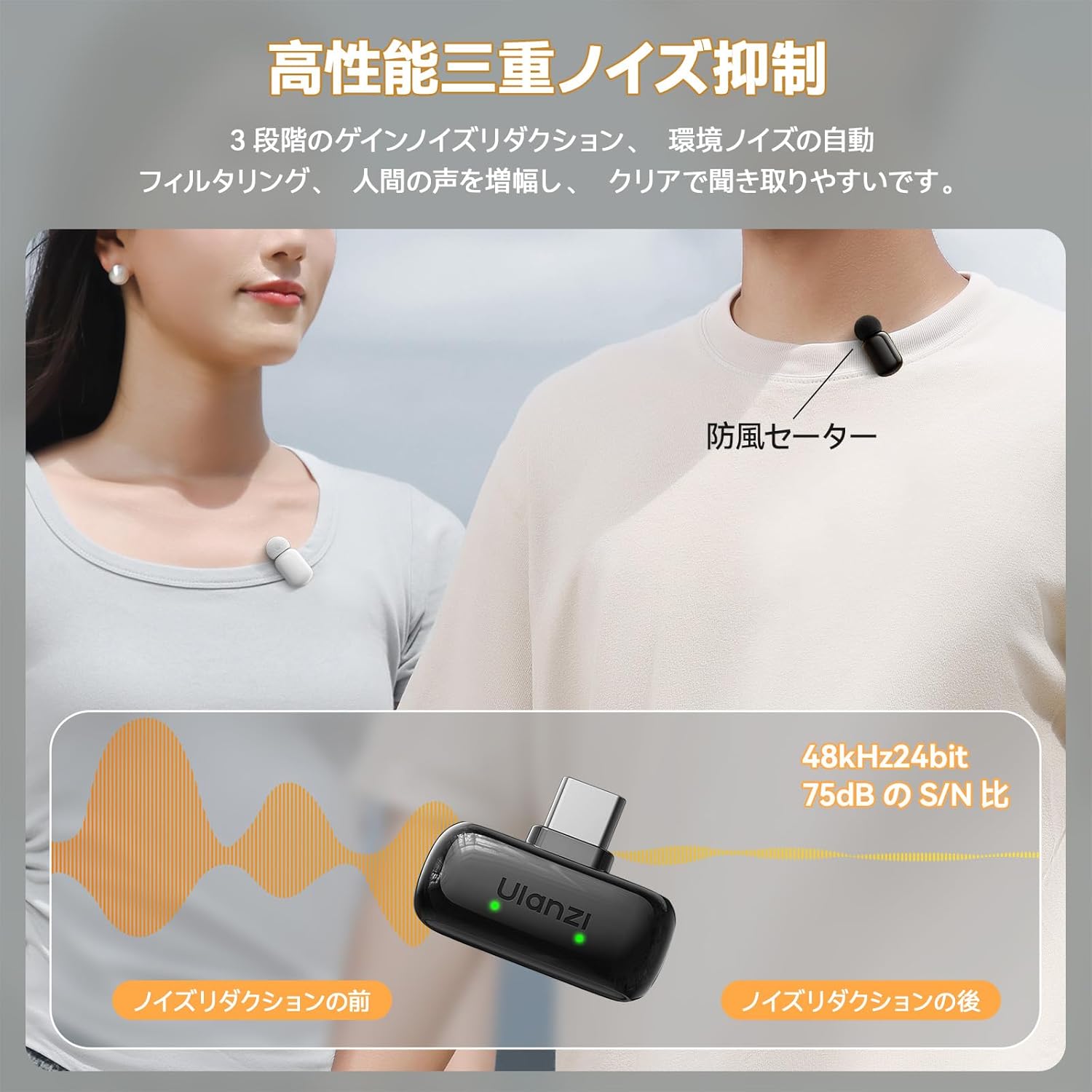
Image: A Ulanzi A200 transmitter clipped to a shirt collar.
4.2 Recording Audio
Once the receiver is connected and transmitters are paired, open your device's native camera or audio recording application. The Ulanzi A200 will be automatically recognized as the audio input source. Begin recording as usual. The microphone features 360° omnidirectional sound pickup, capturing audio from all directions.
4.3 Noise Cancellation
The Ulanzi A200 incorporates an intelligent AI noise cancellation chip and a high-density windproof sponge to effectively reduce environmental noise. This feature is automatically active to provide clearer audio. Please note that there is no manual control to disable or adjust the noise cancellation level on the device itself.

Image: Diagram illustrating the noise reduction capability of the Ulanzi A200 microphone.
5. Compatibility
The Ulanzi A200 is compatible with a wide range of devices that support audio input via a Type-C interface. This includes:
- Smartphones (Android, iOS with Type-C port)
- Action Cameras (select models with Type-C audio input)
- Personal Computers (PCs)
Important: Ensure your device and the cable used support audio transmission through the Type-C interface for proper functionality.

Image: The Ulanzi A200 receiver connected to various devices, including a smartphone, action camera, and laptop, highlighting its broad compatibility.
6. Charging and Battery
6.1 Battery Life
- Transmitter Battery: 70mAh, approximately 6 hours of continuous use.
- Charging Case Battery: 350mAh, provides approximately 1.5 full charges for both transmitters.
- Total Usage Time: Up to 30 hours with the charging case.
6.2 Battery Level Display
The charging case features a digital display that shows the remaining battery percentage of the case and the charging status of the transmitters, allowing you to monitor power levels at a glance.

Image: The Ulanzi A200 charging case displaying battery levels and the microphones.
6.3 Charging Pass-Through
The receiver includes a Type-C port that allows for charging your connected smartphone or device while the microphone system is in use. This pass-through charging is one-way, meaning it provides power to your recording device but cannot be used to charge the microphone's charging case from your device.

Image: The Ulanzi A200 receiver plugged into a smartphone, with a charging cable connected to the receiver's pass-through port, allowing the phone to charge during use.
7. Maintenance
- Keep the microphones and charging case clean and dry. Use a soft, dry cloth for cleaning.
- Avoid exposing the device to extreme temperatures, humidity, or direct sunlight.
- Store the device in its charging case when not in use to protect it and keep it charged.
- Do not attempt to disassemble or repair the device yourself. Contact customer support for assistance.
8. Troubleshooting
| Issue | Possible Cause | Solution |
|---|---|---|
| No sound or poor sound quality | Microphone not paired; low battery; incorrect device settings; receiver not fully inserted. | Ensure receiver is fully inserted and transmitters are paired (solid green light). Check device's audio input settings. Charge the microphones and case. |
| Limited wireless range or dropouts | Obstructions between transmitter and receiver; electromagnetic interference. | Reduce distance between devices. Minimize obstructions. Avoid areas with strong electromagnetic interference. Note that the effective range can be significantly reduced by obstacles. |
| Device not recognizing microphone | Device does not support Type-C audio input; receiver not fully inserted. | Verify your device's Type-C port supports audio input. Ensure the receiver is securely connected. Try restarting your recording device. |
| Cannot disable noise cancellation | Noise cancellation is an integrated, automatic feature. | The Ulanzi A200's noise cancellation is always active and cannot be manually turned off or adjusted. |
| Low-frequency audio is weak | Product design characteristic. | The Ulanzi A200 is tuned to emphasize vocal clarity and may exhibit a reduced response below 200Hz. This is a characteristic of the microphone's design. |
| Only mono recording available | Product design characteristic. | The Ulanzi A200 combines both microphone inputs into a single mono channel. It does not support separate stereo channel recording. |
9. Specifications
| Feature | Specification |
|---|---|
| Brand | ULANZI |
| Model | A200 |
| Color | Black + White |
| Microphone Form Factor | Pin Microphone (Lavalier) |
| Audio Sensitivity | 75 dB |
| Signal-to-Noise Ratio (S/N) | 75 dB |
| Frequency Response | 48 KHz |
| Special Features | Noise Cancelling, 360° Sound Pickup |
| Transmission Distance | Up to 100m (unobstructed) |
| Transmitter Weight | Approx. 6g |
| Transmitter Battery | 3.8V 70mAh (0.266Wh) Polymer Lithium |
| Transmitter Charging Time | Approx. 1.5 hours |
| Transmitter Usage Time | Approx. 6 hours |
| Receiver Weight | Approx. 3.6g |
| Charging Case Battery | 3.7V 350mAh (1.295Wh) Polymer Lithium |
| Charging Case Charging Time | Approx. 1.5 hours |
| Country of Origin | China |
9.1 Dimensions
| Component | Dimensions (L x W x H) |
|---|---|
| Transmitter | 32 x 16 x 18 mm |
| Receiver | 31 x 24 x 10 mm |
| Charging Case | 68 x 50 x 26 mm |

Image: Detailed dimensions of the Ulanzi A200 transmitter.

Image: Detailed dimensions of the Ulanzi A200 receiver.

Image: Detailed dimensions of the Ulanzi A200 charging case.
10. Warranty and Support
The Ulanzi A200 Wireless Lavalier Microphone comes with a 12-month warranty from the date of purchase. This warranty covers manufacturing defects. In case of initial defects or any issues during the warranty period, please contact Ulanzi customer support for a full refund or exchange.
For further assistance or inquiries, please refer to the contact information provided on the Ulanzi official website or your purchase platform.
11. Product Video Overview
Video: An official product overview demonstrating the features and usage of the Ulanzi A200 Wireless Lavalier Microphone.