
Introduction
The HotHat 12.5'' Portable DVD Player is designed for versatile entertainment on the go. Featuring a 10.1" HD swivel screen, a 6-hour rechargeable battery, and broad media compatibility, this player is ideal for kids and car travel. It supports various disc formats, SD cards, and USB drives, offering a convenient and enjoyable viewing experience.
Package Contents
Ensure all items are present in the package:
- HotHat 12.5'' Portable DVD Player x 1
- Remote Control (batteries not included) x 1
- DC Power Charger x 1
- Car Charger x 1
- 3-in-1 AV Cable x 1
- Instruction Manual x 1
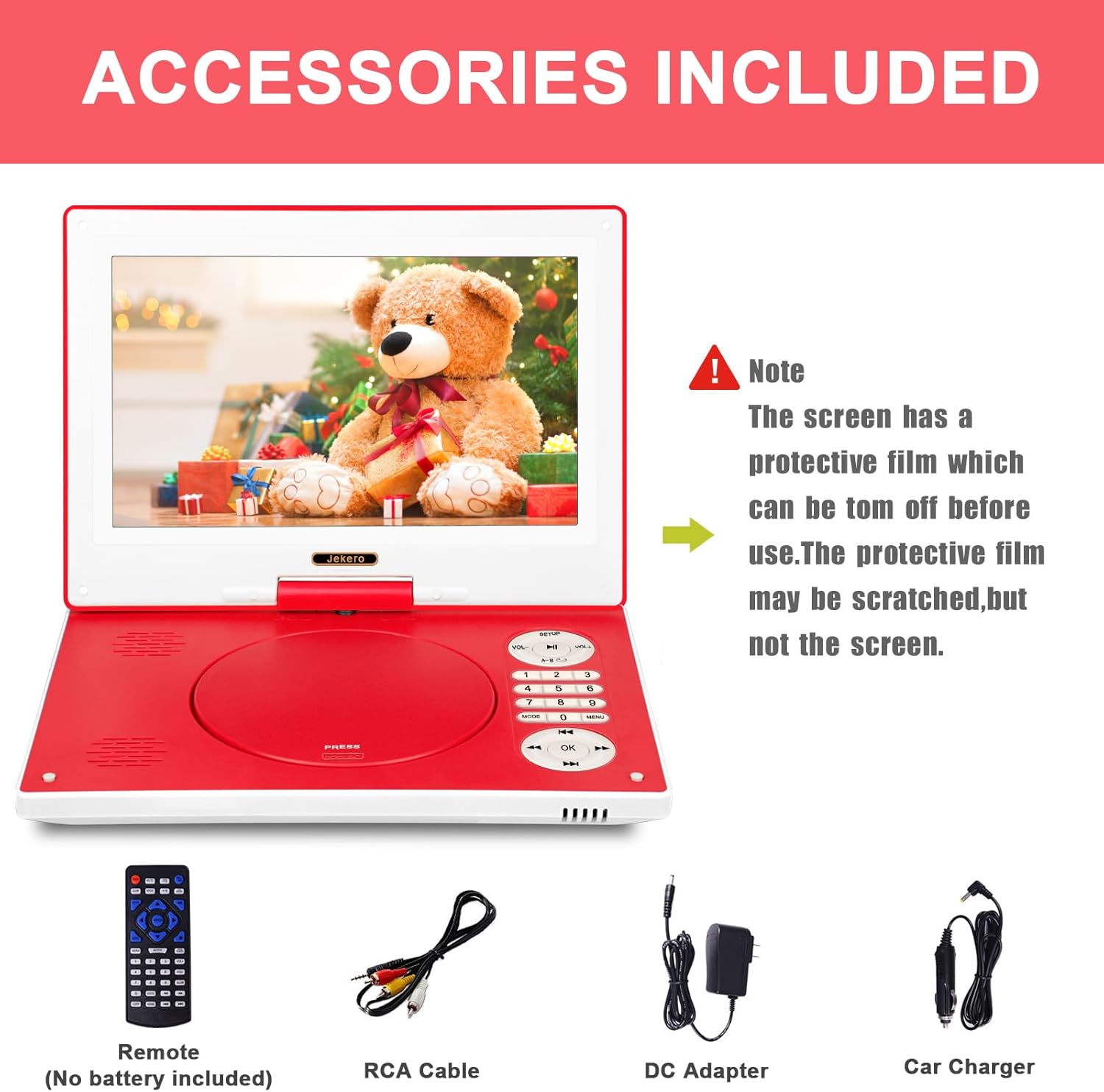
Image: HotHat Portable DVD Player with its essential accessories, including the remote control, DC power charger, car charger, and 3-in-1 AV cable.
Product Features
HD Rotating Display
The 10.1" portable DVD player features a 1024*600 rotatable screen with 270-degree rotation and 180-degree flip functions. This provides an excellent viewing angle and easy positioning, making it an ideal companion for watching movies on the road or at home.
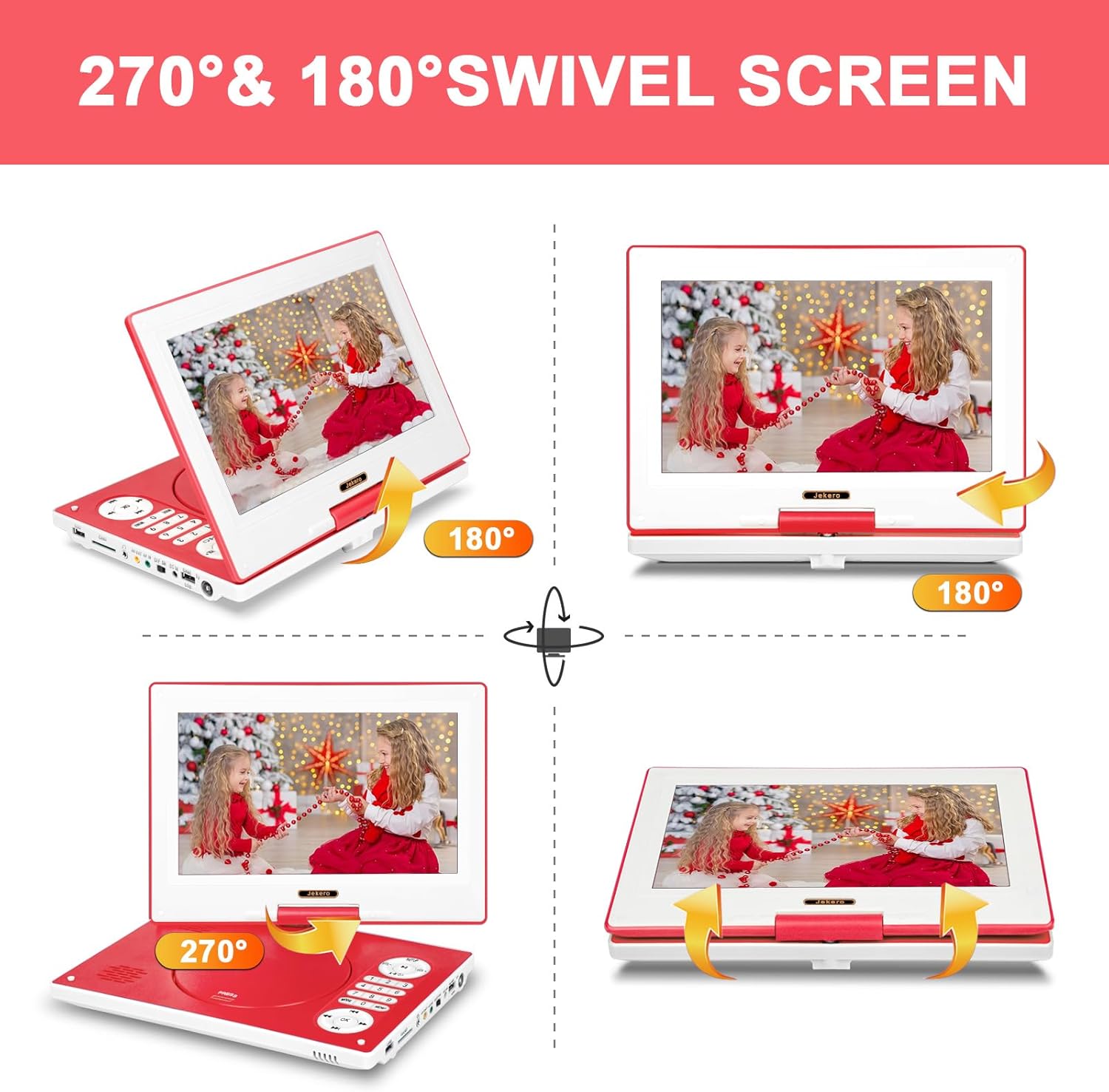
Image: The 10.1-inch screen of the HotHat Portable DVD Player demonstrating its 270-degree rotation and 180-degree flip capabilities for flexible viewing.
Long-lasting Battery & Anti-shock Protection
A 3500mAh rechargeable battery ensures up to 6 hours of continuous playback. The included UL car charger allows for extended use during car journeys. An anti-shock function protects the disc and minimizes video interruptions caused by movement or shaking.
SYNC TV & High Volume Audio
Utilize the AV cable video output to connect the player to a larger TV or projector for an enhanced viewing experience. The player includes an audio jack for headphones and two built-in speakers for clearer and brighter sound. You can also connect external audio equipment for greater sound output.
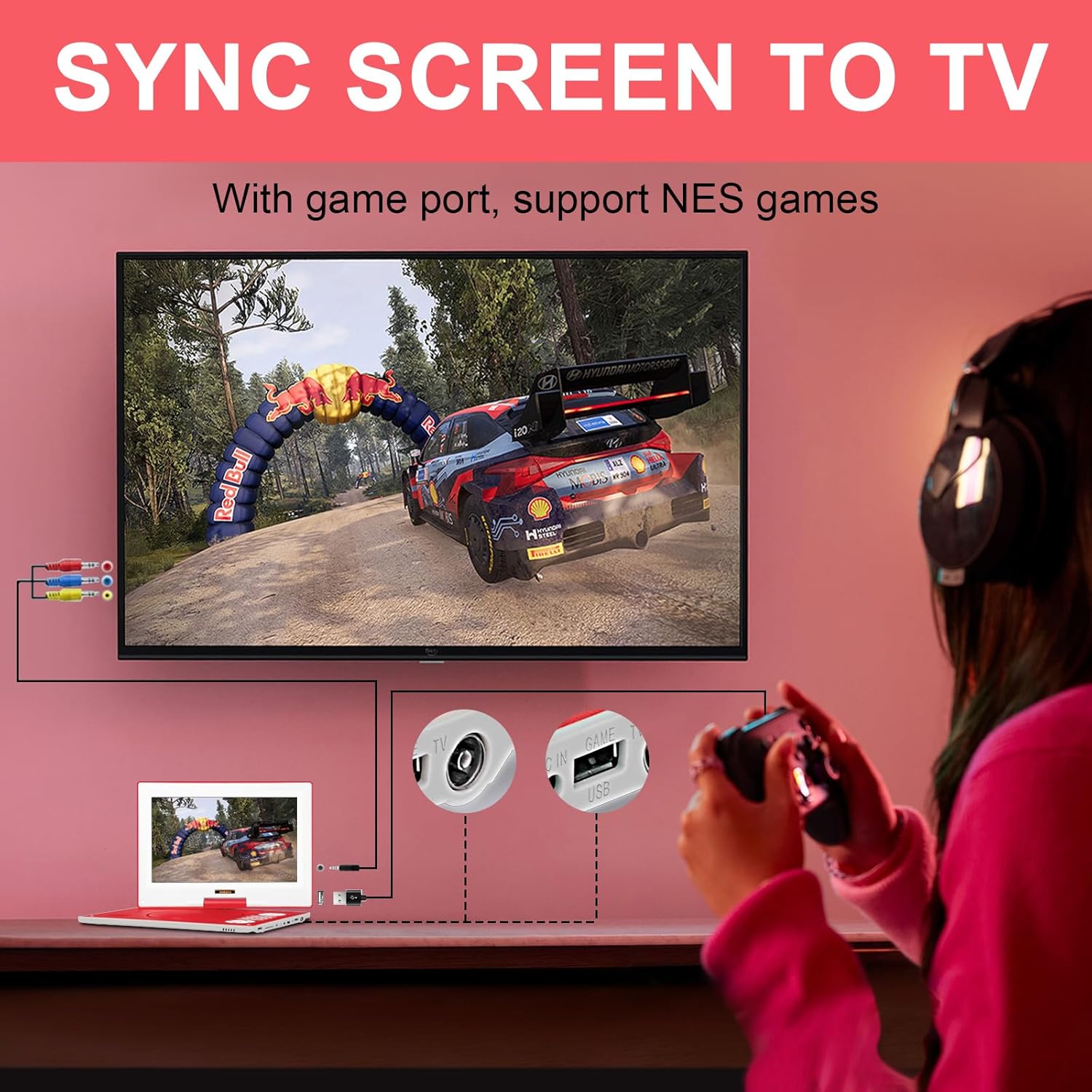
Image: The HotHat Portable DVD Player connected to a television, demonstrating its ability to sync the screen content to a larger display for a shared viewing experience.
Wide Compatibility
This portable DVD player supports all region discs, including DVD, CD-R(RW), DVD R(+R), DVD-RW(+RW), CVD(SVCD), VCD(DVcD), CD, etc. It also supports USB drives and SD cards up to 32GB (Blu-ray discs are not supported).
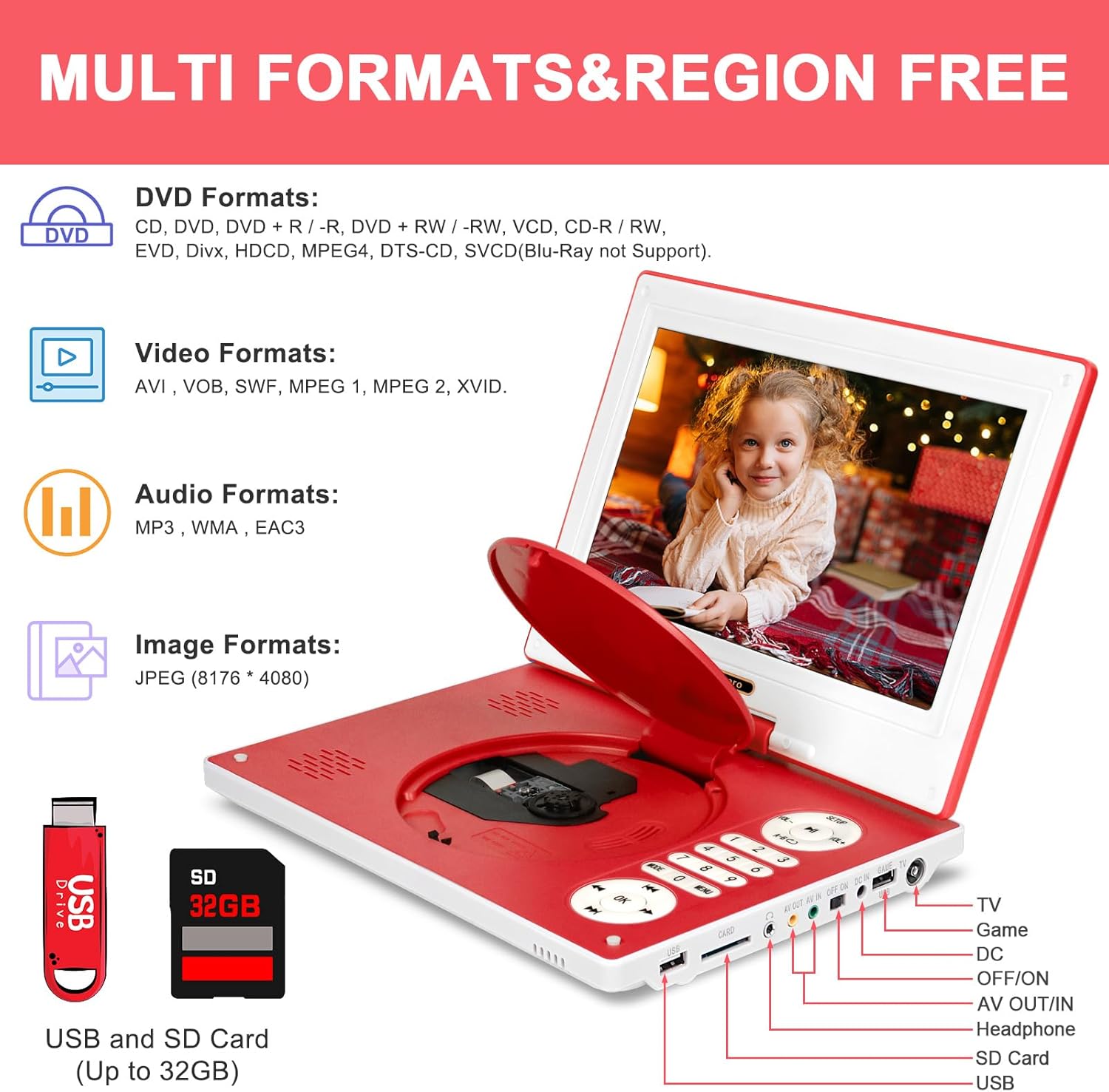
Image: The HotHat Portable DVD Player highlighting its multi-format compatibility and various input/output ports, including USB, SD card slot, AV out/in, headphone jack, and game port.
Break-Point Memory & Other Functions
The portable DVD player features a break-point memory function, allowing it to resume playback from where it last stopped. Other functions include support for 8-bit NES individual players, AB repeat, and an easy-to-use remote control.

Image: The HotHat Portable DVD Player illustrating its 'Last Memory Function', where a video automatically resumes playback from the exact point it was paused or the device was turned off.
Setup
- Charging the Battery: Before first use, fully charge the player using the provided DC power charger or car charger. The charging indicator light will show the status.
- Power On/Off: Locate the ON/OFF switch on the side of the player. Slide it to the 'ON' position to power on the device.
- Loading a Disc: Gently open the disc lid. Place your DVD or CD onto the spindle, ensuring it clicks into place. Close the lid firmly.
- Connecting to TV (Optional): Use the 3-in-1 AV cable to connect the player's AV OUT port to your TV's AV IN ports (Yellow for video, White/Red for audio). Select the correct AV input on your TV.
- Using USB/SD Card (Optional): Insert a USB drive into the USB port or an SD card into the CARD slot. Use the player's menu or remote to select the desired media type.
Operating Instructions
- Basic Playback: After loading a disc or selecting media from USB/SD, the player will typically start playback automatically. Use the Play/Pause, Stop, Forward, and Rewind buttons on the player or remote control to manage playback.
- Volume Control: Adjust the volume using the 'VOL+' and 'VOL-' buttons on the player or the remote control.
- Screen Adjustment: The 10.1" HD screen can swivel 270 degrees and flip 180 degrees. Adjust the screen to your preferred viewing angle. You can also fold the screen flat against the player for a tablet-like experience.
- Menu Navigation: Use the 'MENU' button on the player or remote to access disc menus or media selection options. Use the arrow keys and 'OK' button to navigate.
- Break-Point Memory: The player automatically saves your last playback position. When you power it on again, it will prompt you to resume from where you left off.
Media Playback & Compatibility
The HotHat Portable DVD Player offers extensive compatibility for various media formats:
- Disc Formats: Supports DVD, CD-R(RW), DVD R(+R), DVD-RW(+RW), CVD(SVCD), VCD(DVcD), CD.
- Region Free: Play discs from any region without restrictions.
- USB & SD Card: Compatible with USB drives and SD cards up to 32GB.
- Media Types: Supports various audio, video, and image files from USB/SD.
- Note: Blu-ray discs are not supported.
Maintenance
- Cleaning: Use a soft, dry cloth to clean the screen and exterior of the player. Do not use liquid cleaners or abrasive materials.
- Disc Care: Handle discs by their edges to avoid fingerprints and scratches. Store discs in their cases when not in use.
- Storage: When not in use, store the player in a cool, dry place away from direct sunlight and extreme temperatures.
- Protective Film: The screen comes with a protective film that can be removed before use. This film may get scratched, but the screen itself will remain protected.
Troubleshooting
- No Power: Ensure the battery is charged or the player is connected to a power source. Check that the ON/OFF switch is in the 'ON' position.
- Disc Not Playing: Verify the disc is clean and free of scratches. Ensure it is inserted correctly. Check if the disc format is supported (Blu-ray is not supported).
- No Sound/Low Volume: Adjust the volume using the 'VOL+' button. Check if headphones are plugged in. Ensure external audio equipment is properly connected if used.
- No Picture on TV: Ensure the AV cable is securely connected to both the player and the TV. Select the correct AV input channel on your TV.
- Remote Control Not Working: Ensure batteries are correctly inserted and not depleted. Point the remote directly at the player's IR sensor.
Specifications
| Feature | Detail |
|---|---|
| Brand | HotHat |
| Screen Size | 10.1 Inches |
| Display Type | LCD |
| Screen Resolution | 1024*600 |
| Battery Capacity | 3500mAh (up to 6 hours playback) |
| Supported Media | CD-R, DVD+RW, DVD-R, SVCD, VCD, USB, SD Card (up to 32GB) |
| Region Compatibility | All Region Discs |
| Item Weight | 3.62 pounds |
| Package Dimensions | 15.59 x 9.45 x 3.11 inches |
Warranty and Support
HotHat provides a 1-year quality repair service and lifetime technical support for your portable DVD player. If you have any questions or require assistance, our 24/7 U.S.-based experts are available to help.
For support, please refer to the contact information provided in your product's quick start guide or user manual.