
AreShark MC05-001
AreShark MC05-001 Ergonomic Office Chair User Manual
Model: MC05-001
Brand: AreShark
1. Product Overview
The AreShark MC05-001 Ergonomic Office Chair is designed for comfort and support during extended periods of use. It features an adjustable lumbar support system, breathable mesh back, high-density foam seat with a waterfall edge, multi-posture recline, and space-saving flip-up armrests. The chair is built with a reinforced steel base and smooth-rolling casters, supporting up to 300 lbs.

Figure 1: AreShark Ergonomic Office Chair, front view.
2. Setup and Assembly
The AreShark MC05-001 office chair requires assembly. Comprehensive instructions, a video guide, and all necessary installation tools are included to facilitate a quick setup, typically within 20 minutes. Ensure all components are present before beginning assembly.
Video 1: Guide for assembling the AreShark office chair.

Figure 2: Diagram showing the dimensions of the AreShark office chair.
3. Operating Instructions
3.1 Lumbar Support Adjustment
The chair features an adjustable lumbar system for personalized spine alignment. The lumbar support can be adjusted vertically up to 1.97 inches and horizontally by 1.57 inches to contour precisely to your lower back, promoting healthy posture.

Figure 3: Dual-way adjustable lumbar support mechanism.
Video 2: Demonstration of the adjustable lumbar support feature.
3.2 Recline Function
The chair allows for multi-posture recline, adjusting from an upright 90° for focused work to a 120° recline for breaks or casual reading. This feature provides versatility for various tasks and relaxation needs.

Figure 4: Chair recline positions and controls.
3.3 Armrest Adjustment
The armrests feature a 90° vertical rotation, allowing them to be flipped up and out of the way. This design is ideal for saving space and enabling the chair to slide under desks, while still providing cushioned support when in use.

Figure 5: Flip-up armrests for space-saving.
3.4 Height Adjustment
The chair's height can be adjusted using a 3.94-inch height-adjustable gas lift. Locate the lever beneath the seat and pull it to raise or lower the chair to your desired ergonomic position.

Figure 6: Chair height adjustment lever.
4. Materials and Durability
The chair is constructed with a durable mesh back that enhances airflow, keeping you cool and comfortable. The seat is made with 3.15-inch high-density foam and a waterfall edge to alleviate pressure on the hips and thighs. It features a reinforced five-point steel base, an SGS heavy-duty gas lift, and smooth wheels designed for stability and floor protection, supporting up to 300 lbs.
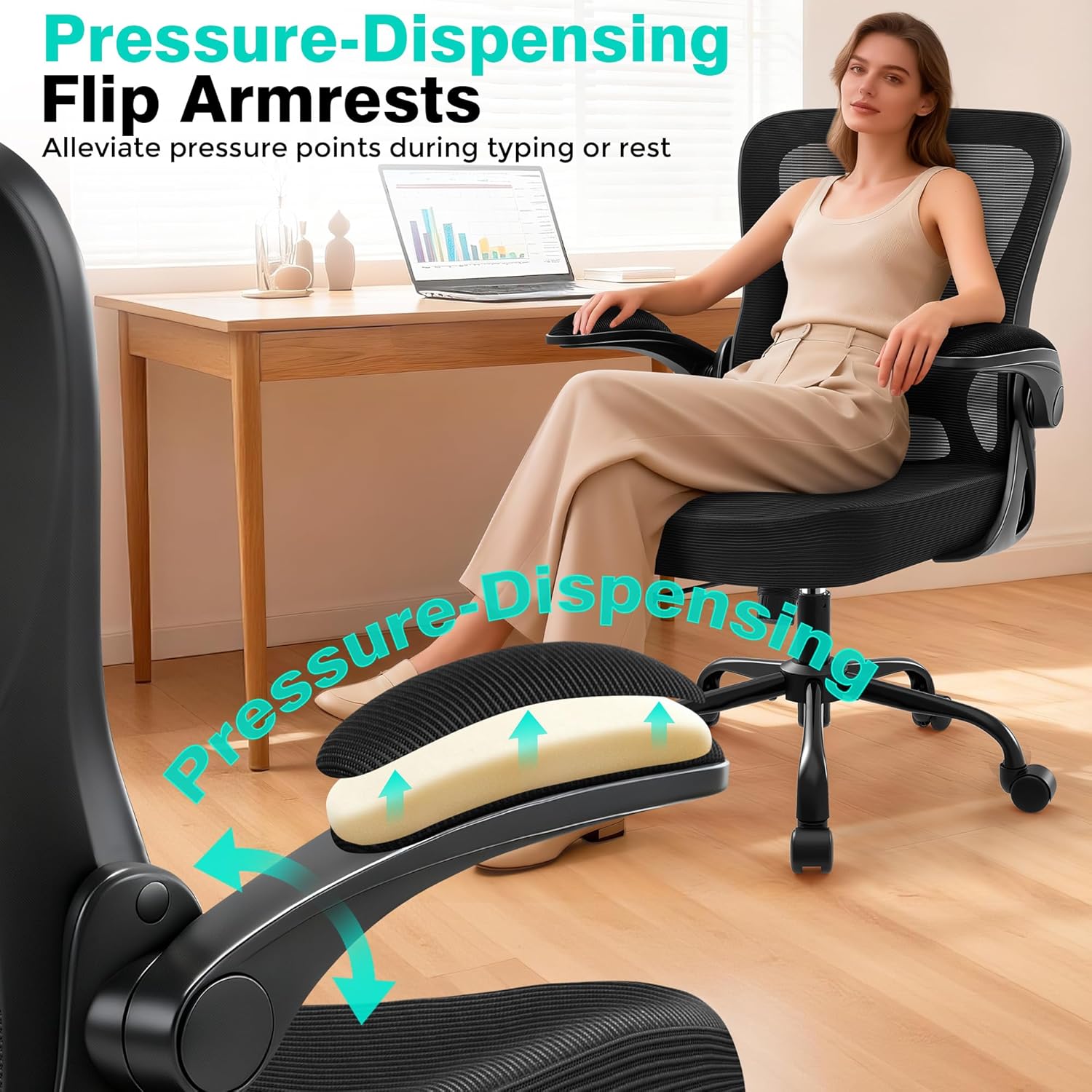
Figure 7: Breathable mesh back and high-density foam seat.

Figure 8: Durable components including SGS gas lift and reinforced base.
5. Maintenance
To maintain the longevity and appearance of your AreShark office chair, wipe it clean regularly with a damp cloth. Avoid harsh chemicals or abrasive cleaners. Periodically check all screws and connections to ensure they are secure.
6. Troubleshooting
6.1 Chair Squeaks
- Check all bolts and screws to ensure they are tightened. Loose connections can cause squeaking.
- Apply a small amount of silicone lubricant to moving parts, such as the gas lift or tilt mechanism, if necessary.
6.2 Difficulty Adjusting Height
- Ensure the height adjustment lever is fully engaged or disengaged as required.
- Verify that the gas lift cylinder is correctly installed and not obstructed.
6.3 Instability
- Confirm that the five-point base is securely attached and all casters are properly inserted.
- Ensure the chair is on a flat, even surface.
7. Product Specifications
| Brand | AreShark |
| Model Name | MC05-001 |
| Color | Black |
| Product Dimensions | 24"D x 25.98"W x 41.9"H |
| Maximum Weight Recommendation | 300 Pounds |
| Material | Mesh, High Density Sponge Cushion |
| Special Features | Adjustable Height, Flip-up Armrests, Ergonomic, Rolling, Adjustable Lumbar Support |
| Product Care Instructions | Wipe Clean |
| Item Weight | 18 pounds |
8. Warranty and Support
The AreShark MC05-001 office chair comes with 3 years of service. Our dedicated customer care and responsive support team are available to assist with any questions or concerns you may have regarding your product.
For support, please contact us via the retailer's platform or through the contact information provided in your purchase documentation.
Warning: This chair requires assembly. Always follow the assembly instructions carefully to ensure safe use. Do not exceed the maximum weight recommendation of 300 pounds.