
1. Introduction
This manual provides essential instructions for the proper use and maintenance of your AOC ACT3504 Wireless Bluetooth Earphones. Please read this manual thoroughly before using the product to ensure optimal performance and longevity. Keep this manual for future reference.
2. Package Contents
Verify that all items are present in the package:
- AOC ACT3504 Wireless Bluetooth Earphones (Left and Right)
- Charging Case
- USB Charging Cable
- User Manual
3. Product Overview
Familiarize yourself with the components of your AOC ACT3504 Wireless Bluetooth Earphones.
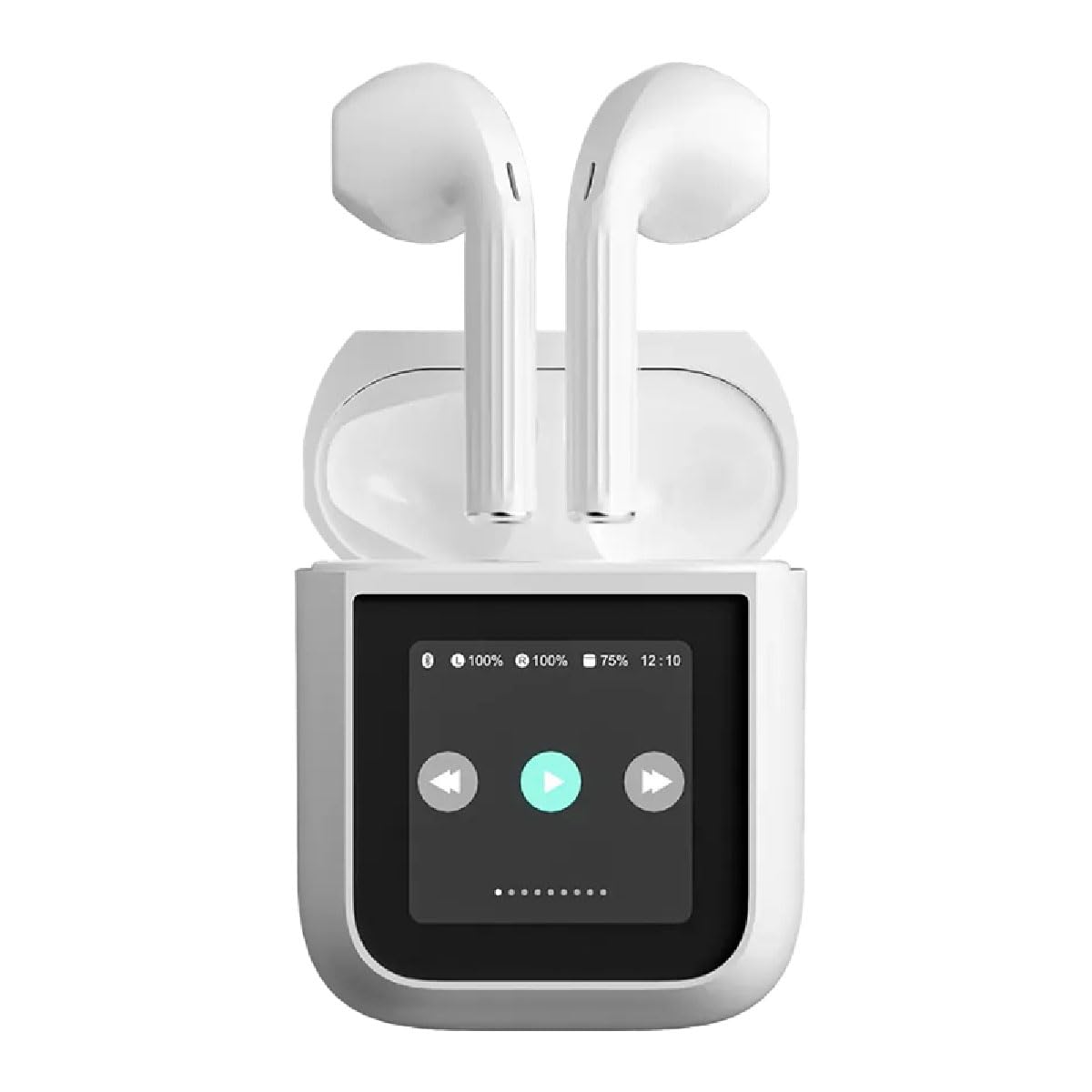
Figure 3.1: The AOC ACT3504 Wireless Bluetooth Earphones shown within their open charging case. The case features a display indicating battery levels and playback controls.
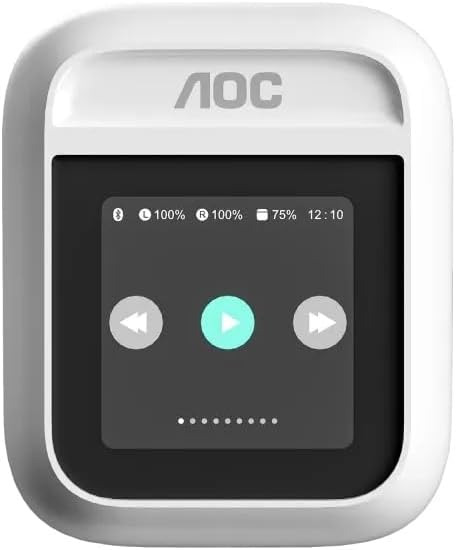
Figure 3.2: The AOC ACT3504 charging case in its closed state, displaying the integrated screen.

Figure 3.3: A close-up view of the individual AOC ACT3504 Wireless Bluetooth Earphones, highlighting their ergonomic design.
4. Setup
4.1. Charging the Earphones and Case
Before first use, fully charge the earphones and the charging case.
- Place the earphones into the charging case. Ensure they are correctly seated in their respective slots.
- Connect the USB charging cable to the charging port on the case and the other end to a compatible USB power source (e.g., computer USB port, wall adapter).
- The display on the charging case will indicate the charging status. The earphones will also show a charging indicator (e.g., LED light).
- Once fully charged, disconnect the charging cable.
4.2. Bluetooth Pairing
To connect your earphones to a device:
- Ensure the earphones are charged and inside the charging case.
- Open the charging case. The earphones will automatically enter pairing mode, indicated by a flashing LED light on the earphones or a message on the case display.
- On your device (smartphone, tablet, computer), enable Bluetooth.
- Search for available Bluetooth devices. Select "AOC ACT3504" from the list.
- Once connected, a confirmation sound or message will indicate successful pairing.
- The earphones will automatically reconnect to the last paired device when removed from the case and within range.
5. Operating Instructions
5.1. Power On/Off
- Power On: The earphones automatically power on when removed from the charging case.
- Power Off: Place the earphones back into the charging case to automatically power them off and begin charging.
5.2. Music Playback
Control music playback using the touch controls on the earphones or the charging case display:
- Play/Pause: Single tap on either earphone or press the play icon on the case display.
- Next Track: Double tap the right earphone or press the next track icon on the case display.
- Previous Track: Double tap the left earphone or press the previous track icon on the case display.
- Volume Control: Adjust volume via your connected device.
5.3. Call Management
Manage phone calls with the built-in microphone:
- Answer Call: Single tap on either earphone.
- End Call: Single tap on either earphone during a call.
- Reject Call: Press and hold either earphone for 2 seconds.
6. Maintenance
Proper maintenance ensures the longevity of your earphones:
- Cleaning: Use a soft, dry cloth to clean the earphones and charging case. Do not use abrasive cleaners or immerse in water.
- Storage: When not in use, store the earphones in their charging case to protect them and keep them charged.
- Avoid Extreme Conditions: Do not expose the earphones to extreme temperatures, humidity, or direct sunlight.
7. Troubleshooting
If you encounter issues, refer to the following common solutions:
- No Sound:
- Ensure earphones are charged.
- Check Bluetooth connection on your device.
- Verify volume levels on both earphones and the connected device.
- Pairing Issues:
- Ensure earphones are in pairing mode.
- Turn off and on Bluetooth on your device.
- Try forgetting the device in your Bluetooth settings and re-pairing.
- Earphones Not Charging:
- Ensure earphones are correctly seated in the charging case.
- Check the charging cable and power source.
- Clean charging contacts on earphones and case.
8. Specifications
| Brand | AOC |
| Model Name | ACT3504 |
| Connectivity Technology | Bluetooth |
| Color | White |
| Form Factor | In-Ear Earbuds |
| Included Components | User Manual |
9. Warranty and Support
The AOC ACT3504 Wireless Bluetooth Earphones come with a 6-month manufacturer's warranty from the date of purchase. This warranty covers defects in materials and workmanship under normal use.
For technical support, warranty claims, or further assistance, please contact your retailer or visit the official AOC support website. Please have your proof of purchase and product model number (ACT3504) ready when contacting support.