
DYMROGE 102378
DYMROGE Cordless Heated Shoulder Massager Pad Model 102378 User Manual
Your guide to safe and effective use.
Introduction
Thank you for choosing the DYMROGE Cordless Heated Shoulder Massager Pad. This manual provides important information for the safe operation, maintenance, and troubleshooting of your device. Please read it thoroughly before first use and retain it for future reference.
Package Contents
Ensure all items are present in the package:
- Shoulder Heat Pad
- Long Extension Strap
- Short Extension Strap
- USB Charging Cable
- User Manual (this document)
Important Safety Information
- Do not use on bare skin.
- Avoid prolonged use at the highest temperature setting.
- Do not operate the screen controller during charging to prevent damage.
- Use only the provided USB charging cable and a 5V 2A or higher output power adapter for charging.
- The device features auto safety cutoff and overheat protection for secure use.
Setup and First Use
1. Charging the Device
Before first use, fully charge the shoulder massager pad. Connect the provided USB charging cable to the device and a 5V 2A or higher output power adapter. The built-in 5000mAh battery supports cordless use once charged.
Important: Do not operate the screen controller while the device is charging, as this may cause damage.
2. Adjusting the Fit
The shoulder pad is designed for a comfortable, looser fit and includes two extension straps to accommodate various body types and both left or right shoulders.
- Place the shoulder pad on the desired shoulder (left or right).
- Adjust the main strap for a snug yet comfortable fit.
- If needed, attach the long or short extension strap to achieve the optimal fit.

Image: The DYMROGE shoulder massager pad showing its universal and adjustable design, including dimensions and the two extension straps for a customized fit.
Operating Instructions
The device features an intelligent LED touch control panel for easy operation.
1. Power On/Off
Press and hold the power button on the touch panel to turn the device on or off.
2. Heating Levels
The shoulder pad offers 5 heating levels, with temperatures ranging from 50℃ to 70℃ (122°F to 158°F). Each level corresponds to a specific temperature setting.
- Press the heating button to cycle through the 5 heating levels.
- To switch the temperature display between Celsius (℃) and Fahrenheit (°F), simultaneously long press the Heating button and Vibrating button for 3 seconds.
Note: Do not use the heating function on bare skin. Avoid prolonged use at the highest temperature setting.
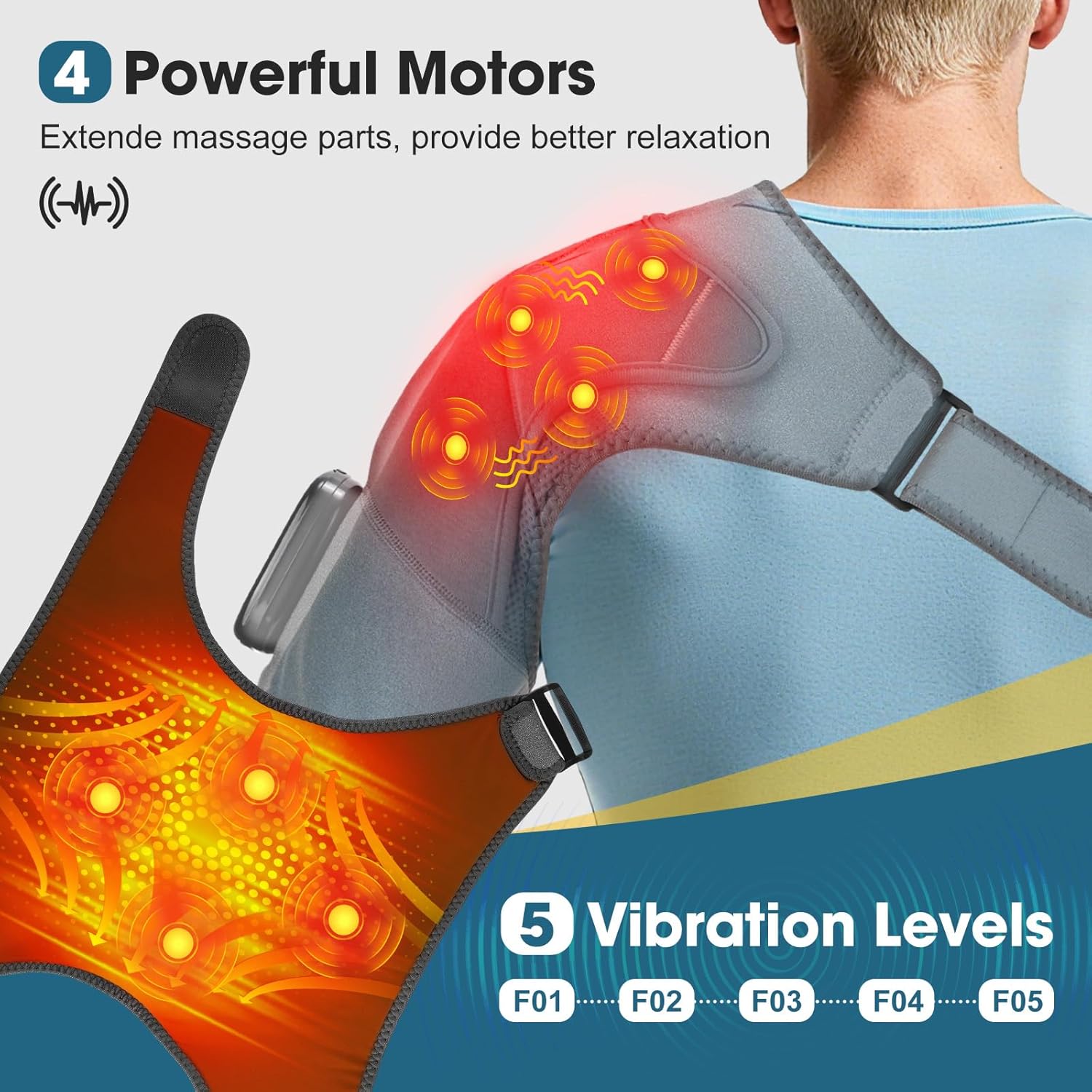
Image: A user relaxing with the shoulder massager, illustrating the 5 available heating levels and the method to switch between Celsius and Fahrenheit.
3. Massaging Modes
The device is equipped with 4 powerful motors, providing 5 distinct massaging modes (F01 to F05). The intensity of the massage increases with each mode.
- Press the vibrating button to cycle through the 5 massaging modes.
- Select the mode that provides your desired massage intensity.

Image: An illustration of the shoulder massager highlighting the placement of 4 powerful motors and the 5 available vibration levels (F01-F05).
4. Timer Settings
Customize your session with 3 timing settings: 20, 35, or 45 minutes.
- Upon powering on, the device defaults to a 20-minute auto turn-off setting.
- Press the timer button to cycle through the 20, 35, and 45-minute options.
- The device will automatically shut off after the selected time.
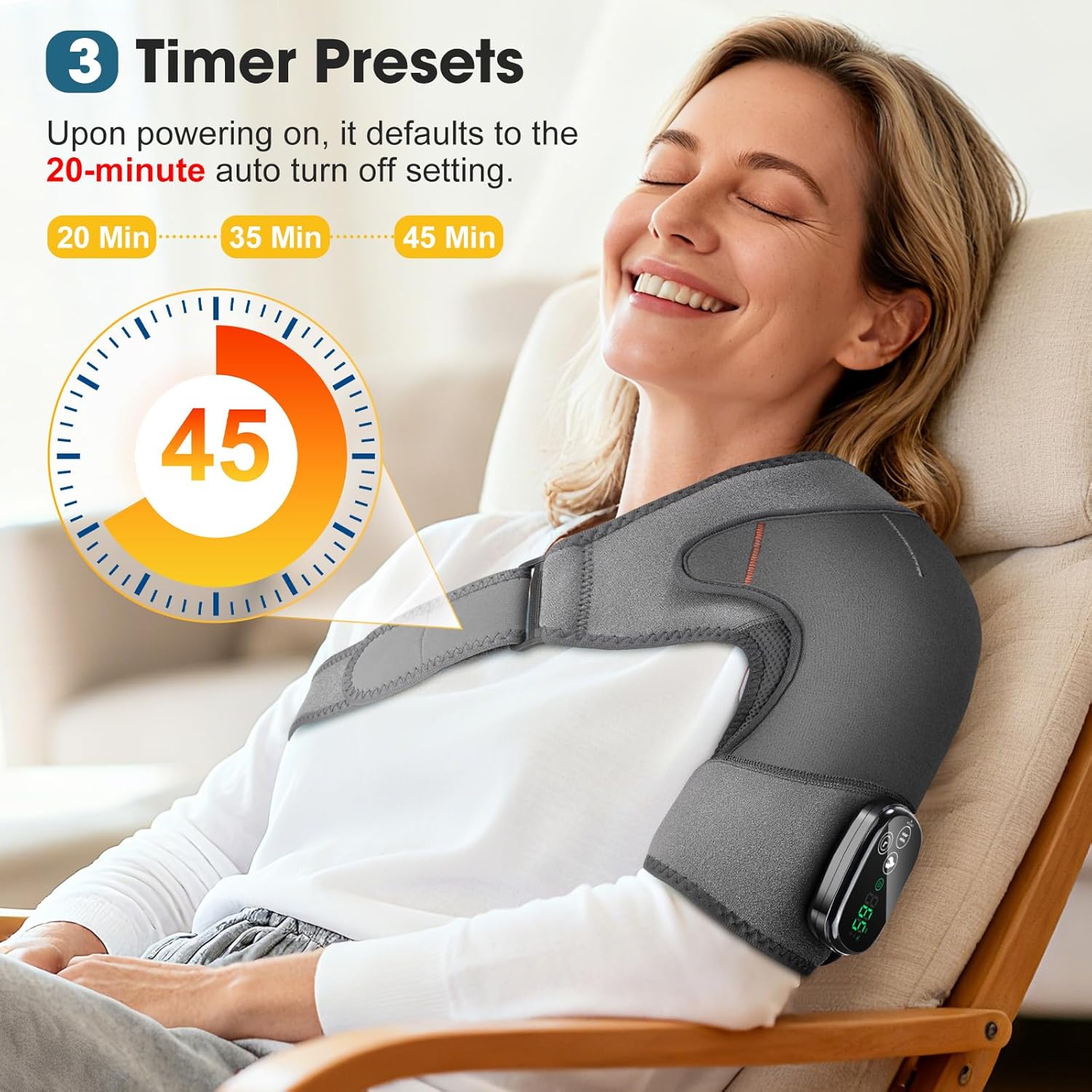
Image: A user enjoying the shoulder massager, with a graphic illustrating the 3 available timer presets: 20, 35, and 45 minutes.
5. Lock Function and Low-Power Alert
The LED touch panel includes a lock function to prevent accidental changes during use. It also provides a low-power alert to indicate when recharging is needed.
Maintenance and Care
To clean the shoulder massager pad, simply wipe it with a wet cloth. Do not submerge the device in water or use harsh cleaning agents.
Troubleshooting
| Problem | Possible Cause | Solution |
|---|---|---|
| Device does not turn on. | Low battery or not charged. | Charge the device fully using the provided USB cable and a 5V 2A adapter. |
| Heating function not working. | Heating function not activated or device malfunction. | Ensure the device is powered on and press the heating button to select a level. If problem persists, contact customer support. |
| Vibration function not working. | Vibration function not activated or device malfunction. | Ensure the device is powered on and press the vibrating button to select a mode. If problem persists, contact customer support. |
| Temperature display not switching. | Incorrect button combination. | Simultaneously long press the Heating button and Vibrating button for 3 seconds. |
| Device not charging. | Incorrect adapter or faulty cable. | Ensure you are using a 5V 2A or higher output adapter and the provided USB cable. Check connections. |
Specifications
| Feature | Detail |
|---|---|
| Brand | DYMROGE |
| Model Number | 102378 |
| Color | Grey |
| Battery Capacity | 5000mAh Lithium Polymer |
| Heating Levels | 5 (50℃ to 70℃ / 122°F to 158°F) |
| Massaging Modes | 5 (F01 to F05, 4 powerful motors) |
| Timer Settings | 3 (20, 35, 45 minutes) |
| Special Features | Adjustable, Overheat Protection, Portable, Touch Screen Control, Lock Function, Low-Power Alert |
| Item Weight | 580 g |
| Package Dimensions | 32.2 x 22.9 x 4.8 cm |
Warranty and Support
For warranty information or technical support, please refer to the contact details provided with your purchase or visit the official DYMROGE website. Keep your purchase receipt as proof of purchase for warranty claims.
Ask a question about this manual
Ask about setup, troubleshooting, compatibility, parts, safety, or missing instructions. Manuals+ will review the question and use this page’s manual context to help answer it.