
1. Introduction
The OLZFJAJE KWS-MX18L is a versatile 10-in-1 USB tester designed for real-time monitoring of various electrical parameters. This device allows users to accurately measure voltage, current, power, capacity, energy, and timing for USB-powered devices and power sources. It is an essential tool for quality inspection of 3C digital products and USB interface peripherals, providing critical data for electronics enthusiasts and professionals.
2. Key Features
- Real-time Monitoring: Displays voltage, current, power, capacity, energy, and timing simultaneously.
- High-Definition Display: Features a 0.96-inch IPS color liquid crystal display with a 160-degree wide viewing angle for clear readability.
- Two-Way Connection: Supports testing in both directions for enhanced flexibility.
- Accurate Measurements: Utilizes a professional instrument sampling circuit and precision algorithms for reliable data.
- Power-Off Storage: Retains capacity and energy data even after power disconnection, useful for measuring mobile power source capacity.
- Load Resistance Indication: Helps in understanding load resistance and current discharge power.
3. Package Contents
- 1 x OLZFJAJE KWS-MX18L USB Tester
4. Product Overview
The KWS-MX18L USB Tester features a compact design with a standard USB-A male connector on one end for input and a USB-A female port on the other for connecting the device under test. The central component is a vibrant 0.96-inch IPS color display that presents all measured parameters clearly.
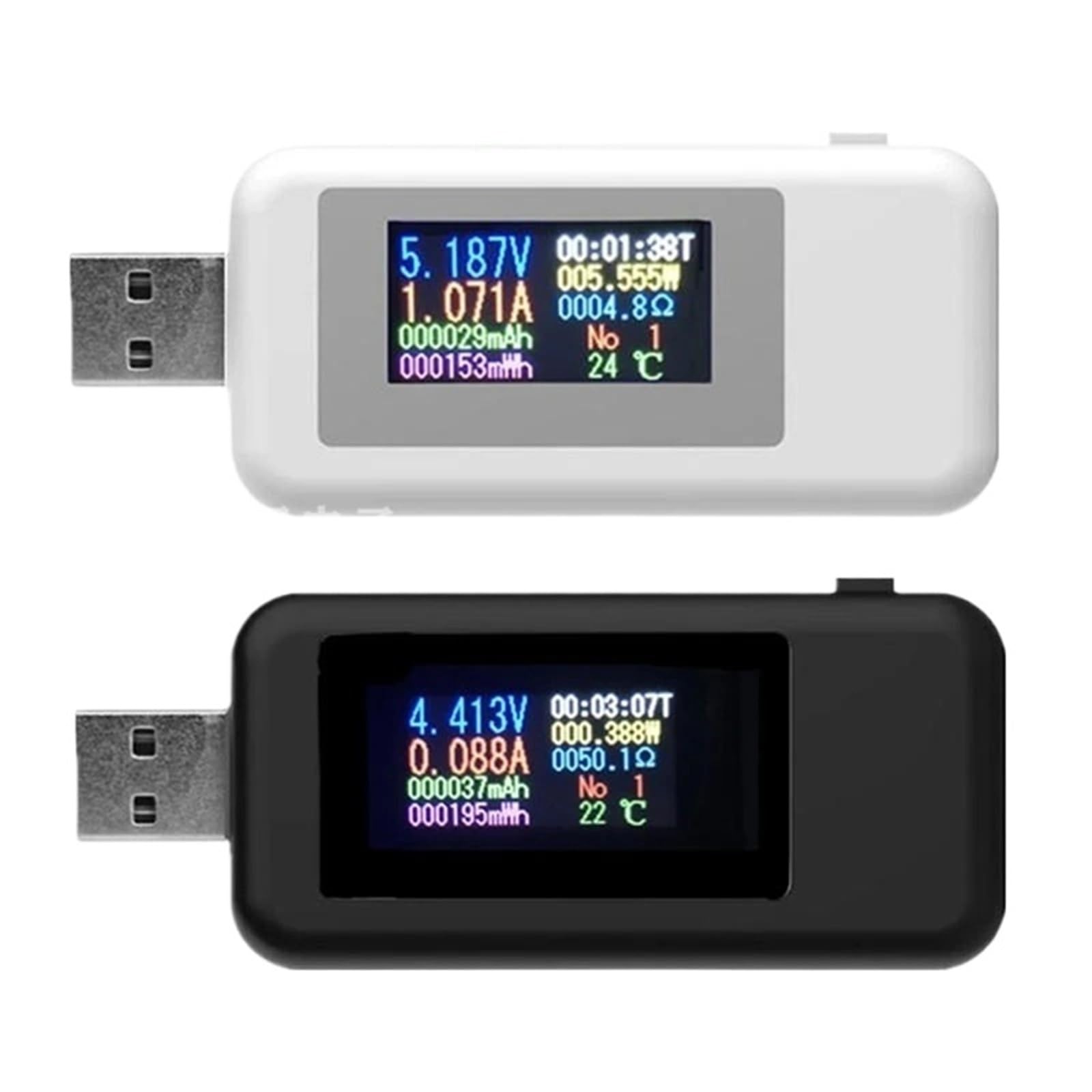
Figure 1: OLZFJAJE KWS-MX18L USB Tester. The display shows various electrical parameters including voltage (V), current (A), time (T), capacity (mAh), power (W), and energy (mWh).
The display is designed to be readable from a wide angle and can be oriented in two directions for user convenience.
5. Setup
- Connect to Power Source: Insert the male USB-A connector of the KWS-MX18L tester into a USB power source (e.g., wall charger, power bank, computer USB port).
- Connect Device Under Test: Plug the device you wish to test (e.g., smartphone, tablet, USB fan) into the female USB-A port on the KWS-MX18L tester.
- Power On: The tester will automatically power on and display real-time measurements once connected to a live power source and a load.
6. Operating Instructions
Once connected, the KWS-MX18L tester will immediately begin displaying various parameters on its color screen. The display typically shows:
- Voltage (V): The current voltage supplied by the power source.
- Current (A): The current being drawn by the connected device.
- Power (W): The real-time power consumption (Voltage x Current).
- Capacity (mAh): Accumulated charge capacity over time. This value is stored even after power-off.
- Energy (mWh): Accumulated energy consumption over time. This value is stored even after power-off.
- Timing (T): The duration of the current test session.
The tester's internal memory stores accumulated capacity (mAh) and energy (mWh) data. This feature is particularly useful for evaluating the actual capacity of power banks or batteries over a charging/discharging cycle. To reset the accumulated data, disconnect the tester from all power sources and loads, then reconnect it. Some models may have a small button for resetting, but this model typically resets upon full power cycle.
7. Specifications
| Parameter | Value |
|---|---|
| Voltage Measurement Range | 4-30V DC |
| Voltage Resolution | 0.002A |
| Current Measurement Range | 0-5A |
| Current Resolution | 0.002A |
| Capacity Measurement Range | 0-999999mWh |
| Load Resistance Range | 1-9999.9 Ω |
| Power Measurement Range | 0-150W |
| Energy Measurement Range | 0-999999mWh |
| Timing Range | 0-99 hours |
| Interface Type | USB 24pin |
| Test Direction | Two-way |
| Display Type | 0.96 inch IPS Color Screen |
| Product Dimensions (L x W x H) | 55 x 26.5 x 11.5 mm (2.17 x 1.04 x 0.45 inches) |
| Item Weight | 15g (0.53 oz) |
| Manufacturer | OLZFJAJE |
8. Troubleshooting
- No Display: Ensure the tester is firmly connected to a live USB power source. Check if the power source is functioning correctly.
- Inaccurate Readings: Verify that the connections are secure. Avoid using excessively long or low-quality USB cables, which can introduce voltage drop. Ensure the device under test is drawing power.
- Data Not Resetting: Disconnect the tester completely from both the power source and the load for a few seconds, then reconnect. This typically clears the accumulated capacity and energy data.
- Display Orientation: The display can be viewed from different angles. If the orientation seems off, it is likely due to the IPS screen's wide viewing angle.
9. Maintenance
- Cleaning: Use a soft, dry cloth to clean the device. Do not use liquid cleaners or solvents.
- Storage: Store the tester in a cool, dry place away from direct sunlight and extreme temperatures.
- Handling: Avoid dropping the device or subjecting it to strong impacts, as this may damage the internal components or the display.
10. Warranty and Support
For warranty information or technical support, please refer to the retailer or contact the manufacturer directly. Keep your purchase receipt as proof of purchase.