
Introduction
Welcome to your new Zomolither Motorcycle Dash Cam. This device is engineered to record your rides with dual cameras, providing enhanced security and peace of mind. It features IP67 waterproofing, a 3-inch HD IPS display, G-Sensor, and loop recording capabilities. Please read this manual carefully to understand the product's functions and ensure proper installation and operation.
Safety Information
To ensure safe operation and prevent damage to the device or your motorcycle, please observe the following safety guidelines:
- Ensure all cables are securely connected and routed away from moving parts, heat sources, or areas where they could be pinched or damaged.
- Do not attempt to disassemble, modify, or repair the device yourself. Refer to qualified personnel for service.
- Keep the device away from extreme temperatures, direct sunlight for prolonged periods, and corrosive substances.
- Always adhere to local laws and regulations regarding dash cam usage and video recording.
- Do not operate the device in a manner that distracts you from driving.
Package Contents
Please verify that all the following items are present in your package:
- Main DVR Unit with 3-inch IPS Display
- Front Camera
- Rear Camera
- Power Cord
- Camera Extension Cords
- Mounting Brackets
- 32GB TF Card
- User Manual

Image: The complete package contents, including the main DVR unit, front and rear cameras, various cables, mounting hardware, a 32GB TF card, and the user manual.
Product Overview
The Zomolither Motorcycle Dash Cam features a robust and compact design. Below are the key components and their functions:
Main Unit Components:
- 3-inch HD IPS Display: For real-time viewing and menu navigation.
- Menu/Mode Keys: To access settings and switch between display modes.
- Up/Down Scroll Keys: For navigating menu options.
- OK/Shutdown Key: To confirm selections and power the device on/off.
- Microphone: For audio recording.
- Reset Button: To restart the device if necessary.
- TF Memory Card Slot: For inserting the 32GB TF card.
- Indicator Lights: Red for power, Blue for recording status.
Image: A detailed diagram of the main DVR unit, indicating the location of buttons, ports, and other features.
Installation Guide
Follow these steps for proper installation of your dash cam system:
- Mount the Main Unit: Secure the main DVR unit to a suitable location on your motorcycle, such as the handlebars or rearview mirror, using the provided mounting brackets. Ensure the unit is positioned so it does not obstruct your view or interfere with motorcycle controls.
- Mount the Cameras: Install the front camera at the front of your motorcycle, ensuring a clear, unobstructed view of the road ahead. Install the rear camera at the back, providing a clear view behind the vehicle. Both cameras are designed with IP67 waterproofing for all-weather use.
- Connect Cameras: Use the provided extension cords to connect the front and rear cameras to their respective ports on the main DVR unit. Ensure connections are firm.
- Connect Power: Connect the power cord to your motorcycle's power supply. The system is designed for straightforward connection. Refer to your motorcycle's manual if unsure about power connections.
- Insert TF Card: Carefully insert the included 32GB TF card into the designated memory card slot on the main unit until it clicks into place.

Image: A detailed diagram illustrating the recommended installation points for the main unit, front camera, and rear camera on a motorcycle, along with a wiring schematic.
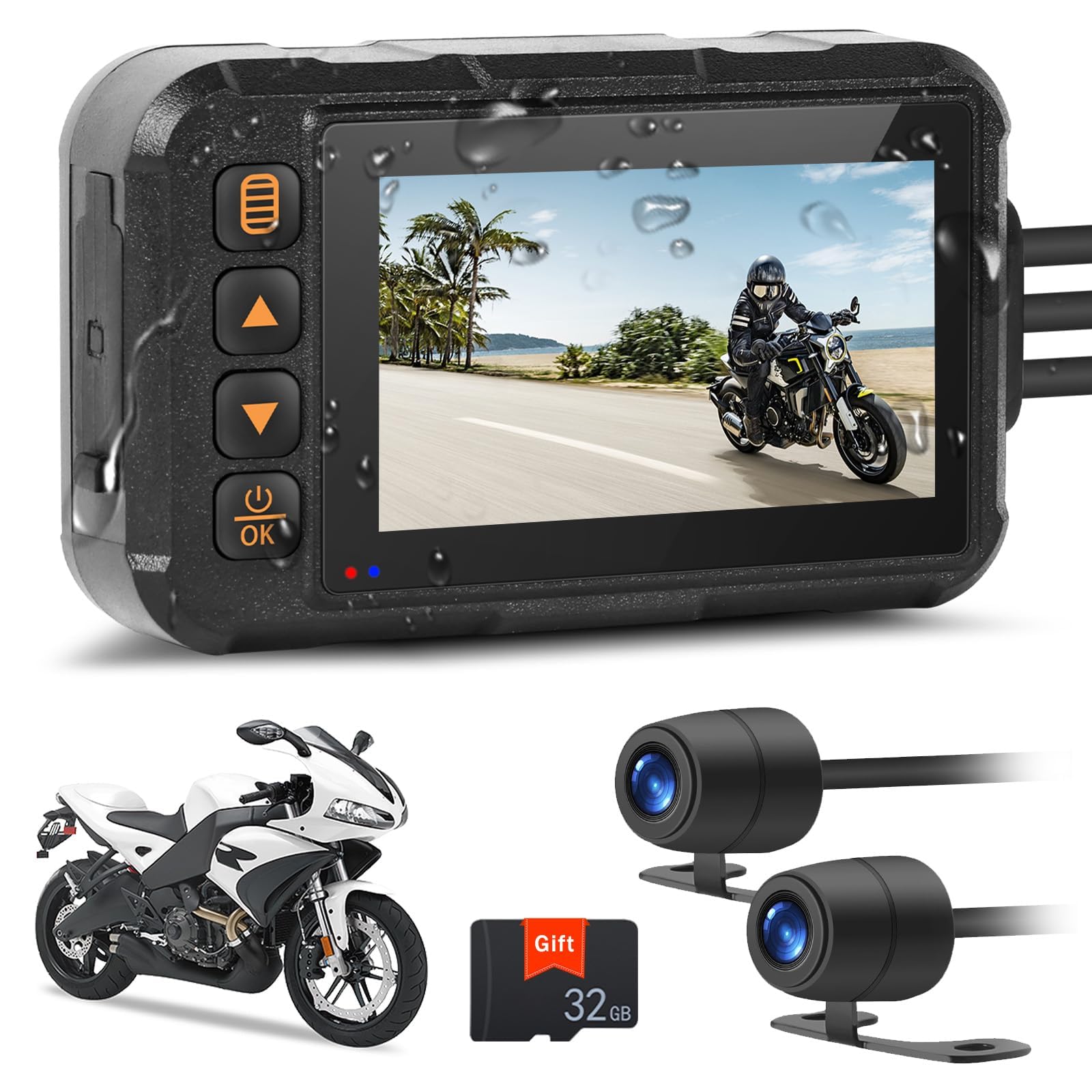
Image: The dash cam main unit mounted on a motorcycle handlebar, demonstrating its IP67 waterproof design in a rainy outdoor setting.
Operating Instructions
Powering On/Off
To power the device on or off, press and hold the OK/Shutdown key. The blue indicator light will illuminate when the device is recording.
Automatic Recording
The dash cam is designed to automatically begin recording when it receives power (e.g., when your motorcycle is started). It features dual-channel recording, capturing footage simultaneously from both the front and rear cameras.

Image: Illustrates the dual-channel recording capability, showing various display modes (front, front+rear split, rear) and the wide viewing angles of the front (120°) and rear (90°) cameras.
Loop Recording
The device supports continuous loop recording. When the 32GB TF card reaches its full capacity, the oldest video files will be automatically overwritten to create space for new recordings. This ensures uninterrupted recording without the need for manual card management.

Image: A visual representation of the loop recording process, showing how older video segments are replaced by new ones on a timeline, alongside the dash cam display and a 32GB TF card.
G-Sensor (Gravity Sensor)
The built-in G-Sensor automatically detects sudden impacts, rapid acceleration, or collisions. In the event of such an incident, the G-Sensor triggers emergency recording and locks the current video file, preventing it from being overwritten by the loop recording function. These locked videos are stored separately and serve as crucial evidence in case of an accident.

Image: Depicts a car collision icon and a locked padlock symbol over a dash cam screen displaying a motorcycle accident, visually explaining the G-Sensor's emergency recording and file locking function.
Parking Monitoring
When the dash cam is in standby mode, it will automatically activate and record a 30-second video if it detects an abnormal situation or impact to your motorcycle. This feature provides surveillance and security when your vehicle is parked, capturing potential incidents.
Maintenance and Care
Proper maintenance ensures the longevity and optimal performance of your dash cam:
- Cleaning: Use a soft, dry, lint-free cloth to clean the main unit and camera lenses. Do not use abrasive cleaners, solvents, or chemical sprays, as these can damage the device.
- TF Card Management: It is recommended to periodically format the TF card (e.g., once a month) to maintain optimal recording performance and prevent potential data corruption. Always back up any important recordings before formatting the card.
- Firmware Updates: Check the official Zomolither website regularly for any available firmware updates. Installing updates can provide new features, performance improvements, and bug fixes.
- Storage: When not in use for extended periods, store the dash cam in a cool, dry place away from direct sunlight.
Troubleshooting
If you encounter any issues with your Zomolither Motorcycle Dash Cam, refer to the following troubleshooting guide:
Device does not power on:
- Check all power connections to ensure they are securely fastened and not loose.
- Verify that your motorcycle's power supply is functioning correctly.
- If connected directly to the battery, ensure the battery has sufficient charge.
Recording stops unexpectedly:
- Check if the TF card is full. While loop recording should overwrite old files, a corrupted card can cause issues. Try formatting the card through the device's menu.
- Ensure the TF card is properly inserted into its slot.
- Use a high-quality TF card (Class 10 or higher recommended) from a reputable brand.
Video quality is poor or blurry:
- Clean the camera lenses with a soft, dry cloth to remove any dirt, dust, or smudges.
- Ensure the cameras are securely mounted and not vibrating excessively during operation.
- Check the video resolution settings in the device menu to ensure it is set to the desired quality (e.g., 720p).
G-Sensor is too sensitive or not sensitive enough:
Adjust the G-Sensor sensitivity setting in the device's menu. A higher sensitivity will trigger emergency recording more easily, while a lower setting will require a stronger impact.
Technical Specifications
| Feature | Detail |
|---|---|
| Brand | Zomolither |
| Model | Dual Lens Motorcycle Dash Cam |
| Display | 3-inch HD IPS |
| Front Camera Angle | 120° Wide Angle |
| Rear Camera Angle | 90° Wide Angle |
| Video Resolution | 720p |
| Waterproof Rating | IP67 (Cameras and Main Unit) |
| Storage | Supports TF Card (32GB included) |
| Special Features | G-Sensor, Loop Recording, Parking Monitoring, Night Vision, HDR Exposure Function |
| Connectivity | AUX |
| Mounting Type | Rearview Mirror Mount |
| Vehicle Service Type | Motorcycle, Bicycle, Tricycle, Golf Cart, UTV, ATV |
| Product Dimensions (Main Unit) | Approx. 10.1cm (L) x 6.1cm (W) x 2.5cm (H) |

Image: The dash cam system shown with various compatible vehicles including a motorcycle, tricycle, golf cart, and UTV, highlighting its wide applicability.
Warranty and Support
For detailed warranty information, technical support, or service inquiries, please refer to the specific warranty card or documentation included in your product package. You may also visit the official Zomolither website for the most up-to-date support resources. Please retain your purchase receipt as proof of purchase for warranty claims.