
Product Overview
The Walmeck S966 Electric Bike LCD Display is designed to provide essential riding information for electric bikes and scooters. It features a vibrant color display, NFC functionality, and broad compatibility with 24V, 36V, and 48V systems. Constructed from durable ABS material, this display is built for longevity and clear data monitoring.
Setup Instructions
1. Mounting the Display
Attach the display to your electric bike or scooter handlebars using the provided mounting bracket. Ensure the bracket is securely fastened to handlebars with a diameter of 22.2mm.

Image: The display's mounting clamp, designed for 22.2mm handlebars, ensures a secure fit.
2. Electrical Connection
Connect the display's wiring harness to your electric bike or scooter's controller. This display is compatible with 24V, 36V, and 48V systems. It is crucial that your controller uses the No.2 communication protocol for proper functionality.
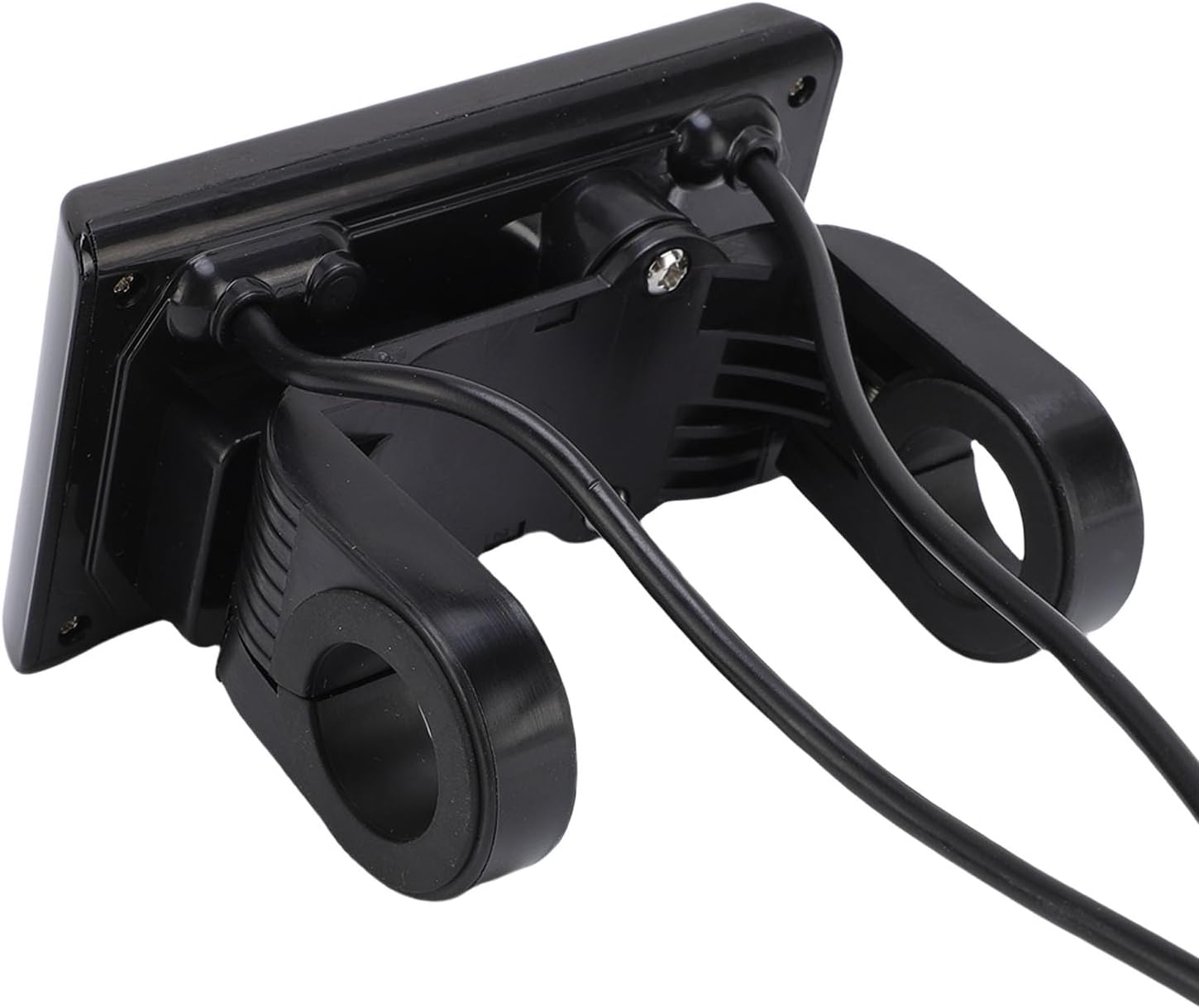
Image: Rear view of the display, illustrating the cable connections for integration with the e-bike system.
3. NFC Card Pairing
The display is equipped with NFC functionality. Two NFC cards are included for seamless connectivity. Follow your controller's instructions for pairing the NFC cards to enable secure access and operation.
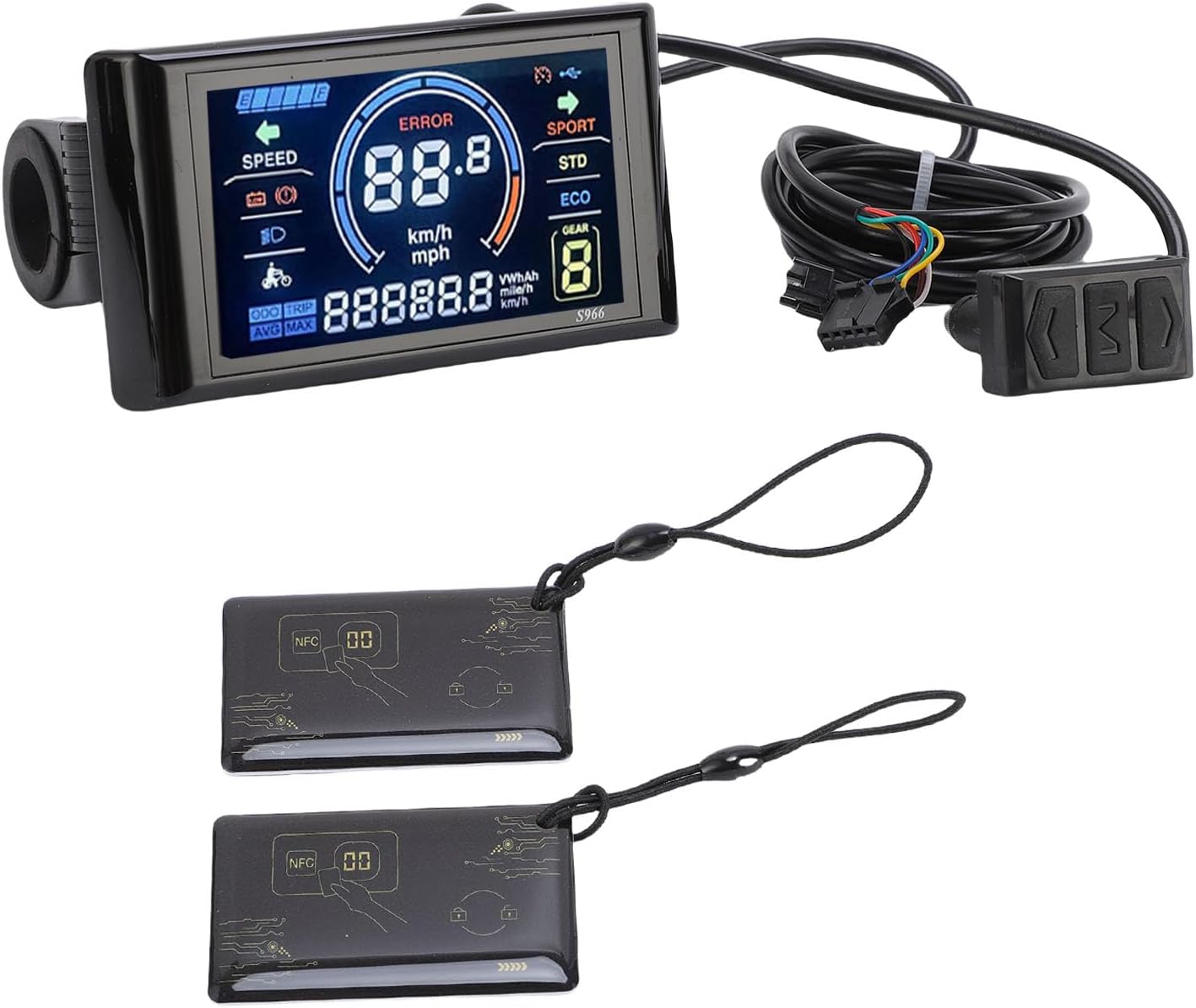
Image: The Walmeck S966 display packaged with two NFC cards for enhanced security and functionality.
Operating Instructions
Once properly installed and powered on, the S966 display will vividly show your riding status. The colorful LCD screen provides real-time data for an informed riding experience.

Image: The display screen showing current speed, battery level, error indicators, and riding modes (SPORT, STD, ECO).
Display Indicators:
- Speed: Current riding speed (km/h or mph).
- Battery Level: Graphical representation of remaining battery charge.
- Error Indicator: Displays 'ERROR' if a system fault is detected.
- Gear: Current assist level or gear.
- Riding Modes: SPORT, STD (Standard), ECO for different power assist levels.
- ODO/TRIP: Odometer (total distance) and Trip distance.
- AVG/MAX: Average speed and Maximum speed.
- VWh/Ah: Energy consumption data.
NFC Functionality:
Use the provided NFC cards to activate or deactivate the display, or for other functions as defined by your e-bike's controller. Tap the NFC card near the designated area on the display or controller to interact.
Maintenance
To ensure the longevity and optimal performance of your Walmeck S966 LCD Display, follow these maintenance guidelines:
- Cleaning: Wipe the display screen and body with a soft, damp cloth. Avoid using abrasive cleaners or solvents that could damage the ABS material or screen.
- Environmental Protection: Protect the display from direct prolonged exposure to sunlight, extreme temperatures, and heavy rain. While durable, excessive exposure can affect performance and lifespan.
- Cable Inspection: Periodically check all cables and connections for any signs of wear, damage, or loose connections. Ensure they are securely plugged in.
- Storage: If storing your electric bike for an extended period, ensure the display is clean and stored in a dry, temperate environment.
Troubleshooting
If you encounter issues with your Walmeck S966 LCD Display, consider the following:
- Display Not Turning On:
- Check all cable connections to ensure they are secure and properly seated.
- Verify that your e-bike's battery is charged and providing power.
- Confirm that the controller is powered on and functioning correctly.
- 'ERROR' Message Displayed:
- An 'ERROR' message indicates a system fault. Refer to your e-bike's main controller manual for specific error codes and their meanings.
- Common causes include motor issues, sensor malfunctions, or communication errors between components.
- Incorrect Data Displayed:
- Ensure the display settings (e.g., wheel size) are correctly configured if adjustable.
- Check for loose connections that might interfere with data transmission.
- NFC Cards Not Working:
- Ensure the NFC cards are properly paired with your controller.
- Verify that the NFC reader area on the display or controller is clean and unobstructed.
If problems persist, contact Walmeck customer support or your e-bike dealer for further assistance.
Specifications

Image: Dimensional drawing of the S966 display, indicating its length, width, and handlebar clamp size.
| Feature | Detail |
|---|---|
| Model Name | Walmeckfrc09w2ux6 (S966) |
| Compatibility | 24V, 36V, 48V systems; No.2 communication protocol |
| Handlebar Diameter | 22.2mm |
| Material | ABS |
| Item Package Dimensions | 5.12 x 3.94 x 3.15 inches |
| Package Weight | 276 Grams |
| NFC Function | Yes, 2 NFC cards included |
Warranty Information
This Walmeck S966 Electric Bike LCD Display comes with a manufacturer warranty for 90 days from the date of purchase. Please retain your proof of purchase for any warranty claims. The warranty covers defects in materials and workmanship under normal use.
Support
For technical assistance, warranty claims, or further inquiries regarding your Walmeck S966 LCD Display, please contact Walmeck customer support or the retailer from whom you purchased the product. Provide your model number (S966) and purchase details for efficient service.