
1. Introduction
Thank you for choosing the GOYOJO NV980 4K Head-Mounted Night Vision Goggles. This device is designed to provide clear vision in low-light and complete darkness, offering advanced features for various outdoor activities such as hunting, camping, wildlife observation, and security. With 4K video recording, 8X digital zoom, and a powerful 4500mAh rechargeable battery, these goggles enhance your nocturnal experience. Please read this manual thoroughly to ensure proper use and maintenance of your device.
2. What's in the Box
- GOYOJO NV980 Night Vision Binoculars
- 32GB MicroSD Card
- Head Mount Strap
- USB-C Charging Cable
- Carrying Case
- User Manuals

Image: All items included in the GOYOJO NV980 package.
3. Product Overview
The GOYOJO NV980 features a robust design with intuitive controls for ease of use in challenging conditions. It integrates dual eyepieces with diopter adjustment, a powerful infrared illuminator, and a built-in flashlight.
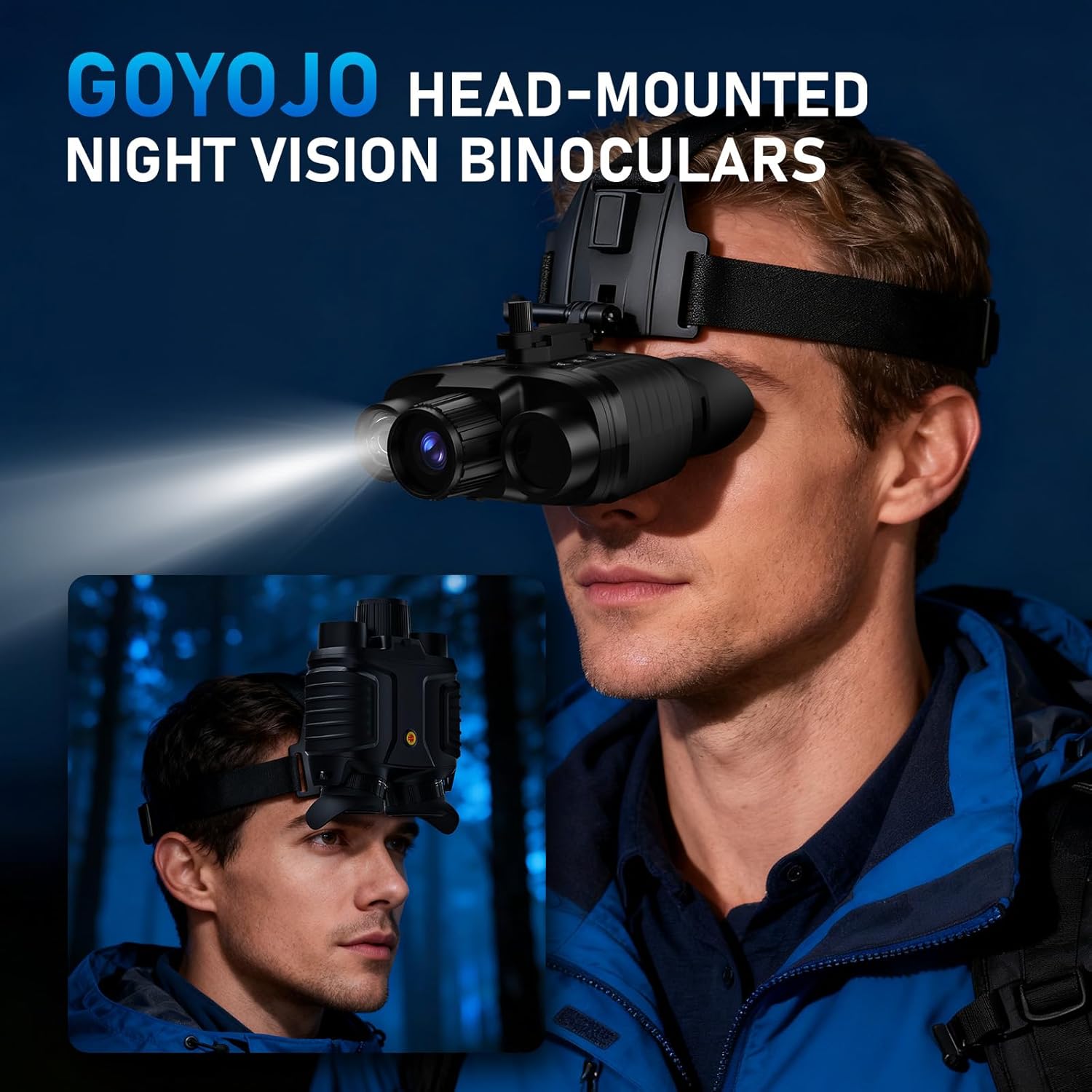
Image: Front view of the GOYOJO NV980 Night Vision Goggles.

Image: Top view of the GOYOJO NV980, displaying control buttons and focus wheel.
4. Setup
4.1 Charging the Battery
The device is equipped with a 4500mAh rechargeable battery. Before first use, fully charge the device using the provided USB-C cable connected to a compatible power source. The charging indicator will show the charging status.

Image: The NV980 with its built-in 4500mAh rechargeable battery.
4.2 Inserting the Memory Card
Insert the included 32GB MicroSD card into the designated slot. Ensure it is inserted correctly until it clicks into place. This card is essential for recording photos and videos.
4.3 Wearing the Device
The NV980 offers versatile wearing options:
- Handheld: Use as traditional binoculars for quick observation.
- Head-Mounted: Attach the device to the included head strap for hands-free operation. Adjust the straps for a secure and comfortable fit.
- Helmet-Compatible: The device can be mounted onto a tactical helmet (helmet not included) for specialized hands-free use.

Image: Various wearing modes for the NV980, including handheld, head-mounted, and helmet-mounted.
4.4 Adjusting Eyepieces
Each eyepiece features a diopter adjustment ring. Rotate these rings to achieve a clear focus for your individual vision, accommodating users with up to -8.0 diopters of nearsightedness without glasses.
5. Operating Instructions
5.1 Power On/Off
Press and hold the power button (usually marked with a power symbol) to turn the device on or off. The backlit buttons facilitate easy operation in the dark.
5.2 Adjusting IR Illumination
The NV980 features 7 levels of infrared (IR) illumination. Use the dedicated IR adjustment buttons to increase or decrease the IR intensity, allowing clear vision up to 984ft/300m in total darkness.

Image: Visual representation of the 7-level IR infrared adjustment.
5.3 Digital Zoom
Utilize the 8X digital zoom function to magnify your view of distant objects. Use the zoom in/out buttons to adjust the magnification level.

Image: Demonstration of the 8X digital zoom feature.
5.4 Recording Photos and Videos
Press the dedicated record button to capture 4K videos or high-resolution photos directly onto the 32GB memory card. The device allows you to record and review your observations.

Image: 4K HD video recording capability.
5.5 Built-in White Flashlight
For emergencies or when white light is preferred, activate the built-in white flashlight. This feature provides additional utility in the field.

Image: Using the built-in white flashlight for emergencies.
5.6 Immersive Viewing Experience
Both eyepieces share the same large internal screen, providing an immersive and comfortable viewing experience.

Image: Immersive viewing experience through the goggles.
5.7 Video Demonstrations
Video: Official product video showcasing the GOYOJO 4K Night Vision Goggles features and capabilities.
Video: Official product video demonstrating the night vision goggles in various scenarios.
6. Maintenance
- Cleaning: Use a soft, lint-free cloth to clean the lenses and exterior of the device. Avoid abrasive materials or harsh chemicals.
- Storage: Store the goggles in their protective carrying case in a cool, dry place when not in use.
- Battery Care: To prolong battery life, avoid fully discharging the battery frequently. Charge it regularly, even if not in active use.
- Water Resistance: The device is water repellent. Avoid submerging it in water.
7. Troubleshooting
- No Power: Ensure the battery is fully charged. Check the USB-C cable connection during charging.
- Blurry Image: Adjust the diopter rings on both eyepieces and the main focus wheel (Far/Near adjustment) until the image is clear.
- Poor Night Vision Performance: Increase the IR illumination level. Ensure there are no obstructions blocking the IR illuminator.
- Recording Issues: Check if the 32GB MicroSD card is correctly inserted and has sufficient free space. Format the card if necessary (refer to device menu for formatting option).
8. Specifications
| Brand | GOYOJO |
| Model Number | NV980 |
| Special Feature | Night Vision |
| Objective Lens Diameter | 25 Millimeters |
| Magnification Maximum | 8 x |
| Specific Uses | Camping, Hiking & Outdoors, Hunting |
| Mount Type | Helmet/Harness Mount |
| Water Resistance Level | Water Repellent |
| Focus Type | Manual Focus |
| Field of View | 10 Degrees |
| Low Light Technology | Yes |
| Built-In Media | 32GB Card, Mount, USB C Cable |
| Enclosure Material | Acrylonitrile Butadiene Styrene (ABS) |
9. Warranty and Support
9.1 Warranty Information
The GOYOJO NV980 Night Vision Goggles come with a 1-year warranty from the date of purchase. This warranty covers manufacturing defects and ensures the product meets its specified performance standards. Please retain your proof of purchase for warranty claims.
9.2 Customer Support
For any questions, technical assistance, or warranty claims, please contact GOYOJO customer support through the retailer where you purchased the product or visit the official GOYOJO website for contact information. Our team is dedicated to providing exceptional service and ensuring your satisfaction.