
1. Introduction
This manual provides essential information for the safe and efficient operation of your YIYIBYUS 1200W Low Lying Fog Machine. Please read these instructions thoroughly before use and retain them for future reference. This fog machine is designed to produce a low-lying fog effect for various events such as stage performances, weddings, and parties.
The unit features a durable iron construction, efficient heat dissipation, and a powerful 1200W heating element for rapid fog production. It offers multiple control options including manual, wire, remote, and DMX control.
2. Safety Information
WARNING: Failure to follow these safety instructions may result in fire, electric shock, injury, or damage to the product or property.
- Always connect the unit to a grounded power outlet.
- Use only high-quality, water-based fog fluid specifically designed for fog machines. Do not use oil-based fluids, flammable liquids, or any other substitutes.
- Do not operate the machine if the power cord is damaged.
- Ensure adequate ventilation around the machine to prevent overheating.
- Keep the machine away from children and unauthorized personnel.
- Do not touch the nozzle during operation, as it becomes very hot.
- Do not immerse the machine in water or expose it to rain or moisture.
- Always disconnect the power before cleaning or servicing.
- Position the machine on a stable, level surface.
3. Package Contents
Verify that all items listed below are included in your package:
- 1x YIYIBYUS Low-Lying Fog Machine (Model: GD-58)
- 1x Remote Control
- 1x Wire Control
- 1x Power Cord
- 1x User Manual (This document)
4. Product Features
- High Performance: Rapid preheating and a smoke output of 5000 cubic feet per minute.
- Multiple Control Methods: Supports panel control, wire control, remote control, and DMX control for versatile operation.
- Intelligent Temperature Control: Automatic heating and stopping to maintain optimal operating temperature without manual intervention.
- LCD Display: Provides control over smoke size, preset working time, and working interval for precise adjustments.
- Efficient Heat Dissipation: Multiple heat dissipation holes ensure normal operation and extend the machine's lifespan.
- High-Powered Fan: Ensures smoke is blown farther and more evenly for a consistent effect.
5. Setup
- Unpacking: Carefully remove the fog machine and all accessories from the packaging. Inspect for any damage during transit.
- Placement: Place the fog machine on a stable, flat, and heat-resistant surface. Ensure there is sufficient space around the unit for ventilation. Do not block the ventilation holes.
- Fill Fluid Tank: Unscrew the cap of the fluid tank and carefully pour high-quality, water-based fog fluid into the tank. Do not overfill. The tank capacity is 0.5L (0.13gal). Securely close the cap.
- Connect Controls:
- For wire control, plug the wire controller into the designated port on the machine.
- For DMX control, connect your DMX controller to the DMX IN port. Refer to your DMX controller's manual for addressing.
- The wireless remote control is pre-paired.
- Power Connection: Connect the power cord to the machine and then plug it into a standard 110V grounded electrical outlet.
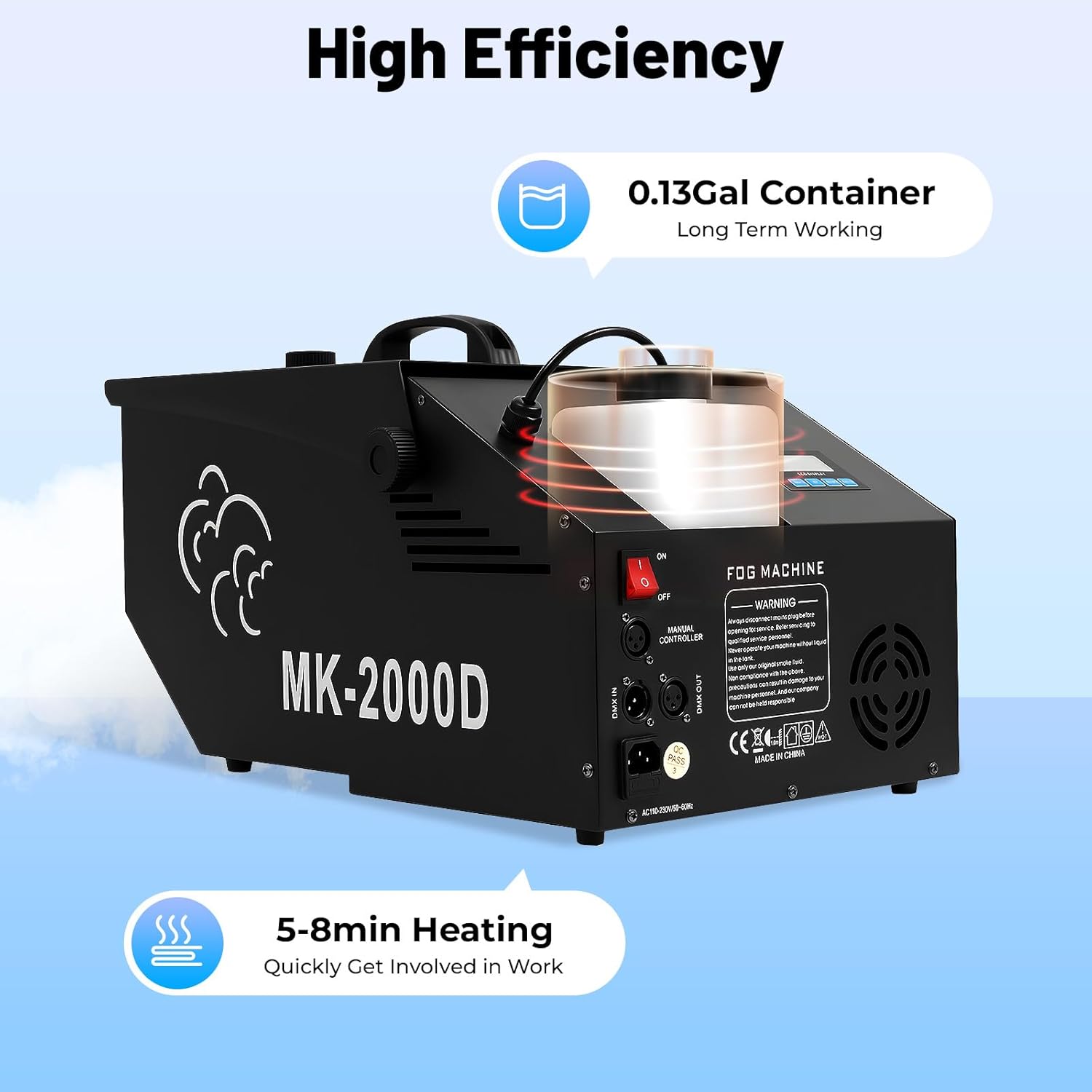
Image: Rear view of the YIYIBYUS GD-58 fog machine showing the fluid container, power input, and control ports. The image highlights the 0.13-gallon container and the 5-8 minute heating time.
6. Operating Instructions
- Power On: Turn on the main power switch located on the machine. The machine will begin its preheating cycle.
- Preheating: The machine requires approximately 5-8 minutes to reach its operating temperature. The LCD display will indicate when the machine is ready.
- Fog Production:
- Manual Control: Press the "Fog" button on the control panel or the wire controller to emit fog. Release the button to stop.
- Remote Control: Press the designated button on the wireless remote to activate fog output.
- DMX Control: Use your DMX controller to send commands to the fog machine. The machine uses 1 DMX channel. Consult your DMX controller's manual for specific programming.
- Adjusting Settings (LCD Display): Use the buttons next to the LCD display to adjust parameters such as smoke output volume, preset working time, and working interval for automated fog bursts.
- Continuous Operation: The intelligent temperature control system will automatically maintain the optimal temperature, allowing for continuous fog production once heated.
- Power Off: After use, turn off the main power switch and disconnect the machine from the power outlet.

Image: The YIYIBYUS GD-58 fog machine with its wireless remote control. Below are illustrations depicting the three control methods: panel control with an LCD screen, wire control with a push-button remote, and DMX control via a mixing console.
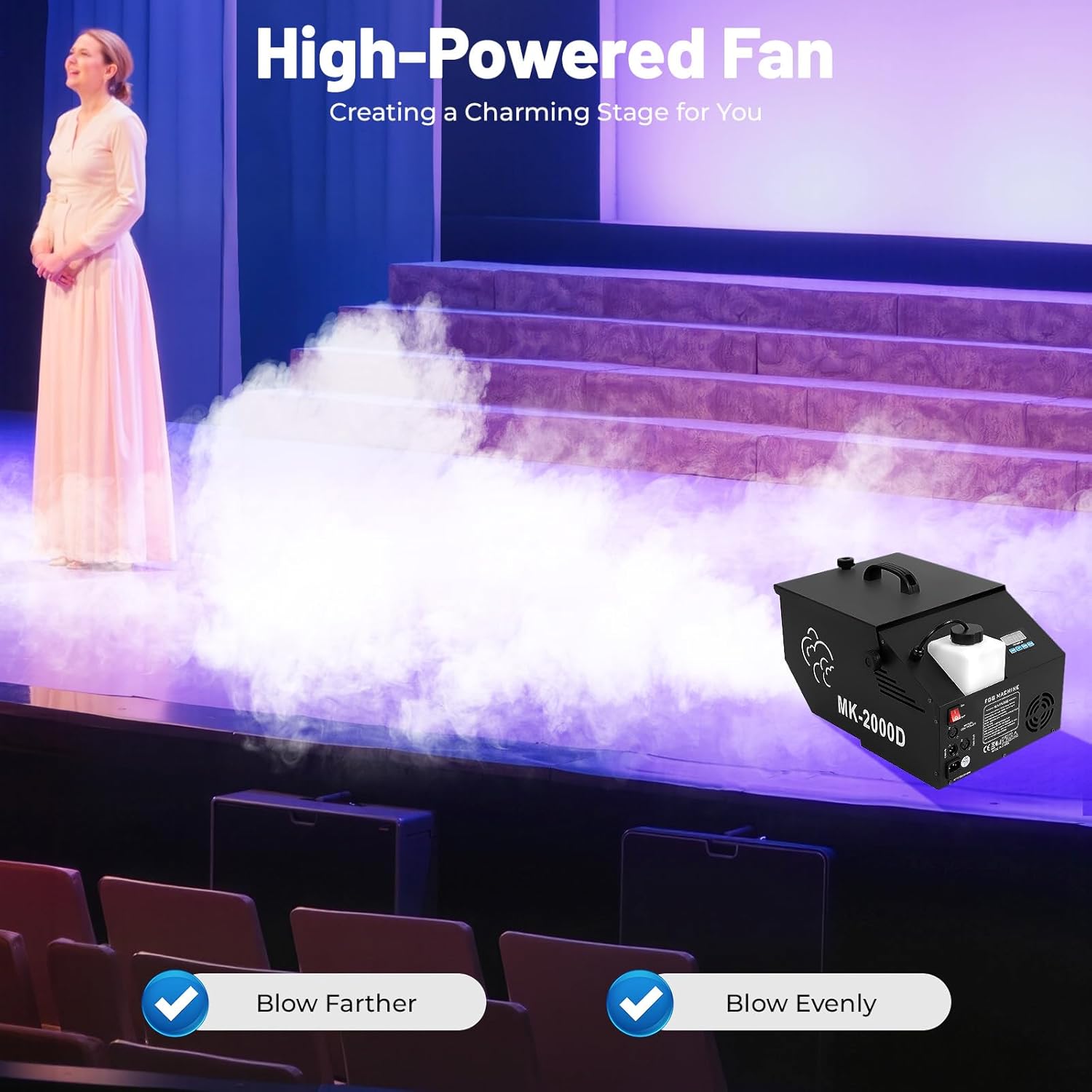
Image: The YIYIBYUS GD-58 fog machine positioned on a stage, emitting a stream of fog that spreads across the floor. A performer stands on the stage, illustrating the effect of the high-powered fan blowing fog farther and more evenly.
7. Maintenance
Regular maintenance ensures the longevity and optimal performance of your fog machine.
- Fluid Tank: After each use, if there is remaining fluid, it is recommended to drain it back into its original container or a sealed bottle to prevent contamination.
- Cleaning: Periodically clean the exterior of the machine with a soft, dry cloth. Do not use abrasive cleaners or solvents.
- Nozzle Cleaning: If the fog output becomes weak or inconsistent, the nozzle may be clogged. Use a fog machine cleaning solution (available separately) or distilled water to run through the machine. Operate the machine with the cleaning solution for a few minutes, then drain and refill with fresh fog fluid.
- Storage: Store the machine in a cool, dry place when not in use. Ensure the fluid tank is empty or contains fresh fluid if storing for extended periods.
8. Troubleshooting
| Problem | Possible Cause | Solution |
|---|---|---|
| No fog output |
|
|
| Weak or inconsistent fog |
|
|
| Remote control not working |
|
|
9. Specifications
| Feature | Detail |
|---|---|
| Model Number | GD-58 |
| Power | 1200W |
| Voltage | 110V (US Standard Plug) |
| Control Modes | Manual, Wire Control, Remote Control, DMX |
| DMX Channel | 1CH |
| Smoke Coverage | 80-100㎡ / 860-1076ft² |
| Heating Time | 5-8 minutes |
| Smoke Output | 5000 CFM |
| Fluid Container Capacity | 0.5L / 0.13gal |
| Product Size | 32 x 47.5 x 25 cm (12.6 x 18.7 x 9.8 inches) |
| Net Weight | 9 kg (19.84 lbs) |
| Material | Iron |

Image: The YIYIBYUS GD-58 fog machine producing a dense low-lying fog on a stage where dancers are performing. Overlays indicate key specifications: 5000 CFM smoke output, 80-100 m² (860-1076 ft²) smoke coverage, and 1200W strong power.

Image: A collage showing the YIYIBYUS GD-58 fog machine's wide applications, including stage performances with dancers, bars with live music, fashion catwalks, and theaters with stage productions, demonstrating its versatility.
10. Warranty and Support
For warranty information or technical support, please contact the seller or manufacturer directly. Keep your purchase receipt as proof of purchase.
For further assistance, you may visit the YIYIBYUS brand page on Amazon: YIYIBYUS Brand Store