
1. Introduction
Thank you for choosing the CHUSII W16 12000mAh Magnetic Portable Charger. This device is designed to provide convenient and efficient power for your mobile devices, featuring both wireless and wired fast charging capabilities, a robust magnetic attachment, and a built-in kickstand. This manual will guide you through the setup, operation, and maintenance of your new portable charger to ensure optimal performance and longevity.
2. What's in the Box
- CHUSII W16 12000mAh Magnetic Portable Charger with Stand
- USB-C Charging Cable
- Instruction Manual
3. Product Features
3.1 Magnetic Power Bank – Snap On and Go
The CHUSII W16 features a strong 14N magnetic hold for instant, precise alignment and stable wireless charging. It is compatible with iPhone 12/13/14/15/16/17 series and other MagSafe-compatible devices. For non-magnetic cases, a magnetic ring (not included) may be required for optimal magnetic attachment.

Image: The CHUSII W16 charger magnetically attached to a smartphone, highlighting its strong 14N magnetic hold compared to weaker magnets.
3.2 Wireless & Wired Dual Fast Charging
This 12000mAh portable charger offers flexible charging options:
- Wireless Charging: Supports 5W / 7.5W / 10W / 15W output.
- Wired Charging: USB-C (20W PD) and USB-A (22.5W QC 3.0) ports for ultra-fast wired charging.
You can charge up to three devices simultaneously using both wireless and wired ports.

Image: The CHUSII W16 power bank connected to multiple devices via wired and wireless charging, illustrating its versatility.
3.3 Smart Display & Built-In Kickstand
An intelligent LED digital display shows real-time battery percentage and charging status. The foldable kickstand allows you to prop up your phone for hands-free viewing while charging.

Image: The CHUSII W16 power bank with its kickstand extended, supporting a smartphone, and showing its digital battery display.
3.4 Advanced Safety System
Equipped with an intelligent power management chip, the charger provides multi-layer protection against overcharge, overcurrent, overvoltage, overheating, and short circuits, ensuring safety for both your devices and the power bank.

Image: A visual representation of the CHUSII W16's intelligent power management chip and its various safety protections.
3.5 Portable Design
Despite its 12000mAh capacity, the W16 is slim, lightweight, and travel-ready. Its ergonomic, camera-friendly design ensures a comfortable grip without obstructing your phone's lens.
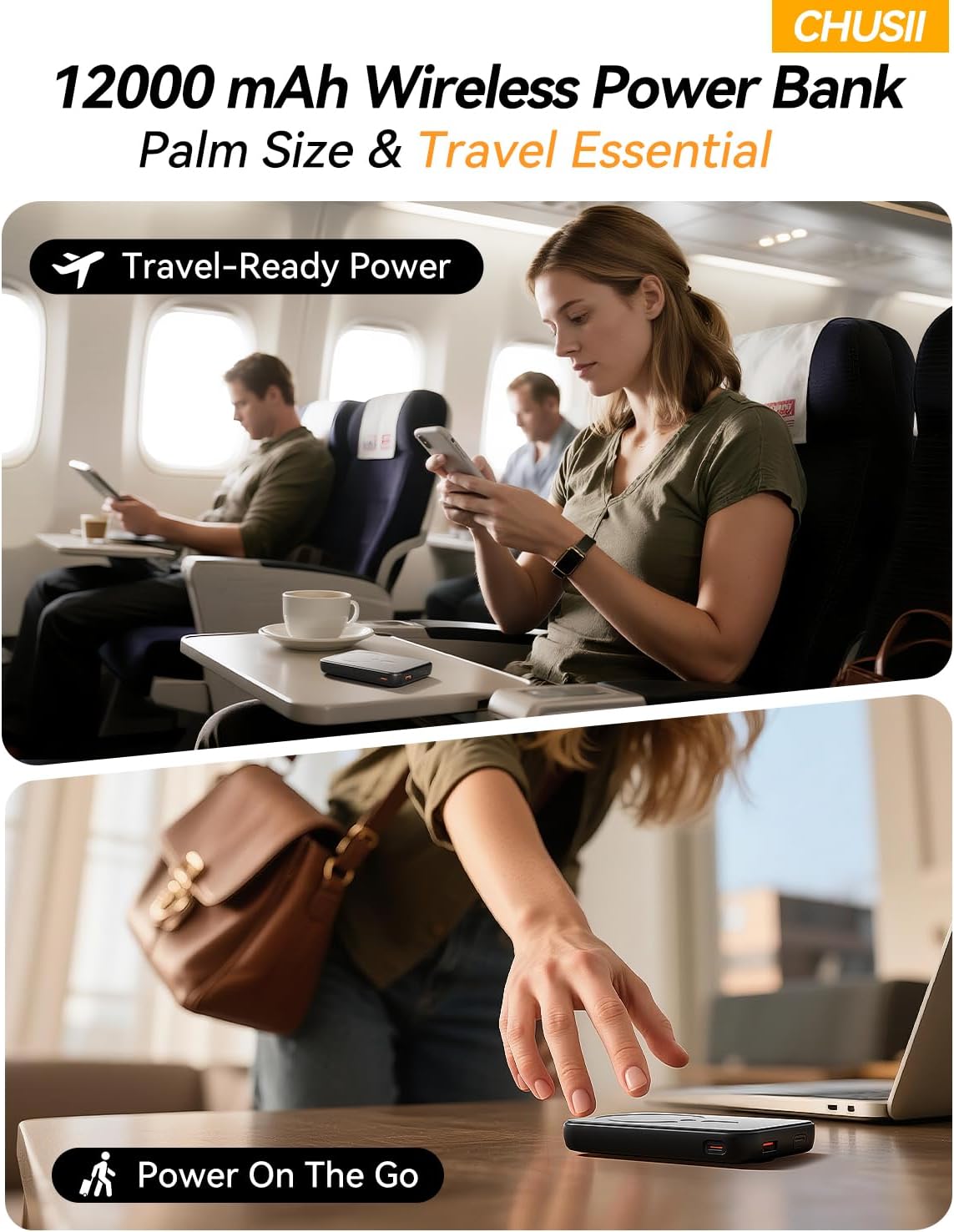
Image: The CHUSII W16 power bank shown in various travel scenarios, emphasizing its compact and portable nature.
4. Setup
4.1 Initial Charging of the Power Bank
- Connect the provided USB-C charging cable to the USB-C port on the CHUSII W16 power bank.
- Plug the other end of the cable into a compatible USB power adapter (not included) or a computer's USB port.
- The LED digital display will show the charging progress. Fully charge the power bank before first use.
4.2 Preparing Your Phone for Magnetic Attachment
For optimal magnetic attachment and wireless charging, ensure your phone is MagSafe compatible. If your phone case is not MagSafe compatible, you may need to attach a magnetic ring (not included) to the back of your phone or case. Follow the instructions provided with your magnetic ring for proper installation.
5. Operating Instructions
5.1 Wireless Charging
- Ensure the CHUSII W16 power bank is sufficiently charged.
- Align your MagSafe-compatible phone or case with the magnetic charging area on the power bank. The magnets will snap into place, securing the phone.
- Wireless charging will begin automatically. The LED display on the power bank will show the charging status.
5.2 Wired Charging
- Connect your device's charging cable to either the USB-C (20W PD) or USB-A (22.5W QC 3.0) port on the power bank.
- Plug the other end of the cable into your device.
- Charging will commence. The LED display will indicate the power bank's remaining charge.
5.3 Using the Built-in Kickstand
- Locate the foldable kickstand on the back of the power bank.
- Gently pull out the kickstand until it locks into position.
- Place your phone (attached to the power bank) on a flat surface, using the kickstand to prop it up for hands-free viewing.
- To retract, push the kickstand back into its slot until it is flush with the power bank's surface.
5.4 Checking Battery Level
The LED digital display on the side of the power bank shows the exact battery percentage. Press the power button once to activate the display.
6. Media Demonstrations
6.1 W16 Wireless Portable Charger Overview
Video: A brief demonstration of the CHUSII W16 Wireless Portable Charger, highlighting its practical features and ease of use.
7. Maintenance
- Cleaning: Use a soft, dry cloth to clean the surface of the power bank. Avoid using harsh chemicals or abrasive materials.
- Storage: Store the power bank in a cool, dry place away from direct sunlight and extreme temperatures.
- Battery Care: To maintain battery health, fully charge the power bank at least once every three months if not in regular use.
- Avoid Drops: Do not drop or subject the power bank to strong impacts.
8. Troubleshooting
8.1 Power Bank Not Charging
- Ensure the charging cable is securely connected to both the power bank and the power source.
- Verify that the power adapter or USB port is functional.
- Try using a different USB-C cable or power adapter.
8.2 Device Not Charging Wirelessly
- Check if your device is MagSafe compatible or has a magnetic ring properly installed.
- Ensure the phone is correctly aligned with the magnetic charging area on the power bank.
- Remove any thick or non-magnetic cases that might interfere with wireless charging.
- Verify the power bank has sufficient charge.
8.3 Device Not Charging Via Wired Connection
- Ensure the charging cable is securely connected to both the power bank and your device.
- Try using a different USB cable.
- Verify the power bank has sufficient charge.
8.4 Excessive Heat During Charging
- It is normal for the power bank to become slightly warm during charging.
- If it becomes excessively hot, disconnect it immediately and contact customer support.
- Ensure proper ventilation and avoid charging in confined spaces.
9. Specifications
| Feature | Detail |
|---|---|
| Product Dimensions | 2.5 x 4.2 x 0.7 inches |
| Item Weight | 8.4 ounces |
| Item Model Number | W16 |
| Battery Capacity | 12000 Milliamp Hours (Lithium Polymer) |
| Wireless Charging Output | 5W / 7.5W / 10W / 15W |
| USB-C Output | 20W PD |
| USB-A Output | 22.5W QC 3.0 |
| Special Features | Digital Display, Wireless Charging, Built-in Kickstand |
| Color | Graphite |
| Manufacturer | Daximen (Shenzhen) Technology Co., Ltd. |
10. Warranty & Support
For warranty information or technical support, please refer to the contact details provided on the product packaging or visit the official CHUSII website. Keep your purchase receipt as proof of purchase for any warranty claims.