
1. Introduction
This manual provides detailed instructions for the assembly, operation, maintenance, and troubleshooting of your Recaceik Round Coffee Table and End Table Set of 3. Please read all instructions carefully before assembly and use to ensure proper function and longevity of your furniture.
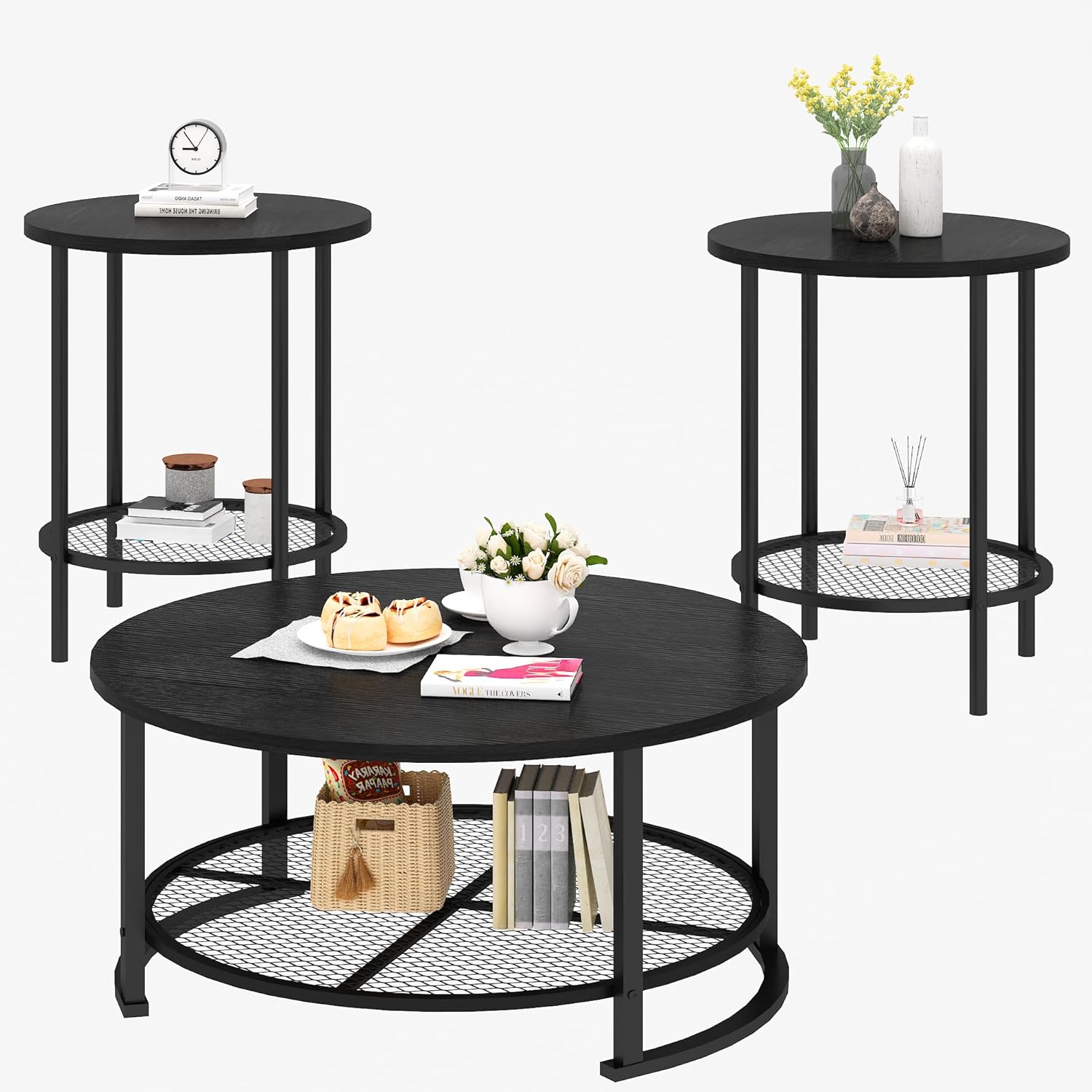
Image 1.1: The Recaceik Round Coffee Table and End Table Set of 3.
2. Safety Information
WARNING: This product requires proper assembly to ensure stability. Do not use on uneven surfaces without adjusting the feet. Keep the table dry to prevent slipping or water damage.
- Ensure all parts are securely fastened before use.
- Do not overload the tables.
- Keep small children and pets away during assembly.
- Use placemats or coasters to protect surfaces from heat and moisture.
3. Package Contents
Verify that all components listed below are present before beginning assembly. If any parts are missing or damaged, please contact customer support.
- 1 x Round Coffee Table
- 2 x Round End Tables
- Assembly Hardware (screws, Allen wrench, adjustable feet)
- Instruction Manual

Image 3.1: Dimensions of the coffee table and end tables. Coffee table: 31.61" D x 18.11" H. End tables: 15.74" D x 23.74" H.
4. Assembly Instructions
Assembly is straightforward and typically requires only a screwdriver (not included) in addition to the provided Allen wrench. Follow these steps carefully:
- Unpack Components: Carefully remove all parts from the packaging and lay them out on a clean, soft surface to prevent scratches. Verify all parts against the package contents list.
- Attach Legs to Tabletop: For each table (one coffee table, two end tables), align the metal frame legs with the pre-drilled holes on the underside of the tabletop. Secure them using the provided screws. Do not fully tighten screws until all components are loosely assembled.
- Install Mesh Shelf: For the coffee table, position the mesh shelf between the lower sections of the metal frame. For the end tables, position the mesh shelf between the lower sections of the metal frame. Secure with screws.
- Tighten All Screws: Once all parts are in place and aligned, gradually tighten all screws until secure. Avoid overtightening.
- Attach Adjustable Feet: Screw the adjustable feet into the bottom of each leg. Adjust them as needed to ensure the table is stable and level on your floor.

Image 4.1: Assembly tips, including ensuring easy assembly and removing any protective film.
Video 4.2: Official Recaceik video demonstrating the features and assembly of the coffee table set.
5. Usage and Placement
This 3-piece table set is designed for versatile use in various indoor spaces.
- Living Room: The coffee table serves as a central piece, while the end tables can be placed beside sofas or armchairs for convenient access to drinks, books, or decorative items.
- Office/Study: End tables can function as compact side tables for holding office supplies or a cup of coffee.
- Small Spaces: The compact design makes this set suitable for apartments or rooms with limited space.
- Storage: Utilize the lower mesh shelves for storing magazines, remote controls, or small baskets.

Image 5.1: The coffee table and end tables arranged in a living room, demonstrating typical usage.
6. Care and Maintenance
Proper care will help maintain the appearance and extend the life of your Recaceik table set.
- Cleaning: Wipe with a dry cloth. For spills, use a slightly damp cloth and dry immediately. Avoid harsh chemicals or abrasive cleaners.
- Protection: Use placemats or coasters to protect the tabletop surfaces from heat, moisture, and scratches.
- Stability Check: Periodically check all screws and connections to ensure they remain tight. Re-tighten if necessary.
- Avoid Direct Sunlight: Prolonged exposure to direct sunlight may cause fading or damage to the finish.
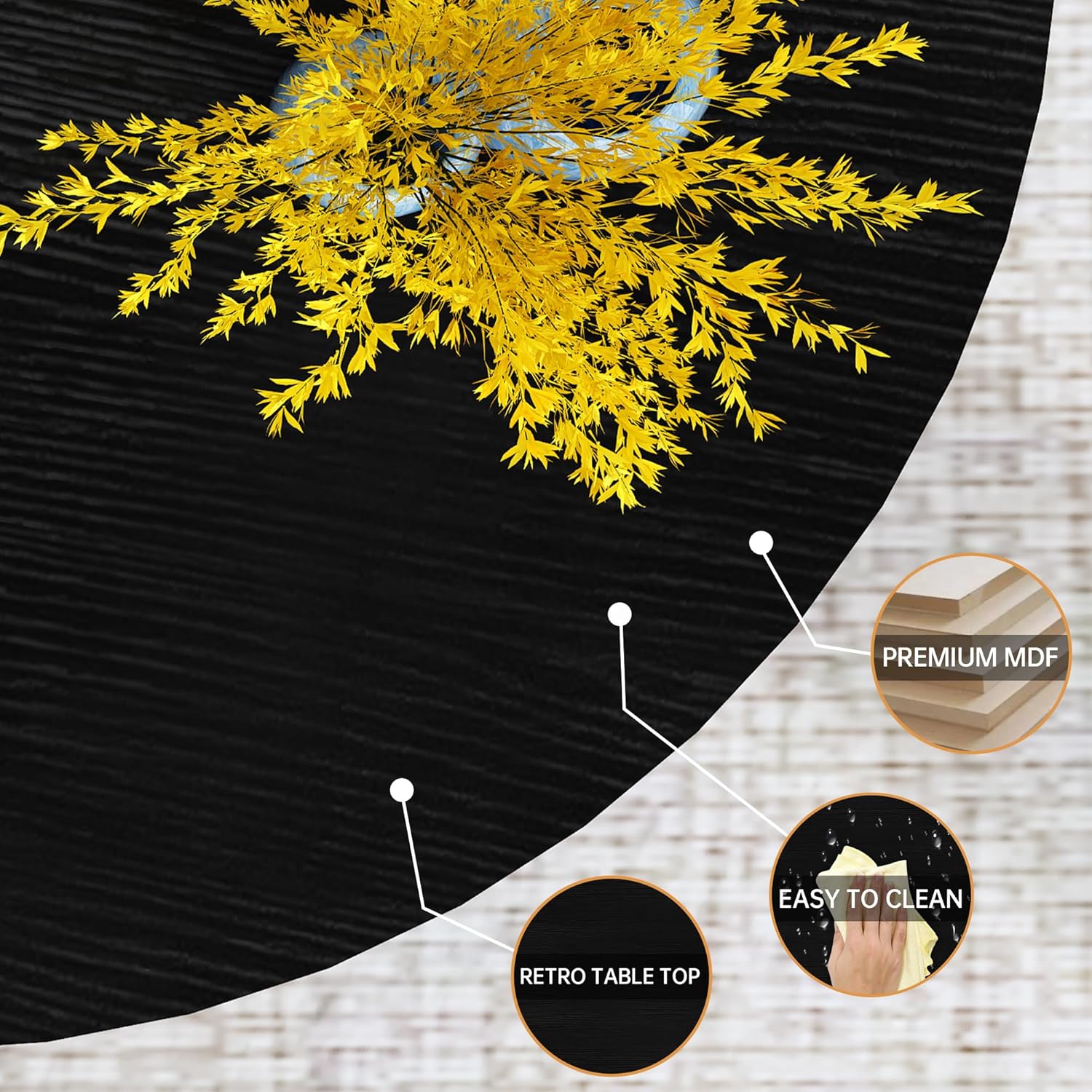
Image 6.1: Detail of the table's retro style surface and thick mesh shelf, highlighting durability and ease of cleaning.
7. Troubleshooting
| Problem | Possible Cause | Solution |
|---|---|---|
| Table wobbles after assembly. | Uneven floor surface; screws not fully tightened; adjustable feet not properly set; missing threading in leg hole. | Adjust the leveling feet on the bottom of the legs until stable. Ensure all screws are tightened. If a leg hole lacks threading, contact customer support for assistance. |
| Parts do not align during assembly. | Screws were tightened too early. | Loosen all screws, align the parts, then gradually tighten all screws. |
| Scratches on the floor. | Adjustable feet not installed or damaged. | Ensure adjustable feet are installed on all legs. Replace damaged feet if necessary. Avoid dragging tables across floors. |
8. Specifications
| Feature | Detail |
|---|---|
| Brand | Recaceik |
| Model Name | Recaceik Coffee Table Set |
| Coffee Table Dimensions | 31.61"D x 31.61"W x 18.1"H |
| End Table Dimensions | 15.74"D x 15.74"W x 23.74"H (approximate, derived from product description) |
| Item Weight | 38 pounds (total for set) |
| Frame Material | Metal |
| Top Material Type | Engineered Wood (PB) |
| Color | Round - Black (Rustic Brown top) |
| Special Features | Storage (lower mesh shelf) |
| Indoor/Outdoor Usage | Indoor |
| Tools Recommended for Assembly | Screwdriver (not included) |
9. Warranty Information
Specific warranty details for this product are not provided in the available information. Please refer to your purchase documentation or contact Recaceik customer support for warranty inquiries.
10. Customer Support
For any questions, missing parts, or assistance with your Recaceik Round Coffee Table and End Table Set, please contact our customer support team.
- Online Support: Visit the Recaceik Store on Amazon.
- Service Availability: 24/7 Customer Service is typically available.

Image 10.1: Information regarding product quality standards and customer service availability.