MRSXWPY Nav-7072 7-Inch HD Touchscreen GPS Navigator User Manual
Model: Nav-7072
Introduction
This manual provides detailed instructions for the setup, operation, maintenance, and troubleshooting of your MRSXWPY Nav-7072 7-Inch HD Touchscreen GPS Navigator. Designed for cars, trucks, and RVs, this system offers intuitive navigation with voice guidance and customizable routing. Please read this manual thoroughly to ensure proper use and to maximize the performance of your device.
1. Package Contents and Setup
1.1 Unboxing Your Device
Carefully unpack all items from the box. Verify that all components listed below are present.
Image 1.1: Contents of the MRSXWPY Nav-7072 GPS Navigator package. The image displays the GPS unit, a car charger, a USB cable, a suction cup bracket, a rear bracket, a sunshade, and the user manual, all neatly arranged next to the product box.
The package should contain:
MRSXWPY Nav-7072 GPS Navigator
Car Charger
USB Cable
Suction Cup Bracket
Rear Bracket
Sunshade
User Manual
1.2 Device Overview and Connections
Familiarize yourself with the device's physical features and connection ports.
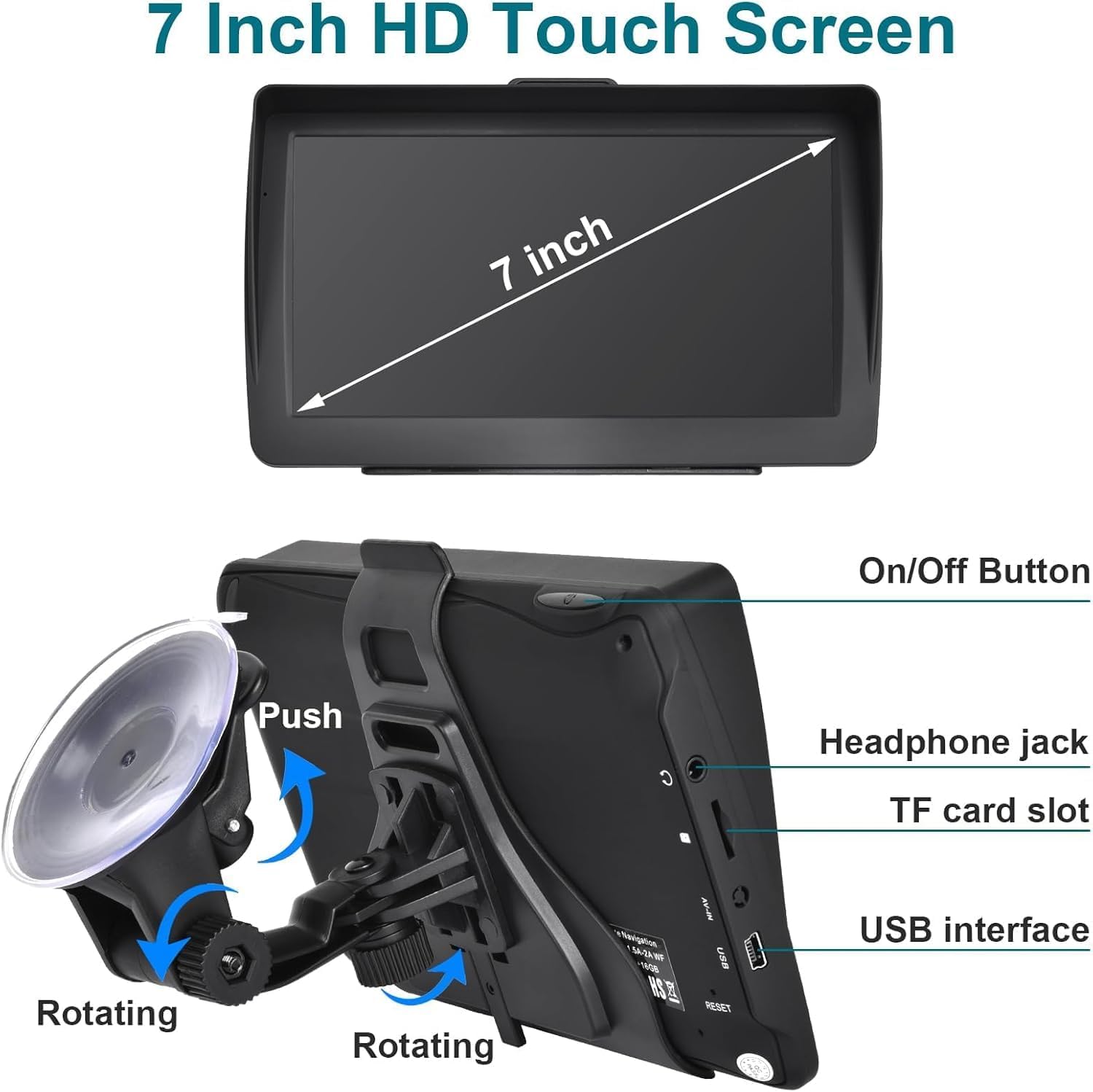
Image 1.2: Detailed view of the MRSXWPY Nav-7072 GPS unit, highlighting its 7-inch touchscreen, power button, headphone jack, TF card slot, USB port, and the rotating mechanism of the suction cup bracket.
On/Off Button: Located on the side for powering the device on or off.
Headphone Jack: For private audio output.
TF Card Slot: For expandable storage, typically used for maps or multimedia.
USB Interface: For charging and data transfer.
Reset Button: A small button, often recessed, for restarting the device if it becomes unresponsive.
1.3 Mounting the Device
Attach the suction cup bracket to a clean, smooth surface on your vehicle's windshield or dashboard. Ensure the bracket is securely fastened before attaching the GPS unit. The bracket allows for rotation to adjust the viewing angle.
Image 1.3: The MRSXWPY Nav-7072 GPS Navigator securely mounted in a vehicle, displaying an active navigation route with speed limit and estimated arrival time.
1.4 Initial Power On and Charging
Connect the device to your vehicle's power outlet using the provided car charger. The device will typically power on automatically or can be turned on using the On/Off button. Allow the device to fully charge before its first use. The internal battery provides approximately 6 hours of operation.
2. Operating Instructions
2.1 Basic Navigation
The MRSXWPY Nav-7072 features a responsive 7-inch HD touchscreen for easy interaction. From the main menu, select "Navigation" to begin planning your route.
Entering a Destination: You can input your destination by address, ZIP code, GPS coordinates, or by selecting a Point of Interest (POI) such as a gas station or parking lot.
Voice Guidance: The system provides clear, turn-by-turn voice instructions, including road names, to help you stay focused on the road.
Route Options: Choose from various route preferences including Fast, Green (eco-friendly), Short, or Convenient routes.
Real-time Information: The display shows current speed, speed camera reminders, lane assistance, remaining distance, and estimated arrival time.
2.2 Customized Truck and RV Routing
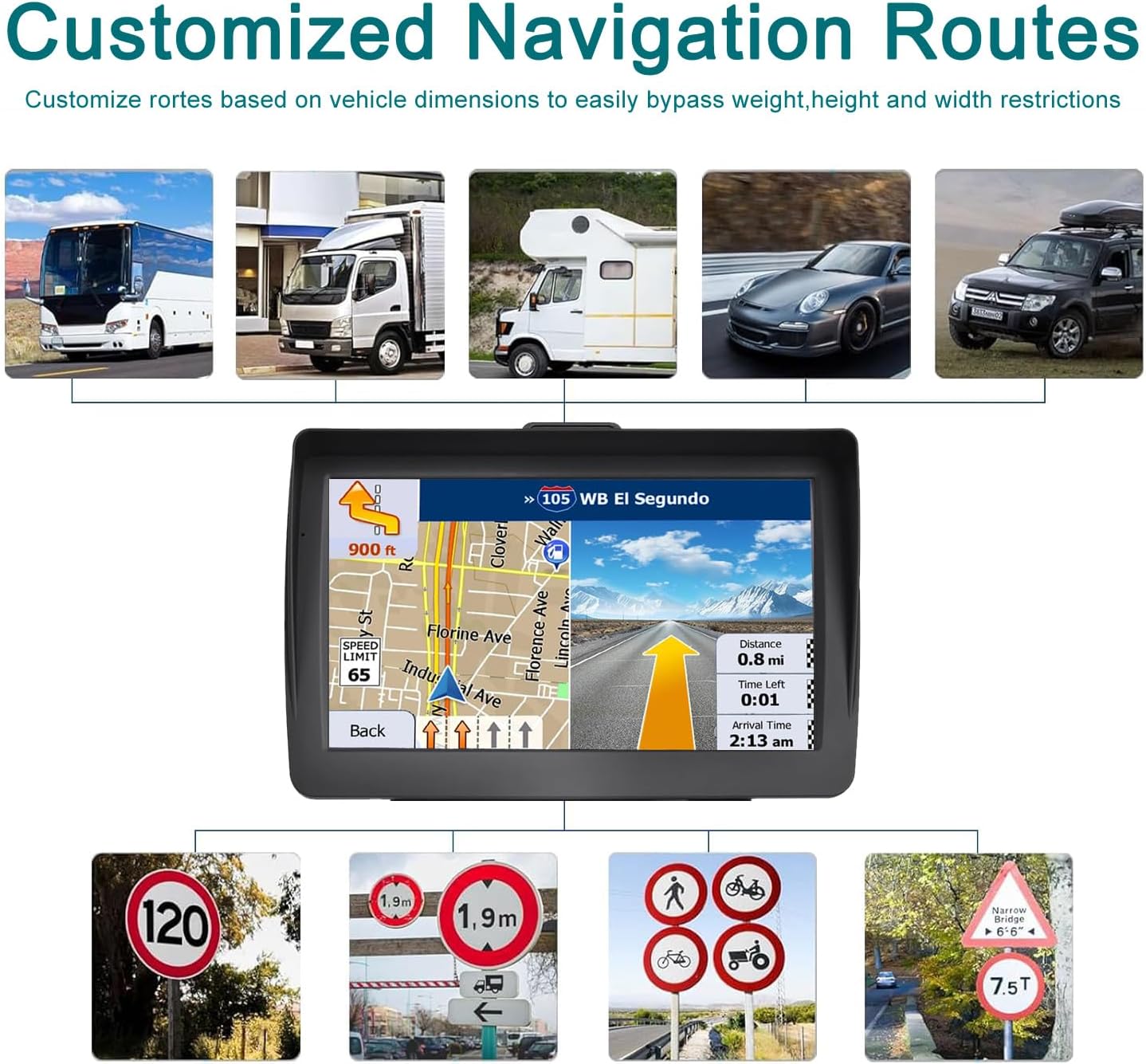
For larger vehicles like trucks and RVs, the GPS offers customized routing. This feature allows you to input your vehicle's weight, length, height, and width to avoid roads with restrictions, ensuring a safe and compliant journey.
Image 2.1: The MRSXWPY Nav-7072 GPS Navigator illustrating its customized routing capabilities for different vehicle types, including heavy vehicles, and displaying examples of road signs indicating height, weight, and width restrictions.
2.3 Map Updates
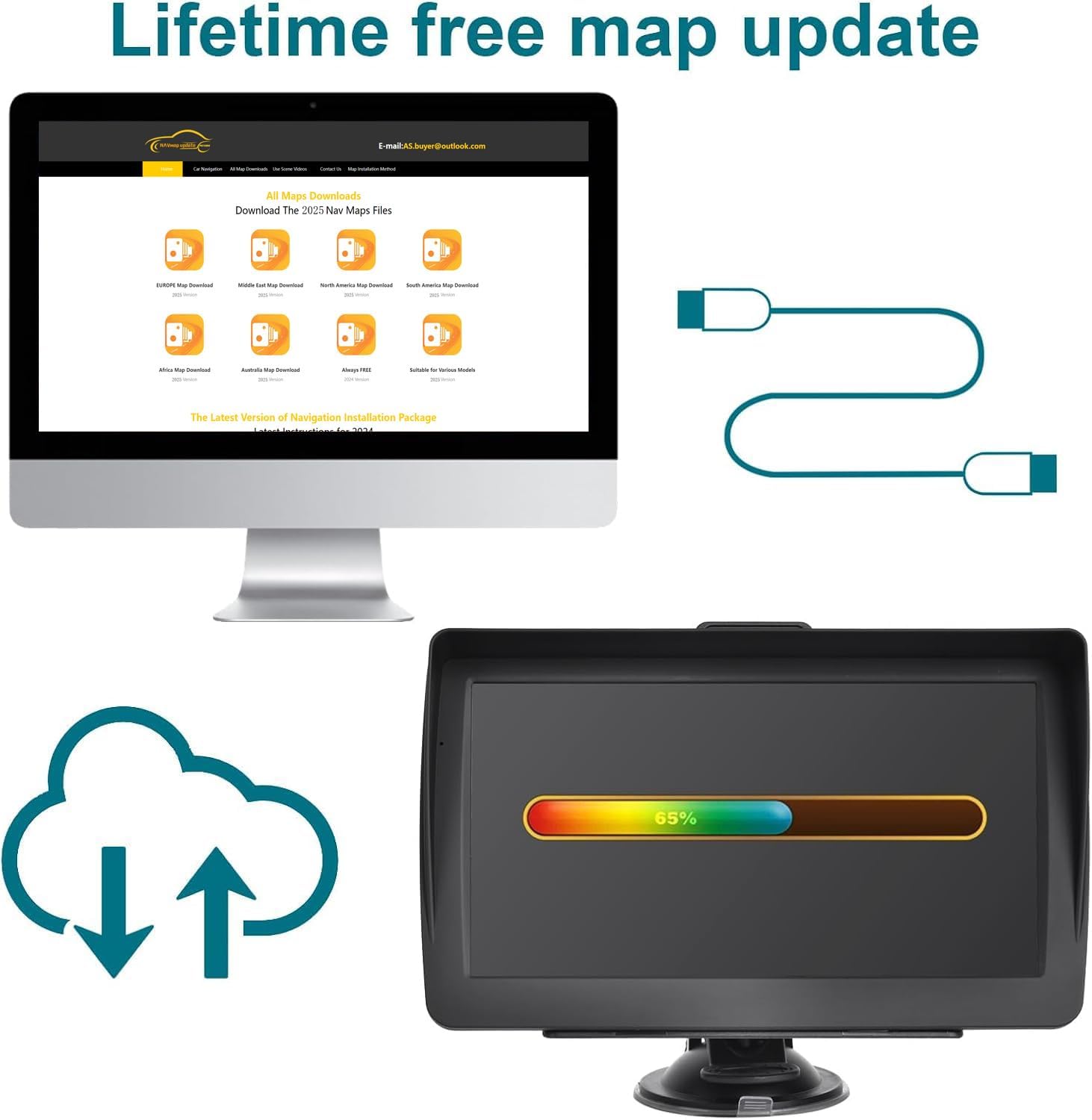
Your MRSXWPY Nav-7072 comes preloaded with the latest North American maps (USA, Canada, Mexico) and includes free lifetime map updates. To update your maps, connect the device to a computer and follow the instructions provided on the manufacturer's website or within the device's update software.
Image 2.2: The MRSXWPY Nav-7072 GPS Navigator undergoing a map update, indicated by a progress bar on its screen. A computer monitor in the background shows a web page with options to download maps for different regions, emphasizing the lifetime free map update feature.
2.4 Multimedia Functions
Beyond navigation, your device supports various multimedia functions, allowing you to enjoy entertainment on the go. These features can be accessed from the main menu.
Image 2.3: The MRSXWPY Nav-7072 GPS Navigator showcasing its multimedia capabilities with icons for Video playback, Music player, FM transmitter, Games, E-book reader, and Photo viewer.
Video: Play compatible video files.
Music: Listen to audio files.
FM: Access FM radio (if supported by hardware).
Game: Enjoy pre-installed games.
E-book: Read electronic books.
Photo: View image files.
2.5 Sunshade Usage
The included sunshade can be attached to the GPS unit to reduce glare and reflections, improving screen visibility in bright conditions.
Image 2.4: The MRSXWPY Nav-7072 GPS Navigator installed in a vehicle, with its sunshade effectively blocking sunlight and preventing reflections on the screen, enhancing visibility for the driver.
3. Maintenance
Proper maintenance ensures the longevity and optimal performance of your GPS navigator.
Screen Cleaning: Use a soft, lint-free cloth to gently wipe the touchscreen. Avoid abrasive materials or harsh chemical cleaners, which can damage the screen.
Software Updates: Regularly check for and install any available software updates in addition to map updates. These updates can improve performance, add new features, and fix bugs.
Battery Care: To prolong battery life, avoid exposing the device to extreme temperatures. If storing the device for an extended period, ensure it has a partial charge (around 50%) and recharge it periodically.
Storage: When not in use, store the device in a cool, dry place away from direct sunlight.
4. Troubleshooting
If you encounter issues with your MRSXWPY Nav-7072, refer to the following common problems and solutions.
Problem
Possible Cause
Solution
Device does not power on.
Low battery; faulty charger; device malfunction.
Charge the device using the provided car charger or USB cable. Ensure the charger is working. If unresponsive, press the reset button (refer to Image 1.2).
No GPS signal.
Obstructed view of the sky; device indoors; software issue.
Move to an open area with a clear view of the sky. Ensure the device is not obstructed by metal objects. Restart the device.
Touchscreen is unresponsive.
Software freeze; physical damage.
Perform a soft reset by pressing the reset button. If the issue persists, contact customer support.
Maps are outdated or incorrect.
Map data is old.
Connect the device to a computer and perform a map update as described in Section 2.3.
5. Specifications
Technical specifications for the MRSXWPY Nav-7072 GPS Navigator.
Feature
Detail
Model Name
Nav-7072
Display Size
7 Inches
Item Weight
1.25 pounds
Product Dimensions
5.8 x 3 x 8.2 inches
Batteries
1 x 12V battery (included)
Battery Life
Up to 6 Hours
Vehicle Service Type
Car, RV, Truck
Special Feature
Turn-by-turn Navigation
Connectivity Technology
USB
Map Type
Street (North America preloaded)
Audio Output Mode
Stereo
6. Warranty Information
The MRSXWPY Nav-7072 GPS Navigator comes with a 2-year warranty from the date of purchase. This warranty covers manufacturing defects and malfunctions under normal use. Please retain your proof of purchase for warranty claims. For detailed warranty terms and conditions, please refer to the documentation included in your package or contact customer support.
7. Customer Support
For any questions, technical assistance, or warranty claims, our professional customer support team is available to help. Please refer to the contact information provided in your product packaging or visit the official MRSXWPY website for support resources.
Note: Specific contact details (phone number, email, website URL) are typically found on the product packaging or a dedicated support card.
Ask a question about this manual
Ask about setup, troubleshooting, compatibility, parts, safety, or missing instructions. Manuals+ will review the question and use this page’s manual context to help answer it.