
Introduction
Thank you for purchasing the GILLIER Wireless Charging Alarm Clock Radio. This device combines multiple functions including a 15W fast wireless charger, Bluetooth stereo speaker, FM radio, dimmable display, USB charging port, and sleep timer. Please read this manual carefully before use to ensure proper operation and to maximize your experience with the product.
Package Contents
- GILLIER Wireless Charging Alarm Clock Radio (S300)
- Power Adapter
- User Manual
- 9V Battery (pre-installed or included for backup)
Product Overview
Familiarize yourself with the various parts and controls of your GILLIER S300 device.

Image: Front and side view of the GILLIER S300, highlighting control buttons and input/output ports.
Front Panel Controls:
- Clock Setting Button: Adjust time and date.
- Alarm Clock Setting Button: Set and manage alarms.
- Previous / Volume Down Button: Navigate tracks or decrease volume.
- Play / Pause Button: Control media playback.
- Next / Volume Up Button: Navigate tracks or increase volume.
- Timer Button: Set sleep timer.
- Mode Switch Button: Cycle through Bluetooth, FM Radio, AUX, etc.
- Power / Light Button: Turn device on/off, adjust light modes.
Side Panel Ports:
- DC IN: Power input port.
- TF Card Slot: For playing music from a TF card.
- USB Port: For charging external devices or as an FM antenna.
- AUX Input: For connecting external audio devices via 3.5mm cable.
- Type-C Port: Additional charging port.
Setup
- Power Connection: Connect the provided power adapter to the DC IN port on the back of the device and plug it into a wall outlet. The display will light up.
- Initial Time Setting: Upon first power-on, the time may need to be set. Press and hold the 'Clock Setting' button. Use the 'Previous/Volume Down' and 'Next/Volume Up' buttons to adjust hours and minutes. Press 'Clock Setting' again to confirm each step.
- FM Antenna: For optimal FM radio reception, plug the included charging cable into the USB port. This cable acts as an external antenna to boost the signal.
Operating Instructions
1. Time and Alarm Settings
- Set Time: Press and hold the 'Clock Setting' button. Use 'Previous/Volume Down' and 'Next/Volume Up' to adjust hours and minutes. Press 'Clock Setting' to confirm.
- Set Alarm: Press and hold the 'Alarm Clock Setting' button. Use 'Previous/Volume Down' and 'Next/Volume Up' to set the alarm time. Press 'Alarm Clock Setting' to confirm. You can choose from 7 unique alarm tones or FM radio.
- Activate/Deactivate Alarm: Briefly press the 'Alarm Clock Setting' button to toggle the alarm on or off. An alarm icon will appear/disappear on the display.
2. Wireless Charging
Place your Qi-compatible smartphone on the top charging pad of the device. Ensure the phone is centered for optimal charging. The device supports 15W fast wireless charging.
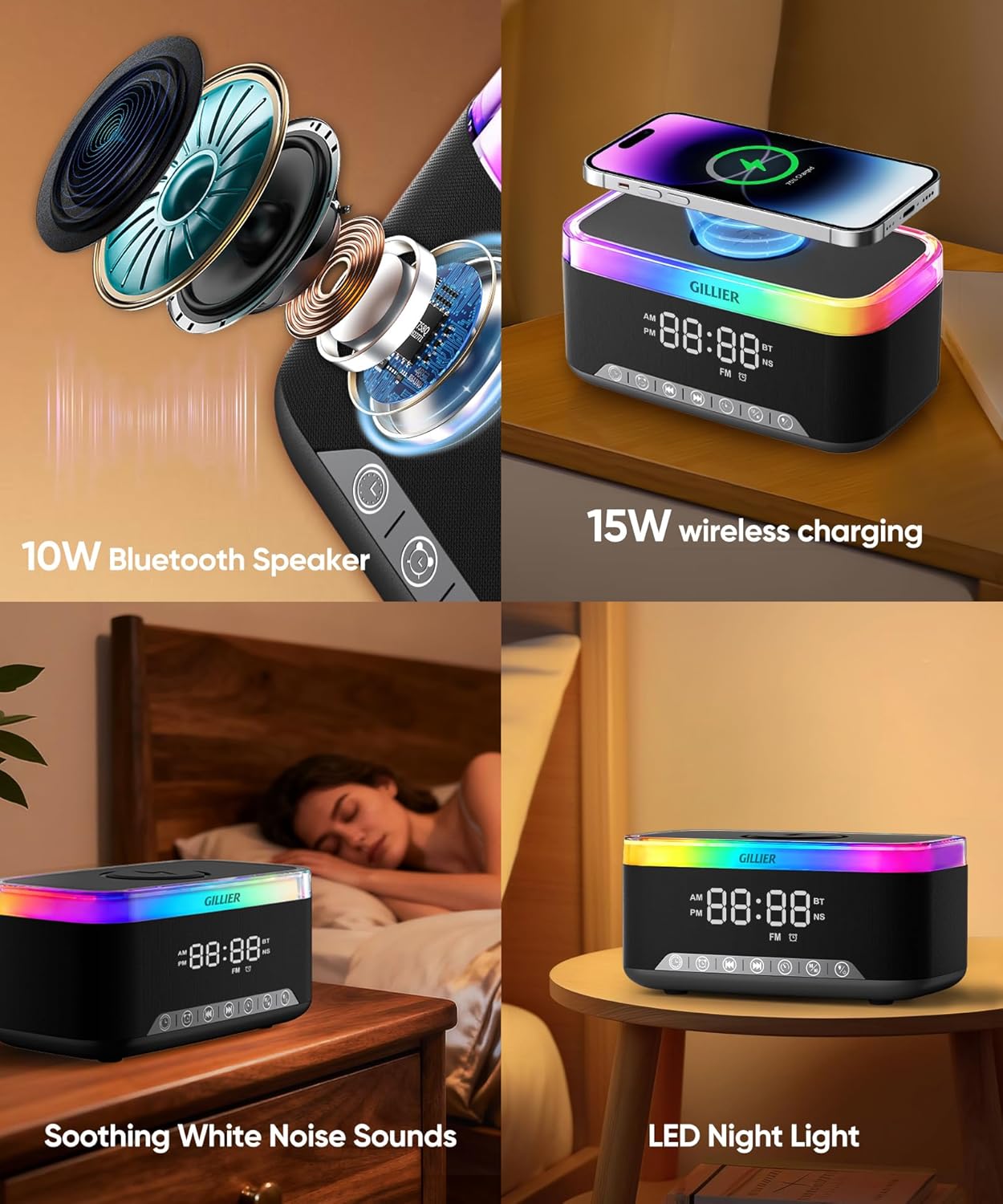
Image: A smartphone is placed on the wireless charging pad, and a smartwatch is connected to the USB port for charging.
3. USB Charging
Connect a USB charging cable to the USB port on the side of the device to charge a second device, such as a smartwatch or tablet.
4. Bluetooth Speaker
- Pairing: Press the 'Mode Switch' button until 'BT' appears on the display. On your smartphone or other Bluetooth device, search for 'GILLIER S300' and connect.
- Playback: Use the 'Play/Pause', 'Previous/Volume Down', and 'Next/Volume Up' buttons to control music playback.

Image: The GILLIER S300 displaying 'BT' for Bluetooth, with musical notes, illustrating its use as a Bluetooth speaker.
5. FM Radio
- Switch to FM: Press the 'Mode Switch' button until 'FM' appears on the display.
- Auto Scan: Press and hold the 'Play/Pause' button to automatically scan and save available FM stations.
- Manual Tuning: Briefly press 'Previous/Volume Down' or 'Next/Volume Up' to manually tune to the next available station.

Image: A woman is shown relaxing in a living room, listening to the FM radio function of the GILLIER S300.
6. Night Light / Atmosphere Light
- Change Light Mode: Briefly press the 'Power / Light' button to cycle through 12 different lighting modes, including various colors and RGB effects.
- Adjust Brightness: Press and hold the 'Power / Light' button to adjust the brightness of the LED display and night light across 3 levels.

Image: The GILLIER S300 with its ambient light bar active, demonstrating the 3-level dimmer function.
7. White Noise Machine & Sleep Timer
- White Noise: Press the 'Mode Switch' button until the white noise mode is activated. Cycle through 7 unique tones (e.g., birds, waves) using the 'Previous/Volume Down' and 'Next/Volume Up' buttons.
- Sleep Timer: Press the 'Timer' button to set a sleep timer. The device will automatically turn off after the set duration.
Maintenance
- Cleaning: Use a soft, dry cloth to clean the surface of the device. Do not use liquid cleaners or abrasive materials.
- Storage: When not in use for extended periods, store the device in a cool, dry place away from direct sunlight and extreme temperatures.
- Avoid Water: Keep the device away from water and high humidity to prevent damage.
Troubleshooting
| Problem | Possible Cause | Solution |
|---|---|---|
| Device does not power on. | Power adapter not connected or faulty. | Ensure power adapter is securely connected to the device and a working power outlet. Try a different outlet. |
| Wireless charging not working. | Phone not Qi-compatible or not properly aligned. Phone case too thick. | Ensure your phone supports Qi wireless charging. Reposition the phone on the charging pad. Remove thick phone cases. |
| Poor FM radio reception. | No external antenna connected or weak signal. | Plug the included charging cable into the USB port to act as an antenna. Try repositioning the device. |
| Bluetooth not connecting. | Device not in Bluetooth mode or not discoverable. | Ensure the device is in Bluetooth pairing mode ('BT' on display). Check your phone's Bluetooth settings and try re-pairing. |
| Alarm does not sound. | Alarm not activated or volume too low. | Check if the alarm icon is displayed. Increase the volume. Ensure the alarm time is correctly set. |
Specifications
| Feature | Detail |
|---|---|
| Brand | GILLIER |
| Model Number | S300 |
| Wireless Charging Output | 15W (Qi-certified) |
| Bluetooth Version | 5.3 |
| Speaker Output | 10W Stereo Sound |
| FM Radio | Yes |
| Display | Dimmable LED |
| Light Modes | 12 Adjustable Modes |
| USB Port | Yes (for charging external devices) |
| White Noise Sounds | 7 Unique Tones |
| Sleep Timer | Yes |
| Dimensions | 7.09 x 1.5 x 3.94 inches |
| Item Weight | 1.72 pounds |
| Power Source | Electrical (with 9V battery backup) |
Official Product Video
Video: An overview of the GILLIER Wireless Charging Alarm Clock Radio, showcasing its features and functionality.
Warranty and Support
GILLIER products are designed for reliability and performance. For warranty information, technical support, or customer service inquiries, please refer to the contact details provided on the product packaging or visit the official GILLIER website. Keep your purchase receipt as proof of purchase for warranty claims.