
Introduction
Thank you for choosing the DAVIKO Pedometer Watch. This device is designed to help you monitor your daily activity and health metrics without the need for a smartphone or app. Please read this manual carefully to ensure proper use and optimal performance of your watch.
1. Setup
1.1 Charging the Watch
Before first use, fully charge your DAVIKO Pedometer Watch. The watch uses a simple magnetic charging method.
- Connect the magnetic charging cable to a USB power source (e.g., computer USB port, USB wall adapter).
- Align the magnetic end of the cable with the charging contacts on the back of the watch. The magnets will snap into place.
- The watch screen will indicate charging status. A full charge takes approximately 1.5 hours and provides up to 7 days of use.

Image: The watch displaying "7 days Use time" and "1.5 Hour Charging Time", illustrating its long battery life and quick charging.
1.2 Powering On/Off
To power on the watch, press and hold the side button until the screen illuminates. To power off, navigate to the settings menu on the watch, select "Power Off," and confirm.
1.3 Wearing the Watch
Wear the watch snugly on your wrist, about one finger's width above your wrist bone. Ensure the sensor on the back of the watch is in contact with your skin for accurate heart rate and sleep monitoring.
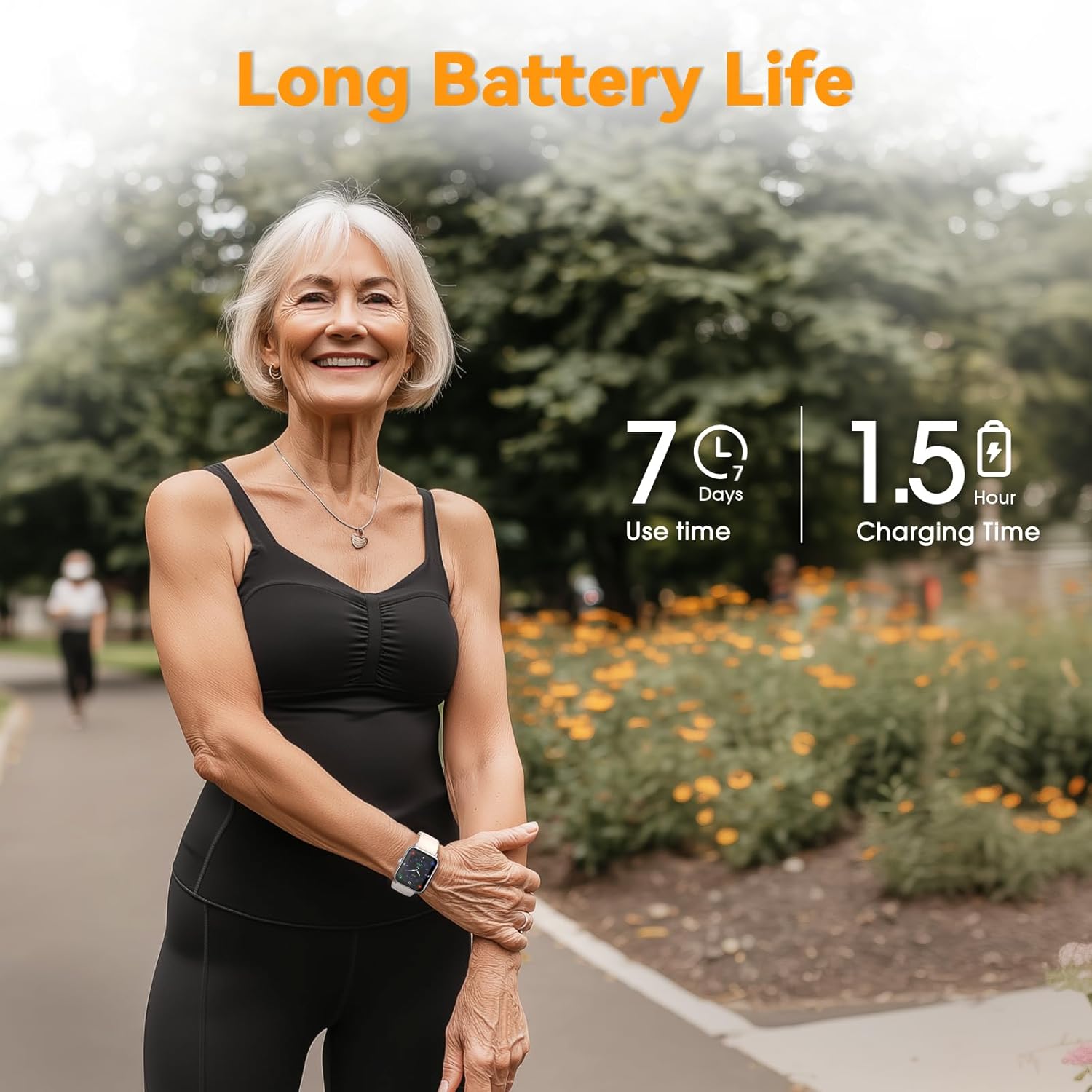
Image: A person's wrist with the DAVIKO Pedometer Watch correctly positioned, showing the watch face and strap.
2. Operating Instructions
2.1 Basic Navigation
The DAVIKO Pedometer Watch features a bright, large LCD screen with intuitive touch controls. Swipe left/right or up/down to navigate through different functions and menus. Tap to select an option.

Image: Multiple overlapping screens of the DAVIKO Pedometer Watch demonstrating its 41mm color screen and responsive touch control with various function icons.
2.2 Activity Tracking
The watch automatically tracks your daily activity, including steps taken, distance covered, and calories burned. You can view these statistics directly on the watch face or by navigating to the "Activity" section.

Image: Two individuals walking outdoors, with an overlay showing activity tracker data: 6331 Steps, 228 Kcal, and 3.06 KM, indicating the watch's ability to record sports data.
2.3 Heart Rate Monitoring
The watch continuously monitors your heart rate in real-time. To view your current heart rate, navigate to the Heart Rate interface on the watch. Ensure the watch is worn correctly for accurate readings.
2.4 Blood Oxygen Measurement
You can manually check your blood oxygen levels using the watch. Navigate to the Blood Oxygen function and follow the on-screen instructions. Remain still during the measurement for best results.
2.5 Sleep Monitoring
The watch automatically tracks your sleep patterns, including awake time, light sleep, and deep sleep. Wear the watch to bed for it to record your sleep data. You can review your sleep quality directly on the watch.

Image: A woman sleeping peacefully, with an overlay showing sleep monitor data: Awake (0H 33 Min), Light Sleep (4H 25 Min), and Deep Sleep (3H 36 Min), indicating the watch's sleep tracking capability.
2.6 Waterproof Functionality (IP68)
The DAVIKO Pedometer Watch is IP68 waterproof, meaning it is resistant to dust and can withstand immersion in water up to 1.5 meters for up to 30 minutes. It is suitable for daily use, including washing hands, rain, and swimming. However, it is not recommended for hot showers, saunas, or diving.

Image: Two individuals, one adult and one child, enjoying a swimming pool, with icons indicating the watch is suitable for Swimming, Rainproof, and Washing Hands, demonstrating its IP68 waterproof design.
3. Maintenance
3.1 Cleaning the Watch
Regularly clean your watch and strap to prevent skin irritation and maintain device functionality. Use a soft, damp cloth to wipe the watch surface. For the strap, you can use mild soap and water, then rinse thoroughly and dry completely before wearing.
3.2 Battery Care
To prolong battery life, avoid fully discharging the watch frequently. Charge it when the battery level is low. Store the watch in a cool, dry place if not used for extended periods.
3.3 Water Resistance Guidelines
While the watch is IP68 waterproof, avoid exposing it to high-pressure water, hot water, or corrosive liquids. After swimming or exposure to saltwater, rinse the watch with fresh water and dry it thoroughly.
4. Troubleshooting
4.1 Watch Not Turning On
- Ensure the watch is fully charged. Connect it to the charger for at least 30 minutes.
- Try pressing and holding the side button for 10-15 seconds to force a restart.
4.2 Inaccurate Readings (Heart Rate, Steps, Sleep)
- Ensure the watch is worn snugly on your wrist, with the sensor in full contact with your skin.
- Clean the sensor on the back of the watch.
- Avoid excessive movement during heart rate or blood oxygen measurements.
4.3 Charging Issues
- Check if the magnetic charging cable is properly connected to both the watch and the USB power source.
- Ensure the charging contacts on the watch and cable are clean and free of debris.
- Try a different USB power source or charging cable if available.
5. Specifications
| Model | B0FWL7F99B |
| Brand | DAVIKO |
| Display | 41mm Color LCD Touch Screen |
| Waterproof Rating | IP68 |
| Battery Type | Lithium Polymer (1 Nonstandard Battery included) |
| Charging Time | Approx. 1.5 hours |
| Battery Life | Up to 7 days (typical use) |
| Item Weight | 2.08 ounces |
| Package Dimensions | 5.83 x 3.19 x 0.75 inches |
| Special Features | Pedometer, Heart Rate Monitor, Sleep Monitor, Calorie Tracker, Blood Oxygen Measurement |
6. Warranty and Support
For warranty information or technical support, please refer to the documentation included with your purchase or contact DAVIKO customer service through the retailer where the product was purchased. Please have your model number (B0FWL7F99B) ready when contacting support.
For additional information, you may visit the official DAVIKO store: DAVIKO Store