
1. Product Overview
The Teyleten Robot TP4056 charging module is designed for charging single-cell lithium batteries or multiple lithium cells connected in parallel. It utilizes the TP4056 charging chip, known for its simple peripheral circuitry, robust protection capabilities, and high charging precision. This module is manufactured with fully automated surface-mount components, ensuring reliability and consistent performance.
The output current of the module is adjustable by modifying a fixed resistor on the circuit board, allowing for current settings between 100mA and 1000mA. The charging port can draw power from a standard USB source.
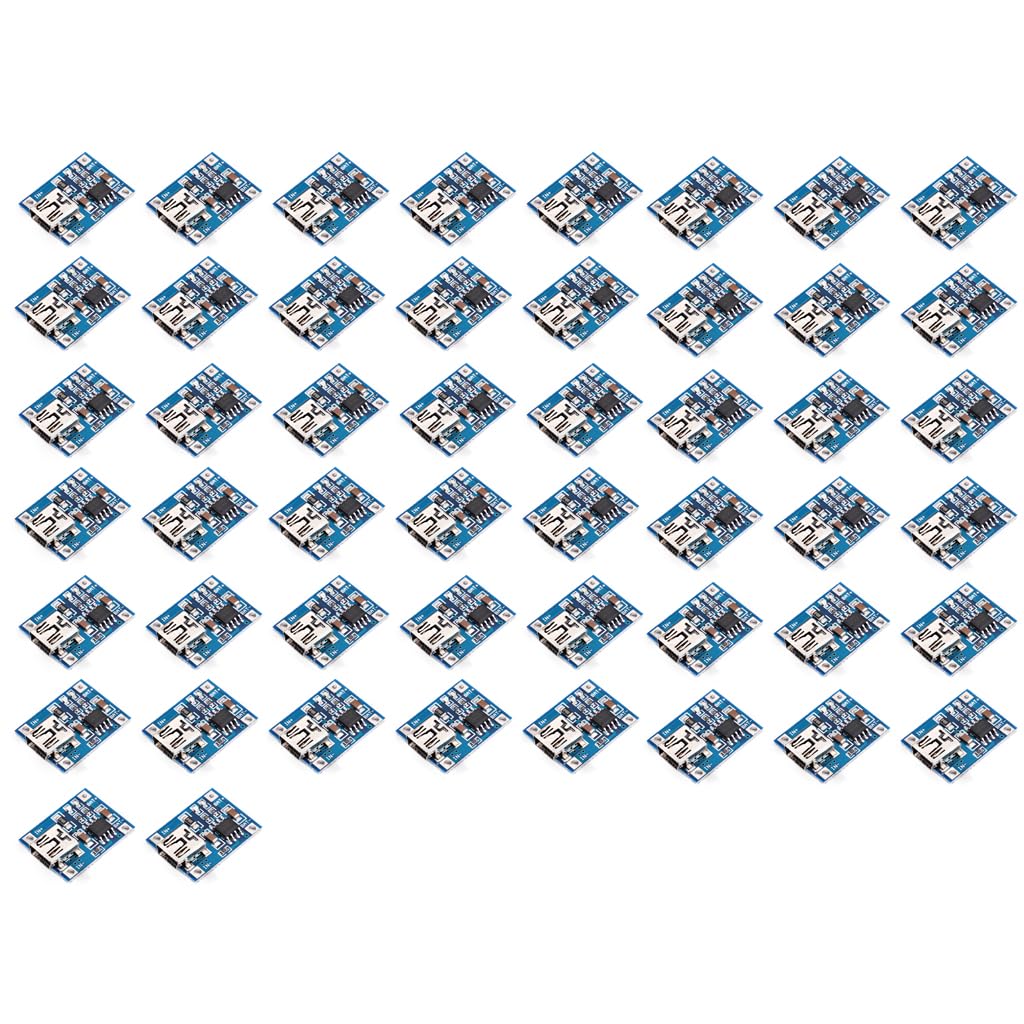
Figure 1: Teyleten Robot TP4056 Lithium Battery Charging Module. This image shows the blue circuit board with clearly labeled input (IN+, IN-) and battery (BAT+, BAT-) terminals, along with the TP4056 chip designation.
2. Specifications
- Interface: MINI USB (for input power)
- Charging Method: Linear Charging
- Charging Current: 1A (adjustable from 100mA to 1000mA)
- Charging Accuracy: 1.5%
- Input Voltage: 4.5V - 5.5V DC
- Full Charge Voltage: 4.2V
- Output Voltage: 4.2 Volts (to battery)
- Amperage: 1 Amps
- Number of Ports: 1 (for battery connection)
3. Setup and Connections
This section details the proper connection of the TP4056 charging module.
3.1 Input Power Connection
- Connect a 5V DC power source to the module's input terminals. This can be done via the MINI USB port or directly to the IN+ and IN- pads.
- Ensure the input voltage is within the specified range of 4.5V to 5.5V.
- If using an ammeter for testing, connect it in series with the 5V input terminal of the charging board.
3.2 Battery Connection
- Connect the positive terminal of your single-cell lithium battery (or parallel-connected cells) to the BAT+ pad on the module.
- Connect the negative terminal of your battery to the BAT- pad on the module.
- Ensure secure and good contact with the battery terminals. Poor contact can lead to significant voltage drop after charging.
3.3 Adjusting Charging Current
The charging current can be adjusted by changing the fixed resistor on the circuit board. Refer to the module's datasheet or manufacturer's guidelines for specific resistor values corresponding to desired current outputs (100mA to 1000mA).
4. Operating Guidelines
Follow these guidelines for optimal performance and battery longevity:
- Optimal Charging Current: For best results and battery health, the optimal charging current is approximately 0.37 times the battery's capacity (0.37C). For example, a 1000mAh battery should ideally be charged at around 400mA. While higher currents can accelerate charging, they may reduce efficiency and cause a more significant voltage drop after charging.
- Charging Cables: Avoid using overly thin or excessively long charging cables. These can increase connection resistance, leading to greater voltage drop after charging and reduced charging efficiency.
- Input Voltage Considerations: If the 5V input voltage is slightly higher (e.g., 5.2V or 5.5V), the charging current may automatically drop below 1000mA. This is a normal protective mechanism. Higher input voltage causes the TP4056 chip to heat up, and the module reduces the charging current to prevent chip damage. It is normal for the chip to operate at around 60°C during high-current charging.
5. Safety Information and Warnings
Read and understand all safety warnings before operating the module.
- Reverse Polarity Protection (Input): Reverse polarity on the input (5V power source) does not typically affect the TP4056 chip.
- Reverse Polarity (Output/Battery): WARNING: Reverse polarity on the output (battery side) WILL burn out the chip. Ensure correct battery polarity (BAT+ to battery positive, BAT- to battery negative) before connecting. Do not reverse the board connections.
- Heat: The charging chip may become warm during operation, especially at higher charging currents. This is normal. Ensure adequate ventilation.
- Short Circuits: Avoid short-circuiting the battery terminals or input/output connections.
- Over-Discharged Batteries: This module is designed for charging. Do not attempt to use it to recover severely over-discharged batteries without proper safety precautions and monitoring.
6. Troubleshooting
- Issue: Charging current is lower than expected.
Possible Causes & Solutions:- Input voltage is slightly high (e.g., 5.2V or 5.5V). The chip automatically reduces current to prevent overheating. This is normal behavior.
- Charging cable is too thin or too long, increasing resistance. Use a thicker, shorter cable.
- Issue: Significant voltage drop after charging.
Possible Causes & Solutions:- Poor contact with battery terminals. Ensure connections are secure and clean.
- Charging cable is too thin or too long. Use a thicker, shorter cable.
- Excessive charging current (above 0.37C). Reduce the charging current if possible.
- Issue: Module is getting very hot.
Possible Causes & Solutions:- High charging current. The chip operating around 60°C is normal for high currents. Ensure adequate ventilation.
- High input voltage. The chip will heat up and reduce current.
- Issue: Module not charging or appears damaged.
Possible Causes & Solutions:- Check all connections for correct polarity, especially the battery connection. Reverse polarity on the battery side will damage the chip.
- Verify input power supply is within the 4.5V-5.5V range and providing sufficient current.