1. Introduction
Thank you for choosing the Nakamichi TW016 Wireless Earphones. This manual provides essential information for the proper use and maintenance of your device. Please read it thoroughly before use and keep it for future reference.
2. Package Contents
Ensure all items are present in the package:
- Nakamichi TW016 Wireless Earphones (Left and Right)
- Charging Case
- USB Charging Cable
- User Manual
3. Product Overview
The Nakamichi TW016 earphones are designed for comfort and high-quality audio. Each earbud weighs approximately 3g, providing a lightweight and secure fit for extended listening. The compact charging case allows for easy portability.

Image: Nakamichi TW016 Wireless Earphones and Charging Case. This image displays the white earbuds and their charging case, highlighting key features such as Bluetooth 5.4, 13mm dynamic drivers, clear calls, game mode, and 20-hour playback.
Key Features:
- Bluetooth 5.4 Technology: Ensures stable and efficient wireless connection with improved data transfer speed and reduced latency.
- 13mm Dynamic Drivers: Deliver balanced audio with deep bass and clear mid-high tones, supporting AAC codec for enhanced sound quality.
- Clear Hands-free Calls: Built-in microphones in both earbuds provide clear voice transmission by suppressing ambient noise.
- Game Mode: Reduces audio-visual latency for a more immersive gaming experience.
- Extended Playback: Up to 5 hours of listening on a single charge, with a total of 20 hours using the charging case.
- Compact and Lightweight Design: Each earbud weighs approximately 3g, and the charging case is small enough to fit in a pocket.
4. Setup
4.1 Initial Use and Charging
Before first use, or if the earphones are new, please follow these steps:
- Remove the protective film from the charging contacts on both earbuds.
- Place both earbuds back into the charging case.
- Connect the charging case to a power source using the provided USB cable to fully charge the earphones and case.

Image: Earbuds with protective film being removed. This image illustrates the process of removing the protective film from the earbud charging contacts, which is necessary before initial use or charging.
4.2 Pairing with a Device
To pair your Nakamichi TW016 earphones with a Bluetooth-enabled device:
- Ensure the earphones are charged.
- Open the charging case and take out both earphones. They will automatically enter pairing mode.
- On your device (smartphone, tablet, PC), go to the Bluetooth settings.
- Search for available devices and select "Nakamichi TW016" from the list.
- Once connected, you will hear a confirmation tone, and the earphones will be ready for use.
5. Operating Instructions
The Nakamichi TW016 earphones feature touch controls on each earbud. The following table outlines the various functions:
| Function Category | Action | Control |
|---|---|---|
| Music Playback | Play/Pause | Tap L/R earbud 2 times |
| Previous Track | Long press L/R earbud for 2 seconds | |
| Next Track | Long press L/R earbud for 2 seconds | |
| Call Management | Answer Call | Tap L/R earbud 1 time |
| End Call | Tap L/R earbud 1 time | |
| Reject Call | Tap L/R earbud 2 times | |
| Volume Control | Volume Up | Tap R earbud 1 time |
| Volume Down | Tap L earbud 1 time | |
| Modes & Assistant | Game Mode / Music Mode Toggle | Tap L/R earbud 4 times |
| Activate Voice Assistant | Tap L/R earbud 3 times |
5.1 Game Mode
The Game Mode significantly reduces audio-visual latency, providing a more synchronized and immersive experience for gaming. To activate or deactivate Game Mode, tap either earbud four times.

Image: Smartphone displaying a game with Nakamichi TW016 earbuds and case. This image demonstrates the use of the earphones during a gaming session, highlighting the Game Mode feature.
6. Charging
The Nakamichi TW016 earphones offer up to 20 hours of total playback time with the charging case.
6.1 Charging the Earbuds
Place the earbuds into the charging case. They will automatically begin charging. The indicator lights on the case will show the charging status.
6.2 Charging the Case
Connect the charging case to a USB power adapter (DC 5V/0.2A input) using the provided USB cable. The indicator lights will show the charging progress. A full charge of the case provides multiple charges for the earbuds.
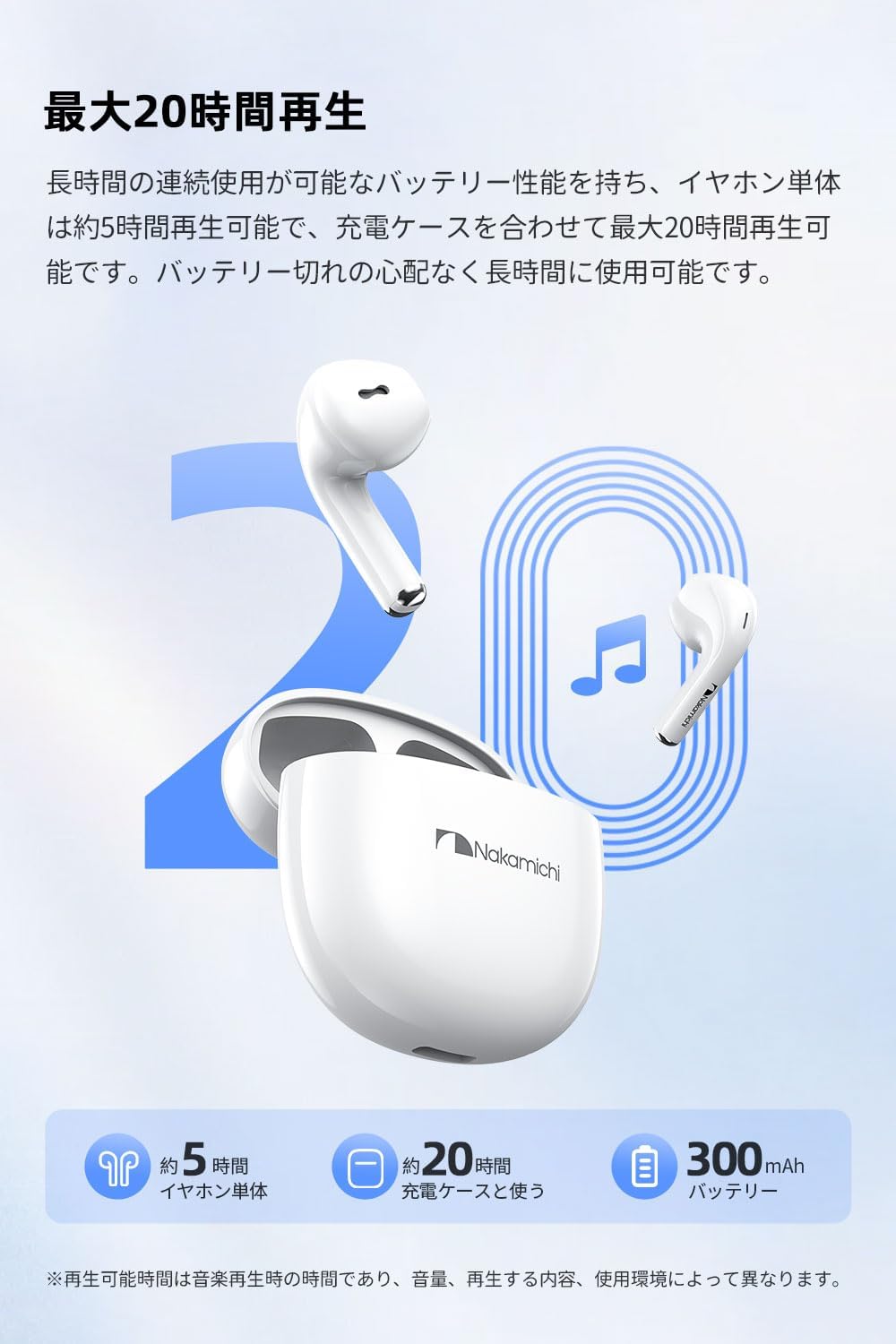
Image: Nakamichi TW016 Earbuds and Charging Case with 20-hour playback graphic. This image visually represents the extended battery life of the earphones and charging case, indicating approximately 5 hours for earbuds and 20 hours total with the case.
7. Specifications
| Feature | Specification |
|---|---|
| Model Number | TW016 |
| Bluetooth Version | 5.4 |
| Driver Size | 13mm Dynamic Driver |
| Frequency Response | 20Hz - 20kHz |
| Sensitivity | 117 dB |
| Impedance | 32 Ohm |
| Earbud Weight (each) | Approx. 3g |
| Total Weight (earbuds + case) | 40g |
| Earbud Battery Life | Approx. 5 hours |
| Total Playback Time (with case) | Approx. 20 hours |
| Charging Case Input | DC 5V/0.2A |
| Charging Case Output | DC 5V/300mA |
| Control Type | Touch Control |
| Compatible Devices | Game consoles, Tablets, Desktop PCs, Laptops, Mobile phones |
8. Maintenance
Proper maintenance ensures the longevity of your earphones:
- Cleaning: Use a soft, dry cloth to clean the earbuds and charging case. Do not use harsh chemicals or abrasive materials.
- Charging Contacts: Periodically clean the charging contacts on both the earbuds and inside the case with a dry cotton swab to ensure proper charging.
- Storage: When not in use, store the earphones in their charging case to protect them from dust and damage. Store in a cool, dry place.
- Avoid Water: These earphones are not waterproof. Avoid exposure to water, moisture, or extreme temperatures.
9. Troubleshooting
If you encounter any issues, refer to the following common solutions:
- No Sound/Connection Issues:
- Ensure both earbuds are charged.
- Make sure Bluetooth is enabled on your device.
- Try unpairing and re-pairing the earphones with your device.
- Ensure the earphones are within the Bluetooth range of your device.
- Earbuds Not Charging:
- Check if the protective film has been removed from the earbud charging contacts.
- Ensure the charging case is charged.
- Clean the charging contacts on both the earbuds and the case.
- Microphone Not Working Clearly:
- Ensure the microphone is not obstructed.
- Check your device's audio input settings to ensure the earphones are selected.
- Try moving to a quieter environment.
- Touch Controls Unresponsive:
- Ensure your fingers are clean and dry.
- Restart the earphones by placing them back in the case and taking them out again.
10. Warranty and Support
Nakamichi products are designed and manufactured to the highest quality standards. For warranty information and customer support, please refer to the warranty card included in your package or visit the official Nakamichi website. Keep your proof of purchase for warranty claims.
For further assistance, please contact Nakamichi customer service through the contact information provided on our official website or in your product documentation.


