
Introduction
Thank you for choosing the MARLALL LiteSurge S800 Bone Conduction Swimming Headphones. These headphones are designed for versatility and durability, offering both Bluetooth and MP3 modes, 32GB of built-in memory, and an IP68 waterproof rating, making them ideal for various activities including swimming, running, and cycling. This manual provides essential information for setup, operation, and maintenance to ensure optimal performance and longevity of your device.
Important Note: For underwater use, please switch to MP3 mode. Bluetooth signals do not transmit effectively underwater. Ensure the microphone is dry after swimming for clear call functionality.
Product Overview & What's in the Box
The MARLALL LiteSurge S800 headphones feature an open-ear design for comfort and situational awareness, bone conduction technology for clear audio, and robust IP68 waterproofing.

Image: MARLALL LiteSurge S800 headphones highlighting features like Open-Ear Comfort, Bluetooth 5.4, IPX8 Waterproof, Magnetic Quick Charge, 32GB Memory, and Adjustable Band.

Image: Close-up of the MARLALL LiteSurge S800 headphones displaying magnetic charging contacts and battery life indicators: 10 hours music time, 2 hours charge time, 360 hours standby time.
Package Contents:
- MARLALL LiteSurge S800 Bone Conduction Headphones
- Magnetic Charging Cable
- User Manual
- Earplugs (for swimming)
Setup
1. Charging the Headphones
Connect the magnetic charging cable to the charging port on the headphones. Connect the USB-A end of the cable to a compatible USB power adapter (not included) or a computer's USB port. The LED indicator will show charging status. A full charge takes approximately 2 hours.
2. Loading MP3 Files (for MP3 Mode)
To load music onto the built-in 32GB memory, connect the headphones to your computer using the magnetic charging cable. The headphones will appear as a removable disk drive. Drag and drop your MP3, WAV, WMA, or FLAC audio files directly into the headphones' storage. Safely eject the device from your computer once done.

Image: The MARLALL LiteSurge S800 headphones with an overlay indicating 32GB MP3 storage and Bluetooth 5.4 connectivity.
3. Bluetooth Pairing
- Ensure the headphones are powered off.
- Press and hold the multi-function button (usually the power button) for approximately 5-7 seconds until the LED indicator flashes red and blue alternately, indicating pairing mode.
- On your smartphone or Bluetooth-enabled device, go to Bluetooth settings and search for available devices.
- Select "S800" (or similar model name) from the list to connect. Once connected, the LED will flash blue slowly.
Video: A seller-provided video demonstrating the unboxing, Bluetooth pairing process, and wearing of the bone conduction headphones.
Operating Instructions

Image: A detailed diagram illustrating the location and function of each button on the MARLALL LiteSurge S800 headphones for easy operation.
1. Power On/Off
- Power On: Long press the multi-function button for 3 seconds.
- Power Off: Long press the multi-function button for 3 seconds.
2. Mode Switching (Bluetooth / MP3)
- Double-click the multi-function button to switch between Bluetooth mode and MP3 mode.
3. Music Playback
- Play/Pause: Click the multi-function button once.
- Volume Up: Click the '+' button once.
- Volume Down: Click the '-' button once.
- Next Song: Long press the '+' button.
- Previous Song: Long press the '-' button.
4. Call Management
- Answer/Hang Up Calls: Click the multi-function button once.
- Reject Calls: Long press the multi-function button for 3 seconds.
- Wake Voice Assistant: Click the multi-function button 3 times.
5. Wearing the Headphones
Place the headphones with the transducers resting on your cheekbones, just in front of your ears. The neckband should rest comfortably around the back of your head. An adjustable strap is included for a more stable fit during intense activities.

Image: The MARLALL LiteSurge S800 headphones shown with an adjustable strap for a secure and comfortable fit.
Usage Scenarios
The MARLALL LiteSurge S800 headphones are designed for diverse activities, ensuring high-quality audio and user safety.
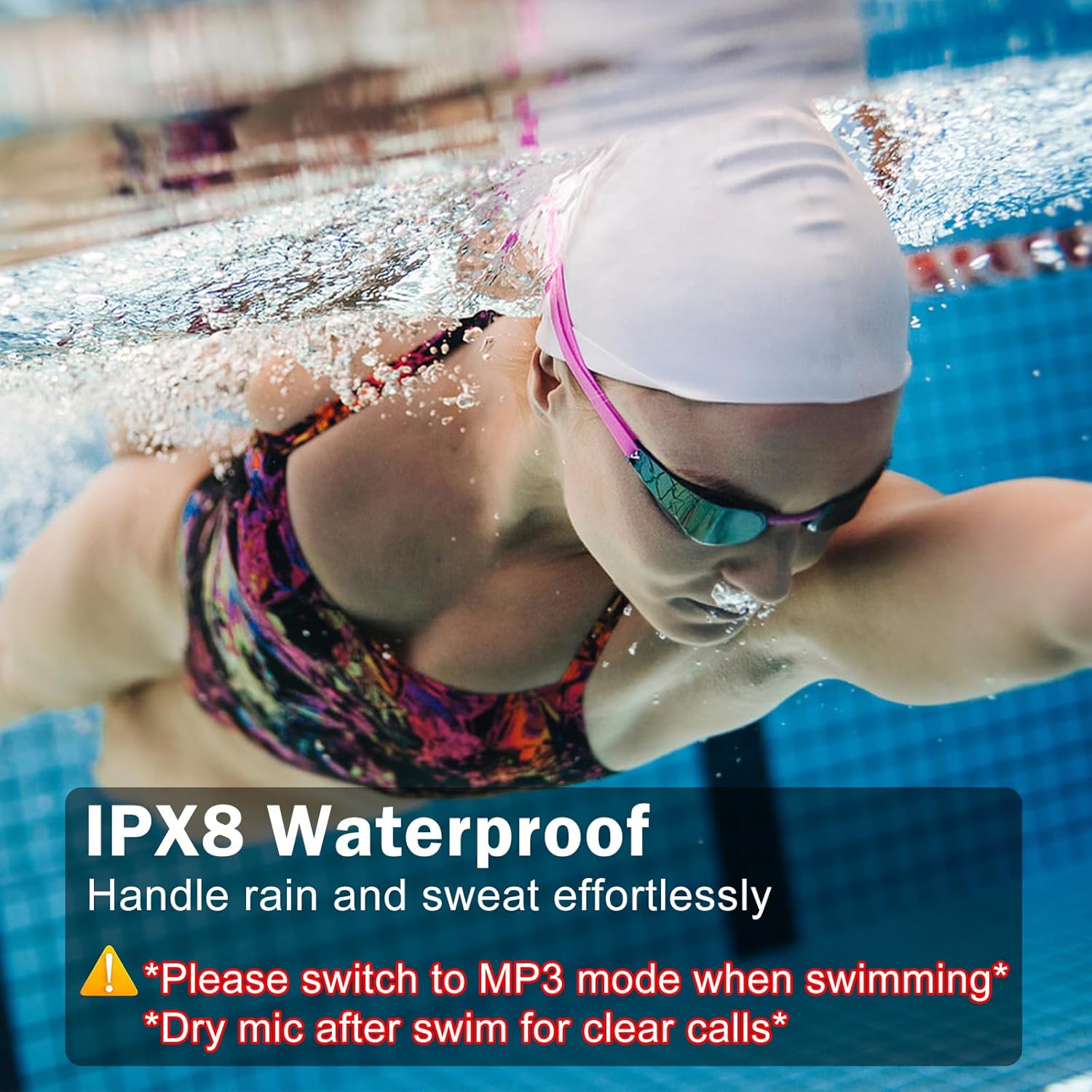
Image: A woman swimming underwater with the MARLALL LiteSurge S800 headphones, emphasizing their IP68 waterproof rating and the requirement to use MP3 mode for swimming.

Image: A collage showing individuals using the MARLALL LiteSurge S800 headphones during various activities such as cycling, running, surfing, and working, highlighting their versatility.
1. Swimming & Water Sports
Utilize the built-in 32GB MP3 player for music playback. The IP68 rating ensures protection against water immersion. Remember to use the provided earplugs for optimal sound quality underwater and to prevent water from entering your ears. Always dry the microphone after swimming to maintain call clarity.
Video: A seller-provided video demonstrating the waterproof capabilities of the headphones during swimming.
2. Running, Cycling & Outdoor Activities
The open-ear design allows you to remain aware of your surroundings, enhancing safety during outdoor activities. Use Bluetooth mode to stream music or take calls from your connected device.
3. Daily Use & Work
Enjoy comfortable, all-day wear with the lightweight liquid silicone material. The open-ear design is suitable for office environments where you need to hear colleagues or ambient sounds.
Maintenance
1. Cleaning
After each use, especially after swimming or intense workouts, gently wipe the headphones with a soft, damp cloth. Avoid using harsh chemicals or abrasive materials.
2. Drying
Ensure the headphones are completely dry before charging or storing. Pay special attention to the charging contacts and microphone area. Air dry thoroughly or use a soft, dry cloth.
3. Storage
Store the headphones in a cool, dry place away from direct sunlight and extreme temperatures. Avoid bending or twisting the neckband excessively to prevent damage.
Troubleshooting
- No Sound: Check volume levels on both headphones and connected device. Ensure headphones are in the correct mode (Bluetooth or MP3).
- Cannot Pair Bluetooth: Ensure headphones are in pairing mode (flashing red/blue). Turn off and on Bluetooth on your device. Move closer to the device.
- Cannot Charge: Verify the magnetic charging cable is correctly aligned and connected. Try a different USB power source. Ensure charging contacts are clean and dry.
- MP3 Files Not Playing: Confirm files are in supported formats (MP3, WAV, WMA, FLAC). Ensure files were transferred correctly to the internal 32GB memory.
Specifications
| Feature | Detail |
|---|---|
| Model Name | S800 |
| Water Resistance Level | IP68 Waterproof |
| Connectivity Technology | Bluetooth 5.4, MP3 (32GB internal memory) |
| Bluetooth Range | Up to 10 meters (33 feet) |
| Audio Driver Type | Bone Conduction Driver |
| Battery Life (Music Time) | Up to 10 hours |
| Charging Time | Approx. 2 hours |
| Material | Liquid Silicone |
| Item Weight | 22.68 g (0.8 ounces) |
Warranty and Support
Your MARLALL LiteSurge S800 headphones come with a manufacturer's warranty. Please refer to the warranty card included in your package for specific terms and conditions. For technical support, troubleshooting assistance, or warranty claims, please contact MARLALL customer service through the contact information provided on the warranty card or the official MARLALL website.